

 irzyxa
Volume² randomly stops working
I have Volume² set to work from my left screen edge, but sometimes the up/down indicator does not appear, and thus the page scrolls instead of adjusting volume. When I go the my systray, the Volume² button is there and appears active, showing the volume level.
To reactivate the left screen volume up/down level indicator, I must double click on the Volume² systary button to launch the interface. Nothing more. Doing that returns everything to normal. I then close the interface.
- Windows version:: 10
- Volume² version: 1.1.8, build 458 (25.05.2022)

I'm continuing to experience odd behavior. Yesterday, things went mute for some unknown reason and i had to do a lot of troubleshooting to get volume back. I just rebooted the machine, and the Volume2 left margin indicator was stuck at 40. Wouldn't move. I had to shut it down and start it a couple times before it started working properly again.
Confusing. This latest stuff happened right after the last Windows Update.
I just now noticed something else. I tried to change the volume from a mouse hover over the systray icon. Nothing happens, no volume adjustment. If I click on the icon, then go to the left margin to adjust, no matter which way I scroll, the volume indicator jumps right to the top, at 100%, and is locked there until I click on the systray icon once again after which it starts working normally once again
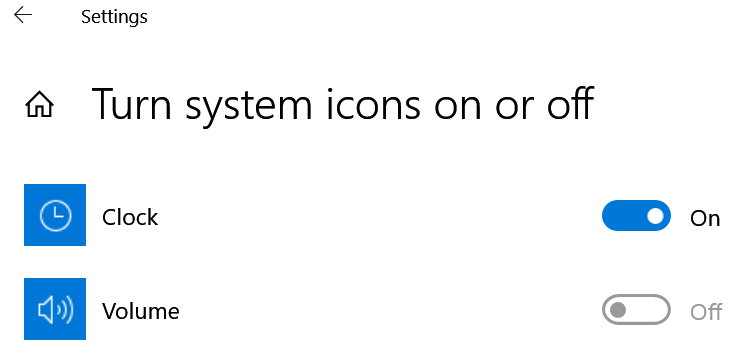
BTW, does the use of Volume2 cause a greyed out Volume icon?
I just reverted back to Volume2_1_1_8 build 452. Working ok so far. I'll report back if there is a recurrence.
For me it also stops working randomly. Than I only click the tray icon once, don't even have to open the interface, the single click opens nothing but it does restore functionality -> volume change with scrollwheel over taskbar works again.
I'm on 1.1.8.458 but had the same issue with older builds
EDIT: seems to be a known bug, found this workaround in other threads: "Open program Settings - System tab - enable option Restart the hooks every 500 ms."

Please try to enable option described in FAQ: https://github.com/irzyxa/Volume2/wiki/FAQ#5-stops-working-after-awhile
