

 irzyxa
Single Left Click on Icon doesn't work?
I couldn't get (Single Left Click) to Perform any Action/Event I don't mind using the older version the application is great but I was wondering what could cause it, maybe you do too Either way, if someone else gets this bug....
checked it on the newest (beta) and newest (release) version, doesn't work on the 1.1.1.5.404 version, this one worked did that on windows 10 19044.1586 I also tried to play with settings and went over faq (run as admin....etc) I have 2 different audio devices connected at the same time (didn't test if it worked with just one as it would defeat the purpose for me)

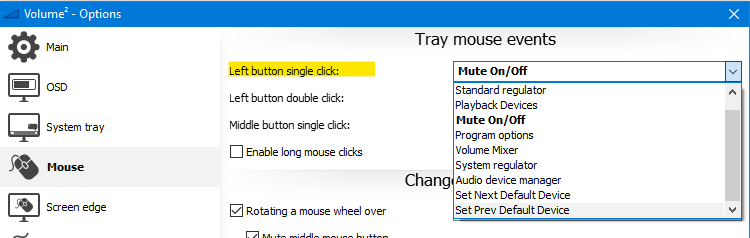

I'm a different user but I have the same problem, it's the "Left button single click" shown in your picture. Double click, middle click & right click all work fine but left click doesn't do anything. However if I do "Right Click -> Disable Volume2 -> Mouse Actions" then left clicking works again on the system tray.
I downloaded Volume² 1.1.1.5.404 that OP mentioned, and I can confirm that left clicking also works for me on that version.
I'm on Windows 10 Home (21H2) - OS build 19044.1645 Currently using Volume² v1.1.8, build 457 Also tried Volume² v1.1.7, build 449 - same issue was present.
