
ipykernel

ipykernel copied to clipboard
 ipython
Unable to attach debugger after ipykernel/debugger.py gets imported
The problem starts at version ipykernel==6.3.0 and up. I created a fresh venv in PyCharm and this is what I see in the "Python Window" when clicking the "Attach Debugger" button:


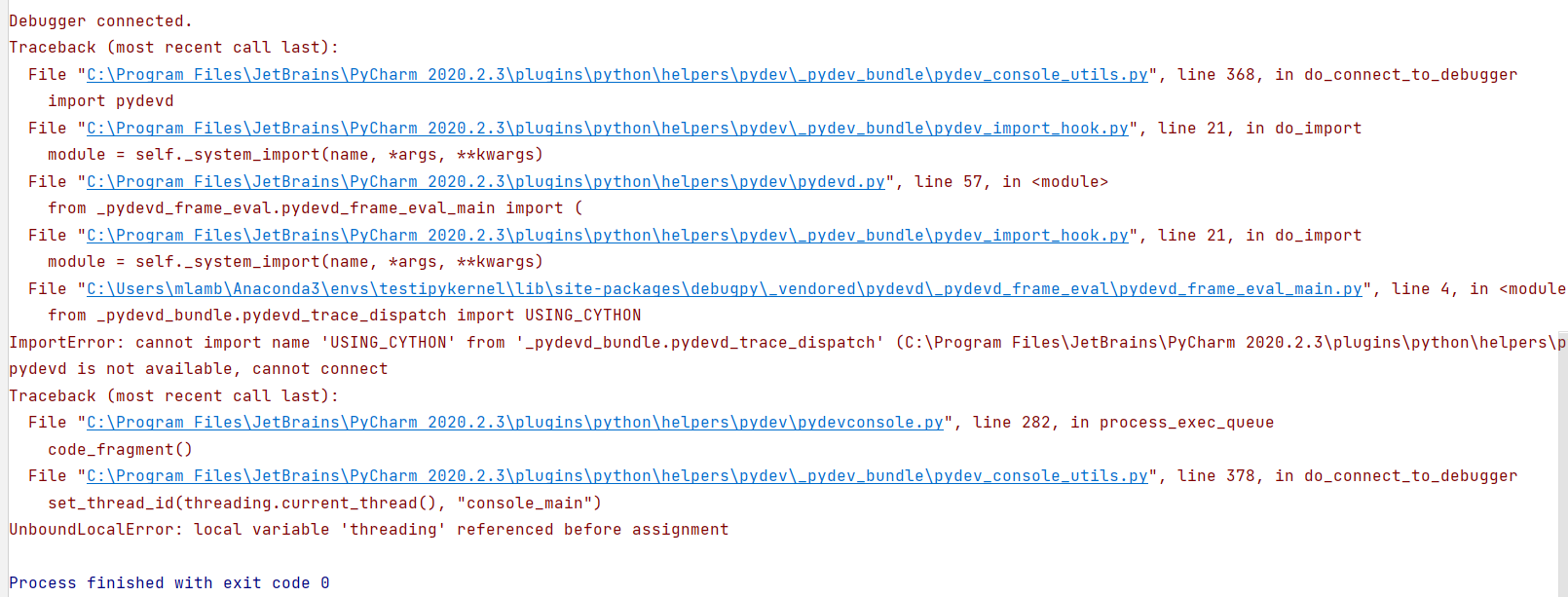
When I use the PyCharm "Debug Server" it locks up forever when trying to connect.
Other team members using vscode are having the same problem.
I'm currently working around the problem with this code at launch of product:
class FakeDebuggerModule:
  Debugger = None
  _is_debugpy_available = False
import sys
sys.modules['ipykernel.debugger'] = FakeDebuggerModule
The code my application is running which causes debugger.py to get imported is:
from ipykernel.inprocess import InProcessKernelManager
InProcessKernelManager()
