

 ionic-team
bug: Attributes on webcomponents not working as expected in generated Hydrate App
Prerequisites
- [X] I have read the Contributing Guidelines.
- [x] I agree to follow the Code of Conduct.
- [X] I have searched for existing issues that already report this problem, without success.
Stencil Version
@stencil/[email protected]
Current Behavior
The Generated Hydrate App does not render child webcomponents the same way as it would with a regular webcomponent loaded from the browser.
The problem occurs in the generated Hydrate app with attribute "properties". For example we use 'intro-title' as an attribute on a child webcomponent and the child webcomponent has a property called with 'introTitle' of the type string. This would render correctly when we generate the project with the dist option.
Expected Behavior
I would expect attributes on webcomponents to be interpreted from "intro-title" into 'introTitle' on the child webcomponent in the Hydrate app the same way it does with the dist option.
Steps to Reproduce
Follow instructions in repository. If you need more explanation, please let me know :)
Code Reproduction URL
https://github.com/incentro-kaan/stencil-bug
Additional Information
A possible solution is to change intro-title to introTitle as an attribute in the parent webcomponent, but I believe the behaviour should be the same for the dist and hydrate build.

I've updated stencil-bug project with the issue. Should be easy to reproduce :)
Hey @incentro-kaan
I spent some time looking through your reproduction case, and I'm having some difficulty understanding the problem. Could you help me out here?
When I pull down the repo and serve content out of Webcomponents, I see the following:

Comparing that with a POST request made to the Express server in Nodeapp:
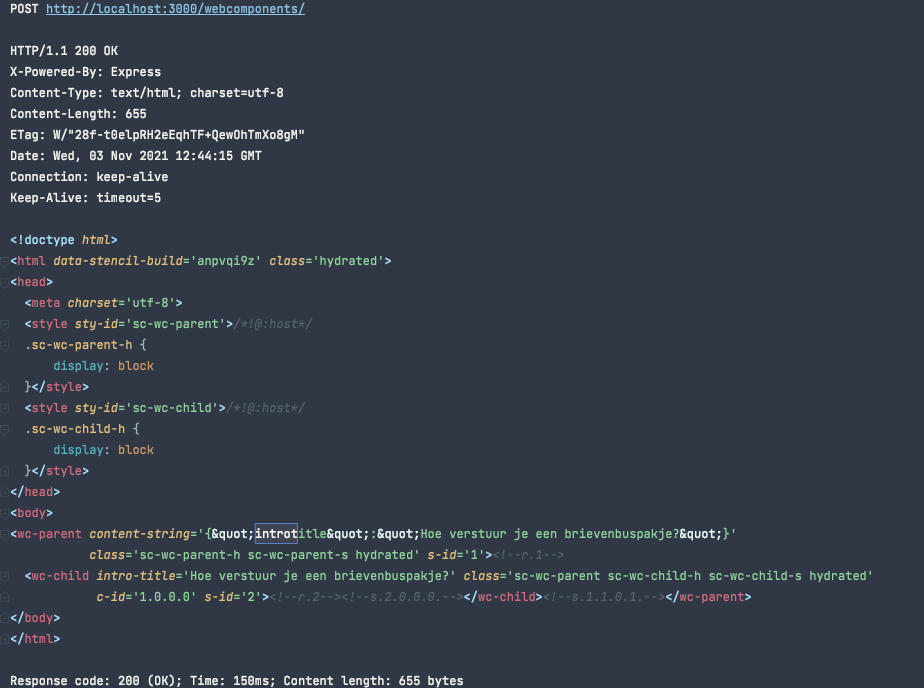
it looks like the casing of intro-title in the wc-child component is the same across both outputs, as is the casing in the content-string attribute on wc-parent
From the original issue:
I would expect attributes on webcomponents to be interpreted from "intro-title" into 'introTitle' on the child webcomponent in the Hydrate app the same way it does with the dist option.
Are you seeing introTitle on one output and not the other for wc-child? In other words, when using dist (in Webcomponents in the repro), are you seeing
<!-- note the casing on intro-title is now introtitle -->
<wc-child introtitle="Example title" class="hydrated"></wc-child>

Hi Ryan,
Very close! I can actually see the problem in the image you sent.
With the Hydrate App
Inside: <wc-child intro-title='Hoe verstuur je een brievenbuspakje?' class='xxx hydrated'></wc-child>
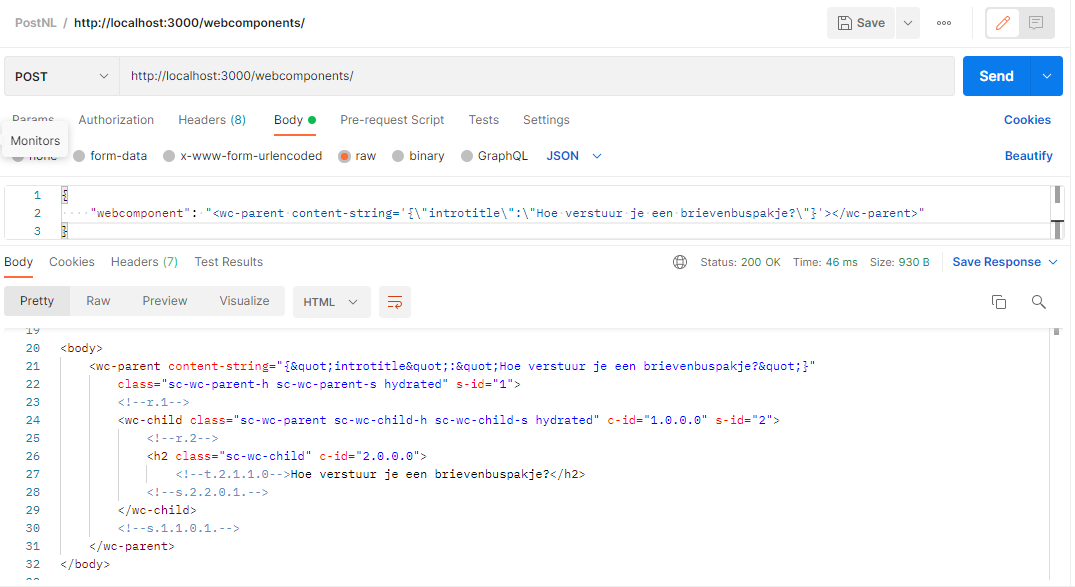
I would expect to see <h2>{this.introTitle}</h2>
see wc-child.tsx for the expected result
When you 'npm run start' the Webcomponents folder, you can see the <h2>{this.introTitle}</h2> is shown on http://localhost:3333

However with the hydrate App this is not shown:

Here's the preview tab in Postman from the same request:

There is a workaround
We can rename the attribute intro-title in wc-parent.tsx to introTitle, like this:
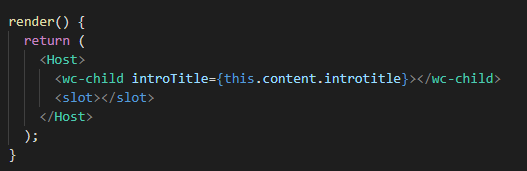
And when we build the hydrate app and replace the Hydrate folder in /NodeApp/[hydrate folder] with the newly created Hydrate app in /Webcomponents/[hydrate folder], you can see the expected result in Postman:
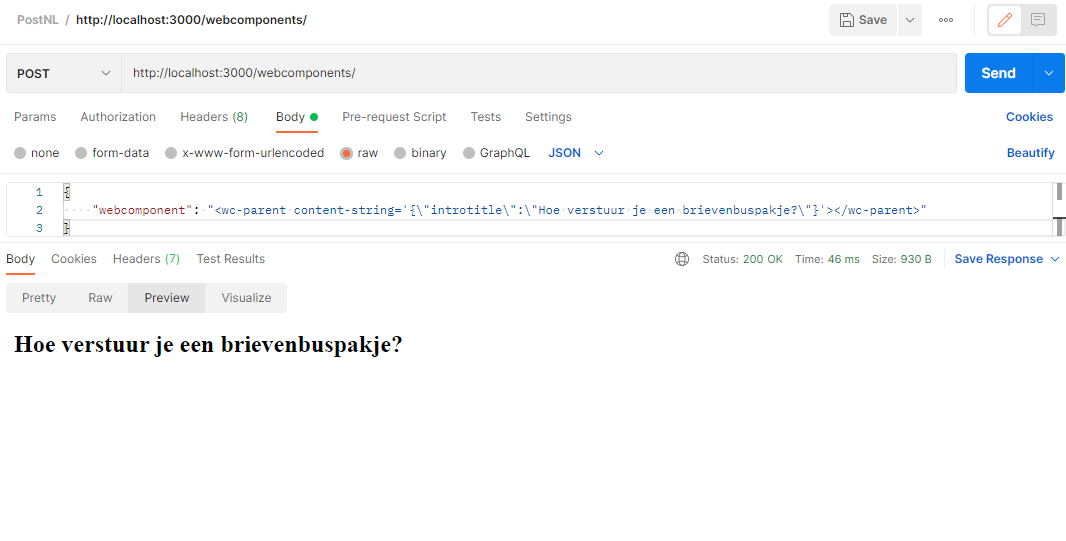
Here's the preview tab in Postman:
Kind regards, Kaan
The confusing part:
When using a regular build, we can name the attributes on child-webcomponents like some-attribute, which is automatically mapped to camelcase like someAttribute.
With the Hydrate app this is not possible anymore and attributes need to be named the same way as they are declared in the child webcomponent. The property someAttribute needs to be named as someAttribute in the parent webcomponent in order to work.
This behaviour however does not match the expectations on how to work with the attributes on webcomponents. It was also a big mystery to me why my webcomponents weren't rendered as I expected.
Ah, I see - thanks for for the explanation! I'm going to label this issue so it gets ingested so the team can take a closer look. Thanks!