

 ionic-team
bug: Android splash screen shifts (re-scales) as it transitions
Bug Report
Capacitor Version
Latest Dependencies:

  @capacitor/cli: 2.4.7
  @capacitor/core: 2.4.7
  @capacitor/android: 2.4.7
  @capacitor/electron: 2.4.7
  @capacitor/ios: 2.4.7

Installed Dependencies:

  @capacitor/ios not installed
  @capacitor/cli 2.4.4
  @capacitor/android 2.4.4
  @capacitor/core 2.4.4
  @capacitor/electron not installed

[success] Android looking great! �
Platform(s)
Android Pixel 4
Current Behavior
If you use "androidScaleType": "CENTER_CROP" on your splash screen plugin config, the aspect ratio changes for the second part of the splashscreen display, but not the first, causing a noticeable shift.
Expected Behavior
Splash screen should not visibly change during load.
Code Reproduction
start with empty project, with suitably complete set of splashscreen images, then change the SplashScreen plugin configuration like so:
    "plugins": {
        "SplashScreen": {
            "launchShowDuration": 3000,
            "androidScaleType": "CENTER_CROP",
            "showSpinner": true
        }
    },
Run on a Pixel 4.
Other Technical Details
npm --version output:
6.14.4
node --version output:
v12.18.0
Additional Context
https://github.com/ionic-team/capacitor/issues/1222 https://forum.ionicframework.com/t/bad-splashscreen-ratio-with-android-using-cli-new-feature/16159/20

Yep, this happens on most or all of the android devices we've tested here, too.

I am seeing the same issue as well. The only workaround I found was setting the initial screen to a static background color and not showing the splash image.
<style name="AppTheme.NoActionBarLaunch" parent="AppTheme.NoActionBar">
    <item name="android:statusBarColor">#000000</item>
    <item name="android:navigationBarColor">#000000</item>
    <item name="android:background">#000000</item>
</style>
The drawback is that you get a blank screen without an image for about a second. If anyone has a better workaround let me know.

@vanessag Thanks for this idea. Where in AndroidManifest.xml does that go? Cheers!
@vanessag Thank you!!! This actually helps a ton. It's not perfect, but at least it's something!


I found this bug today. With "androidScaleType": "CENTER_CROP" set the splash screen works great on iOS and is squished when first loading on Android and then the proportions are corrected.
I recorded the screen and slowed it down. Note the extra problem with fullscreen - the splash screen doesn't resize to fill the whole screen.
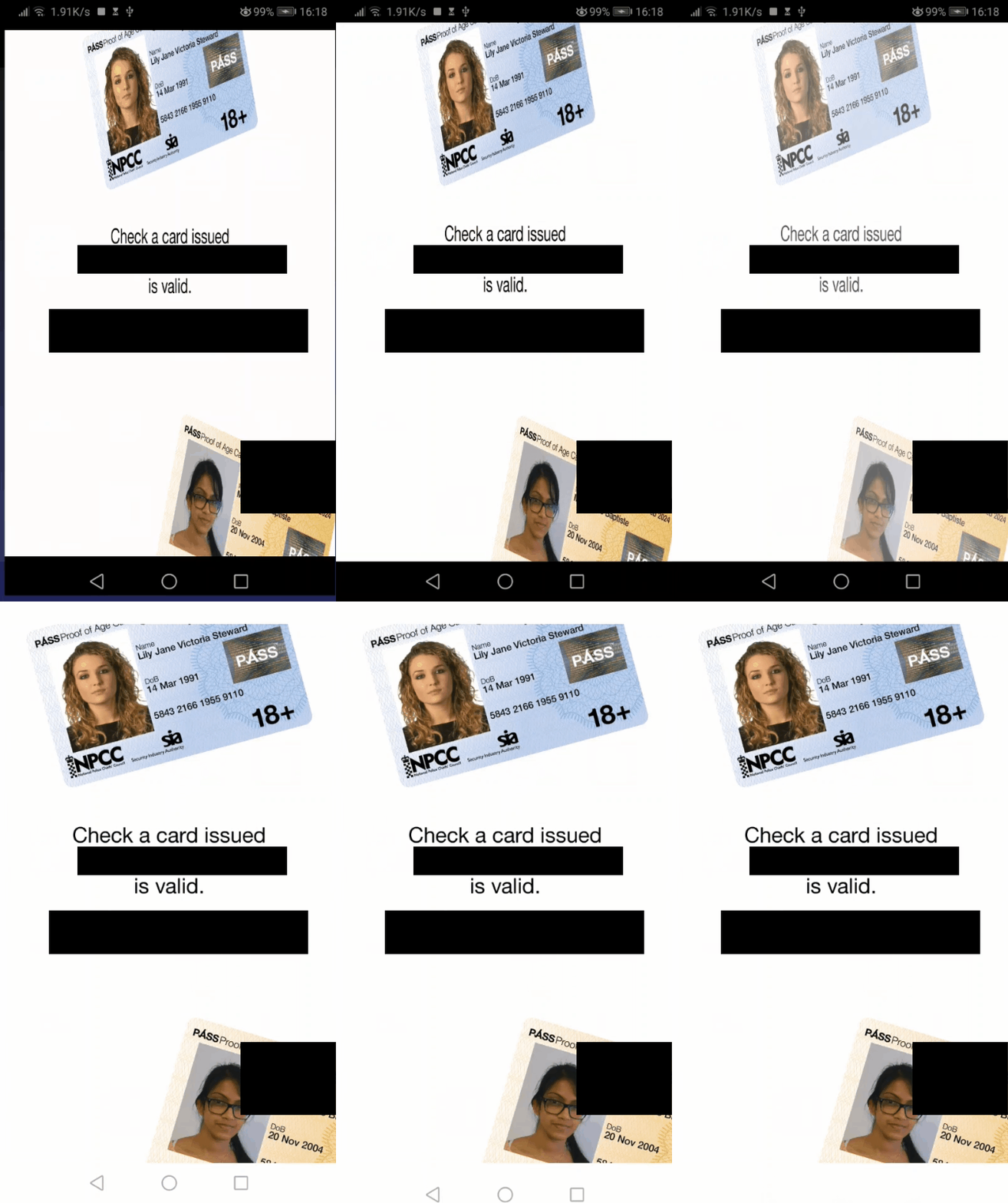
Recorded on a Huawei P10 running Android 9.
My settings:
		"SplashScreen": {
			"launchShowDuration": 2000,
			"backgroundColor": "#ffffffff",
			"splashFullScreen": true,
			"splashImmersive": true,
			"androidScaleType": "CENTER_CROP"
		}
And a fresh install today of @capacitor/[email protected]

I found https://forum.ionicframework.com/t/double-splash-screen-with-with-flash-in-between/187916/17?u=pbowyer which worked around the rescaling of the splash screen.
Setting splashFullScreen: false and splashImmersive: false doesn't fix the controls and status bar issue for me.
Is there any ongoing work to use the new SplashScreen API in an upcoming major Capacitor version that supports Android 12?

Several workaround suggestions here in the meantime https://github.com/ionic-team/capacitor/issues/1627 FYI
So I definitely had this issue on my app, but after ignoring it for a while, it seems to have gone away on Android 12 with "@capacitor/cli": "^3.2.5", and "@capacitor/splash-screen": "^1.1.5". However on the same build, the bug still happens on Android 7. I'll need to test further to see what versions of Android this is still happening on.


So in the past month I removed any use of the @capacitor/splash-screen API and made my own custom splash screen using css transitions. It doesn't totally fix the problem, where on Android it still shows a brief logo in the middle of the screen before triggering my custom splash screen and that logo is still slightly too wide (shows very briefly, less than 1/4 a second probably?). Since my custom splash screen has a fade-in and whole animation sequence that is distinctly different looking than the <0.25 second display of the incorrectly sized logo, I think it's totally fine and a better alternative than using the @capacitor/splash-screen API, at least for my project's needs.
Shame and disgrace that AFTER MORE THAN TWO YEARS (sic!) since the bug was reported, it still hasn't been resolved! I cannot belive it. I would never in my life buy premium service from a company that so blatantly ignores problems in its own most important child. I totally understand why react-native or flutter is considered better and more developers work with it
I am seeing the same issue as well. The only workaround I found was setting the initial screen to a static background color and not showing the splash image.
<style name="AppTheme.NoActionBarLaunch" parent="AppTheme.NoActionBar">
    <item name="android:statusBarColor">#000000</item>
    <item name="android:navigationBarColor">#000000</item>
    <item name="android:background">#000000</item>
</style>
The drawback is that you get a blank screen without an image for about a second. If anyone has a better workaround let me know.
The above workaround does not work with the plugin from barcode scanner which require transparent background. My workaround (the drawback with blank white screen still exist there but it work):
    <style name="AppTheme.NoActionBar" parent="Theme.AppCompat.NoActionBar">
        <item name="android:windowActionBar">false</item>
        <item name="android:windowNoTitle">true</item>
        <item name="android:windowBackground">@android:color/white</item>
    </style>
    <style name="AppTheme.NoActionBarLaunch" parent="AppTheme.NoActionBar"></style>

The solution I found to avoid both the resizing and the blank screen was to modify the activity tag in AndroidManifest.xml
from
<activity ... android:theme="@style/AppTheme.NoActionBarLaunch">
to
<activity ... android:theme="@android:style/Theme.Translucent.NoTitleBar.Fullscreen">

In Capacitor 4 if using the new Android 12 Splash Screen API (available in previous versions too with a support library) it no longer re scales. There is still a problem of scaling in some devices, that can only be fixed by transitioning form using a background image to a splash icon what would be centered on the screen. https://developer.android.com/develop/ui/views/launch/splash-screen

Thanks for the issue! This issue is being locked to prevent comments that are not relevant to the original issue. If this is still an issue with the latest version of Capacitor, please create a new issue and ensure the template is fully filled out.
![ionitron-bot[bot] avatar](https://avatars.githubusercontent.com/in/8640?v=4 "Published by a pub.dev verified publisher")