
ioBroker.js-controller
 ioBroker.js-controller copied to clipboard
 ioBroker
Problems with RAM available on macos
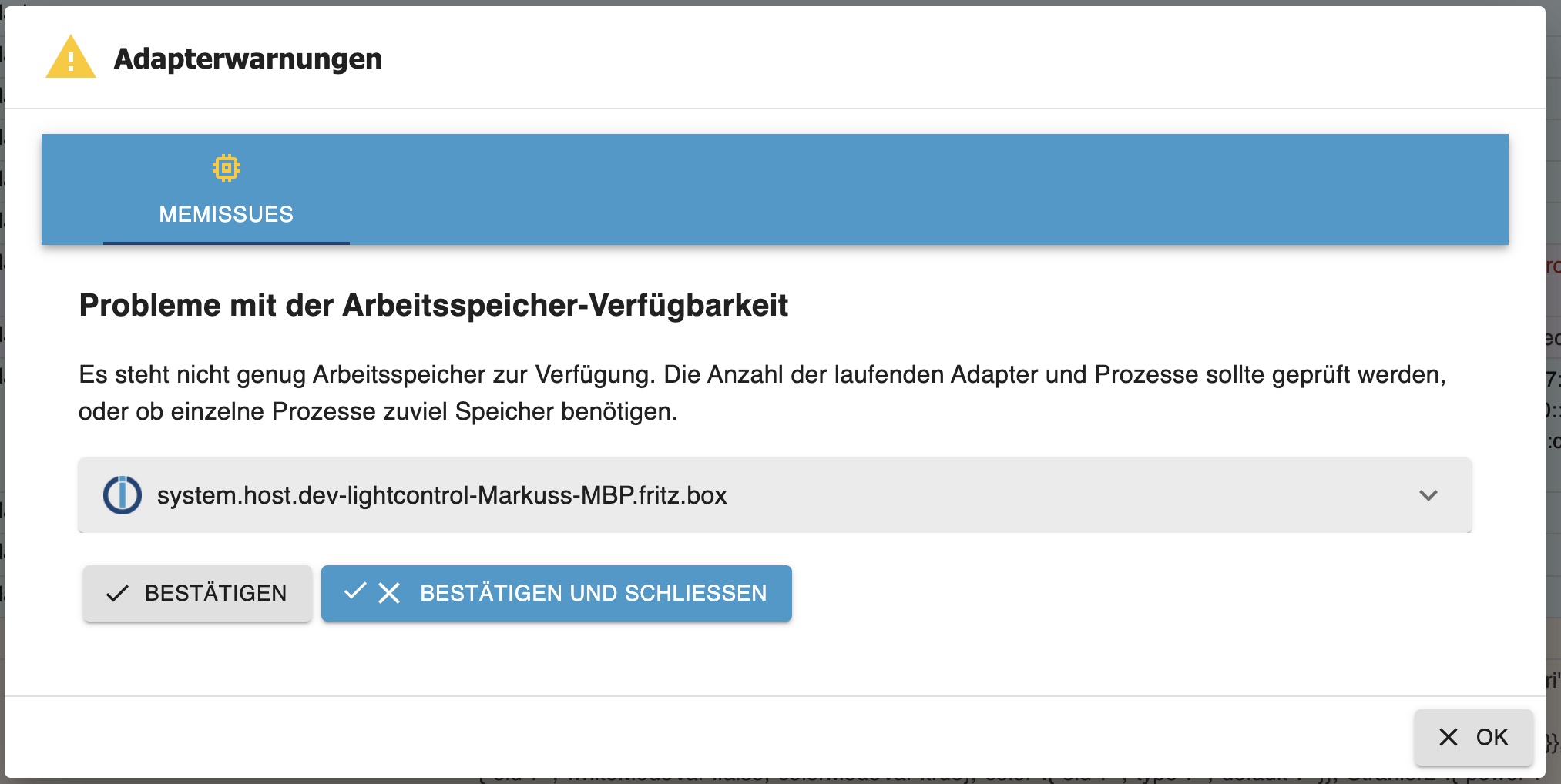



Thats pretty bad. It makes the dev server buggy on mac os. is there a fix or workaround already?

Controller just uses os.freemem to determine if there is low memory. Adapter should start anyways and only a log + notification is generated. Mem Limit can also be configured in the iobroker.json.
I am quite unsure about the internal structure of dev server and thus I have currently no idea why there is lower free mem than on the whole system. Any idea @unclesamswiss ?

Dev server is "just" starting the controller and in watch mode the adapter process. Maybe the file system watching takes more RAM?

It makes the dev server buggy on mac os.
I really doubt that ... Currently it is just a logline which is logged. I would not see any reason for it to become buggy thats why ........
Do you have more details on that? Do you know any better "free mem nodejs lib for macos"? I don't
When i start my dev server on mac with 16gb of ram i got this error as well. When my schedule adapter starts i get this: `
| host.dev-treeprovider-iMacvonhristian.fritz.box | 2022-04-26 08:48:39.737 | error | instance system.adapter.treeprovider.0 terminated with code 7 (ADAPTER_ALREADY_RUNNING) | |
|---|---|---|---|---|
| host.dev-treeprovider-iMacvonhristian.fritz.box | 2022-04-26 08:48:39.418 | debug | Incoming Host message getNotifications | |
| host.dev-treeprovider-iMacvonhristian.fritz.box | 2022-04-26 08:48:39.123 | debug | Incoming Host message getNotifications | |
| host.dev-treeprovider-iMacvonhristian.fritz.box | 2022-04-26 08:48:38.822 | info | instance system.adapter.treeprovider.0 started with pid 92598 | |
| host.dev-treeprovider-iMacvonhristian.fritz.box | 2022-04-26 08:48:38.818 | info | instance scheduled system.adapter.treeprovider.0 * * * * * | |
| host.dev-treeprovider-iMacvonhristian.fritz.box | 2022-04-26 08:48:38.815 | debug | added notifications configuration of system.adapter.treeprovider.0 | |
| host.dev-treeprovider-iMacvonhristian.fritz.box | 2022-04-26 08:48:38.812 | error | In future versions, the adapter might not be started! | |
| host.dev-treeprovider-iMacvonhristian.fritz.box | 2022-04-26 08:48:38.811 | error | Your system has only 21 MB RAM left available and an additional adapter process is started. Please check your system, settings and active instances to prevent swapping and Out-Of-Memory situations! | |
| host.dev-treeprovider-iMacvonhristian.fritz.box | 2022-04-26 08:48:35.806 | info | stopInstance canceled schedule system.adapter.treeprovider.0 |
` The code doesnt get executed. The dev server was created with npx adapter creator and I am unfortunately not able to develop anything in this state. Its seams kind of related to the memory problem.
I can only repeat: The logline is just a logline ...
For me it more looks like that maybe dev-server support for scheduled instances might not be there?? Nortmally scheduled instances are running once at start based on their confix, and else only on their schedule
It gets started and then stopped with code already running, has nothing to do with available memory. So the alive state is already set due to some reason.
This is also an issue of devc-server. It seems to me that the "shutdown" could be too fast sometimes and then alive is set also on next start but shouldn't ... I did not had time so far to dig into this ... I think here it is even more weird because of the combination with scheduled
For me it more looks like that maybe dev-server support for scheduled instances might not be there??
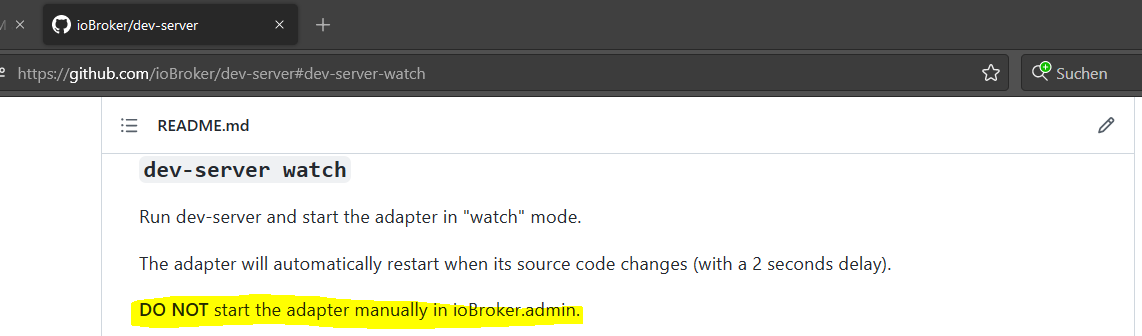
That might be it. In watch mode, the adapter is started by dev-server and shouldn't be started manually in admin, else you get the ADAPTER_ALREADY_RUNNING error. Maybe it also restarts the instance on (planned) exit.
Not sure where the RAM issue comes in, but the scheduled adapter support sounds like it should be an issue in the dev-server repo.
Well. Im not that deep in the development with the dev server but im trying to get in. But this kind of problems make it really hard. When i create a fresh adapter with dev server and start it in watch mode and start developing it should work or not? Unfortunately it does not. It just throws errors like the screen on the top and the lines in the logs. Why this errors happen? I have no idea. But im strongly convinced, that both errors are related to each other. Maybe im wrong.
When i create a fresh adapter with dev server and start it in watch mode and start developing it should work or not?
It does work for the majority of adapters that are always active (daemon mode), if you don't enable the adapter in the admin UI manually:
Not sure if that's what you did or if schedule adapters need some special handling in the dev-server. @UncleSamSwiss will probably have to chime in on that.
I doubt that dev-server watch supports schedule for one simple reason: dev-server wants to start the adapter itself (so you can debug it). You can of course always use dev-server run which will not start the adapter. But be aware that starting the adapter will start the version uploaded to dev-server, not your current code (like watch does).
If you need support for schedule in dev-server, then please open an issue in its repository and explain how you expect dev-server watch to work with a schedule adapter.
