

 invoke-ai
[bug]: Infill scaling does not scale the image to infill
Is there an existing issue for this?
- [X] I have searched the existing issues
OS
Windows
GPU
cuda
VRAM
8GB
What happened?
It seems to me that the infill scaling in the unified canvas does not upscale the bounding box before sending it to the model.
SD generations are pretty poor when asked to generate images smaller than 512x512 so if the bounding box for infilling in smaller than 512x512, it does not seem to upscale and downscale the image correctly.
Proposed solution would be to do a simple bilinear upscaling of the pixels in the bounding box, passing it through the diffuser and a bilinear downscaling to the original patch size.
Screenshots
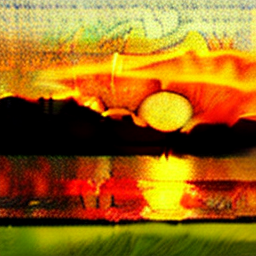
Here is an example of the prompt "Dragon Flying in the sunset" with 256x256 resolution
Same prompt with 512x512

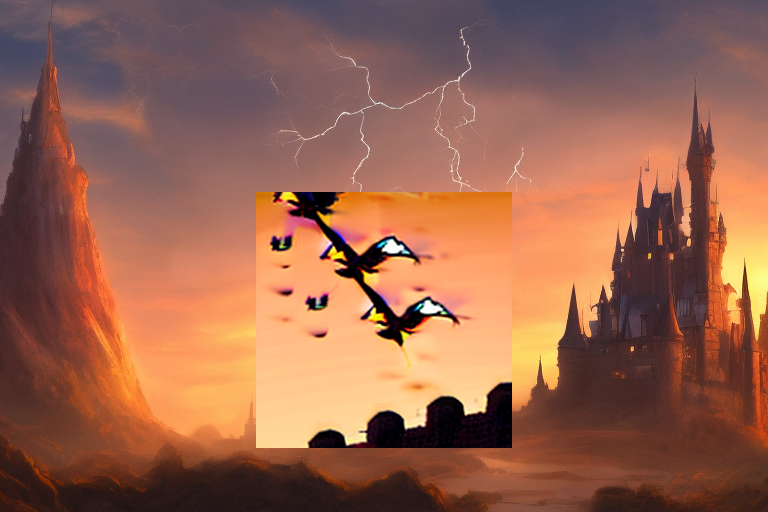
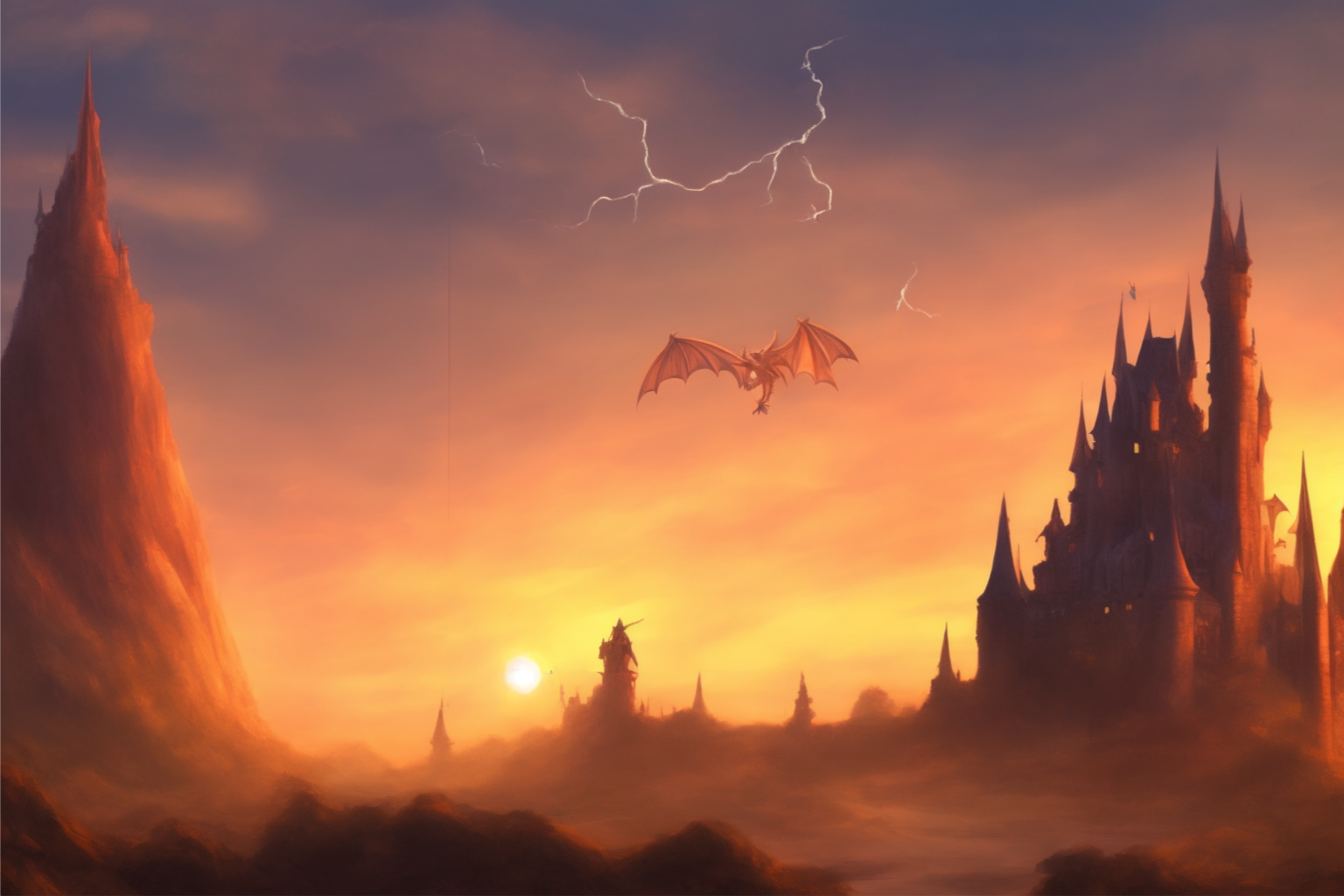
I did the bilinear upscaling trick mentioned above manually in MS paint, here are the results
Without rescaling
With rescaling
Additional context
No response
Contact Details
No response


Also having this issue on Apple Silicon with v.2.2.4, WebUI. Appears to occur irrespective of whether scaling is set to "auto" or "manual" in the UI.

Is this happening with inpainting, or with new image generation on the canvas? With inpainting, this should work (I just tested it and it works, though my branch is slightly out of date). I don't think there's code set up to do this for new generations though.

Still an issue. Trying to isolate it, as it seems to be inconsistent -- sometimes it will behave as expected, but it seems at least below a certain threshold (<320px^2) it just fails. Will report back eventually.
If you manage to catch it in the act, please copy and paste your terminal output for the failed generation, starting from >> Image generation requested.
Also please let us know what version of invokeai you are running.

There has been no activity in this issue for 14 days. If this issue is still being experienced, please reply with an updated confirmation that the issue is still being experienced with the latest release.
![github-actions[bot] avatar](https://avatars.githubusercontent.com/in/15368?v=4 "Published by a pub.dev verified publisher")
There has been no activity in this issue for 14 days. If this issue is still being experienced, please reply with an updated confirmation that the issue is still being experienced with the latest release.
As requested previously, if this is a problem, please copy the output from the terminal window so we can see what exactly is happening. Also, please include a screenshot of the whole canvas, as this gives more useful info.