

 invoke-ai
[bug]: Image looses detail when merging canvas or saving image
Is there an existing issue for this?
- [X] I have searched the existing issues
OS
Windows
GPU
cuda
VRAM
16GB
What happened?
When merging the image or saving the image in the unified canvas, the image looses some detail, and when you do it multiple times the image will be significantly worse than the original.
Screenshots
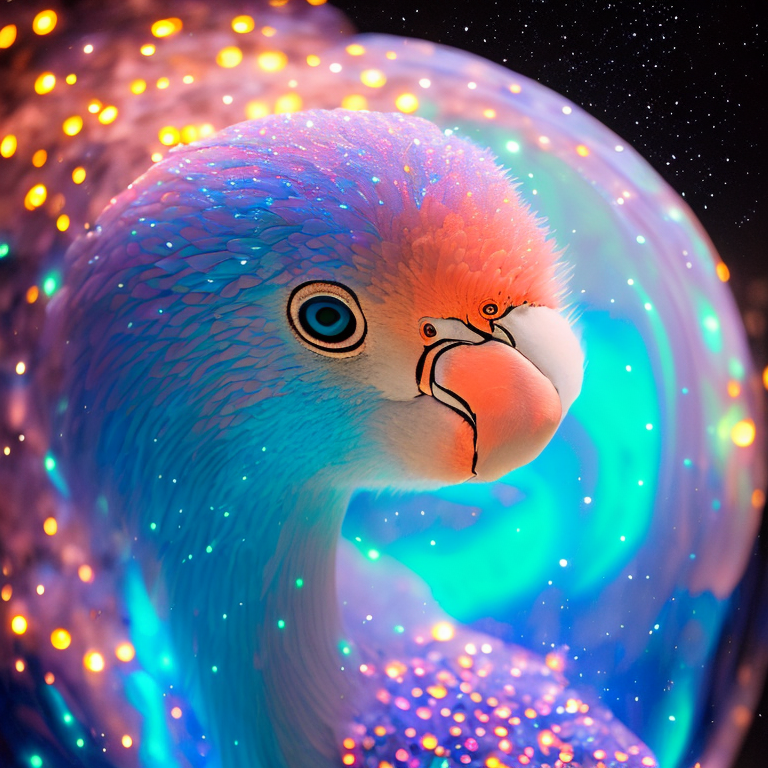
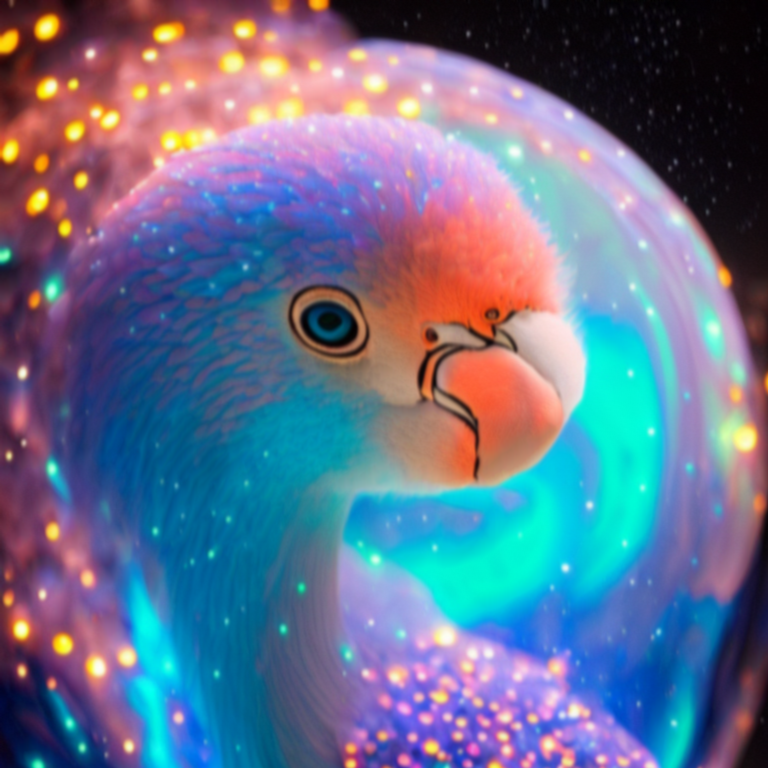
The first image was the original, and the second image has lost a significant amount of detail after merging canvas multiple times. Saving the image repeatedly also affects the image quality.
Additional context
No response
Contact Details
No response


Awesome, thank you for your amazing job @blessedcoolant ! I noticed also the saturation goes up very fast, maybe the compression? I don't know, fyi! Any expected release date?
Awesome, thank you for your amazing job @blessedcoolant ! I noticed also the saturation goes up very fast, maybe the compression? I don't know, fyi! Any expected release date?
The issue was happening because of a rounding down error which was displacing the pixels every so slightly. So the subsequent merges just kept getting displaced a tad bit giving it the vibe of quality deterioration. I did not notice any saturation issues after the fix. But I did not check if there were any before the fix either.
We are working on a major backend port to diffusers. But I think we might do a small mini update before that. I'll ship this fix in that mini update.
Yes, I just checked it and you can see, after around 10 saves (save the unified canvas image, then import the saved one, save again, repeat), the color saturation rockets. Maybe it's because that displacement that duplicated the image above? I'm not sure because I didn't see the code, but I'm certain the saturation does come up so high that you start to lose color detail too.
That is awesome! Again thanks for your amazing work!
Yes, I just checked it and you can see, after around 10 saves (save the unified canvas image, then import the saved one, save again, repeat), the color saturation rockets. Maybe it's because that displacement that duplicated the image above? I'm not sure because I didn't see the code, but I'm certain the saturation does come up so high that you start to lose color detail too.
That is awesome! Again thanks for your amazing work!
There's a PR open with that fix. If you know your way around that, feel free to try it. It's not built yet though. You'll need to run in dev mode.
Hey @blessedcoolant I'm unsure on how to run the dev mode, any link with documentation so I can try running your new code? Best!
Hey @blessedcoolant I'm unsure on how to run the dev mode, any link with documentation so I can try running your new code? Best!
Are you familiar with working with Github Pull Requests and etc?
Basically you need to pull my PR. https://github.com/invoke-ai/InvokeAI/pull/2209
Then ..
- Install NodeJS
- Open a terminal in the frontend folder of the repo
- Install yarn
npm install --global yarn - Do:
yarn install - Do:
yarn dev
This will run the development version of the frontend on port 5173.
You launch the main server first and then go to that port.
Alternatively you can do yarn build instead of yarn dev so the new changes can get compiled. Then you can launch the server and go to port 9090 and it'll work as usual.