

 invoke-ai
[bug]: UI second image generation freezes YT video (memory leak ?)
Is there an existing issue for this?
- [X] I have searched the existing issues
OS
Windows 10 Chrome Version 108.0.5359.125 (Official Build) (64-bit)
GPU
cuda
VRAM
6.07
What happened?
I launch the web ui while also watching a youtube video the first image I generate does not cause issue the second one keeps freezing my youtube video
this smells like some sort of memory leak, since restarting invokeai allows for a new image to be generated without problem but the second image always freezes video playing
I expect InvokeAI to work the same no matter I generate the first image or the following images without eating my computer resources
workaround : I close invokeAI ui and console window, restart it, generate an image without having it interfering with my youtube video playing workaround 2 : opening another tab in Chrome, aside of the InvokeAI tab seems to disable the invoke AI tab, and reduces the problem
Screenshots
No response
Additional context
- I use the latest version of invokeai under win10
- dont know if it uses cuda, but I see a lot of GPU activity
Starting the InvokeAI browser-based UI..
>> Patchmatch initialized
* Initializing, be patient...
>> Initialization file P:\Users\phil\invokeai\invokeai.init found. Loading...
>> InvokeAI runtime directory is "P:\Users\phil\invokeai"
>> GFPGAN Initialized
>> CodeFormer Initialized
>> ESRGAN Initialized
>> Using device_type cuda
>> Initializing safety checker
>> Current VRAM usage:  1.22G
>> Scanning Model: stable-diffusion-1.5
>> Model Scanned. OK!!
>> Loading stable-diffusion-1.5 from P:\Users\phil\invokeai\models\ldm\stable-diffusion-v1\v1-5-pruned-emaonly.ckpt
   | LatentDiffusion: Running in eps-prediction mode
   | DiffusionWrapper has 859.52 M params.
   | Making attention of type 'vanilla' with 512 in_channels
   | Working with z of shape (1, 4, 32, 32) = 4096 dimensions.
   | Making attention of type 'vanilla' with 512 in_channels
   | Using faster float16 precision
   | Loading VAE weights from: P:\Users\phil\invokeai\models\ldm\stable-diffusion-v1\vae-ft-mse-840000-ema-pruned.ckpt
>> Model loaded in 129.89s
>> Max VRAM used to load the model: 3.38G
>> Current VRAM usage:3.38G
>> Current embedding manager terms: *
>> Setting Sampler to k_lms

* --web was specified, starting web server...
>> Initialization file P:\Users\phil\invokeai\invokeai.init found. Loading...
>> Started Invoke AI Web Server!
>> Default host address now 127.0.0.1 (localhost). Use --host 0.0.0.0 to bind any address.
>> Point your browser at http://127.0.0.1:9090
>> System config requested
>> Image generation requested: {'prompt': 'abandoned vehicle stranded in the forest', 'iterations': 1, 'steps': 50, 'cfg_scale': 7.5, 'threshold': 0, 'perlin': 0, 'height': 1024, 'width': 1024, 'sampler_name': 'k_lms', 'seed': 4050289438, 'progress_images': False, 'progress_latents': True, 'save_intermediates': 5, 'generation_mode': 'txt2img', 'init_mask': '...', 'seamless': False, 'hires_fix': False, 'variation_amount': 0.1}
ESRGAN parameters: False
Facetool parameters: False
{'prompt': 'abandoned vehicle stranded in the forest', 'iterations': 1, 'steps': 50, 'cfg_scale': 7.5, 'threshold': 0, 'perlin': 0, 'height': 1024, 'width': 1024, 'sampler_name': 'k_lms', 'seed': 4050289438, 'progress_images': False, 'progress_latents': True, 'save_intermediates': 5, 'generation_mode': 'txt2img', 'init_mask': '', 'seamless': False, 'hires_fix': False, 'variation_amount': 0.1}
Generating:   0%|                                                                                | 0/1 [00:00<?, ?it/s]>> Ksampler using model noise schedule (steps >= 30)
>> Sampling with k_lms starting at step 0 of 50 (50 new sampling steps)
100%|██████████████████████████████████████████████████████████████████████████████████| 50/50 [03:14<00:00,  3.89s/it]
{'prompt': 'abandoned vehicle stranded in the forest', 'iterations': 1, 'steps': 50, 'cfg_scale': 7.5, 'threshold': 0, 'perlin': 0, 'height': 1024, 'width': 1024, 'sampler_name': 'k_lms', 'seed': 4050289438, 'progress_images': False, 'progress_latents': True, 'save_intermediates': 5, 'generation_mode': 'txt2img', 'init_mask': '', 'seamless': False, 'hires_fix': False, 'variation_amount': 0.1, 'with_variations': [[433042168, 0.1]], 'init_img': ''}
>> Image generated: "p:\Users\phil\invokeai\outputs\000017.7920f5af.4050289438.png"
Generating: 100%|███████████████████████████████████████████████████████████████████████| 1/1 [03:22<00:00, 202.01s/it]
>> Usage stats:
>>   1 image(s) generated in 216.22s
>>   Max VRAM used for this generation: 6.07G. Current VRAM utilization: 3.39G
>>   Max VRAM used since script start:  6.07G
>> System config requested
>> Image generation requested: {'prompt': 'abandoned vehicle stranded in the forest', 'iterations': 1, 'steps': 50, 'cfg_scale': 7.5, 'threshold': 0, 'perlin': 0, 'height': 1024, 'width': 1024, 'sampler_name': 'k_lms', 'seed': 3362035513, 'progress_images': False, 'progress_latents': True, 'save_intermediates': 5, 'generation_mode': 'txt2img', 'init_mask': '...', 'seamless': False, 'hires_fix': False, 'variation_amount': 0.1}
ESRGAN parameters: False
Facetool parameters: False
{'prompt': 'abandoned vehicle stranded in the forest', 'iterations': 1, 'steps': 50, 'cfg_scale': 7.5, 'threshold': 0, 'perlin': 0, 'height': 1024, 'width': 1024, 'sampler_name': 'k_lms', 'seed': 3362035513, 'progress_images': False, 'progress_latents': True, 'save_intermediates': 5, 'generation_mode': 'txt2img', 'init_mask': '', 'seamless': False, 'hires_fix': False, 'variation_amount': 0.1}
Generating:   0%|                                                                                | 0/1 [00:00<?, ?it/s]>> Ksampler using model noise schedule (steps >= 30)
>> Sampling with k_lms starting at step 0 of 50 (50 new sampling steps)
100%|██████████████████████████████████████████████████████████████████████████████████| 50/50 [04:12<00:00,  5.05s/it]
{'prompt': 'abandoned vehicle stranded in the forest', 'iterations': 1, 'steps': 50, 'cfg_scale': 7.5, 'threshold': 0, 'perlin': 0, 'height': 1024, 'width': 1024, 'sampler_name': 'k_lms', 'seed': 3362035513, 'progress_images': False, 'progress_latents': True, 'save_intermediates': 5, 'generation_mode': 'txt2img', 'init_mask': '', 'seamless': False, 'hires_fix': False, 'variation_amount': 0.1, 'with_variations': [[4071239692, 0.1]], 'init_img': ''}
>> Image generated: "p:\Users\phil\invokeai\outputs\000018.19214959.3362035513.png"
Generating: 100%|███████████████████████████████████████████████████████████████████████| 1/1 [04:16<00:00, 256.36s/it]
>> Usage stats:
>>   1 image(s) generated in 256.86s
>>   Max VRAM used for this generation: 6.07G. Current VRAM utilization: 3.39G
>>   Max VRAM used since script start:  6.07G
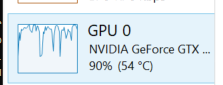

You are running short on memory. You are trying to generate a 1024x1024 image on your 6GB system. As the log shows, it is taking up to nearly 6GB VRAM for that which makes it harder to keep other things going.
Video rendering is quite taxing on the GPU. Try smaller sizes at 512x512.
As for why the first one works fine -- it technically is the same. Just that in the second generation, you have some minor cached data that we dont need to generate each time. Probably why the first run goes through okay but the second run onwards you are having issues -- not because of a memory leak but rather because you are at the peak of your GPU's ability at 1024x1024.
Please try generating at smaller sizes of 512x512 and see if the problem persists. The SD models are trained at 512x512 and give the best results at that size anyway. If you need larger images, try the canvas to inpaint or outpaint which might technically yield you better results without deduplication.

thanks I also noticed with a bigger image the algo tries to fit more than one vehicle leading to strange results
There has been no activity in this issue for 14 days. If this issue is still being experienced, please reply with an updated confirmation that the issue is still being experienced with the latest release.
![github-actions[bot] avatar](https://avatars.githubusercontent.com/in/15368?v=4 "Published by a pub.dev verified publisher")