invoke-ai
[WebUI] Model Manager
Supercedes #1656 because rebasing that was becoming painful.
Also implemented localization for the model manager elements now.
DONE:
- [x] Add Initial Ability To Add New Models
- [x] Add Initial Ability to Delete Existing Models
- [x] Add Form Validation for Adding New Models
- [x] Add Initial Ability to scan a folder for existing models.
- [x] Add Folder Picker For Scanning Models.
- [x] Cleanup the search_models function so it can be CLI ready.
- [x] Add functionality to the Add Selected Button
- [x] If a model in the loaded folder already exists in the config, disable the entry and show the model exists tag. -- This checks for the ckpt path and not the name itself. So it should be fool proof.
- [x] Add toggle for displaying only non existing models.
- [x] Add Alert Dialog for Delete Model so users dont accidentally delete entries.
- [x] Add Initial Ability to Edit Existing Models
- [x] Style the Add Models Form
CHECKS
- [ ] Fix the tkinter window being shown on Mac --- NEED CONFIRMATION!!

Testing the Model Manager in the Development Branch I noticed a couple of things that I don't know if they are by design or bugs.
- Click on the Model Manager icon, then in the model selection box click the button "Add new", then click the button "Select Folder": nothing happens. I would expect to be able to select a folder where to look for a model to be added.
- Click on the Model Manager icon, then in the model selection box click on the icon Edit beside any of the listed models, then fill in the fields Model Location, VAE Location (or select the path shown when you over the field and click with the LMB), set Weight and Height then click on the button below, Update Model, then close the Model Edit box. I you click again on the Edit icon those just filled in fields are now blank, while I would expect to see the information just added to the model. Perhaps, being a development branch some functionalities work differently, I am only letting you know my observations. Thank you.

@Harvester62 Please reset your WebUi and try once more. Both of the stuff you said work as you said they should. I've tested it extensively. It's possible you don't have the necessary values persisted which is causing the issue. Reset WebUI (maybe clear local storage) and then try again and tell me if the these issues persist.
ALSO .. are you starting the server with the files in this PR? Because the reason you are not getting a folder picker could be because you are using the wrong server backend?
@blessedcoolant Thank you for your reply. I was using your development branch to start the backend, as we've done yesterday, not this PR which I don't know how to implement, sincerely. I am going to try again and Reset the Web Interface to see if the editing to the models information are being kept, and let you know. What do you mean with "clear local storage"?
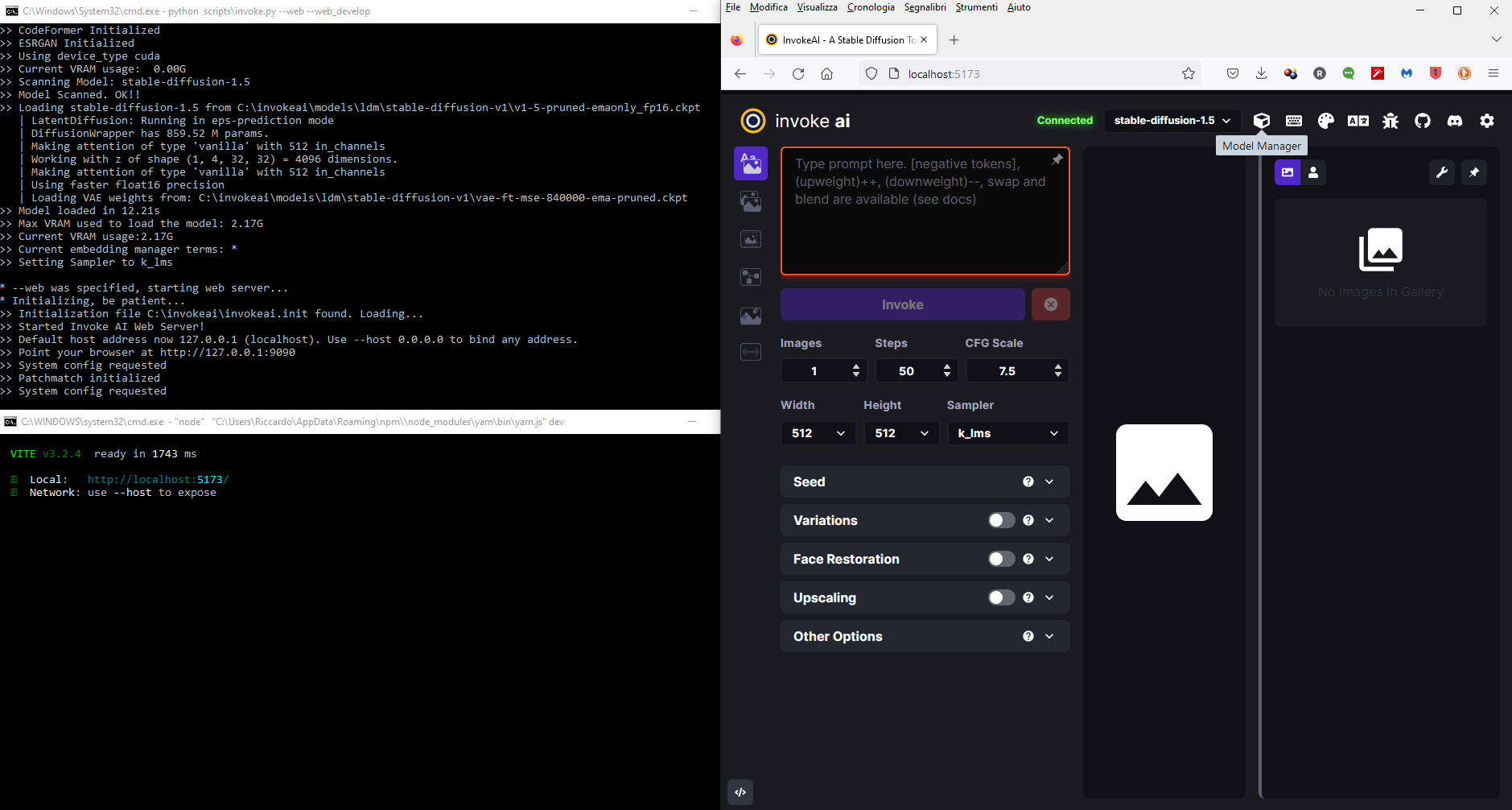
OK, I restarted the web server in your branch with python scripts\invoke.py --web --web_develop then opened a new console and run yarn dev, started the Web UI, reset the Web interface, then opened the MM filled some fields for the 1.5 model after switching to the 1.4 in the UI, this is a screenshot

Closed the Model Manager interface, and reopened and those information are no longer displayed for the 1.5 model.
 I also tried to add a new model as previously done but clicking on the button Select a Folder didn't open a file browser, as before, and also the manual addition option doesn't seem to work. This is perhaps due to the way I am running the application via the 2.2.4 .venv + your MM branch for backend and web UI?
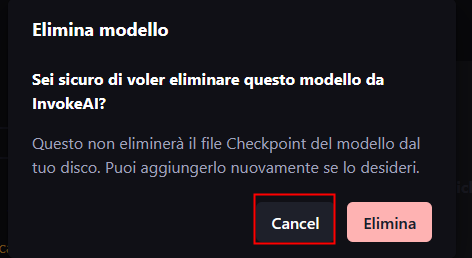
I tried also to Delete the 1.4 model (after switching to 1.5) to see if manually loading works, but it wasn't deleted/removed from the list, and I noticed that the Cancel option is not translated.
Are you pressing update model? And can you take a look at the Python console and see if any errors are being reported.
Yes, I always pressed the Update Model button, and apparently nothing happens and there are no messages in the backend or webserver consoles. Here is a screenshot after trying to I did the above operation and also tried to delete a model, add a model and select a models folder. There is nothing. I would like to test with the 2.2.5-rc1 but as I wrote elsewhere I am not able to install it for some reasons.