

 invoke-ai
[enhancement]: Include Embiggen in the Web UI, and/or a method for selective upscaling on Unified Canvas
Is there an existing issue for this?
- [X] I have searched the existing issues
Contact Details
What should this feature add?
I recently discovered InvokeAI (I was precedently using Automatic1111's Web UI), to which I fell in love (thanks for your work!). But I found that my favourite upscaling feature, using upscaling + overlapping tiles is missing from the InvokeAI Web UI (in Automatic1111 it's a script called "SD Upscale". I love this feature, because details really get filled, not just upscaled in a "soulless" way.
I saw you integrated something very similar if not identical called "Embiggen", but it's actually missing from the Web UI, it's only available via console. Are you planning on adding it on a future release? Please preserve the possibility to choose the sampler for the embiggen process, and to set the overlapping tiles to 768x768. In this way, other than having only 4 tiles to generate and overlap, it seems to me the algorithm "has better knowledge of the general composition of the image", and strange events like faces getting cut or unwanted details which are in the prompt be generated. I may be wrong. :)
Alternatives
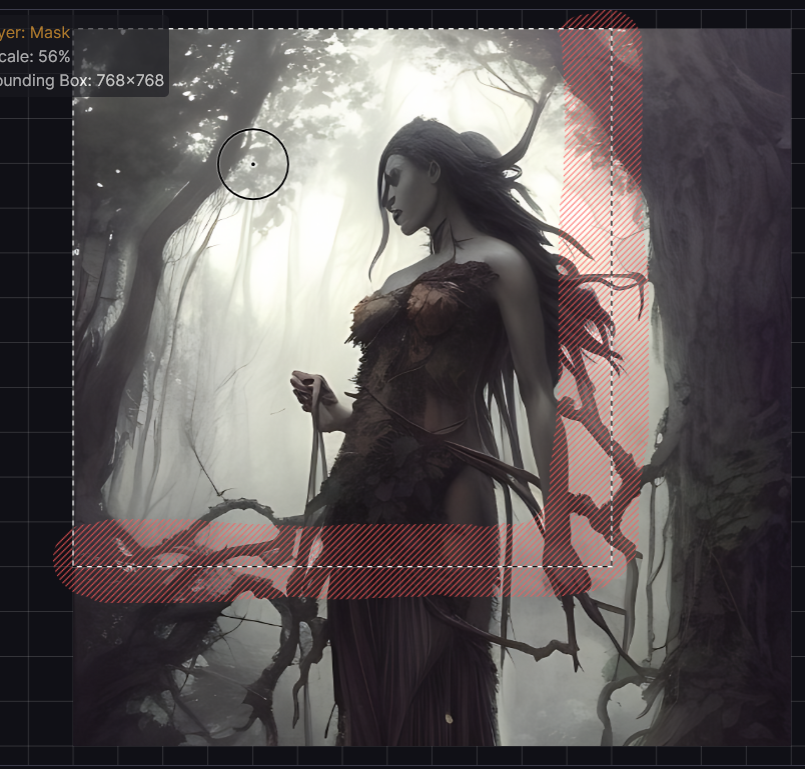
Alternatively, a workflow which could be even better and give more control over the process: I can now obtain something similar using the Unified Canvas, by first generating a 512x512 image, upscaling it 2x, then moving the generation window and using the mask brush to preserve the borders. This actually work quite fine, I can choose the tiles I want to preserve. But this takes an extra step: drawing the mask on the selection border and, like in the attached image, select "Preserve masked content" (which for some reason gets reset every time I erase the mask with Shift-C). But this requires some extra steps, which are annoying :) Can a simple way to upscale a part of the image without getting annoying seams be introduced?
Aditional Content
Thanks for your reading, and for your already excellent implementation.

Hey @Neeqstock - Glad to hear you like Invoke!
We've discussed this very thing. And I'll share how we approached this idea, which frames a lot of how we think about adding things generally
Asking ourselves what the ideal experience would be, seems like being able to visualize/manipulate the tiles with a preview of the image (upscaled from your init), and the ability to tweak prompt by tile, would be the 🔥 experience
We've got a number of things in the oven, but know that it's on the roadmap. And, if we get a few more contributors, maybe it'll be live sooner vs. later! :)

Wonderful! I totally agree being able to visualize the single tiles, select the results, and tweak the prompt for every single tile would be the 🔥 experience!
I dreamily await the next updates. Thank you!