
invoiceninja
 invoiceninja copied to clipboard
 invoiceninja
Stripe Payments Broken - $config must be a string or an array.
Updated to v5.3.70-C77 and I'm getting the following when attempting to Pay via client portal. This error occurs after selecting "Credit Card" so before even entering the CC details.
I deleted the Stripe Payment Gateway and readded it, adding my Stripe account id for the "account id" field. Not sure what's supposed to be added to the Apple Domain Verification field. I have completed the Apple Domain Verification in my Stripe account.
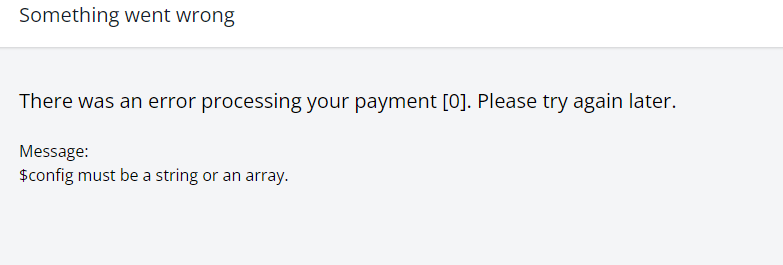


do you have a the line of the error in the larave.log?
There is no output given via the laravel.log unfortunately.
I also noticed that just a few releases ago, the stripe config asks for the secret key and publishable key but since v5.3.69 or so, it's changed to only requesting the account ID? So theres no need for the keys anymore?
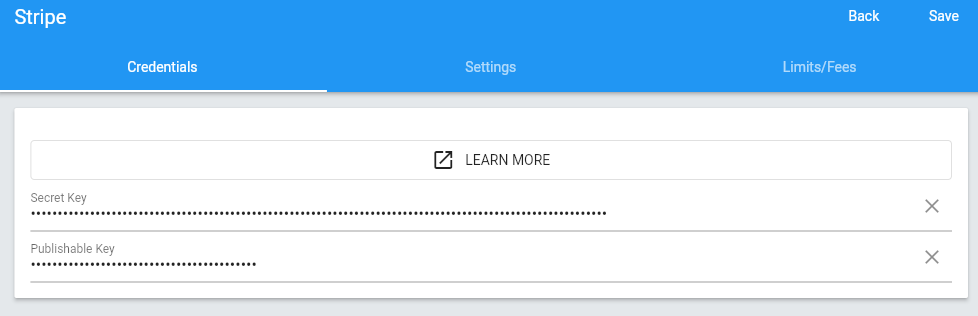
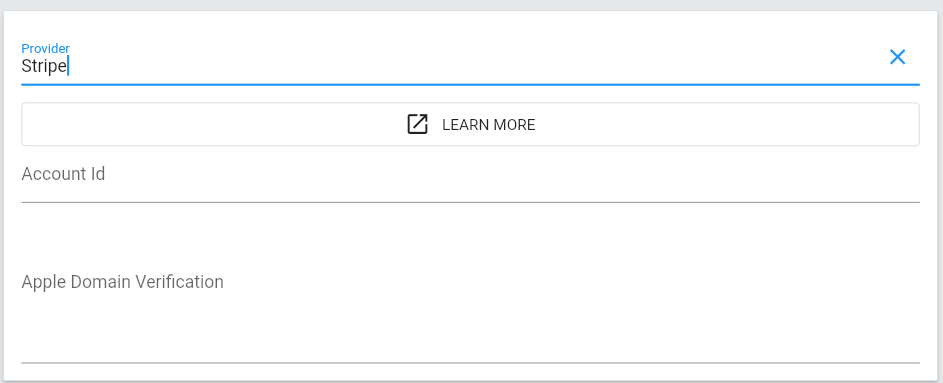
@hillelcoren any thoughts on why this is appearing?
@mrkylegp what would be helpful is if in the company_gateways table, can you let us know what the value is for the
gateway_key column please.
it should be a string looking like this:
d14dd26a37cecc30fdd65700bfb55b23
@turbo124 These are the entries. I have also deleted this gateway many times and re-created it during troubleshooting.
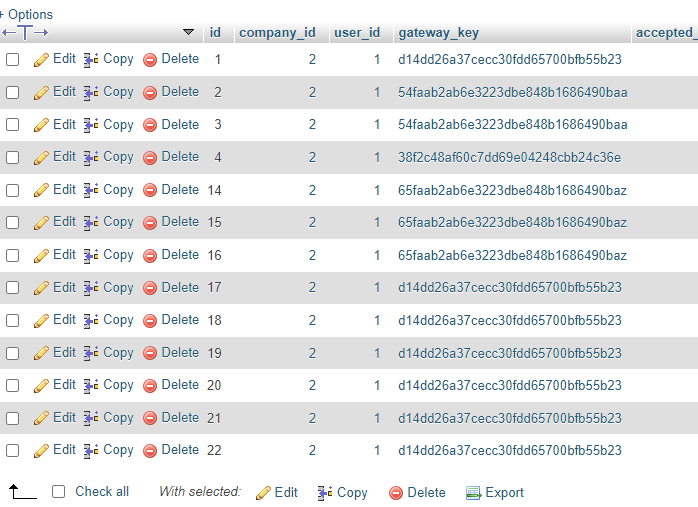
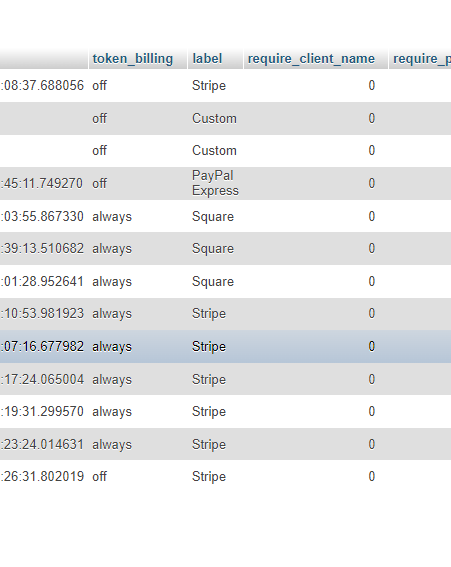
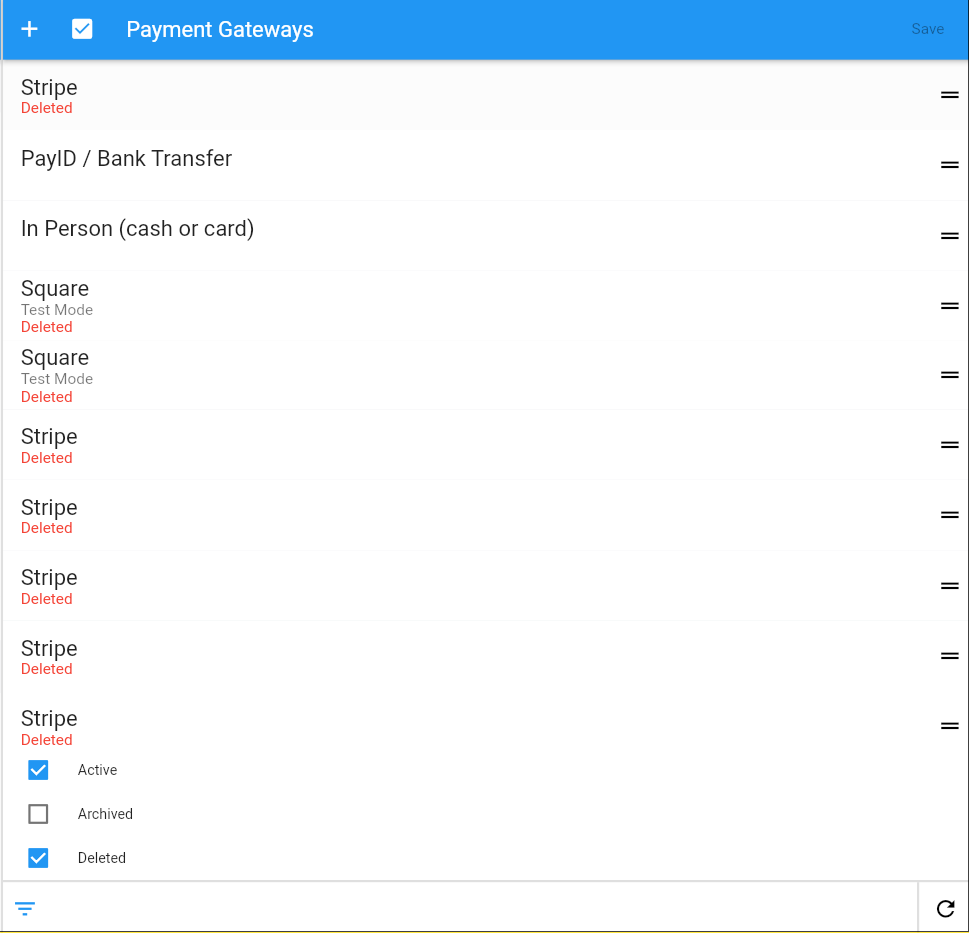
It looks like something is wrong with one of my installations. This an existing install that I upgraded vs a fresh install of v5.3.72. Why would I be missing the key fields? There's also some other changes that are different but the version states they are both the same. Some part of the upgrade hasn't worked.
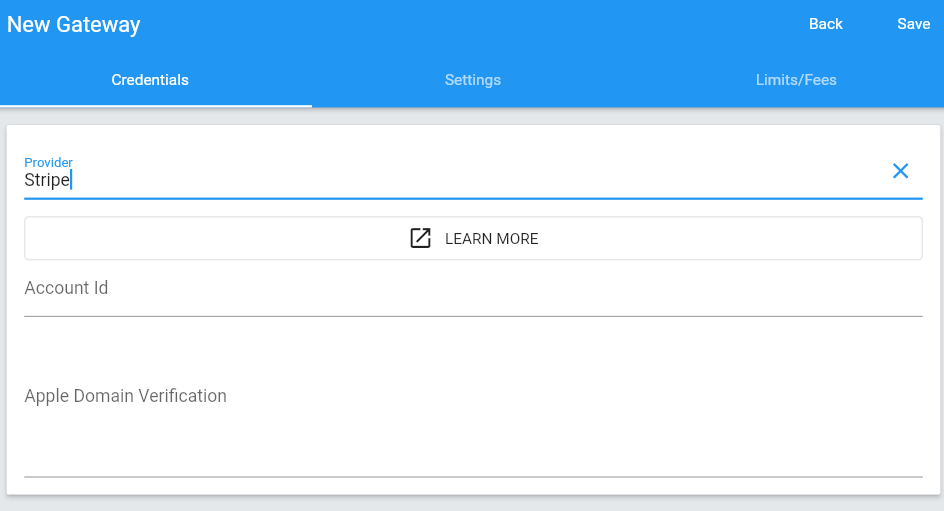

@turbo124 Tested the gateway on a fresh install, works fine. The issue is that one of my installations doesn't show the publishable and private key fields. What can I check?

This could be a bug in the admin portal, I'll look into it.
@hillelcoren Is there somewhere I can check in the database to see if the integrity of some values is askew?
Not that I'm aware of
@hillelcoren Just wondering how this could occur then as I deleted my entire invoice ninja directory, reuploaded v5.3.73 (keeping the same .env) and on that particular installation no matter what I tried, those key fields were missing still so I believe it's something in the DB that causes that issue. I've since freshly installed v5.3.73 under another virtualhost and Stripe works fine since I am able to enter the private and publishable keys in the admin portal.
I think it's a bug in the app, it's unrelated to the data in your database
I think it's a bug in the app, it's unrelated to the data in your database
@hillelcoren How is it that it persists on that installation even when I clear out and reupload invoiceninja in full? Doesn't seem to be a browser cache issue either. (This is desktop with web browser)
Because the app is broken, no matter how many times you re-install it will still be broken...
Thank you for reporting the issue, we'll make sure it's corrected in the next release.
Because the app is broken, no matter how many times you re-install it will still be broken...
@hillelcoren I'm not sure I understand. I'm talking about a self hosted installation that is then being accessed via web browser. Not an app such as Android or Windows desktop apps. If there was an issue with my invoiceninja install (files in the directory), replacing all the files in the invoiceninja dir would be effectively a fresh install of all the files, keeping only the .env configuration and entries in the database.
By 'app' I mean this repo, the backend Invoice Ninja application.
I think you may see this same problem with a clean install of the Invoice Ninja application.
By 'app' I mean this repo, the backend Invoice Ninja application.
I think you may see this same problem with a clean install of the Invoice Ninja application.
@hillelcoren I did a fresh install of v5.3.73 and the issue is not present. I then exported my old install and imported it to the new one and this was the only way to get my gateway issues sorted today. So basically, it's not happening on a fresh install but I don't know what's caused it on my previous one.
The problem could have been caused by an update in a previous release which put your database into a bad state, we're looking into it.
I'm just checking in as I am seeing this same issue with the Stripe gateway settings as well. No area for the API keys but just the account ID. The gateway is currently disabled as its not working in this format. I am on version 5.3.75-c77

Just updated and seeing the same issues here. I need to get the gateway back online.

@cdgco
I would suggest configuring a new stripe gateway, and then copying the "config" column of the new gateway from the company_gateways table and copy it over to the old column.
Thanks. I tried configuring a new gateway but that didn't work. I ended up restoring the table from a backup which did the trick.
@cdgco I'm glad that resolved it for you.
For the rest of with a fresh install and no options to add the STRIPE gateway keys is still broken. At least for me with the latest release of this post. v5.3.78-C77
@extremeskillz
On a fresh install for me, i see the normal form with the gateway/secret key options. entering these in for me leads to a functioning gateway.
Are you seeing no options to enter the keys on a fresh installation?
@turbo124 That is correct. Is there some thing I should check in the DB or web root for making it appear correctly?
@turbo124 Looks like someone in the forums is reporting the same thing as me with a fresh install and integrating Stripe.
https://forum.invoiceninja.com/t/no-stripe-configuration-shown/10336