

 intersystems-community
Pivot variables doesn't work.

Don't show the button control related to Pivot variable. http://146.185.143.59/dsw/index.html#!/d/Pivot%20Variables/Year%20Variable.dashboard?ns=SAMPLES
Commision Percentage dashboard doesn't work: http://146.185.143.59/dsw/index.html#!/d/Pivot%20Variables/Commission%20Calculator.dashboard?ns=SAMPLES
https://pie-chart-bug.demo.community.intersystems.com/dsw/index.html#/IRISAPP/Pivot%20Variables/Year%20Variable.dashboard

And this one: https://pie-chart-bug.demo.community.intersystems.com/dsw/index.html#/IRISAPP/Pivot%20Variables/Commission%20Calculator.dashboard
Seems something changed on mdx2json side. Can't get pivot variables:
Request: /MDX2JSON/PivotVariables/Patients?Namespace=IRISAPP
Response: 404 The requested URL /MDX2JSON/PivotVariables/Patients was not found on this server.

@gnibeda lets switch to POST requests and let give to MDX2JSON Cube name as a body variable
For example:
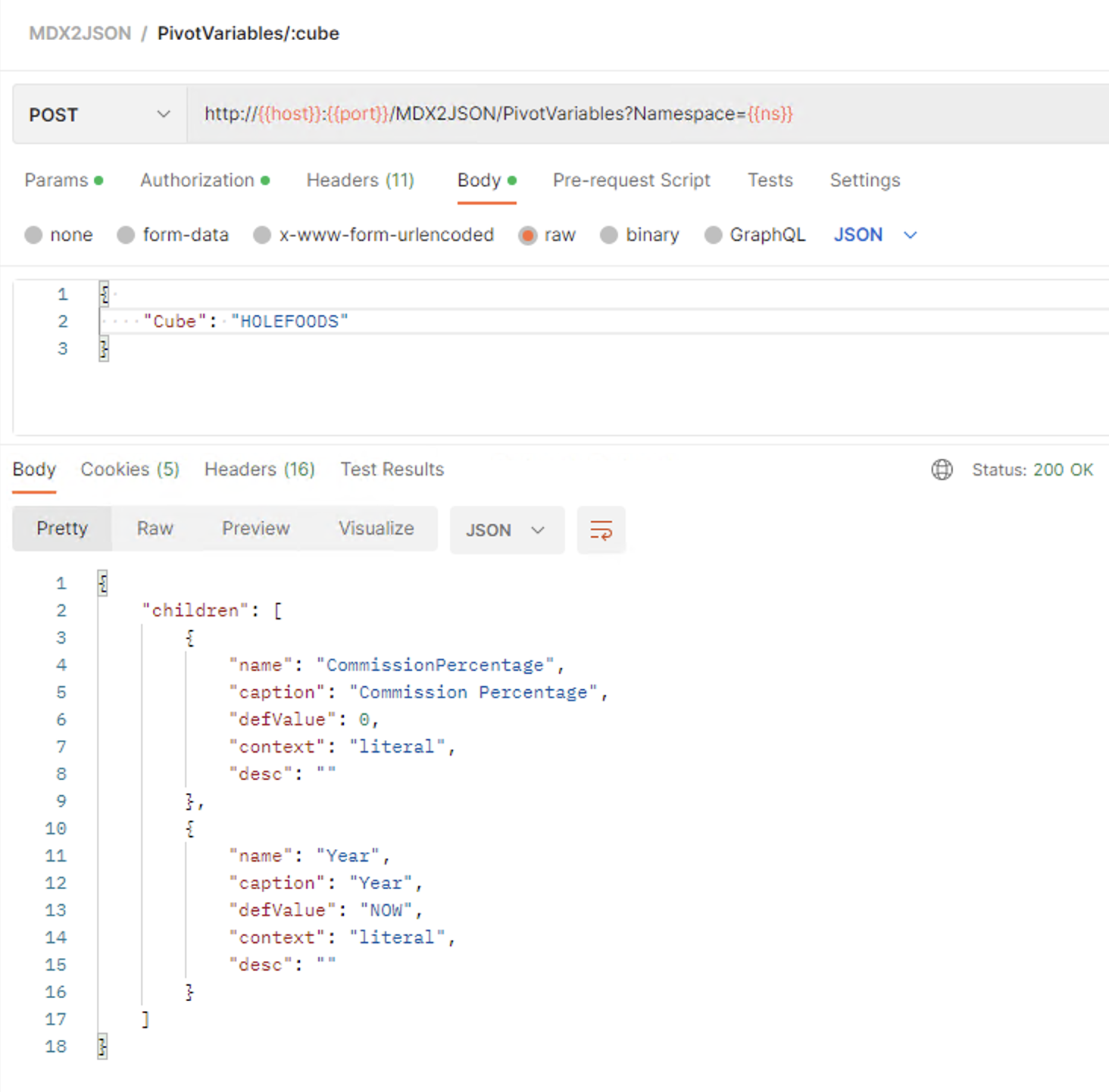
Seems that we have a bug in a platform or something seriously changed with such variables in URL. We will try to solve that, but the simples and fast way - to switch.
https://community.intersystems.com/post/request-mdx2jsonpivotvariablespatientsnamespaceirisapp-show-404-error

There is some result. I have managed to fill the filters with values
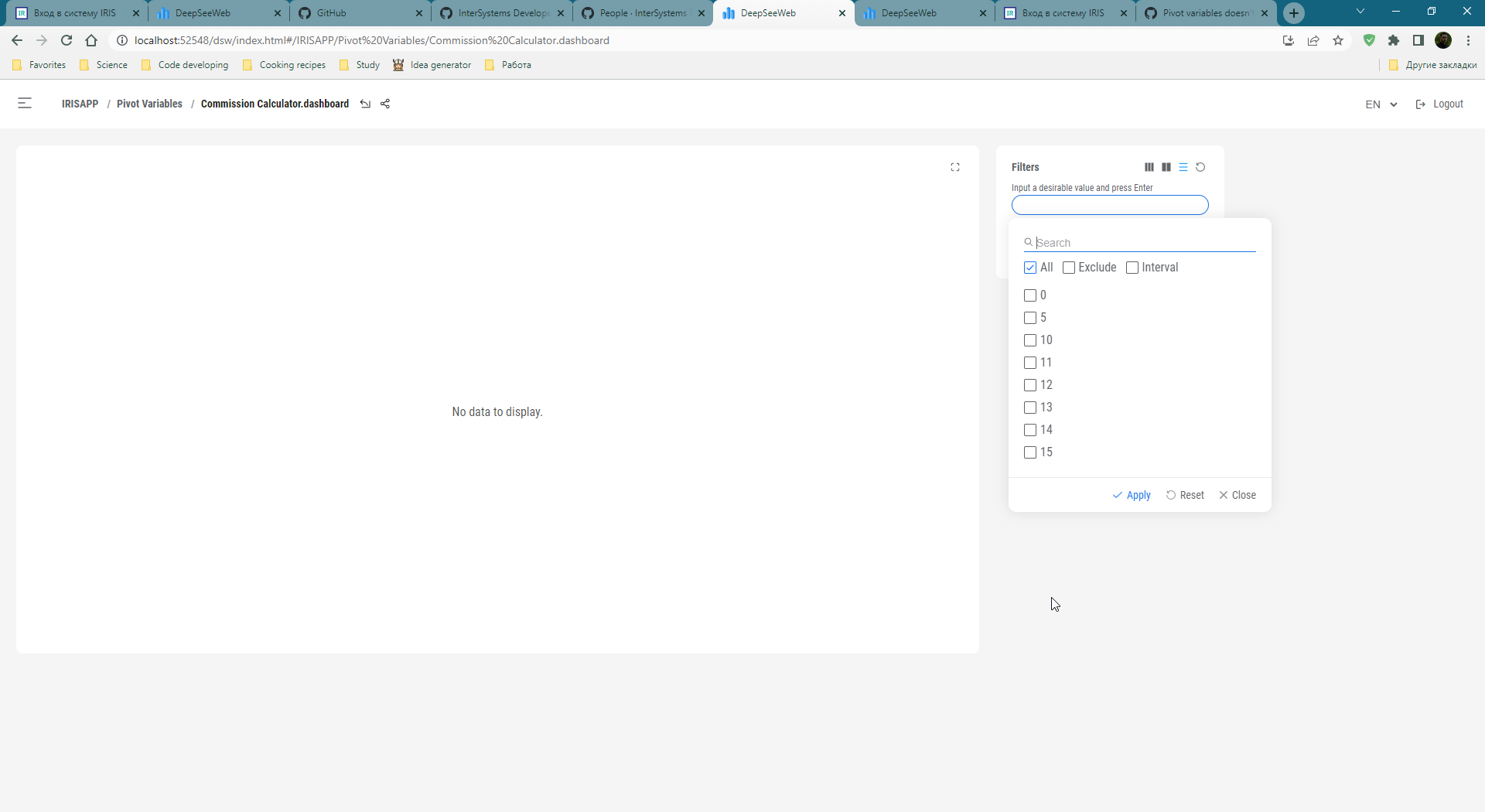
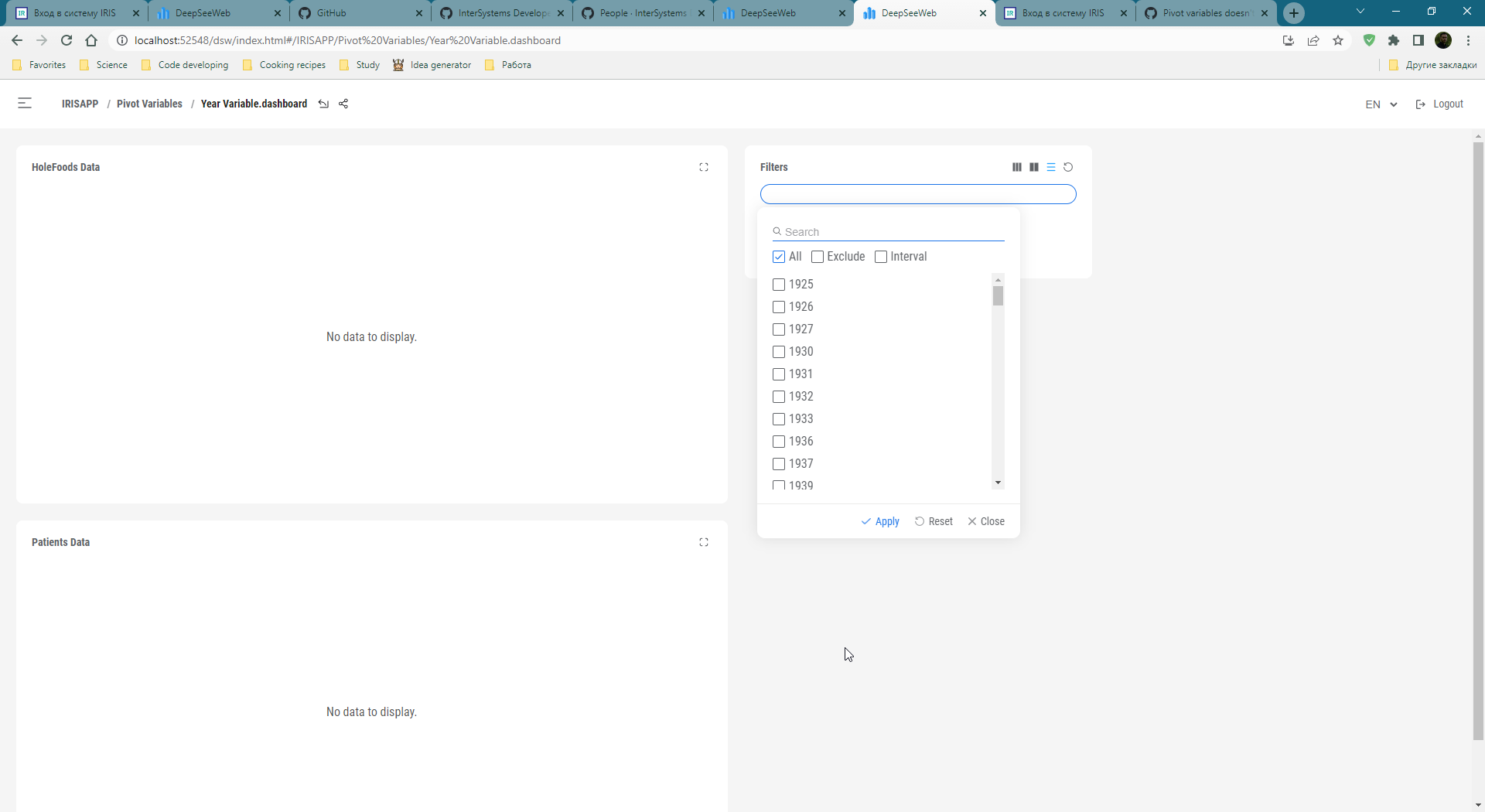
But applying filters still doesn't work. Presumably it's a broken mdx, but I'm not sure yet.

@gnibeda can you take a look at this? I was able to display the drop down menu. But there is one thing. Filters in the case of "variables" are applied differently.
"WITH MEMBER [DateOfSale].[SelectedYear] AS '[DateOfSale].[Actual].[YearSold].$VARIABLE.Year' SELECT A NON-BLANK [Channel].[H1].[Channel Name].Members ON 0,NOT EMPTY [DateOfSale].[Actual].[YearSold].Members ON 1 FROM [HOLEFOODS] %FILTER [DATEOFSALE].&[SELECTEDYEAR]"
When the dropdown menu is active, filters take the "targetProperty", apply it to the end of the mdx like %FILTER %OR $variable.Year.2018 and everything falls apart. But the correct way is to REPLACE $VARIABLE.Year with the corresponding year in the middle of the mdx query. So the correct mdx is:
"WITH MEMBER [DateOfSale].[SelectedYear] AS '[DateOfSale].[Actual].[YearSold].2018' SELECT NON-BLANK [Channel].[H1].[Channel Name].Members ON 0, NON-BLANK [Sale Date].[Actual].[Sale Year]. Members AT 1 FROM [HOLEFOODS] %FILTER [SALE DATE].&[SELECTED YEAR]"
Dashboards also get values and mdx. It remains only to force the values to replace the variables
Yes, this is a new feature and should be implemented on the FE side. Please provide an example with a dropdown.