

 internetarchive
Rotate Page 90 degrees clockwise
Newly digitized books have pictures that must be rotated to view. My archive.org library (https://archive.org/details/bradford-col926) has books with large pictures and books with maps. These were excellently digitized by archive.org. I am the administrator. The maps, in particular are not easily used with rotating.
A single rotate 90 degree CW would solve the problem.
Is your feature request related to a problem? What is the motivation for implementing this feature?
I, as the admin of a library, would like to rotate the image and save it back to the library. I contributed these books and want the resulting images to be useable. (I have 300+) more books to contribute. Proposal & Constraints*
What is the proposed solution / implementation? Is there a precedent for this approach succeeding elsewhere?
A Rotate Clockwise 90 degrees button. With Edit, Rotate Clockwise 90 degrees, [Rotate Clockwise 90 degrees, ...] Save in Admin mode I could greatly improve the usability of the existing books and the rest of my collection.
Which suggestions or requirements should be considered for how this feature needs to appear or be implemented?
Rotate button should be next to zoom buttons ("+" and "-").
Additional Resources
Add any other screenshots or assets related to the feature request.
Success Metrics
How will you know if this change is successful? What specific metrics are relevant and how do you expect them to change?
I will edit a 1910 Atlas of American Railroads and rotate some of the maps and save it. (Being able to simply check a number of maps and pushing a Rotate and Save option would make that work go much faster. There are LOT of images to rotate in a 700 page atlas.
Ed Bradford Pflugerville, TX [email protected]
Stakeholders
@-tag stakeholders of this feature

I would like to take on this issue if no one else is working on it.

Thanks @anonymous-baaka ! This one might be difficult for a first time contributor, but you're free to give it a try! I can help answer any questions :)
The ideal implementation would be:
- Have a rotate button in the visual adjustments panel
- In 1up: rotates just the current page
- In 2up: rotates the book
- In thumb: rotates all the pages
But we should implement this in three phases (three separate pull requests):
- V0
- Have a rotate button in the visual adjustments panel
- In 1up: rotates just the current page
- In 2up/thumb: takes to you mode 1up and rotates the current page
- V1 (blocked: After mode2up rewrite)
- Have 2up rotate the book
- V2
- Have thumb rotate all the pages
Only the V0 section should be done here.
The approach will be updating Mode1UpLit.js to keep track of rotations for each page, and then take that information into account when setting the transform on the pagecontainer. It should include the rotation if there is one. It should also make sure to leave enough room for the rotated page, since it could be wider.

In my experience, one 90 degrees CW button and one 90 degrees CCW button would be all that is necessary. Few books require all pages to be rotated. Digitizers would see that and simply present the book so it could be read. An improvement would be able to select pages with a check mark and then rotate all of the selected pages with only click of the CW or CCW button. I, as a book contributor, would like that feature because I have a book of 600 pages of maps only some of which need to be rotated. I want to rotate the pages once and for all while I am in "admin" mode. Is that possible? Then, of course, I want to save the rotated pages so no one else has rotate them.
Ed Bradford [email protected]
Hey, @cdrini I think this issue hasn't been solved yet. I would like to take it and fix it. But before that I want to make sure what you guys want me to change
Current File
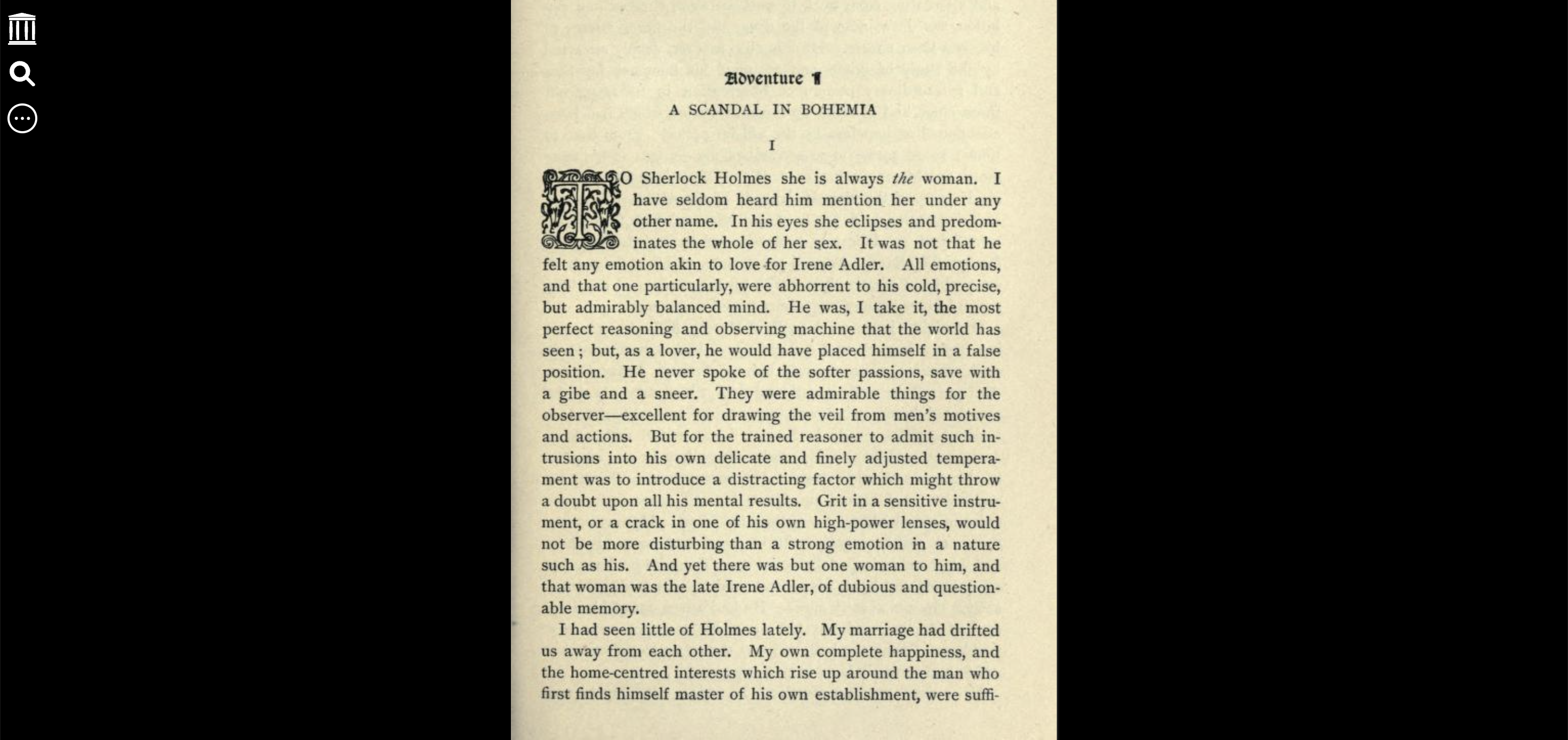
add a rotate button next to zoom buttons to rotate current book 90 CW page like this.
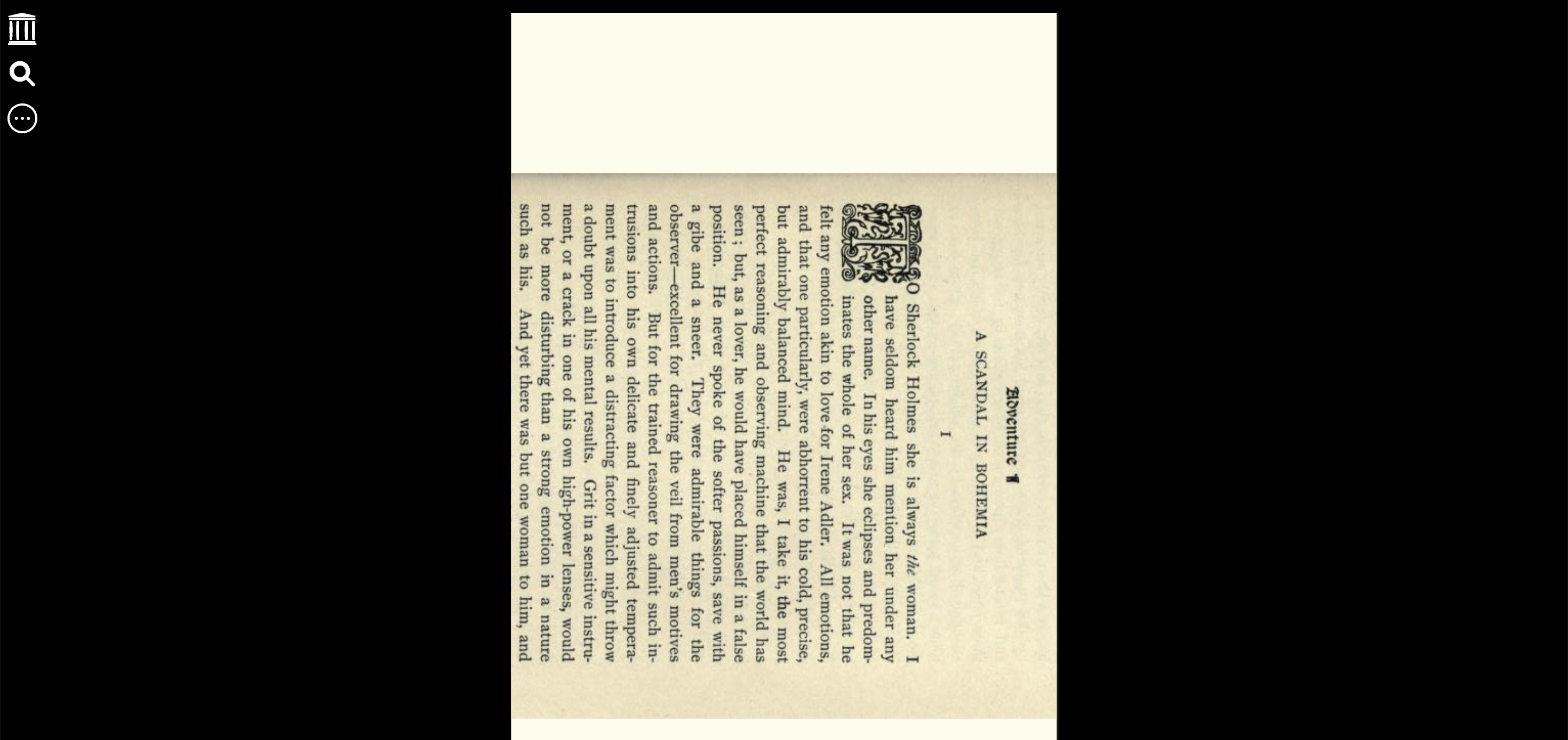
If I am correct please give me the permission to fix this issue. I will add a rotate button next to the zoom buttons. And please also provide me the name of that CSS file in which I have to create a rotate button and also the name of the JS file in which I have to add this functionality using addEventListener.

Rotate Left (CCW) and Rotate Right (CW) buttons (both 90 degrees) are required. Otherwise, some books are penalized for rotating the wrong way.
Do this and I will contribute another $50 to the Internet Archive.
Ed Bradford - supplied some 100-year-old atlases and 1/3 or 1/2 the pages must be rotated. Your help would be GREATLY appreciated by all Internet Archive library users.
I also volunteer to test the buttons before you release into the wild.
Ed Bradford Pflugerville, TX @.***
On Fri, Mar 17, 2023 at 11:27 AM Nikhil Sharma @.***> wrote:
Hey, @cdrini https://github.com/cdrini I think this issue hasn't been solved yet. I would like to take it and fix it. But before that I want to make sure what you guys want me to change
Current File [image: Screenshot 2023-03-17 at 9 50 47 PM] https://user-images.githubusercontent.com/95525120/225961760-b7b839ee-2986-431d-9dc0-617f461a7238.png
add a rotate button next to zoom buttons to rotate current book 90 CW page like this. [image: Screenshot 2023-03-17 at 9 51 19 PM] https://user-images.githubusercontent.com/95525120/225961896-07afc7c1-6f80-4a09-91bf-9228aece828d.png
If I am correct please give me the permission to fix this issue. I will add a rotate button next to the zoom buttons. And please also provide me the name of that CSS file in which I have to create a rotate button and also the name of the JS file in which I have to add this functionality.
— Reply to this email directly, view it on GitHub https://github.com/internetarchive/bookreader/issues/1134#issuecomment-1474093675, or unsubscribe https://github.com/notifications/unsubscribe-auth/ACPQN2HXCMJXWEB73B3UIODW4SGIRANCNFSM6AAAAAAUDHE344 . You are receiving this because you authored the thread.Message ID: @.***>
-- Advice is judged by results, not by intentions. Cicero
I completely agree with the need for a more efficient page rotation feature. Here's a detailed proposal for how this feature could be implemented to make it easier for digitizers and contributors to manage page rotations efficiently:
a) Single Page Rotation Buttons: Implement two buttons for rotating pages - one for 90 degrees clockwise (CW) and one for 90 degrees counterclockwise (CCW).
b) Selective Page Rotation: Allow users to select individual pages or a range of pages by placing checkmarks next to them.
c) Batch Rotation: Once pages are selected, provide an option to rotate all selected pages with a single click of the CW or CCW button. This would streamline the process and save time for contributors, especially for large documents with mixed orientation.
d) Preview and Confirm: Before making the rotations permanent, offer a preview of how the pages will look after rotation, allowing users to confirm or make further adjustments if needed.
e) Save Settings: Ensure that the rotation settings are saved so that future users do not have to rotate the same pages again.
This approach would significantly enhance the usability of the page rotation feature and save valuable time for contributors, especially for documents with mixed page orientations. It aligns with the goal of improving the user experience and content quality on the Internet Archive.
I'm willing to work on implementing this feature if the maintainers are interested, and I believe it would greatly benefit the community.
Looking forward to your feedback.
