

 intelowlproject
[React New Frontend] provide navigable JSON result for each analyzer
In the IntelOwl v3 version we have this navigable component that allows us to easily surf the JSON result of an analyzers
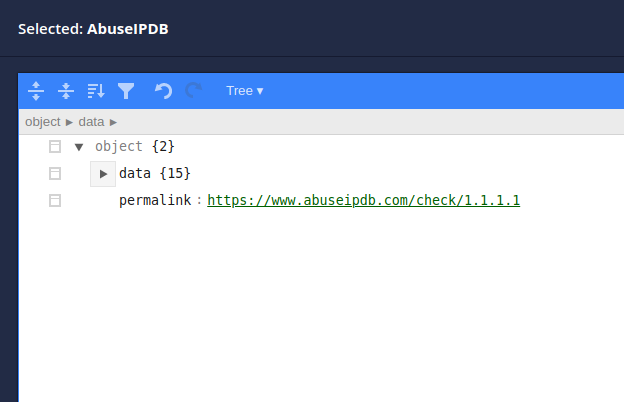
In IntelOwl v4, by default, we get all the JSON data at the same time. While this can be helpful, most of the time is not.
Example:
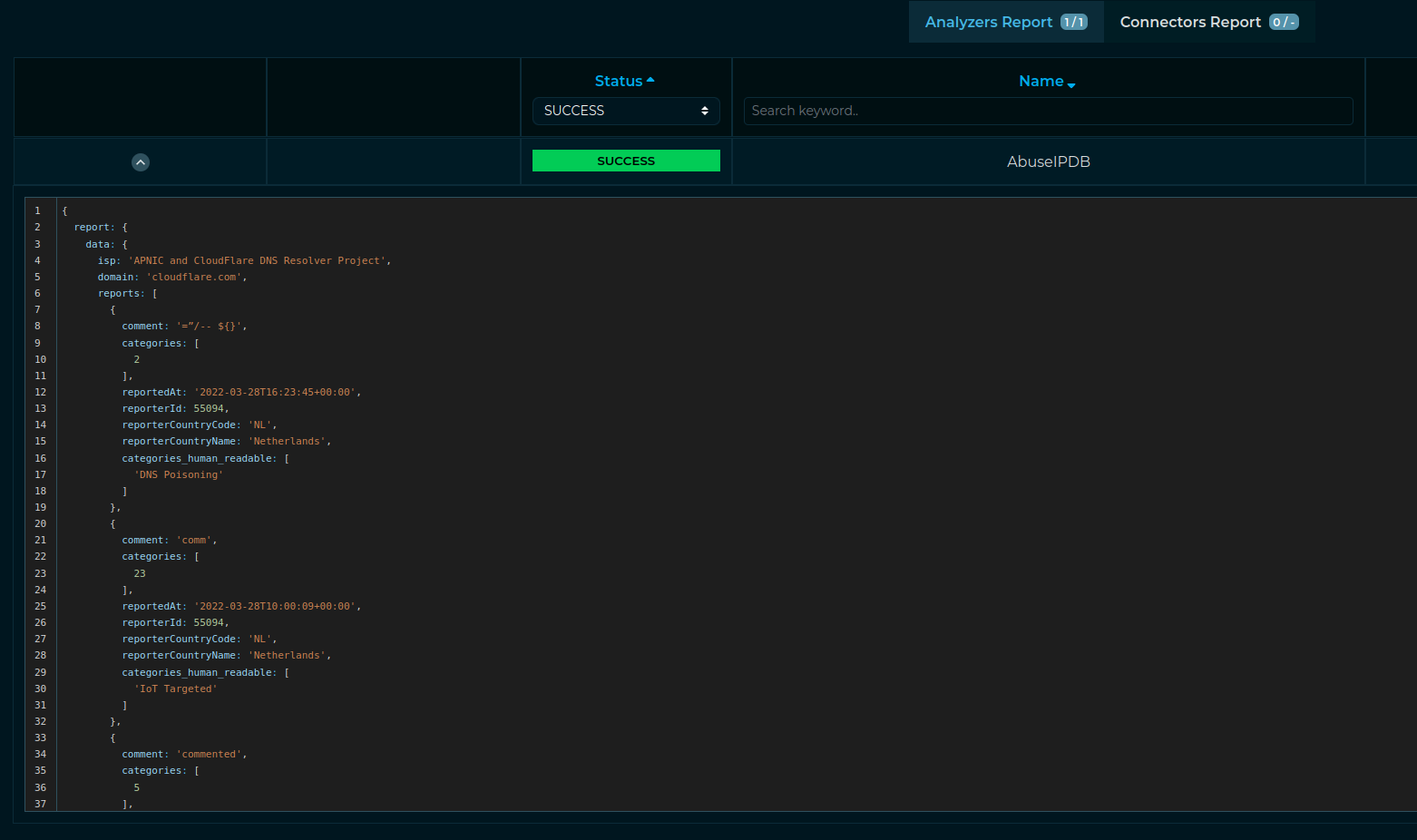
My idea is to replace that new component with something similar to the previous one available in the Angular GUI

We can use something like this for this task: https://mui.com/material-ui/react-tree-view/ Seems quite doable. I would like to try taking care of it. It's a bit packed these days so give me time till the weekend!

Another idea pointed out by @BenjaminH-Sogeti could be a view like this as an additional option. We should check what we can find as pre-built in react packages
That's pretty cool as well! I will try to put together whatever gets the job done best :)
Before closing this, @devmrfitz can you investigate please whether there is the chance to add a "search" tab like it was available in the previous JSON renderer?

Even if your addition is good, we are still losing some functionality. This can be particularly useful when the output contains a lot of data
I also noticed that, while opening by default to the "data" keyword is useful, there is no chance of collapsing it back and hide it. See:
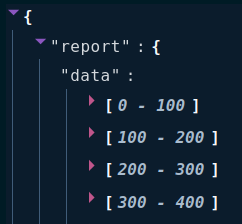
Considering that there can be a lot of data, then it would be difficult to visualize the elements that are available after the data. Maybe we could just open only report keyword. Thoughts?
I also noticed that, while opening by default to the "data" keyword is useful, there is no chance of collapsing it back and hide it. See:
Considering that there can be a lot of data, then it would be difficult to visualize the elements that are available after the
data. Maybe we could just open onlyreportkeyword. Thoughts?
@mlodic That makes sense. So, we should reduce the default depth by 1?

Before closing this, @devmrfitz can you investigate please whether there is the chance to add a "search" tab like it was available in the previous JSON renderer?
Even if your addition is good, we are still losing some functionality. This can be particularly useful when the output contains a lot of data
@mlodic
It seems react-json-view has an open feature request for a search. Do you have any alternate packages in mind, maybe the one which was being used in the previous version?
Previous version was made by @eshaan7 and you can find the code here: https://github.com/intelowlproject/IntelOwl-ng
The older JSON viewer allowed to collapse/un-collapse everything: that was very useful. Without having any other way to visualize data right now, we cannot be satisfied with just the actual result, even if the viewer is cool
Without having any other way to visualize data right now, we cannot be satisfied with just the actual result, even if the viewer is cool
Didn't understand this. Could you explain?
I meant that the viewer you added is cool but it lacks of functionality if compared with the old one. Right now we don't have other ways to visualize the data extracted from IntelOwl so we should try harder to provide the old functionality back to the viewer. In two words: let's try another package
Makes sense. I'm actively trying to find a ReactJS equivalent of the Angular package used previously, but haven't been able to find any yet. I'll get back to you as soon as something better is found.
@mlodic I found this but it's not regularly updated. https://github.com/aspecto-io/searchable-react-json-view
@mlodic I found this but it's not regularly updated. https://github.com/aspecto-io/searchable-react-json-view
@devmrfitz I think you can proceed testing searchable-react-json-view.
As you said is not updated (last commit 19th july 2021) and this is not a good news, but also the "base" project is not updated (last commit 9th march 2021). I looked for other projects, but I only worst supported project or other forks of react-json-view.
Reading the docs I discovered a useful field: collapsed: When set to true, all nodes will be collapsed by default. Use an integer value to collapse at a particular depth. This could allow us to show/hide all the dict elements, this is a function available in the v3 version and I think it can be useful restore it. Please test it.

As you said is not updated (last commit 19th july 2021) and this is not a good news, but also the "base" project is not updated (last commit 9th march 2021). I looked for other projects, but I only worst supported project or other forks of react-json-view.
Sure. I'll get on it. However, it also has just a single star.
Reading the docs I discovered a useful field: collapsed
I've used this field to set the default collapse value to 2. Lemme check if it can be changed during runtime.
@drosetti
certego-ui$ npm i searchable-react-json-view
npm ERR! code ERESOLVE
npm ERR! ERESOLVE unable to resolve dependency tree
npm ERR!
npm ERR! While resolving: @certego/[email protected]
npm ERR! Found: [email protected]
npm ERR! node_modules/react
npm ERR!   peer react@"^17.0.2" from the root project
npm ERR!
npm ERR! Could not resolve dependency:
npm ERR! peer react@"^16.0.0 || ^15.5.4" from [email protected]
npm ERR! node_modules/searchable-react-json-view
npm ERR!   searchable-react-json-view@"*" from the root project
npm ERR!
npm ERR! Fix the upstream dependency conflict, or retry
npm ERR! this command with --force, or --legacy-peer-deps
npm ERR! to accept an incorrect (and potentially broken) dependency resolution.
searchable-react-json-view has a version conflict with React itself
Nice catch! We cannot use this library.
I think we can leave this issue open and wait a bit, at least until @mlodic return. There aren't lot of libraries to test, but also create this function (toggle and search) could require time
< eading the docs I discovered a useful field: collapsed: When set to true, all nodes will be collapsed by default. Use an integer value to collapse at a particular depth. This could allow us to show/hide all the dict elements, this is a function available in the v3 version and I think it can be useful restore it. Please test it.
The collapsed parameter has a strange behaviour: in case you open dict keys with the related arrow buttons the "show/hide all" stops working. I think this is a non-intuitive beahivour and we cannot use it.
I'd say amen for this. Then we would need to accelerate in providing a simplified view of the JSON results.