

 intake
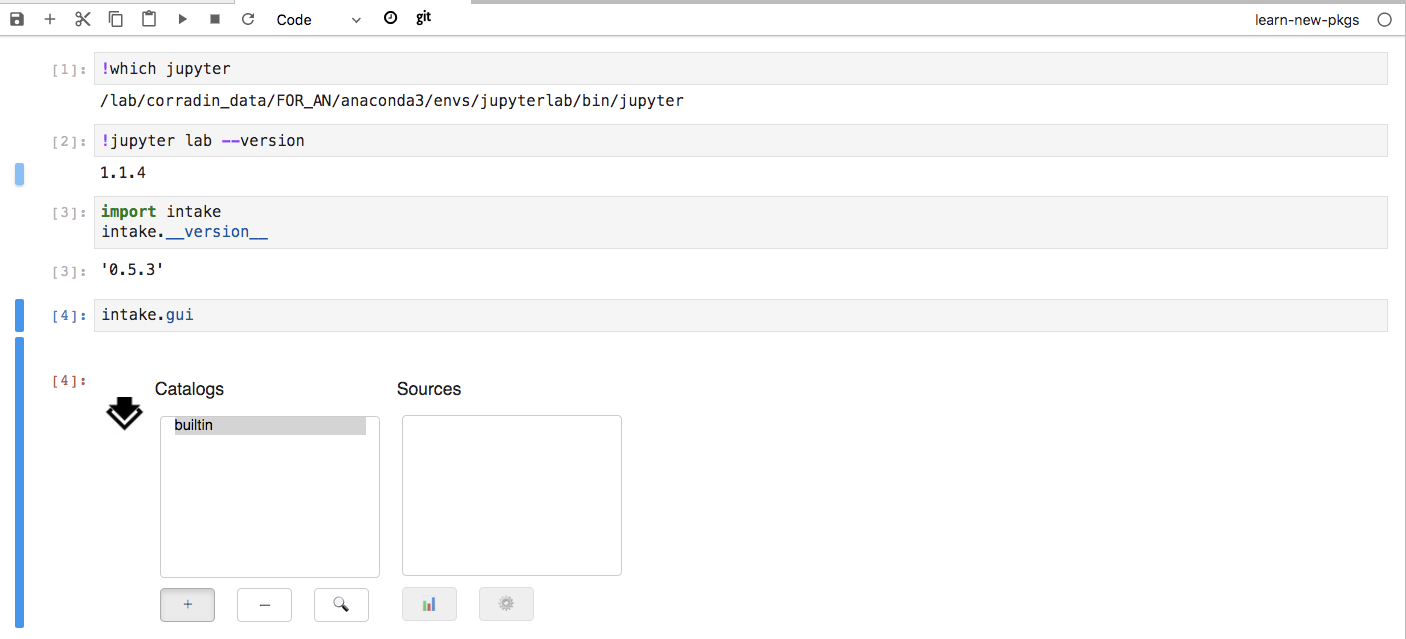
Intake (v0.5.3) GUI not working with Jupyter Lab (v1.1.4)
The widget just gets stuck and nothing happens when you click the buttons. If I launch classic notebook then it works fine
Jupyter lab environment extensions:
(jupyterlab) anhoang@tak /lab/corradin_cache/SEP_pairs_results$ jupyter labextension list
JupyterLab v1.1.4
Known labextensions:
   app dir: /lab/corradin_data/FOR_AN/anaconda3/envs/jupyterlab/share/jupyter/lab
        @jupyter-widgets/jupyterlab-manager v1.0.2  enabled  OK
        @jupyterlab/celltags v0.1.5  enabled  OK
        @jupyterlab/dataregistry-extension v2.2.2  enabled  OK
        @jupyterlab/git v0.8.1  enabled  OK
        @jupyterlab/toc v1.0.1  enabled  OK
        @krassowski/jupyterlab_go_to_definition v0.7.1  enabled  OK
        jupyterlab-jupytext v1.0.2  enabled  OK
        jupyterlab-plotly v1.0.0  enabled  OK
        jupyterlab_templates v0.2.0  enabled  OK
        nbdime-jupyterlab v1.0.0  enabled  OK
        plotlywidget v1.1.0  enabled  OK
        qgrid v1.1.1  enabled  OK
Kernel versions:
(learn-new-pkgs) anhoang@tak /lab/corradin_cache/SEP_pairs_results$ conda list intake
# packages in environment at /lab/corradin_data/FOR_AN/anaconda3/envs/learn-new-pkgs:
#
# Name                    Version                   Build  Channel
intake                    0.5.3                      py_0    conda-forge
In Jupyter lab:

Please list your versions of panel, param, hvplot, bokeh
cc @philippjfr @jsignell (sorry!)

@hoangthienan95 You need the jupyterlab_pyviz extension:
jupyter labextension install @pyviz/jupyterlab_pyviz

@philippjfr thank you so much that worked!!!! I thought it was only needed for the plotting functionality.
Just a note that I think this is also the case on the Binder links in intake-examples. Here's a PR to add the pyviz jupyterlab package to the repo:
https://github.com/intake/intake-examples/pull/6
