

 influxdata
Influx replication does not work after data push to Influx DB is stopped then restarted
Note: I've made a few edits on this since first posted (for clarity).
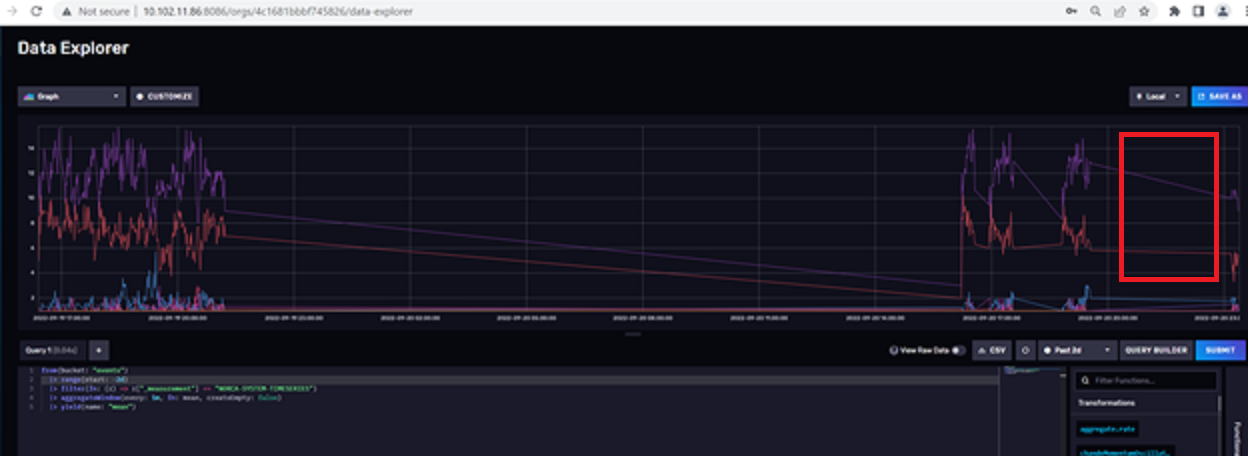
Update 2: I ran a test overnight, this was say the 4th or 5th try. It appears the replicated IP (10.102.11.86) lost some data. compared to the primary IP (10.102.11.85)
Here's a screenshot of the data from the overnight run (toward the right). The data that was dropped on the secondary is highlighted:

This is a screenshot of the same timeframe on the secondary. The highlighted area shows where the data is missing:
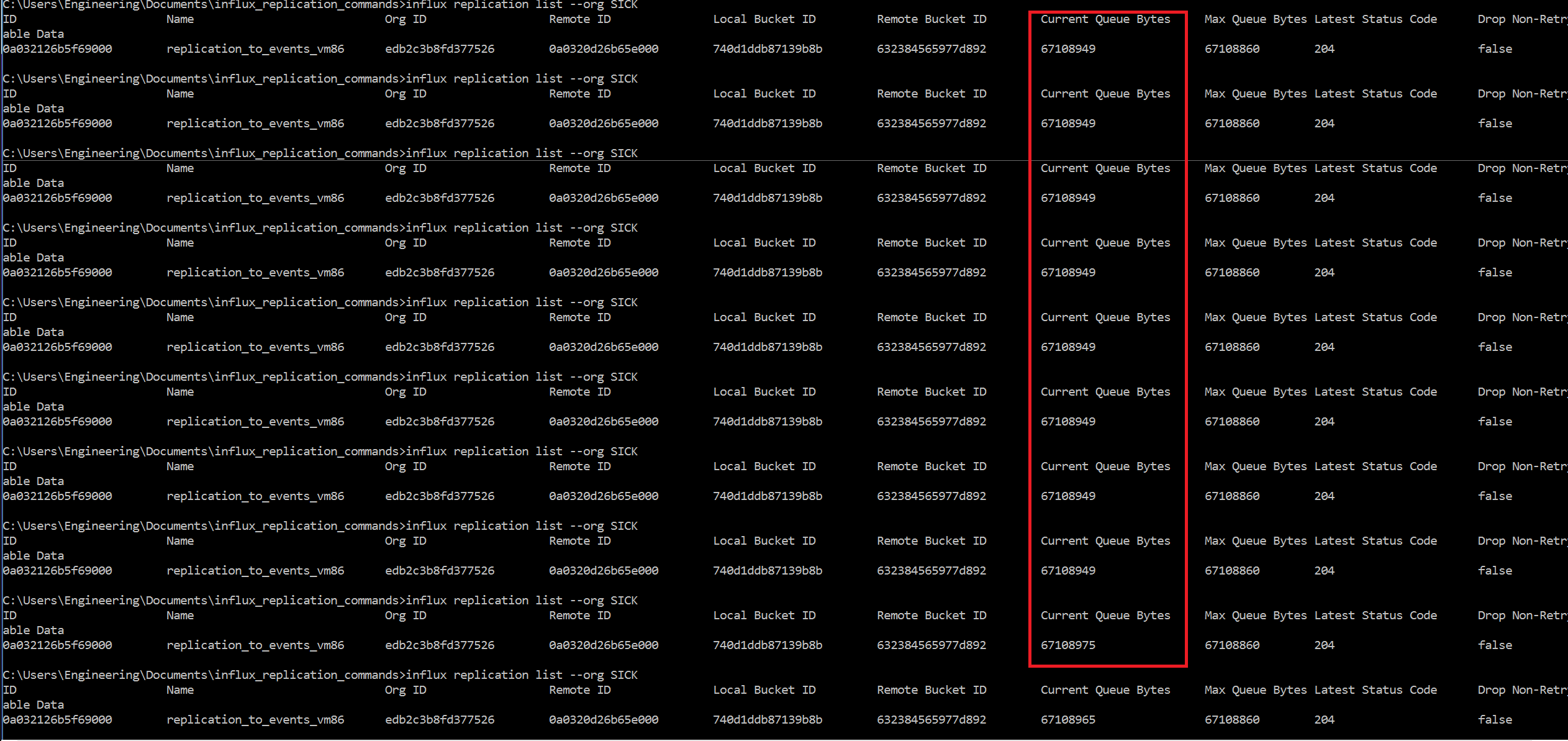
Finally, the replication buffer on the primary never went down. It more or less stopped on the maximum allowable:
Update 1: A quick update. I now believe that the replication is happening on the second+ data pushes, but is delayed by up to 20-30 minutes, which is why I initially thought it wasn't working.
Ultimately, the data gets there, but in a replication scenario it would obviously be much better if the data was up-to-date, as it is on the first push.
Also, the current queue bytes as displayed on the replication list always are climbing, never decreasing, as shown below.

I wonder if this relates to the delay? Also, what happens when it hits the max?
Just to make sure I got this right, the Influx documentation it states OSS to OSS replication is supported:
https://docs.influxdata.com/influxdb/cloud/write-data/replication/
Specifically, "Use InfluxDB Edge Data Replication to replicate the incoming data of select buckets to one or more buckets on a remote InfluxDB OSS, InfluxDB Cloud, or InfluxDB Enterprise instance.
In fact I have succeeded in getting OSS->OSS replication to work on both a PC->PC and VM->VM basis.
I also got replication working bi-directionally. That is, when IP 10.102.11.86 is receiving data and 10.102.11.85 is being replicated to, it works, and vice versa. The data is being pushed to only one IP at any given time.
However, I started sending data to 10.102.11.85 (the primary data source) again yesterday after being dormant since last Thursday, yet the UI on 10.102.11.86 (the replicated IP) does not show the data being replicated. It only shows data from last week, not yesterday).
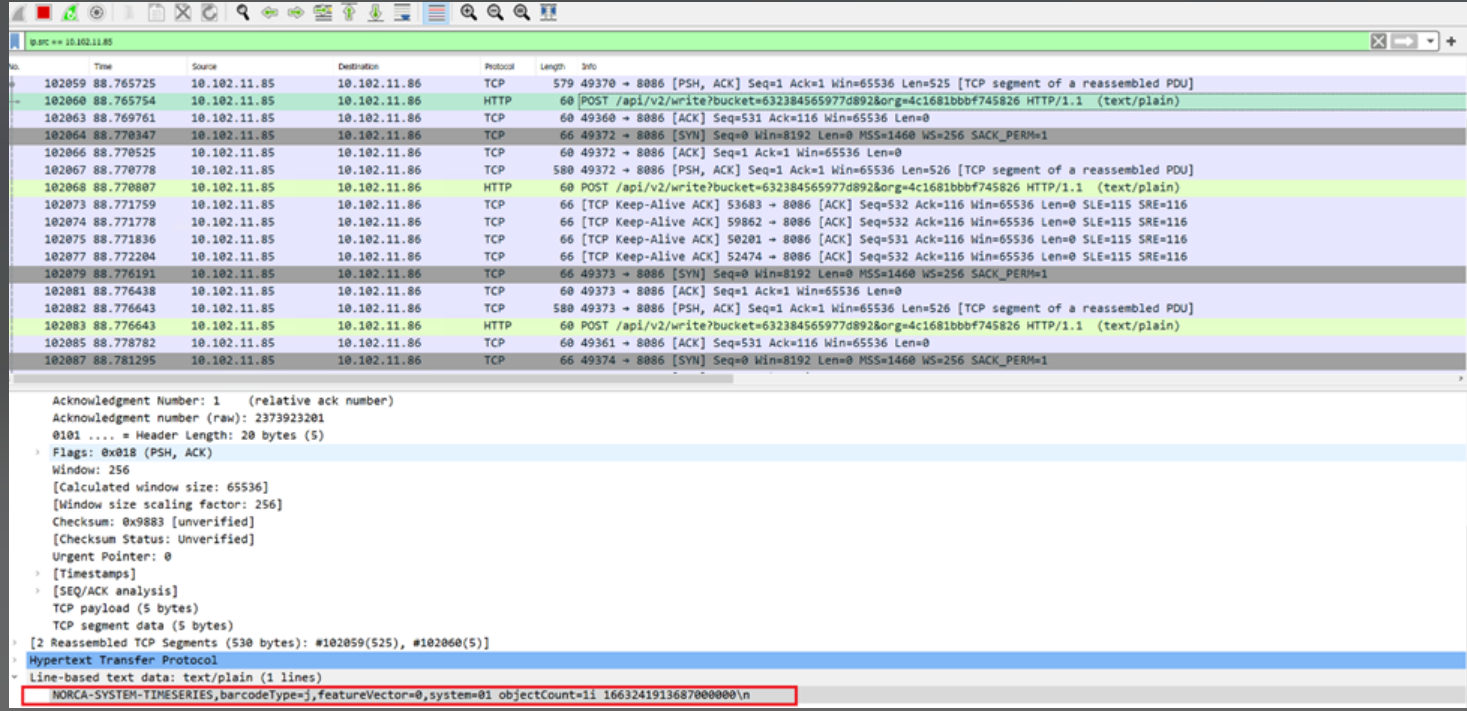
I checked Wireshark on 10.102.11.86 and it showed successful replication posts as of last Thursday:
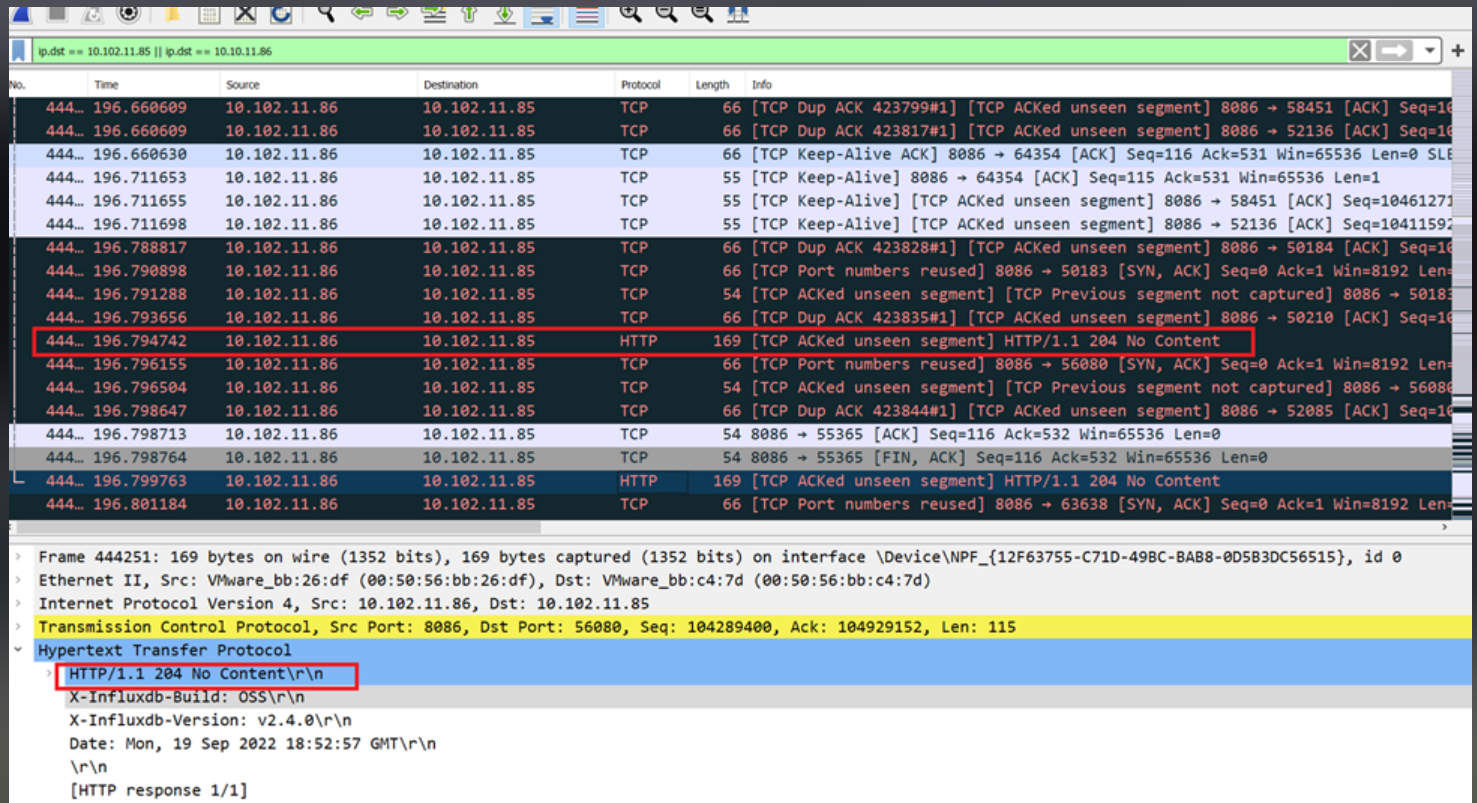
However, when I tried to resend using the same replication yesterday, which didn't work, the Wireshark dump shows "No Content". Note this is 86->85 so it's apparently a returned message from the replicated IP.
Here are the remote and replication creation commands:

Remote bucket id on 10.102.11.86:

Local bucket ID on 10.102.11.85:

UI shows recent data on 10.102.11.85:

However, most recent data showing on UI on 10.102.11.86 is from last week:

I'm able to ping from 10.102.11.85 to .86 and vice versa.
I get the same behavior when I reverse, i.e. replicating from 10.102.11.86 to 10.102.11.85. Here the data on 10.102.11.86 is now up to date:
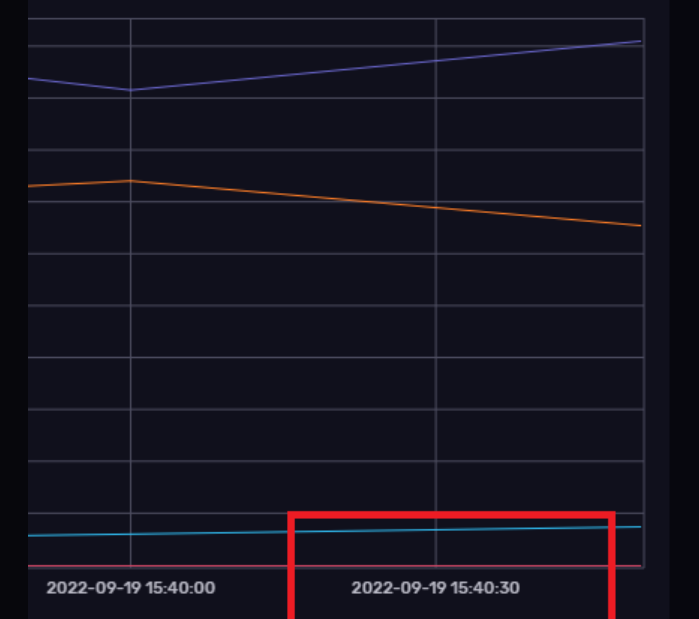
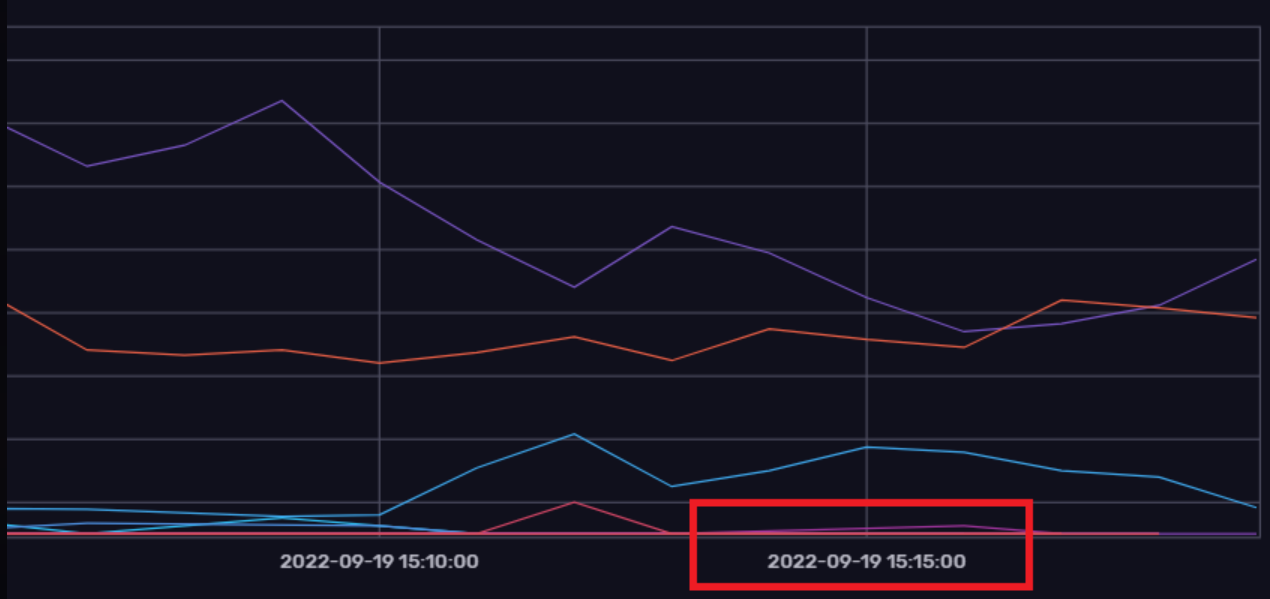
While the last time 10.102.11.85 shows updated is about 1/2 hour ago when I stopped sending data to it.
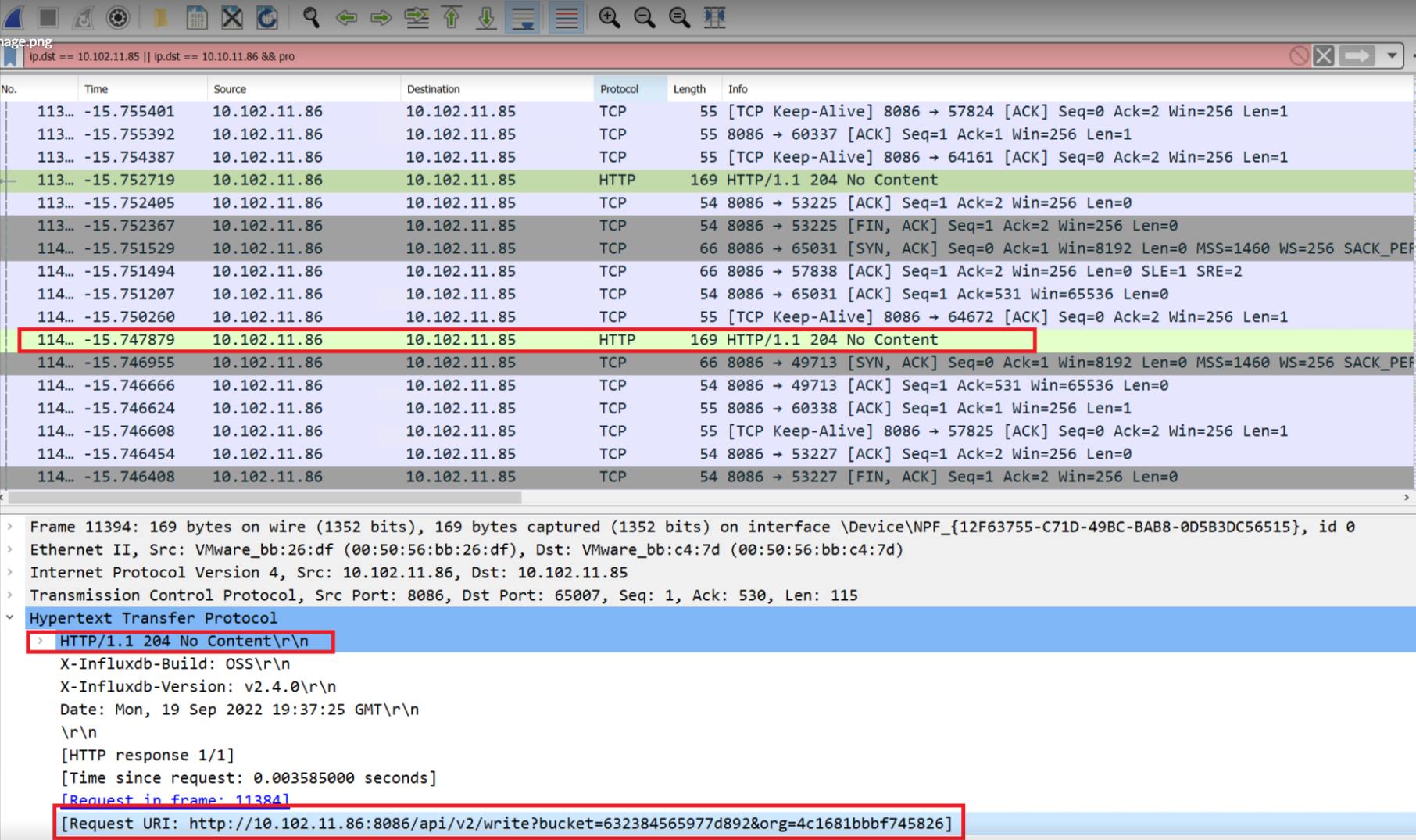
The Wireshark dump (taken from 10.102.11.86) again shows that is sending an HTTP packet with "No Content". It shows the original "request URI". http://10.102.11.86:8086/api/v2/write?bucket=632384565977d892&org=4c1681bbbf745826
I recreated the replication from 86 to 85 and it started working again (when sending data from 86 to 85) and vice-versa.
However, as soon as I stop sending data to 86 (the primary receiver), then start re-sending it, replication stops.
It doesn't seem feasible to recreate the replication every time a new TCP connection is made from the data source to the primary database.

Hey thanks for the thorough write up.
So as I understand the issue, when you have something feeding data (we'll call it A) into influxdb (B) replicating to influxdb (C) everything works fine. However if you stop A, then start it after awhile, C doesn't receive the data unless you recreate the replication?
I tried reproducing the above scenario and saw data successfully get back to C after restarting A without recreating the replication. I see it looks like you are on Windows, what versions of influxdb are each of the instances?

I have exactly the same issue. Is it still a problem for you? @jackbenimble999

