

 uber
uber
Best practice of visual presentation of hierarchy tree
Hey guys. Regarding visual presentation of the hierarchy tree of the architecture of the App..., Would you rather display it like A (left) or B (right)
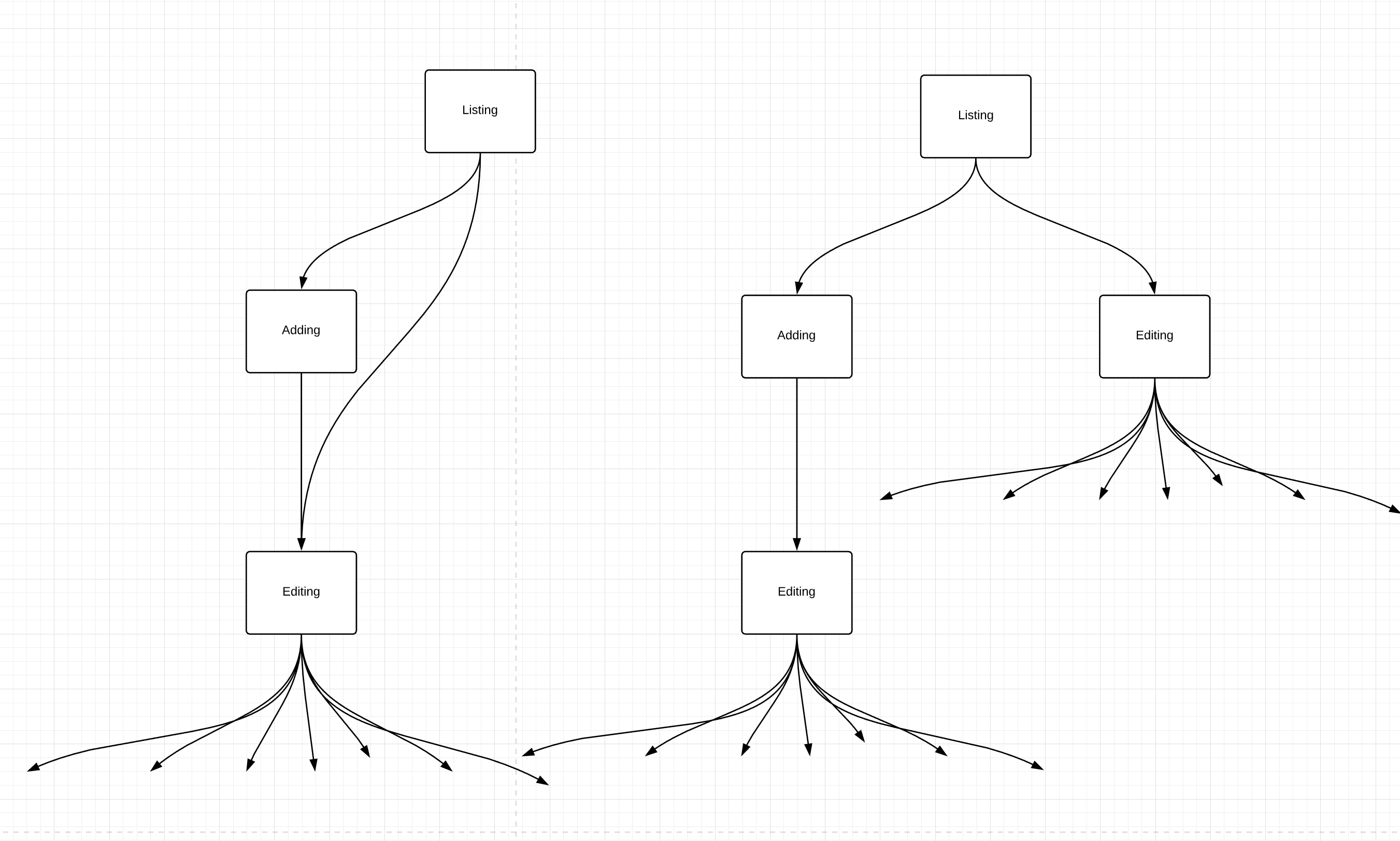
The question is here for whatever cost (lots of duplicates) stick to the tree presentation (B). Or having 1-2 more "nested" RIB flows (A)?
Listing: logic and UI to display existing elements, buttons to edit single element and add elements. Adding: contains logic to create a new element and route it to editing. Editing: contains logic and UI to edit an element.

I think you might be confusing the screen flow of the app and the actual RIB hierarchy mounting and unmounting. Here's what I would expect to happen:
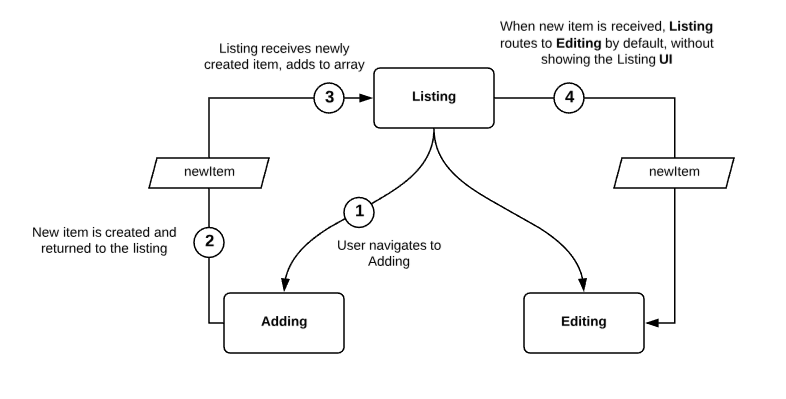

That is how i'm doing it. I'm just curious about the best practice of how to create the flow chart in general. As mentioned above. I have 2 options.
Either I display it in a tree kind of way where you have Editing with all of Editing Sub RIBs repeatedly presented on the chart.
Or I'm not displaying it as a tree, but nest the elements so that Adding leads visually to Editing as well as Listing.
Maybe I don't make too much sense right now. But I have tried as much as possible to have the flow follow the "tree idea". Instead of nesting and starting with spaghetti code again.
Thank you for taking your time and creating the graphic. Again: I understand what you mean, and that is exactly how i'm doing it in Code. I'm just right now curios about the visual presentation (of the flow chart) as I want to keep an accurate record.
Or I'm not displaying it as a tree, but nest the elements so that Adding leads visually to Editing as well as Listing.
This obscures the application architecture; if you are looking to show the business logic tree stick to doing it the way Uber has shown in numerous blog posts and talks, possibly animating it using img2gif or presentation recording;
if you are instead looking to show the flow through the app invest in developing Personas and Journey Maps as well as other UX materials.
I would kindly suggest not mixing the two disparate practices as it most likely leads to obscuring the product knowledge pertinent to either one of them.