

 twireapp
Stuck on "Verify login code" screen | Stuck on White Screen after login
I'm running Android 5.1
I receive an email notification that tells me I've logged in but I can't move past the "verify login code" screen. If I go back I'm not logged in. Please help.

- Which Version are you using? (e.g 2.9.3)
- Can you test using this APK: https://github.com/twireapp/Twire/suites/3294745823/artifacts/76948670


2.9.3 from the f-droid store on a custom 7.1.2 AOSP Rom. Regarding the test apk there. Where does it come from, can you link the changes?

The APK is coming from here: https://github.com/twireapp/Twire/runs/3124803371 It's up to date with the latest commit (https://github.com/twireapp/Twire/commit/8839ad04a1ba7446e4b129e542ac81a944bffcff).
The latest changes can be seen here: https://github.com/twireapp/Twire/commits/master (everything after the commit named "2.9.3" from Jan 23, 2021)
Thanks a lot for the explanation with Github Actions. That's quite new to me.
I installed the APK from https://github.com/twireapp/Twire/runs/3124803371
- After entering the PIN, I got immediately a response by the App, saying that the entered PIN was wrong (triple checked and it was correct).
- Then, I pressed "Resend code" and entered the second one. With that again, it keeps showing the loading icon and doesn't do anything anymore.
- Which Version are you using? (e.g 2.9.3)
- Can you test using this APK: https://github.com/twireapp/Twire/suites/3294745823/artifacts/76948670
- I'm using 2.9.3
- I tested the debug apk and was unfortunately stuck at the 'verifying you're not a robot' screen.
Can you try this?:
- log in using a Desktop PC or other Device
- log in using a VPN or mobile Data connection
I have exactly the same issue. (Android 6, Twire 2.9.3 installed from F-Droid) This is what happens:
- Login page comes up, I enter my user and password
- Verification code arrives in mail
- After entering the code on the verify login page, app stucks there forever
- Meanwhile, an additional notification mail arrives about a successful login.
So according to Twitch, I've logged in successfully. In the app, I never get past that verification page. By the way: I can login on any of my desktop PCs using either Firefox or Chromium.

Update
Because Multiple Users reported this Issue we need some more information.
But first of all, here is what we currently have:
| Android Version | Twire Version | 2 Factor Authentication | Problem | Link |
|---|---|---|---|---|
| TV 4.4.2 | ? | ? | white screen before login | https://github.com/twireapp/Twire/issues/261 |
| 7.1 | 2.10.0 | :white_check_mark: | Stuck on Code Verification | https://github.com/twireapp/Twire/issues/265 |
| ? | ? | ? | white screen before login | https://github.com/twireapp/Twire/issues/244 |
| 5.1 | ? | :white_check_mark: | Stuck on Code Verification (Email) | https://github.com/twireapp/Twire/issues/242 |
| 7.1 | 2.9.3 | ? | Stuck on Code Verification | This Issue |
| 7.1 | 8839ad04a1ba7446e4b129e542ac81a944bffcff | :white_check_mark: | Stuck on Code Verification | This Issue |
| 6 | 2.9.3 | :white_check_mark: | Stuck on Code Verification (Email) | This Issue |
The Information we need is:
- Your Android Version
- Your Twire Version
- Are you using a custom Rom (yes/no)
- Are you able to log in on your phone with another app for example firefox
- Are you able to log in on another Device for example your PC
Further Steps that would help:
If you don´t know what ADB or a logcat is then just skip this!
- Setup ADB on your PC (https://www.xda-developers.com/install-adb-windows-macos-linux/)
- Guide to providing a Logcat: https://forum.xda-developers.com/t/guide-how-to-provide-a-logcat.2025911/
Update
Because Multiple Users reported this Issue we need some more information.
Twire version is 2.10.0 No 2FA ROM does not have google play services, not sure if it counts as custom I can log in on other devices
Also my issue is a bit different, I can not log in at all so it should be 'white screen before login', not after

 Android version:7.1.2
Twire version:2.10.0
Yes custom rom specifically Lineage OS 14.1 with no gapps of any sort
Yes i can login from another phone using twitch app
I received successful login email from twitch @6:48
Android version:7.1.2
Twire version:2.10.0
Yes custom rom specifically Lineage OS 14.1 with no gapps of any sort
Yes i can login from another phone using twitch app
I received successful login email from twitch @6:48
How do i paste the logcat here?I am on phone.Any alternate place where i can paste the logcat?
- Your Android Version: 6.0
- Your Twire Version: 2.9.3
- Are you using a custom Rom: No
- Are you able to log in on your phone with another app for example firefox: Yes (with Firefox)
- Are you able to log in on another Device for example your PC: Yes
Here's what I see in the logcat output. Using Settings / General / Twitch username opens up the login "dialog":
11-23 20:11:20.489 3260 3328 I ActivityManager: Displayed com.perflyst.twire/.activities.setup.LoginActivity: +640ms
This is, where I enter my UID / PWD, get an E-Mail from Twitch with a code. Entering that code results in another E-Mail, where Twitch confirms the successful login, but the view stucks there forever.
From that point on, I see no further log entries from Twire (and especially the LoginActivity class). Normally, this is where the shouldOverrideUrlLoading(WebView view, String url) method should kick in and finish the job. The lack of log entries suggests, that it's never get called.
I have a feeling, that this broken behavior was introduced by some change(s) on Twitch's side, since it just suddenly stopped working, when no other changes on the system were introduced. (Android update / Twire update / etc.)
Fun fact: there's a Twitch chat application called DankChat (on F-Droid), which has exactly the same "login stuck" problem. When 2 different applications are starting to show exactly same problem, that's not an accident.

Your Android Version
Android TV 6.0 (according to docs, not checked)
Your Twire Version
2.10.0.254 (latest)
Are you using a custom Rom (yes/no)
No
Are you able to log in on your [device] with another app for example firefox
Untested, will try
Are you able to log in on another Device for example your PC
Login via Twire v2.10.0.254 works on my Xiaomi Mi 8 using Android 11 (custom ROM : DotOS v5.2.1).
2 Factor Authentication
:white_check_mark:
Problem
Stuck on Code Verification

My Twire cant even login or watch anything Says twitch servers dont react
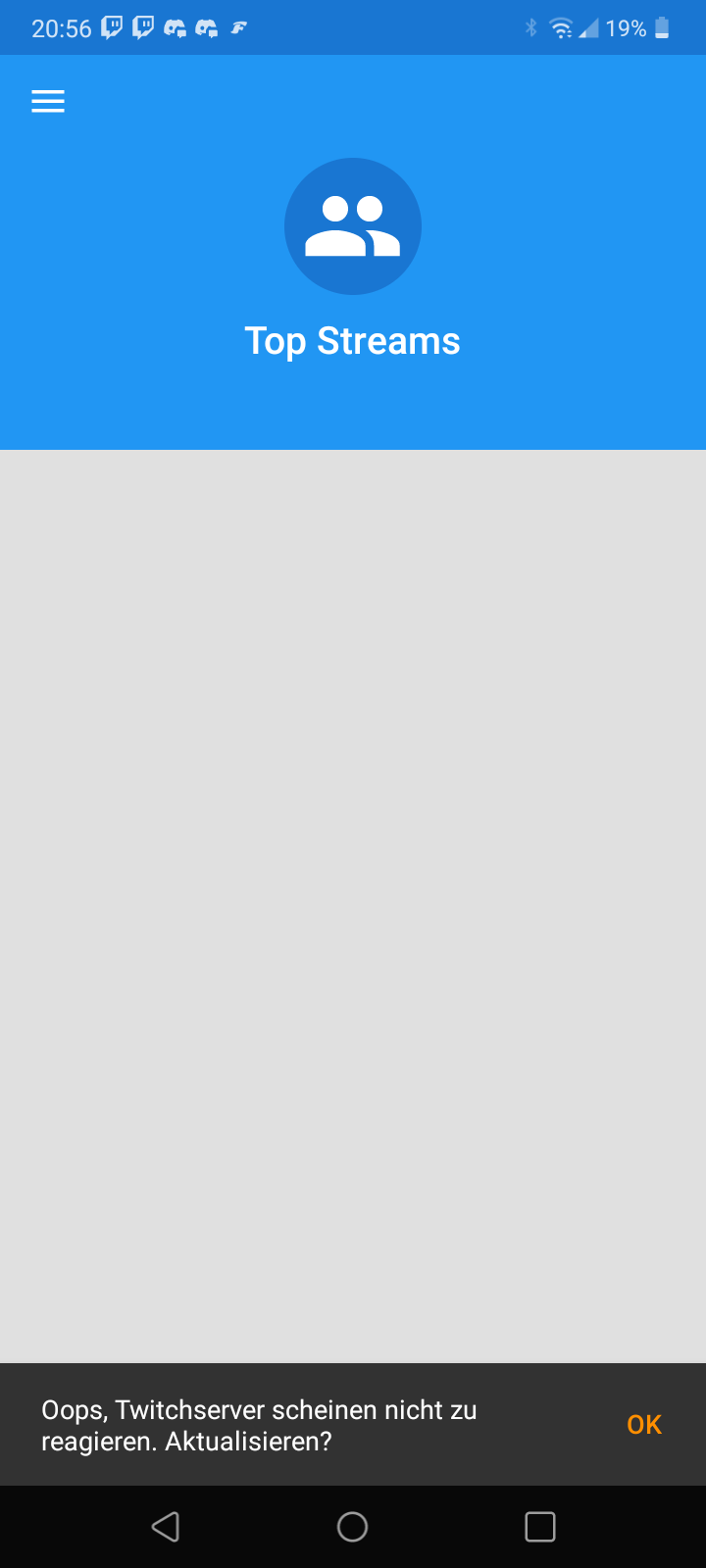


- Your Android Version - 7.0
- Your Twire Version - 2.10.2
- Are you using a custom Rom (yes/no) - no (rooted though)
- Are you able to log in on your phone with another app for example firefox - yes with twitch app
- Are you able to log in on another Device for example your PC - yes on Mac/Linux/Windows, Android tv
Stuck after entering code, and recieve email from twitch about successful login

Just a quick update. I just updated the to the new version 2.10.2 from F-droid store (2/23/22) and can login now. So, for me it's fixed
My Twire cant even login or watch anything Says twitch servers dont react
Have same problem on Samsung s21+ Official stock ROM without root. Android 12. One ui 4. Security update 1.12.2021 Tested with F-droid and Github version. App version: 2.10.2
Additionally, there is no (local) subscribe button.

My Twire cant even login or watch anything Says twitch servers dont react
Have same problem on Samsung s21+ Official stock ROM without root. Android 12. One ui 4. Security update 1.12.2021 Tested with F-droid and Github version. App version: 2.10.2
I have same problem with dame android version and twire version.

I had the 2.10.5 application has stopped bug, so tried older version 2.10.4
On this version if I try to login it gets white screen.. if I skip the login it loads the other stuff but of course cant access anything from Twitch.

When I try to log in with a new account, it does not work and I only see "Website not available". After I verify my account, I can log in without any problems. Here is a logcat: logcat.txt
