

 tailscale
`tailscale ssh` does not support the `-l` option to set the username
What is the issue?
I am attempting to use Tailscale SSH in GitHub Actions to rsync some stuff around. Here is an experience I'd like:
- I don't have to hardcode the SSH host key.
- I don't have to disable SSH host key verification.
- I don't have to get the SSH host key out of
tailscale status --json.
I tried this:
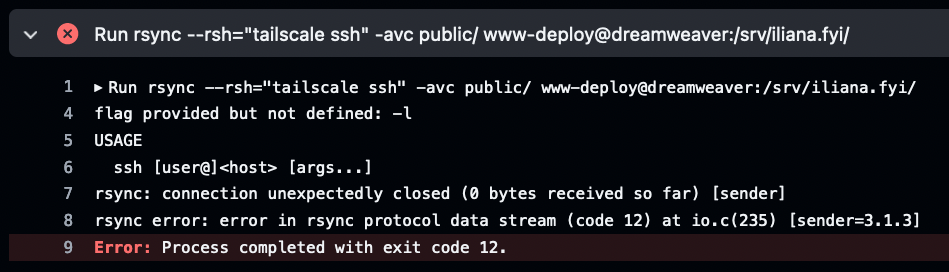
I don't think there's any way to tell rsync to use the <user>@<host> format, though. So it'd be nice if tailscale ssh supported the -l option to set the username.
I think for the time being I am going to fish the host keys out of tailscale status --json.
Steps to reproduce
No response
Are there any recent changes that introduced the issue?
No response
OS
Linux
OS version
Ubuntu 20.04 (GitHub Actions runner)
Tailscale version
1.24.2
Bug report
No response

You don't need to use --rsh "tailscale ssh", by the way. The crucial bits are:
- Have run
tailscale up --ssh - Have an ACL policy to allow SSH access
- You can use any SSH client, but you must ssh to the 100.x.y.z Tailscale IP address or a DNS name which resolves to the Tailscale IP address.
This would allow use of whatever regular ssh client you usually use, which probably supports a username argument.

No, I know that -- but then SSH needs to know the host key and there's no automation there :)
What would also be interesting is some way of spitting SSH host keys into ~/.ssh/known_hosts without resorting to tailscale status --json | jq | awk or what have you. That would also help this particular use case of mine and might be interesting for other Tailscale SSH users.
@iliana, the original plan was to launch Tailscale SSH with automatic management of known_hosts (even without the tailscale ssh wrapper) but that didn't happen in time. But we still want to.
