

 ranger
Image preview not working inside tmux session in iTerm2
I can not get image preview to work on OSX in iTerm2 when running from within tmux. It works without problems without tmux, but as soon as I enter a tmux session, image preview within ranger stops working.
# .config/ranger/rc.conf
set preview_images true
set preview_images_method iterm2
$ echo $RANGER_LOAD_DEFAULT_RC
false
Tested with ranger 1.7.2 installed from homebrew, and ranger installed from HEAD, via brew install ranger --HEAD.
iTerm2: Build 2.9.20160426


Just noting I can not get this working after several days of effort. tmux 2.3 iTerm2 3.0.14 ranger-stable 1.8.1
Works outside of tmux as expected.

Also unable to get images previews working in tmux, but working fine (for the most part) outside of tmux. Using imgcat for image previews, though to be entirely fair, imgcat doesn't work the best in tmux either right now.
tmux 2.6 ranger --HEAD (1.9+) iTerm2 Nightly (3.2+)
Has anyone else had any luck getting images to work with tmux on macOS?
Aside: It works when using iTerm2's tmux integration (i.e. tmux -CC).

Having same issue as everyone else. Using the lastest iTerm as of this writing (v3), on the latest macOS as well.
Ranger does not show image previews in iTerm or with w3m (I followed instructions provided in this repo for both) either inside or outside of tmux. I've tried all the possible combinations I can think of.


Is this actually an issue with ranger? Or is this something that should rather be solved in iTerm or tmux?
All I get is this:
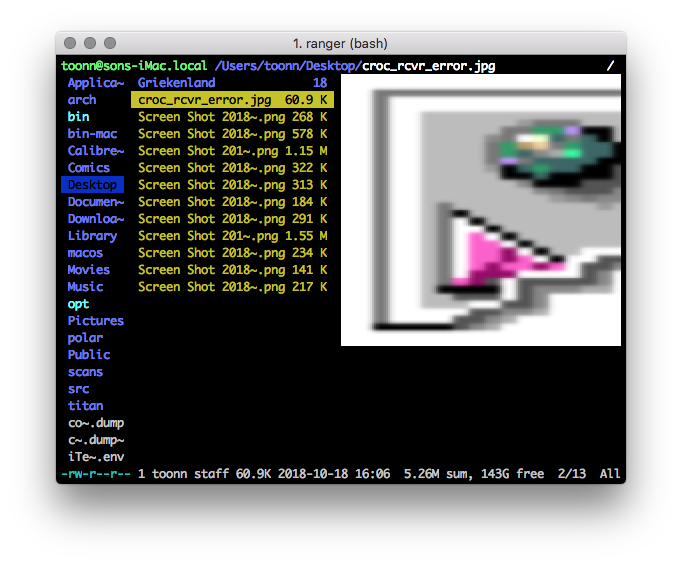
To be clear, that's not the image, it's a thumbnail for jpegs or something. Not sure where it's coming from.

After way too much digging last night I’m almost confident this is not a ranger issue but rather a tmux & macOS issue.
On Dec 21, 2018, at 12:47 PM, Toon Nolten [email protected] wrote:
All I get is this:
— You are receiving this because you commented. Reply to this email directly, view it on GitHub, or mute the thread.
I have the same problem using iTerm2, and I do not use tmux. All I get is this

Has anyone found the solution?

having the same issues as @jsatk, installed using homebrew if that counts for anything.
iterm2 Build 3.2.6
$ ranger --version
ranger version: ranger 1.9.2
Python version: 2.7.10 (default, Aug 17 2018, 19:45:58) [GCC 4.2.1 Compatible Apple LLVM 10.0.0 (clang-1000.0.42)]
Locale: None.None
zsh 5.7.1

I had the same problem. Here are the commands I ran until it was fixed.
I'm running Ranger 1.9.2 on:
OS:        macOS Mojave 10.14.2 18C54 x86_64
Terminal:  Iterm2 Build 3.27
Shell:     zsh 5.3
Previous ranger version with that was showing placholders
ranger version: ranger 1.9.2
Python version: 3.7.2
Commands
1 brew uninstall ranger
2 pip3 install ranger
3 ranger
4 pip3 uninstall ranger
5 pip2 install ranger
6 ranger
7 pip2 uninstall ranger
8 rm usr/local/bin/ranger
9 brew install ranger
10 ranger
11 brew link ranger --overwrite ranger
12 ranger
Working image preview version
ranger version: ranger 1.9.2
Python version: 2.7.10 (default, Aug 17 2018, 19:45:58) [GCC 4.2.1 Compatible Apple LLVM 10.0.0 (clang-1000.0.42)]
Locale: None.None
Image of working version. I don't have a picture of broken version but it looks exactly the same as the other users screen shots.
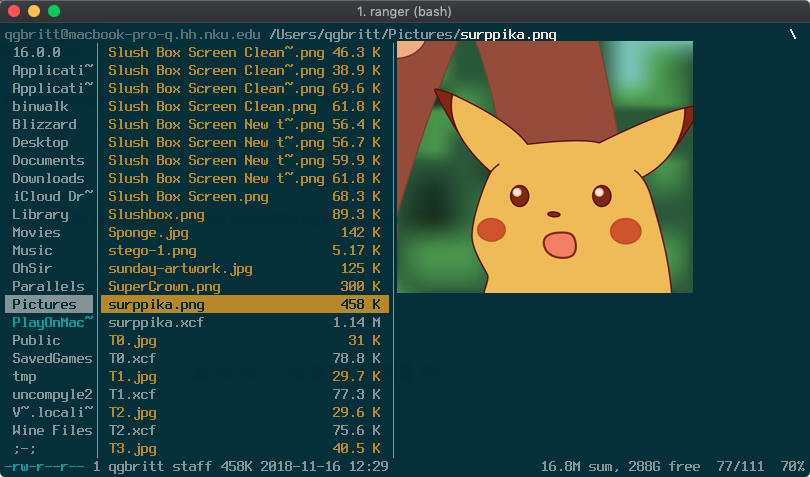
Here is my current rc.conf: https://pastebin.com/raw/nXKvtj0k

That is an interesting list of commands.
On Mon, Feb 18, 2019, 11:55 AM Quinn Brittain [email protected] wrote:
I had the same problem. Here are the commands I ran until it was fixed.
I'm running Ranger 1.9.2 on:
OS:        macOS Mojave 10.14.2 18C54 x86_64
Terminal:  Iterm2 Build 3.27
Shell:     zsh 5.3
Previous ranger version with that was showing placholders
ranger version: ranger 1.9.2
Python version: 3.7.2
Commands
1 brew uninstall ranger
2 pip3 install ranger
3 ranger
4 pip3 uninstall ranger
5 pip2 install ranger
6 ranger
7 pip2 uninstall ranger
8 rm usr/local/bin/ranger
9 brew install ranger
10 ranger
11 brew link ranger --overwrite ranger
12 ranger
Working image preview version
ranger version: ranger 1.9.2
Python version: 2.7.10 (default, Aug 17 2018, 19:45:58) [GCC 4.2.1 Compatible Apple LLVM 10.0.0 (clang-1000.0.42)]
Locale: None.None
Image of working version. I don't have a picture of broken version but it looks exactly the same as the other users screen shots. [image: screen shot 2019-02-18 at 2 10 11 pm] https://user-images.githubusercontent.com/44992697/52973002-aea40900-338a-11e9-93d4-5ad23cddb091.png
Here is my current rc.conf: https://pastebin.com/raw/nXKvtj0k http://url
— You are receiving this because you are subscribed to this thread. Reply to this email directly, view it on GitHub https://github.com/ranger/ranger/issues/539#issuecomment-464857651, or mute the thread https://github.com/notifications/unsubscribe-auth/ACbIG9mgEyWgLgh7hmw38m4F0xF6BxB_ks5vOwVHgaJpZM4IVCgv .
--
Thank you, Patrick Artounian
I had the same problem. Here are the commands I ran until it was fixed.
I'm running Ranger 1.9.2 on:
OS: macOS Mojave 10.14.2 18C54 x86_64 Terminal: Iterm2 Build 3.27 Shell: zsh 5.3Previous ranger version with that was showing placholders
ranger version: ranger 1.9.2 Python version: 3.7.2Commands
1 brew uninstall ranger 2 pip3 install ranger 3 ranger 4 pip3 uninstall ranger 5 pip2 install ranger 6 ranger 7 pip2 uninstall ranger 8 rm usr/local/bin/ranger 9 brew install ranger 10 ranger 11 brew link ranger --overwrite ranger 12 rangerWorking image preview version
ranger version: ranger 1.9.2 Python version: 2.7.10 (default, Aug 17 2018, 19:45:58) [GCC 4.2.1 Compatible Apple LLVM 10.0.0 (clang-1000.0.42)] Locale: None.NoneImage of working version. I don't have a picture of broken version but it looks exactly the same as the other users screen shots.
Here is my current rc.conf: https://pastebin.com/raw/nXKvtj0k
I have tried the steps that you listed, and it did indeed fix the problem. Thank you very much.
The funny thing is that image previews used to work for me, I made so many changes here and there that I couldn't figure out what broke it.
Since this seems like an installation or updating error maybe this should be reported to the maintainer of the brew formula? For anyone who still has the problem, does brew doctor report anything interesting?
I'd expect these steps to work as well, could someone test?
brew uninstall --force ranger
brew install --force ranger

do steps of @QtheConqueror does not fix problem here.
BTW, the pip package name of ranger should be ranger-fm, not ranger
OS: macOS 10.12.6 iTerm2: 3.2.7 tmux: 2.8
ranger --version
ranger version: ranger 1.9.2
Python version: 2.7.10 (default, Feb  7 2017, 00:08:15) [GCC 4.2.1 Compatible Apple LLVM 8.0.0 (clang-800.0.34)]
Locale: None.None
This is a problem with tmux. Ranger image preview on iterm2 with tmux will work for small images, but once the image size crosses a certain threshold, preview will stop working since the way that tmux handles data buffering.
You can test by trying to preview small images and then larger once.
Ref: https://github.com/tmux/tmux/issues/1502#issuecomment-429710887

@toonn I believe this affects other terminals as well. The underlying program that iterm2 uses is imagecat as a shell script when a user selects to install shell integration. To test in other terminals, I installed imgcat from homebrew opened up Terminal.app and Alacritty, imgcat'ed a large file and it works. Start tmux in any of those other terminals and try to imgcat a file and you will have the same problem.
Then the problem seems imgcat, which seems somewhat tied to iterm2? Some of the other previewing methods don't have this problem. Didn't know imgcat worked in other terminals though. We should maybe rename the method and at least document that it's an option for other terminals.
Right. Well the problem is imgcat coupled with tmux more specifically since imgcat by itself works fine. But the way that imgcat is implemented is by piping a bunch of base64 to stdout. Tmux sees the output and because of the issue I linked earlier, tmux then cuts the buffer short preventing the image display. I dont have other means to test urxvt or w3mimgdisplay at the moment, but if those methods of image preview are working with tmux, then the way imgcat is implemented is the issue when used with tmux. Unless there is another img display program that can be configured to use with tmux and iterm2, which I havent found on macOS yet, the problem will persist with this specific set up. If a program is found that will work with tmux, iterm2 besides imgcat then ranger can update implementation/docs to use that set up.
Same issue found on RHEL 7.7 and in my case it turns out the problem seems to be the terminal.
It happens only on my gnome-terminal (3.28.2-2.el7.x86_64) not on xfce4-terminal (0.8.7.4-2.el7).
Here it works just fine, in or out tmux.

@rodhash, this issue is specifically about iTerm2 using its native preview method.
Gnome-terminal's a vte based terminal and probably not compatible enough with Xterm for w3mimagedisplay's liking. I thought xfce4-terminal was vte based too though. Maybe libvte has a regression or something?
Edit: Sorry, just noticed this was about tmux as well. I was having image preview issues in iTerm2 without running tmux.
I was having the same issue, until I tried installing Ranger via Homebrew instead of Pip3. I didn't have to do any thing fancy, just
pip3 uninstall ranger-fm
brew install ranger
After which image previews worked correctly.
I'm on macOS 10.15 Catalina, patched by DosDude1 to run on a MBP 15" 2011.
iTerm2 Build 3.3.6 zsh 5.7.1 (x86_64-apple-darwin19.0.0) pip 19.2.3 from /usr/local/lib/python3.7/site-packages/pip (python 3.7) Homebrew 2.1.15 ranger version: ranger 1.9.2 (Ranger version installed via Homebrew) Python version: 2.7.16 (default, Aug 24 2019, 18:37:03) [GCC 4.2.1 Compatible Apple LLVM 11.0.0 (clang-1100.0.32.4) (-macos10.15-objc-s Locale: None.None
I just installed the pip3 version earlier today, so it should be the latest release as of today.

Workaround for this could be to convert image quality/size to make the preview smaller:
diff -u ~/.config/ranger/scope.sh_orig ~/.config/ranger/scope.sh
--- /Users/s3p4a/.config/ranger/scope.sh_orig   2022-01-11 09:14:51.000000000 +0100
+++ /Users/s3p4a/.config/ranger/scope.sh        2022-01-11 09:26:00.000000000 +0100
@@ -122,7 +122,9 @@
             if [[ -n "$orientation" && "$orientation" != 1 ]]; then
                 # ...auto-rotate the image according to the EXIF data.
                 #convert -- "${FILE_PATH}" -auto-orient "${IMAGE_CACHE_PATH}" && exit 6
-                convert -- "${FILE_PATH}" -auto-orient "${IMAGE_CACHE_PATH}" && exit 6
+                convert -- "${FILE_PATH}" -quality 25 -resize 1080 -auto-orient "${IMAGE_CACHE_PATH}" && exit 6
+            else
+                convert -- "${FILE_PATH}" -quality 25 -resize 1080 "${IMAGE_CACHE_PATH}" && exit 6
             fi

             # `w3mimgdisplay` will be called for all images (unless overriden as above),

@krisko this is a great suggestion! It actually makes the UI more responsive. I'm getting better performance here with sixel previews. This might be worthy to be added as a configurable setting.
