

 pnp
pnp
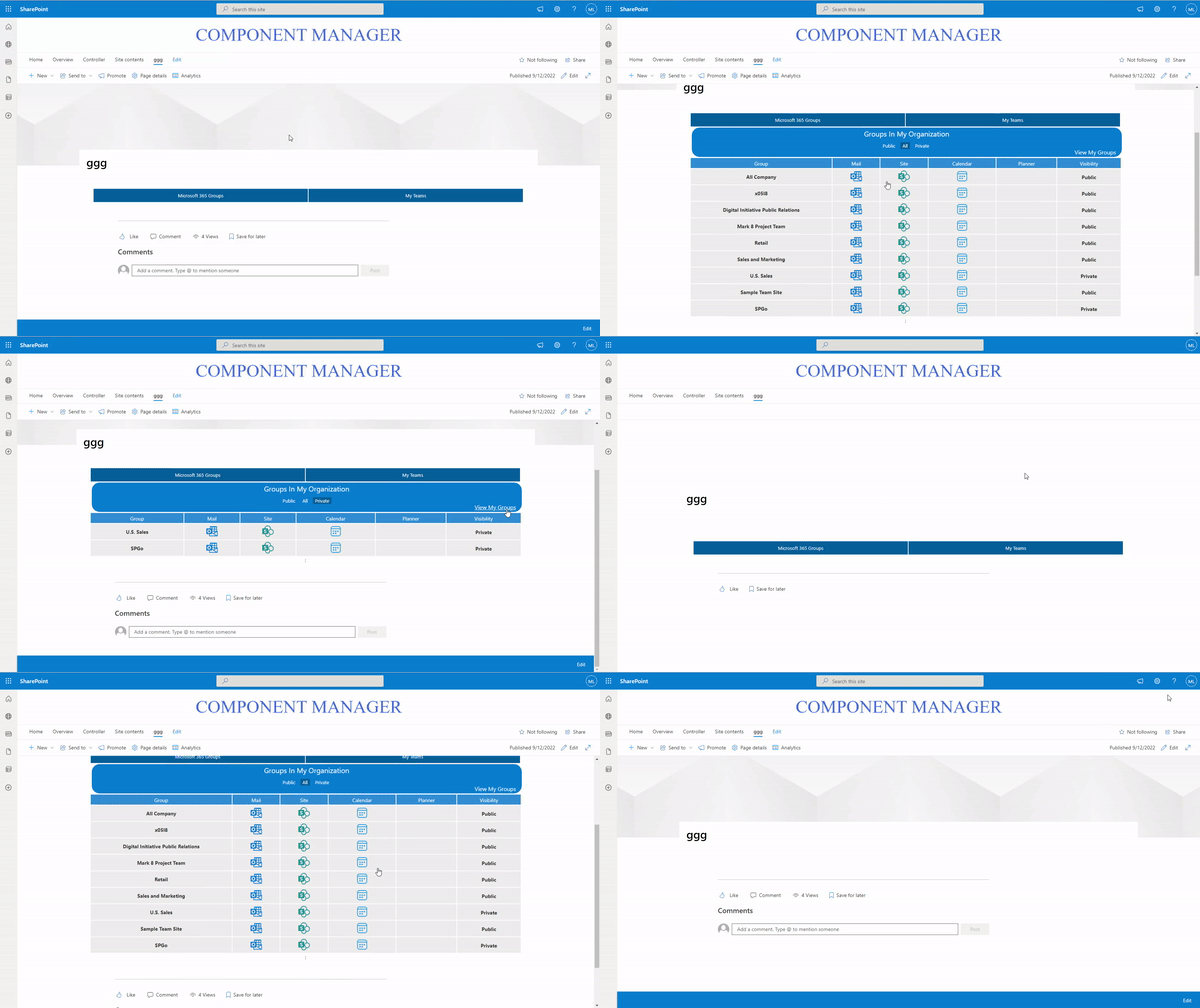
Clicking on the 'my teams' button make the webpart invisible
Disclaimer
Yes
Sample
https://github.com/pnp/sp-dev-fx-webparts/tree/main/samples/react-groups-teams
Author(s)
@SamC148 @ReactIntern
What happened?
The Button for Micrsosoft 365 Groups works perfectly fine. The other button makes the webpart invisible. It's not crashing (according to the monitored details for the app). After reloading the page with this webpart, its visible again, but clicking the 'My Teams' Button makes it disappear again.
I'm running these tests on a tenant provided by the developer program
Steps to reproduce
- Clone the repo
- install dependencies (including some fixed due to the sample's age)
- gulp bundle & package-solution
- Adding to app catalog
- approving the requested API permission
- putting the webpart on a site.
Expected behavior
Running the webpart as shown in the sample's page.
Target SharePoint environment
SharePoint Online
Developer environment
Windows
Browsers
- [ ] Internet Explorer
- [X] Microsoft Edge
- [ ] Google Chrome
- [ ] FireFox
- [ ] Safari
- [ ] mobile (iOS/iPadOS)
- [ ] mobile (Android)
- [ ] not applicable
- [ ] other (enter in the "Additional environment details" area below)
Paste the results of SPFx doctor
√ SharePoint Framework v1.12.1 √ Node v14.19.3 √ yo v3.1.1 √ gulp v4.0.2 √ bundled typescript used
Additional environment details
No response

Thank you for reporting this issue. We will be triaging your incoming issue as soon as possible.

Hi @MoeIcI I tried to add the webpart in dev Tenant, but it worked fine. Could you please send a screenshot of the console of your browser after the webpart becomes invisible.

Hi @mohammadamer Thanks for helping me out! I appreciate it! I tried it in my dev tenant again, but still the same results. Here is a screenshot in my console:
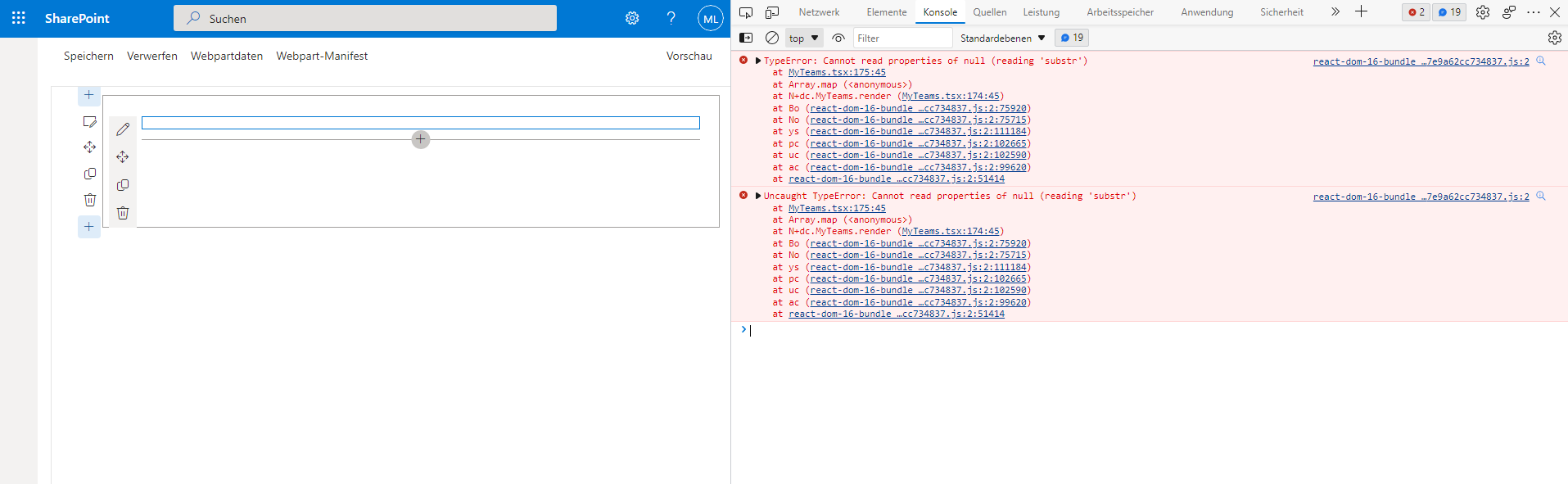
It seems to be this part, but I don't know how to deal with that:
Line 174 in the MyTeams.tsx file
{this.state.MyGroupsresultsFiltered.map(Team => { Team.Visibility = Team.Visibility.substr(0, 1).toUpperCase() + Team.Visibility.substr(1); var GroupEmailSplit = Team.Mail.split("@"); var Mail = GroupEmailSplit[0]; return ( ... );
Hi @MoeIcI Thanks for the info. Ok, let me double check this part of the code.
This issue has been marked as stale due to no progress in over 90 days. If you are still experiencing this issue, please provide additional information so we can help you resolve it.
![github-actions[bot] avatar](https://avatars.githubusercontent.com/in/15368?v=4 "Published by a pub.dev verified publisher")
Closing this issue due to lack of activity. If you are still encountering this issue, please do not hesitate to open a new issue. Make sure to follow the guidance on how to create good issues to increase your chances of getting the help you deserve.