offlinemark
Help use Offline DAWTOOL
Could someone kindly help me figure out how I can get the DAWTOOL script working and using it in offline mode without using the website? I just wish I could do these simple things:
- Open an Ableton.als file
- Read the list of Locators
- Export the list in CSV format (High precision)
- Possibly understand how to modify the CSV tables by personalizing it and expanding it with other columns and inserting the data of the locators
Thank you ❤

Based on https://github.com/offlinemark/dawtool/issues/6, you have now successfully installed dawtool onto your system. You can now run python scripts that use the dawtool library, or use the command line tool that comes with dawtool. The command line tool does not provide csv output, that needs to be done by the aforementioned script.
But for basic offline (non csv) usage, you can run
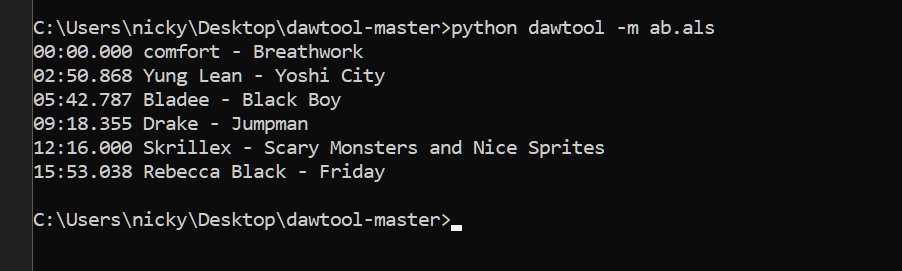
dawtool -m my-ableton-set.als
Maybe you can ask a programmer friend for help?

From command prompt I managed to get it to work. You told me that to export the CSV I had to use python scripts that use DawTools... where can I find them? How do I export that list generated in the prompt to a file? Basically offline I can't do the things I do via timestamp site?
Mark you know this script you created is really awesome, it already has all the potential, I think we should just make it better, usable, customizable in terms of output files (for different uses).
Or it would take someone to create a Max for Live plugin that would list the locators and export them. So does everything from Ableton.
I've seen someone has developed something, but either they don't work, or they work badly and in any case they should be customized.. but I think it's still an unexplored field.