

 maty21
mocha.opts file not respected by mocha
I use a mocha.opts file to specify the settings to pass to mocha. Since it's in the conventional location ./test/mocha.opts in my project, mocha is able to pick it up automatically when I just run mocha on the command line.
mocha-sidebar didn't pick this up by default, and didn't seem to respect the mocha.opts settings when I added the following config setting (assuming the items in this object basically just get passed as arguments to mocha):
{
  "mocha.options": {
    "opts": "./test/mocha.opts"
  }
}
It would be nice to not have to keep my settings in sync across ./vscode/settings.json and mocha.opts. Any idea how I could get mocha-sidebar to pick up this config when running mocha?

I Will try to parse it coz there is now API to pass it directly when running mocha from code


Note that mocha v6 now supports, in addition to the legacy "/test/mocha.opts" file, a "/.mocharc.js", a "/.mocharc.json", a "/.mocharc.yaml", and allows specifying settings in package.json. Details are here. (The .js one is especially nice, because you can put comments in it. 😃)

Note that mocha v6 now supports, in addition to the legacy "/test/mocha.opts" file, a "/.mocharc.js", a "/.mocharc.json", a "/.mocharc.yaml", and allows specifying settings in package.json. Details are here. (The .js one is especially nice, because you can put comments in it. 😃)
@jwalton I tried this, but the sidebar is still not the new config file. Did you actually get it to work?

I'm currently working on major refactoring after this it will be much easier to add new features
On Fri, Apr 12, 2019, 8:10 PM Jason Walton [email protected] wrote:
No, I don't think it supports any of these. :/
— You are receiving this because you commented. Reply to this email directly, view it on GitHub https://github.com/maty21/mocha-sidebar/issues/84#issuecomment-482651420, or mute the thread https://github.com/notifications/unsubscribe-auth/AE_nubv2xihQRIMyVki6B-nDaN0m9y1Yks5vgL3qgaJpZM4S6agZ .
If you're interested in some help, I'd be happy to submit a PR for reading mocha config after your major refactor and the unrelated major refactor I'm working on right now on my project. ;)

https://mochajs.org/api/module-lib_cli_options.html#.loadOptions <- This might be of interest?


It would be great to check for a .mocharc file in the sidebar directory.

I was able to get it working by changing the plugin settings to support typescript and a different UI view the mocha options settings.
Hi guys. I found the solution for .mocharc.js file support. It looks like a workaround but works for me.
Open your settings.json file and add .mocharc.js file in mocha.requires section
"mocha.requires": [
        "ts-node/register",
        "tsconfig-paths/register",
        ".mocharc.js"
    ],
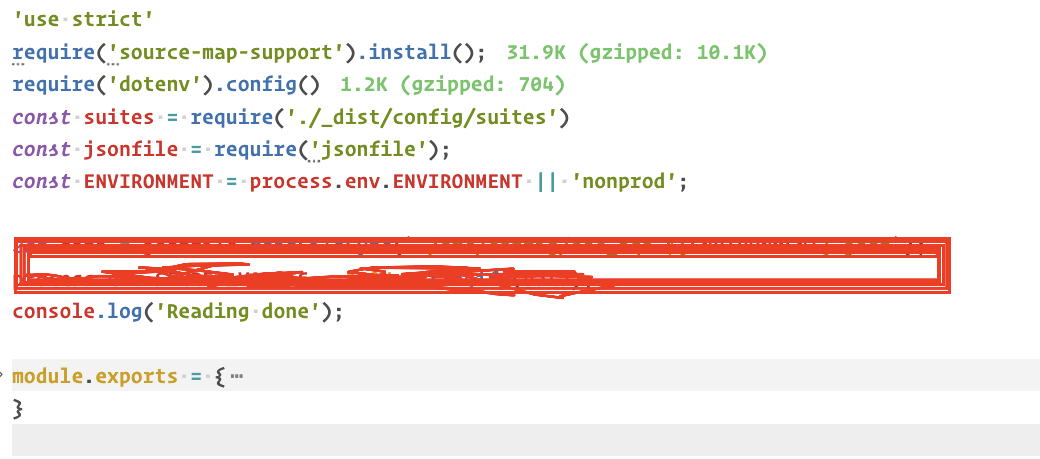
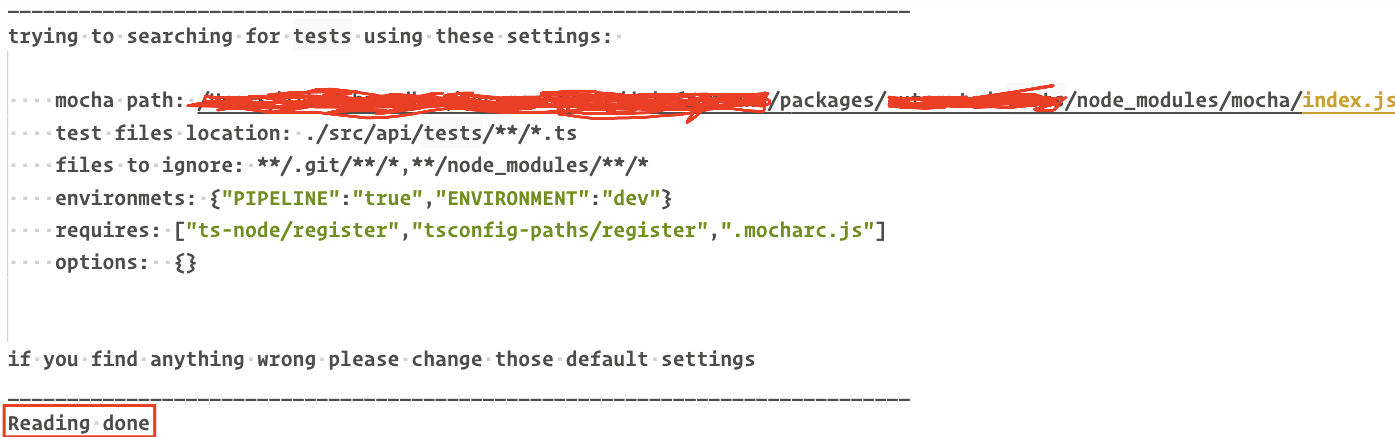

@vitalics - thx for the tip but it didn't work for me :-( i have a .mocharc.js file in the root of my project and pointed mocha.requires at it but i still get the dreaded No Mocha options are configured. You can set it under File > Preferences > Workspace Settings. message ... awesome extension but support for mocha options file really should be added

More than 1 year without update. Is this problem still being tracked?

I switched to: https://github.com/hbenl/vscode-mocha-test-adapter
Install with:
$ code --install-extension hbenl.vscode-mocha-test-adapter
Then for your typescript projects, in PROJECTROOT/.vscode/settings.json:
{
  "mochaExplorer.files": "**/*.spec.ts",
  "mochaExplorer.require": "ts-node/register/transpile-only",
}
(Replace the "**/*.spect.ts" with an appropriate wildcard - these are the files that will be watched. Replace ts-node if you're not using ts-node.)