

 frappe
V14: Error in Rename Dialog
Description of the issue
When you rename a record the Rename Dialog shows two times the phrase "New {field label}":
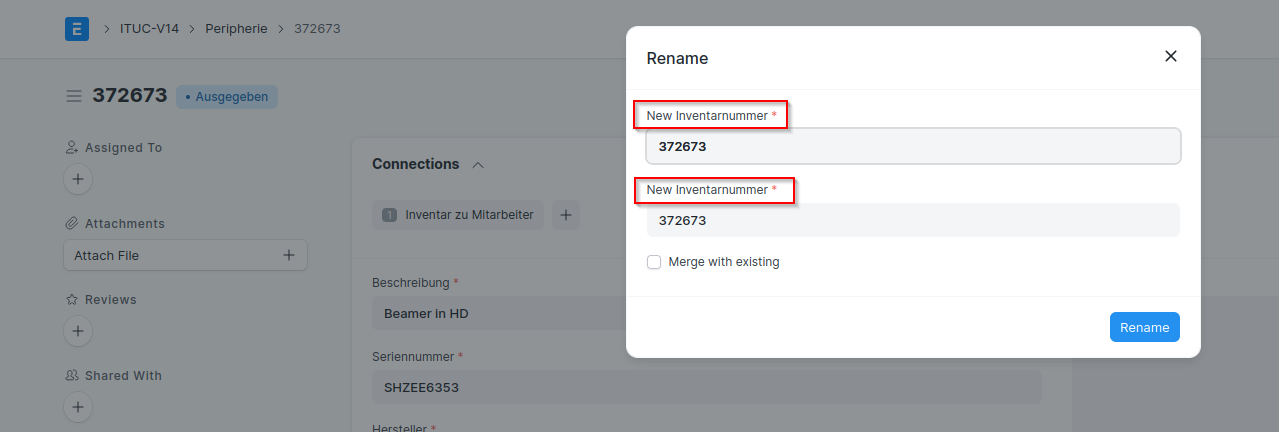
The first field is supposed to be the old name.
Context information (for bug reports)
Output of bench version
erpnext 14.20.0
frappe 14.30.0
hrms 14.1.3
Steps to reproduce the issue
- Rename a record.
- See Dialog.
Observed result
Input Fields for old and new name are labeled "New {label}"
Expected result
Input Fields for old and new name are labeled "Old {label}" and "New {label}"
Stacktrace / full error message
Does not occur
Additional information
OS version / distribution, Frappe install method, etc.
debian buster, manual install

@zongo811 It's not a bug. Both are different fields. One is to rename Document Title and other field is to rename document unique ID/name.

@DaizyModi Thank you for answering.
Please have a look at this. I tried to rename a record:
 This should change field "Inventarnummer" and leave the field "name" unchanged.
But if you look at the message in the bottom right corner, you see that the desired new value "P-1-NEW" is ignored:
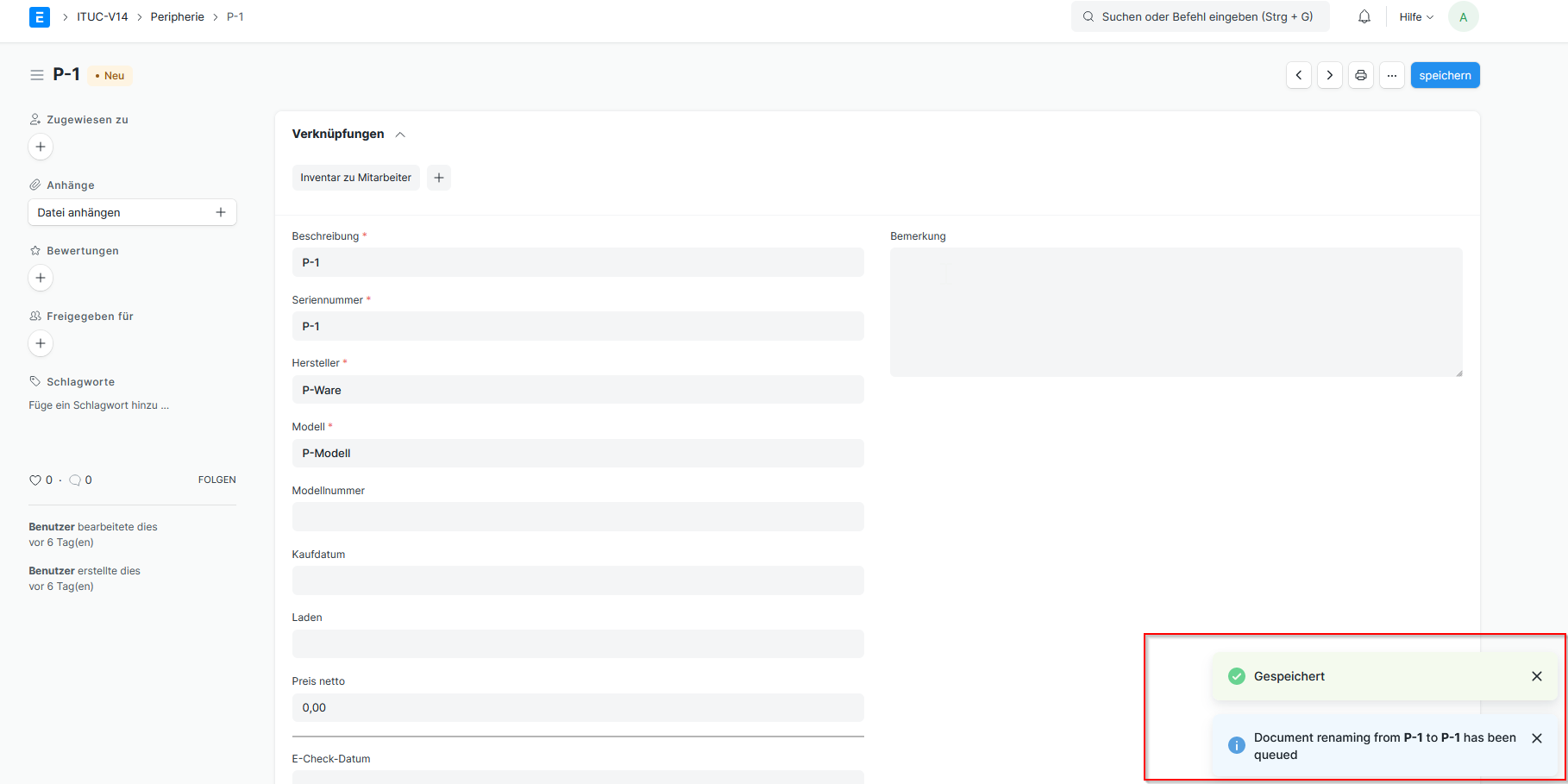
I even waited 10 minutes, but no renaming took place.
But if you look at the message in the bottom right corner, you see that the desired new value "P-1-NEW" is ignored:
Here, you are renaming the Item Name So it won't rename the docname of document. If you want to rename a docname just place the value P-1-NEW in second field.
e.g. Consider an Item Table
1st field -> Item Name/Title 2nd field -> Item Code(docname)
I'm sorry to contradict a lady, but as described above I intended to change the item name in field "Inventarnummer", not the docname. But neither is changed. "Inventarnummer" is the title field in my doctype, and as you can see in the large screenshot it still remains unchanged as "P-1". Even after reloading the page it stays the same.
Please give it a try with one of your own doctypes.