
qimgv
 qimgv copied to clipboard
 easymodo
Long path bugs (Could not open path)
TL;DR
The program works with bugs when I try to open files with the long path. In comparison, Windows Photo Viewer opens these file fine.
How to test it
Download the attachment to test the program with this files. The attachment: unpack me here.zip
I use the follow file structure:
Folders:
[example-folder-0] images with long path 2020.02.20/                                      aka "[0]"
[subfolder-1] some discriptions about the folder/                                         aka "[1]"
[subfolder-2] this folder has the more long name thank to with subfolder/                 aka "[2]"
[subfolder-3] Lorem ipsum dolor sit amet, consectetur adipiscing elit, sed do eiusmod/    aka "[3]"

Files:
[example.com] 90897001—admin—2020.01.01—the example image 1—picture white_background simple_background black_line multiple_lines black_lines lorem_ipsum dolor_sit_amet consectetur—5553a3829fbae129937638c5f0acc8cd.png
[example.com] 90897002—admin—2020.01.01—the example image 2—picture white_background simple_background red_line multiple_lines red_lines lorem_ipsum dolor_sit_amet consectetur—7b301e17fc14e42f75d779ca8ecb2dc0.png
[example.com] 90897003—admin—2020.01.01—the example image 3—picture white_background simple_background green_line multiple_lines green_lines lorem_ipsum dolor_sit_amet consectetur—050bc0a8f7637b0a0d0faa781388e3f7.png

aka "1.png",  "2.png",  "3.png" correspondingly.
[0]/1.png
[0]/2.png
[0]/3.png
[0]/[1]/1.png
[0]/[1]/2.png
[0]/[1]/3.png
[0]/[2]/[3]/1.png
[0]/[2]/[3]/2.png
[0]/[2]/[3]/3.png
Bugs
When I open files in
C:\Users\Username\Downloads\[0]\C:\[0]\C:\[0]\[1]C:\[0]\[2]\[3]
The program creates one additional virtual file with name _EXAMP~1.PNG, but the other files opens fine (I can use the scroll)

 (the full filename in the title)
...
(the full filename in the title)
...
When I open files in
C:\Users\Username\Downloads\[0]\[1]C:\Users\Username\Downloads\[0]\[2]\[3]
The program opens only one file with name _EXAMP~1.PNG. I can't scroll to other files, only [ 1/1 ].

When I try to open a file in other hard drive:
M:\[0]
I got the error: Could not open path: \\?\M:\[0]\1.png ("\\?\" is verbatim).


yep...
Tried disabling 8dot3 name creation in registry, which of course had no effect
Windows Photo Viewer opens these file fine.
Probably uses some winapi incantations to convert from 8.3 short names. I may have to to the same but no guarantees

just use shorter names for now or use this if you really need to exceed 260 characters https://support.code42.com/CrashPlan/6/Troubleshooting/Windows_file_paths_longer_than_255_characters
https://support.code42.com/CrashPlan/6/Troubleshooting/Windows_file_paths_longer_than_255_characters
It's thing for very special cases.
By the way, node.js works in all cases fine from the box.
Code
#!/usr/bin/env node

const fs = require("fs").promises;
const path = require("path");

!async function main() {
    for await (const file of listFiles()) {
        console.log(file);
        /** @type {Buffer} */
        const buffer = await fs.readFile(file);
        console.log(buffer.length);
    }
}();

async function * listFiles(location = process.cwd()) {
    const files = await fs.readdir(location);
    for (const file of files) {
        const filepath = path.resolve(location, file);
        /** @type {Stats} */
        const stat = await fs.stat(filepath);
        if (!stat.isDirectory()) {
            yield filepath;
        } else {
            yield * listFiles(filepath);
        }
    }
}
Log
M:\[example-folder-0] images with long path 2020.02.20\[example.com] 90897001—admin—2020.01.01—the example image 1—picture white_background simple_background black_line multiple_lines black_lines lorem_ipsum dolor_sit_amet consectetur—5553a3829fbae129937638c5f0acc8cd.png
14024
M:\[example-folder-0] images with long path 2020.02.20\[example.com] 90897002—admin—2020.01.01—the example image 2—picture white_background simple_background red_line multiple_lines red_lines lorem_ipsum dolor_sit_amet consectetur—7b301e17fc14e42f75d779ca8ecb2dc0.png
13635
M:\[example-folder-0] images with long path 2020.02.20\[example.com] 90897003—admin—2020.01.01—the example image 3—picture white_background simple_background green_line multiple_lines green_lines lorem_ipsum dolor_sit_amet consectetur—050bc0a8f7637b0a0d0faa781388e3f7.png
13691
M:\[example-folder-0] images with long path 2020.02.20\[subfolder-1] some discriptions about the folder\[example.com] 90897001—admin—2020.01.01—the example image 1—picture white_background simple_background black_line multiple_lines black_lines lorem_ipsum dolor_sit_amet consectetur—5553a3829fbae129937638c5f0acc8cd.png
14024
M:\[example-folder-0] images with long path 2020.02.20\[subfolder-1] some discriptions about the folder\[example.com] 90897002—admin—2020.01.01—the example image 2—picture white_background simple_background red_line multiple_lines red_lines lorem_ipsum dolor_sit_amet consectetur—7b301e17fc14e42f75d779ca8ecb2dc0.png
13635
M:\[example-folder-0] images with long path 2020.02.20\[subfolder-1] some discriptions about the folder\[example.com] 90897003—admin—2020.01.01—the example image 3—picture white_background simple_background green_line multiple_lines green_lines lorem_ipsum dolor_sit_amet consectetur—050bc0a8f7637b0a0d0faa781388e3f7.png
13691
M:\[example-folder-0] images with long path 2020.02.20\[subfolder-2] this folder has the more long name thank to with subfolder\[subfolder-3] Lorem ipsum dolor sit amet, consectetur adipiscing elit, sed do eiusmod\[example.com] 90897001—admin—2020.01.01—the example image 1—picture white_background simple_background black_line multiple_lines black_lines lorem_ipsum dolor_sit_amet consectetur—5553a3829fbae129937638c5f0acc8cd.png
14024
M:\[example-folder-0] images with long path 2020.02.20\[subfolder-2] this folder has the more long name thank to with subfolder\[subfolder-3] Lorem ipsum dolor sit amet, consectetur adipiscing elit, sed do eiusmod\[example.com] 90897002—admin—2020.01.01—the example image 2—picture white_background simple_background red_line multiple_lines red_lines lorem_ipsum dolor_sit_amet consectetur—7b301e17fc14e42f75d779ca8ecb2dc0.png
13635
M:\[example-folder-0] images with long path 2020.02.20\[subfolder-2] this folder has the more long name thank to with subfolder\[subfolder-3] Lorem ipsum dolor sit amet, consectetur adipiscing elit, sed do eiusmod\[example.com] 90897003—admin—2020.01.01—the example image 3—picture white_background simple_background green_line multiple_lines green_lines lorem_ipsum dolor_sit_amet consectetur—050bc0a8f7637b0a0d0faa781388e3f7.png
13691
The length of
"M:\[example-folder-0] images with long path 2020.02.20\[subfolder-2] this folder has the more long name thank to with subfolder\[subfolder-3] Lorem ipsum dolor sit amet, consectetur adipiscing elit, sed do eiusmod\[example.com] 90897003—admin—2020.01.01—the example image 3—picture white_background simple_background green_line multiple_lines green_lines lorem_ipsum dolor_sit_amet consectetur—050bc0a8f7637b0a0d0faa781388e3f7.png"
is 426.
Just for clarification, I have enabled "NTFS long paths policy". https://superuser.com/a/1119980/1034786
Probably uses some winapi incantations to convert from 8.3 short names.
In the title it displays the full name of the file, not 8.3.
Wait, but Qt works fine with long paths, I have checked it right now. Did I miss something?
#include <QMessageBox>
#include <QFileInfo>
#include <QFile>

// ...

QString pathStr = "C:/[example-folder-0] images with long path 2020.02.20/[subfolder-2] this folder has the more long name thank to with subfolder/[subfolder-3] Lorem ipsum dolor sit amet, consectetur adipiscing elit, sed do eiusmod/";
QString fileStr = "[example.com] 90897003—admin—2020.01.01—the example image 3—picture white_background simple_background green_line multiple_lines green_lines lorem_ipsum dolor_sit_amet consectetur—050bc0a8f7637b0a0d0faa781388e3f7";


QFile file(pathStr + fileStr + ".txt");
if (!file.open(QIODevice::ReadOnly | QIODevice::Text))
    return;

QByteArray line = file.readLine();
QMessageBox::information(this, "Text file line", line); // ok. it shows the first line of the txt file

QFileInfo fileInfo(pathStr + fileStr + ".png");
if (fileInfo.exists() && fileInfo.isFile()) {
    QMessageBox::information(this, "File exists, size:", QString::number(fileInfo.size()));  // ok. it shows the size of the png file
} else {
    QMessageBox::information(this, "File does not exists", "");
}
the problem is that we already get the useless shortened path via commandline argument (when opening from explorer), and also from drag'n'drop
i think the way to go is guessing via regex if the path is short version, then convert it via winapi
When I try to open a file in other hard drive:
M:\[0]I got the error:
Could not open path: \\?\M:\[0]\1.png("\\?\" is verbatim).
In this case the program gets the correct, not shorted, path.

It just only has the additional verbatim at the string start (\\?\).
Damn, I have already deinstalled Qt, can't check this case.
Hm, there is an interesting moment.
I have bash script that prints input file path (I just drag'n'drop it on the scripts):
#!/bin/bash

# Input file
echo "$1"

echo ""; read -p "Press enter to continue..."
When I drop on it the file from disk C I get:
C:\_EXAMP~1.20\_SUBFO~1\_EXAMP~1.PNG
UPD: Windows' "Properties" also shows the same string (for the path, not for the name).

But I can't drop the file with long path from other disk:
I have no assumption why.
UPD: Maybe because of \\?\. It shows even in "Properties" of the file:

As I noted before, Windows Photo Viewer, Windows Text Editor open these files fine.
UPD. I can drop files on qimgv.exe, but the program does not works if the files path starts with \\?\.
I have reinstalled Qt to recheck that long path.
Yes, it works fine too.
Both
QString pathStr = "M:/[example-folder-0]...
and
QString pathStr = "\\\\?\\M:\\[example-folder-0] ...
It's strange that the program shows in the exception pop up the correct path, but does not work at all.
With shorted paths it works, but with bugs, as I described in the first message.
Wait, maybe the problem reason is the old Qt? You use Qt 5.12.14 (Prog version is 0.9.1)
Here is the program's code: https://github.com/easymodo/qimgv/blob/a1058effeb341dfccab549a53c1e0be7c2c03415/qimgv/core.cpp#L813-L828
It works fine with the latest Qt 6.0.2:
QString pathStr = "\\\\?\\M:\\[example-folder-0] images with long path 2020.02.20\\";
QString fileStr = "[example.com] 90897001—admin—2020.01.01—the example image 1—picture white_background simple_background black_line multiple_lines black_lines lorem_ipsum dolor_sit_amet consectetur—5553a3829fbae129937638c5f0acc8cd.png";
QString path = pathStr + fileStr;

QFileInfo fileInfo(path);
QString directoryPath;
if(fileInfo.isDir()) {
    directoryPath = QDir(path).absolutePath();
} else if(fileInfo.isFile()) {
    directoryPath = fileInfo.absolutePath();
} else {
    qDebug() << "Could not open path: " << path;
    QMessageBox::information(this, "Could not open path", path);
    return;
}

qDebug() << "directoryPath: " << directoryPath;
qDebug() << "fileInfo.size: " << fileInfo.size();
QMessageBox::information(this, "Open path", path);
My output:
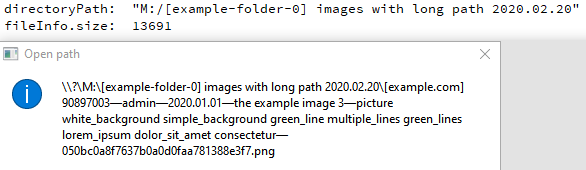
The program result:

The path strings are the same.
I think it should work with Qt 6.0.2.
Qt version probably has nothing to do with this. I'm using std::filesystem for directory listing (performance reasons), which is by the way giving me some weird issues..
For example when i iterate through the zip file you provided it fails to read some files, while reading others just fine (even though they are sitting right next to each other in a folder). Still looking into it
Yes, it's Qt version's problem.
I have installed Qt 5.2.1. Now I get the error when I'm trying to open a long path.

There was no problem with Qt 6.0.2.
~~Qt 5.2.1 is the pretty old thing. It's from 2014.02.~~ UPD. You use 5.12.4. I assume, that it has the similar behaviour about it like 5.2.1.
You already use "GNU General Public License v3.0", so, you do not need even change it.
Please, note, there are two types of problems:
- with long paths
"\\\\?\\M:\\[example-folder-0] images with long path 2020.02.20\\"; - with short paths
"C:\\Users\\Username\\Downloads\\_EXAMP~1.20\\_SUBFO~2\\_SUBFO~1\\"
Files with long paths currently do no open at all. This problem can be fixed with the newer Qt version. Files with "short" paths open, but with bugs. (The problem examples are in the first message.)
Qt version probably has nothing to do with this.
The same code snipped (as in your code) with the the same input data (that is printed in the error pop up) works with 6.0.2 and do not work with 5.2.1. Qt 6 should help with the long path problem. At least for one file opening.
By the way, you have added Qt6 https://github.com/easymodo/qimgv/commit/d0fe882cf5b763a22962106ae2b00d416dd8d2e7 I can't check it, since it's difficult to build it for me, and the last alpha build was posted before this commit.
Did it affect at that bugs in any way?
Well, with 1.0.2 no any problem is resolved.
But not it does not display the floated warning Could not open path: \\?\D:\...
Eh, wait. It's still Qt 5.15.2.
I thought you have updated it to Qt 6 some months ago.
I still believe that Qt 6 may help.
BTW, https://www.qt.io/blog/qt-6.2-lts-released
Another example that Qt works fine with long paths:
#include <QApplication>
#include <QMessageBox>
#include <QFileInfo>

int main(int argc, char *argv[])
{
    QApplication a(argc, argv);

    qDebug() << "argc: " << argc;
    qDebug() << "argv[0]: " << argv[0];
    qDebug() << "argv[1]: " << argv[1];

    QMessageBox msgBox;
    msgBox.setWindowTitle("argv[0]");
    msgBox.setText(argv[0]);
    msgBox.exec();

    if (argc == 2) {
        QMessageBox msgBox2;
        msgBox2.setWindowTitle("argv[1]");
        msgBox2.setText(argv[1]);
        msgBox2.exec();

        QFileInfo fileInfo(argv[1]);
        qDebug() << "fileInfo.size: " << fileInfo.size();

        QMessageBox msgBox3;
        msgBox3.setWindowTitle("fileInfo.size");
        QString size = QString::number(fileInfo.size());
        msgBox3.setText(size);
        msgBox3.exec();
    }

    return 0;
}
Build the exe file (take the release exe file, then drop it on windeployqt.exe, then replace all created dll's with dll's from Qt\6.2.2\mingw_64\bin (near windeployqt.exe) to make it standalone).
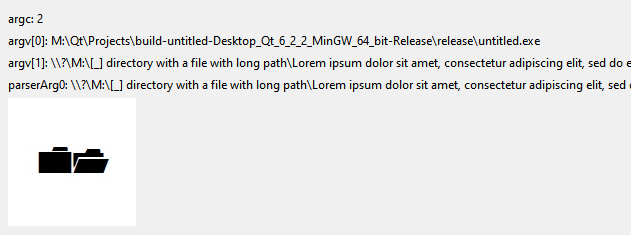
Set up in File Explorer opening of files (for example, .png) with this exe by a double click. Then open a file with a long path with this exe by a double click.
It works.
On disk C:
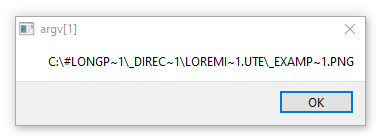
On non-C disk:
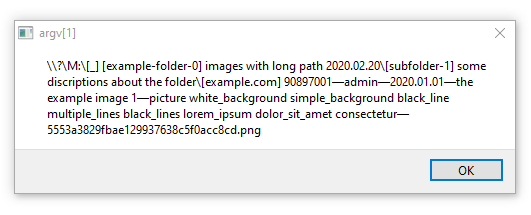
In both cases the file (size of it) was successfully read:
But qimgv currently does not work with files with a long path on non-C disk.
BTW, in Node.js there is fs.realpath. (Note: it's fs, not path module.)
Possibly there is such function in Qt/C++.
const dir = "C:\\#LONGP~1\\_DIREC~1\\LOREMI~1.UTE";
const filepath = dir + "\\" + "_EXAMP~1.PNG";

console.log(filepath);
// C:\#LONGP~1\_DIREC~1\LOREMI~1.UTE\_EXAMP~1.PNG

console.log(await fs.realpath(filepath));
// C:\#longpath - directory with a file with long path\_directory with a file with long path\Lorem ipsum dolor sit amet, consectetur adipiscing elit, sed do eiusmod tempor incididunt ut labore et dolore magna aliqua. Ut enim ad minim veniam\[example.com] 90897001—admin—2020.01.01—the example image 1—picture white_background simple_background black_line ultiple_lines black_lines lorem_ipsum dolor_sit_amet consectetur—5553a3829fbae129937638c5f0acc8cd.png


console.log(path.toNamespacedPath(await fs.realpath(filepath)));
// \\?\C:\#longpath - directory with a file with long path\_directory with a file with long path\Lorem ipsum dolor sit amet, consectetur adipiscing elit, sed do eiusmod tempor incididunt ut labore et dolore magna aliqua. Ut enim ad minim veniam\[example.com] 90897001—admin—2020.01.01—the example image 1—picture white_background simple_background black_line multiple_lines black_lines lorem_ipsum dolor_sit_amet consectetur—5553a3829fbae129937638c5f0acc8cd.png
console.log(path.toNamespacedPath("\\\\NAS\\music"));
// \\?\UNC\NAS\music\
Also path.toNamespacedPath adds the correct verbatim.
I have tested it again.
Finally. I think it can be fixed easily.
How?
Use https://github.com/gulrak/filesystem instead of the default <filesystem>.
Here is the my test repo: https://gist.github.com/AlttiRi/f2781c1d60ec482f3c50c26703072b45
(Only add filesystem.hpp from https://github.com/gulrak/filesystem/releases/tag/v1.5.10)
Qt works fine with long paths, no need even to add \\?\ (\\?\UNC\):
QPixmap pic(imgPathLong2);
ui->label_5->setPixmap(pic);
But since you use std::filesystem it is most likely the problem reason.
qDebug() << "std::filesystem::exists:" << std::filesystem::exists(imgPathLong2.toStdString());
It prints false.
But there is https://github.com/gulrak/filesystem.
Just include it and replace std with ghc:
qDebug() << "ghc::filesystem::exists:" << ghc::filesystem::exists(imgPathLong2.toStdString());
qDebug() << "QFile().exists:" << QFile(imgPathLong2).exists();
These print true.

To convert 8.3 names to long filenames just use GetLongPathNameA.
Here is my code (verify it):
#include "fileapi.h"

QString longFilePathA(QString filepath, DWORD cchBuffer = 512)
{
//  Don't use:
//  LPCSTR lpszShortPathBAD = filepath.toStdString().c_str(); // "warning: object backing the pointer will be destroyed at the end of the full-expression"
                                                              // "Inner pointer of container used after re/deallocation" at "GetLongPathNameA" call
    std::string stdStr = filepath.toStdString();
    LPCSTR lpszShortPath = stdStr.c_str();
    LPSTR lpszLongPath = new char[cchBuffer];

    DWORD length = GetLongPathNameA(lpszShortPath, lpszLongPath, cchBuffer);
    qDebug() << "length:" << length;


    if (length > cchBuffer) {
        delete [] lpszLongPath;
        return longFilePathA(filepath, length);
    }

    QString result = QString(lpszLongPath);
    delete [] lpszLongPath;
    return result;
}
The result:
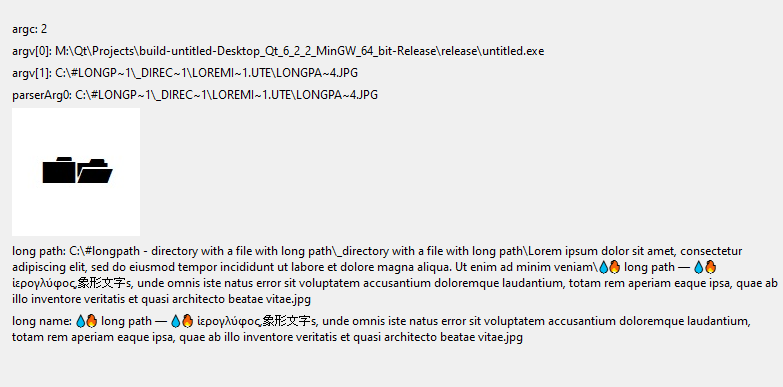
So, both problems are solvable.
- Use
ghc::filesystemwith support of long paths. (Or why not just useQDirand etc? Is it really worth to usefilesystem's functions instead ofQt's ones?) - Use
GetLongPathNameAto convert 8.3 name to long name.
why not just use QDir
Bad performance. Set sorting to "date" on large directories and you'll see. But that was long time ago, may have been fixed in qt, need to test
Anyway, i've just tried this ghc::filesystem - it works except in some parts i need to do 'GetLongPathNameA"' as you said
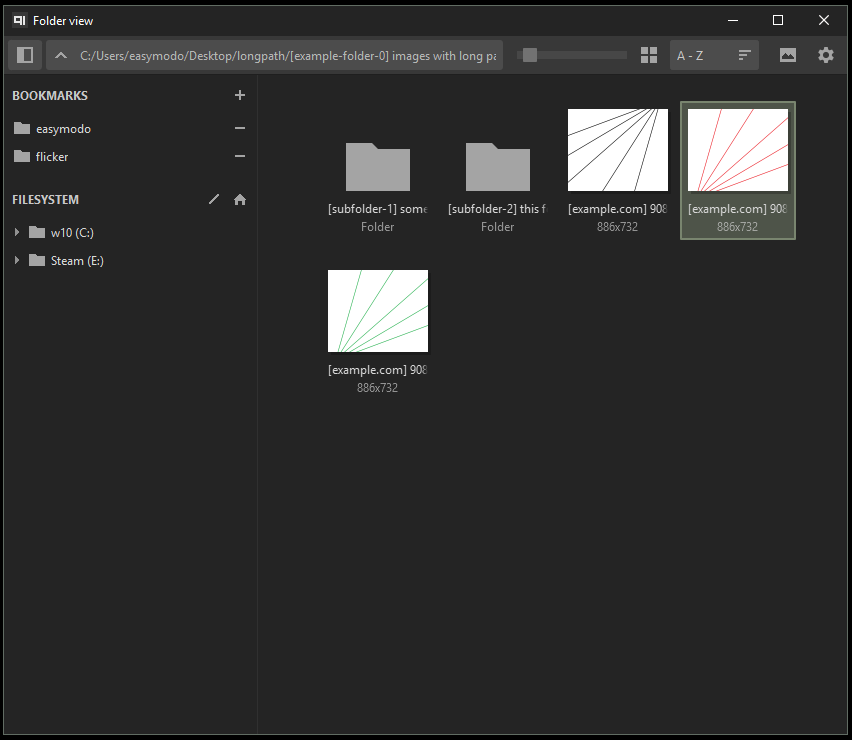
It looks GetLongPathNameA does not works with non-ASCII chars.
So either use it only with short names (it's the most optimal way — it's that for it intended), or use GetLongPathNameW (I did not test it.) for any file path (even if the call of GetLongPathName is not required).
UPD.
No, it works OK. It was my error in the code (see lpszShortPathBAD).
GetLongPathNameA works the same way as GetLongPathNameW, that is strange.
Set sorting to "date" on large directories and you'll see.
BTW, the sorting by date currently works with bugs if the images are created within a short time. https://github.com/easymodo/qimgv/issues/362
Here is it, GetLongPathNameW (with Unicode support):
QString longFilePathW(QString filepath, DWORD cchBuffer = 512)
{
    LPCWSTR lpszShortPath = (LPCWSTR) filepath.utf16();
    LPWSTR lpszLongPath = new WCHAR[cchBuffer];

    DWORD length = GetLongPathNameW(lpszShortPath, lpszLongPath, cchBuffer);
    qDebug() << "length:" << length;

    if (length > cchBuffer) {
        delete [] lpszLongPath;
        return longFilePathW(filepath, length);
    }

    QString result = QString::fromStdWString(lpszLongPath);
    delete [] lpszLongPath;
    return result;
}
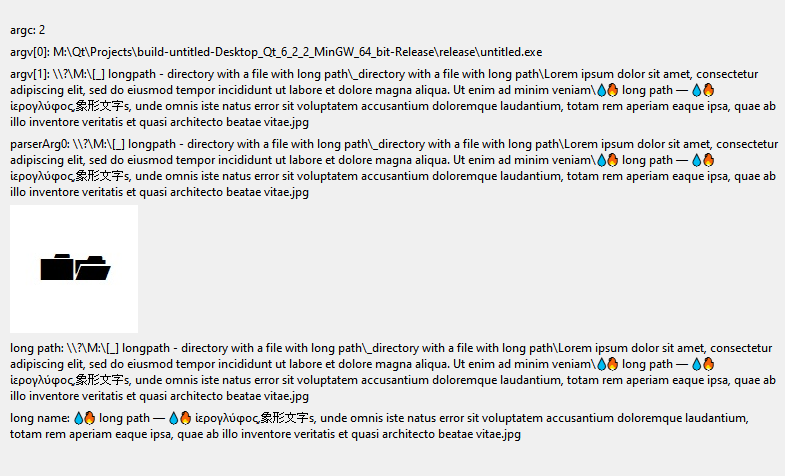
Prefix \\?\ (\\?\UNC\) is required for long paths (260+), in other case GetLongPathName(A/W) does not work.
An example from Node.js' code.
Yes, sorting by the date takes time, since it requires to call stat for each file to get the file info.
But I see no speed difference between the approach with Qt and how qimgv currently works. For example, sorting of 11k of images takes 1 second with Qt, qimgv opens a file from this directory also for ~1+ second.
See the related bug: https://github.com/easymodo/qimgv/issues/383
Here is my code:
    QString dirName = "C:\\FolderWithImages\\";
    qDebug() << dirName;

    QDir testDir = QDir(dirName);
    testDir.setFilter(QDir::Files | QDir::NoDotAndDotDot);

    QList<QFileInfo> fileInfoList = testDir.entryInfoList();
    qDebug() << fileInfoList.size();


    QElapsedTimer timer1;
    timer1.start();
    qDebug() << "by lastModified" << fileInfoList.at(0);
    std::sort(fileInfoList.begin(), fileInfoList.end(),
              [](const QFileInfo& a, const QFileInfo& b) {
                  return a.lastModified() < b.lastModified(); // .birthTime()
              }
    );
    qDebug() << "by lastModified" << fileInfoList.at(0);
    qDebug() << "timer1:" << timer1.elapsed() << "ms";
Sorting by size takes 2 ms, btw.
BTW, there is QFileInfo::setCaching(bool enable), QFileInfo::stat():
    for (auto &fileInfo : fileInfoList) {
        fileInfo.setCaching(true);
        // or
        fileInfo.stat(); // takes 200 ms total
    }
~The functions can speed up the code as I assume.~
UPD. Checked. These functions look useless. I see no speed difference. Or maybe I use it wrong?
Since sorting by the date takes 2 ms and
    QElapsedTimer timerGoTakeMtime;
    timerGoTakeMtime.start();
    for (auto &fileInfo : fileInfoList) {
        fileInfo.lastModified();
    }
    qDebug() << "timerGoTakeMtime:" << timerGoTakeMtime.elapsed() << "ms";
takes ~30 ms to get mtime for 11k of files.
It makes sense to create a class with filepath property and some fields from stat system call.
It looks that QFileInfo calls stats every time in the sort's callback, (As well as your current code (I assume), since it has the same speed.)