

 dotnet
docfx watch
[Gain 42 upvotes from feathub feature request dashboard.] Monitor web page request, build the page with its dependencies.
- [ ] Local static file server
- [ ] In memory single/multiple file build
- [ ] Defer tocmap, xrefmap, contributors build asynchronously
- [ ] Rebuild on file change using polling file system watcher
- [ ] In memory caching and performance tuning


As an organization looking at docfx to power our developer site, I have to say; from a productivity perspective, this is the first issue we've run into that's a major deal.
We currently use github pages (jekyll + ruby), and when you run it locally, changes are automatically picked up and rendered. Without that feature, it's impossible to easily view our changes in situ; and have to rely on our markdown editor's render view.
That coupled with the fact that I can't actually terminate the server from mac terminal, makes it very difficult to work on conceptual documentation in docfx.
Autoupdates would improve the situation massively.

@bryancostanich According to our roadmap, v2 will not support watch, and v3 will. Does DocFX preview plugin help?

I can't actually get that plugin to work. It throws server errors. Request failed with status code 405.
I'll work on it with some folks to see if we can fix and evaluate.
Watch being a v3 feature makes complete sense to me, especially given how far along it is. By the way, i think your roadmap is out of date. It mentions december stuff as future. curious as to where you're currently at on v3? Can you provide an update on that issue, please?
@bryancostanich , I've updated the v3 roadmap here, we are currently busy working on docs integration and docs migration.

A quick alternative I tried, I am able to use npm-watch to simulate a 'hot-reload' by retriggering docfx build --serve when the file changes. Incase this will be useful for someone.
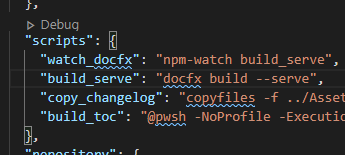

To future visitors: here is a sample package.json to simulate watch as @BennyKok suggested :
  "scripts": {
        "watch": "npm-watch build",
        "build": "docfx build --serve"
    },
    "watch": {
        "build": {
            "patterns":[
                "api",
                "app",
                "toc",
                "index"
            ],
            "extensions":"md,yml",
            "quiet": false
        }
      },
    "devDependencies": {
        "npm-watch": "^0.11.0"
    }

The package.json approach didn't work for me. I'm using nodemon directly now.
- Install:
npm install -g nodemon - Configuration: add a
nodemon.jsonto the repo root with (in my case):
{
  "watch": [
    "index.md",
    "docs/**/*.*"
  ],
  "ignore": [
    "**/bin/**/*.*",
    "**/obj/**/*.*",
    "**/node_modules/**/*.*"
  ],
  "ext": "md,yml,csproj,cs,txt",
  "exec": "docfx --serve"
}
- Run with:
nodemon

Inspired by the previous comments, I created a pipeline to also refresh the browser when the local documentation build is updated, so that you will always see (albeit with a delay) the docfx validated version on your browser as you update your .md files.
I had a good experience by following these steps:
- Add a
package.jsonwith these contents:
{
  "scripts": {
    "browser-livereload": "browser-sync start --server _site/ --port 8080 --files='_site/*'",
    "watch": "start /min npm-watch build & start /min npm run browser-livereload",
    "build": "docfx build"
  },
  "watch": {
    "build": {
      "patterns": [ "./*" ],
      "extensions": "md,yml",
      "quiet": false,
      "ignore": "_site/*",
      "delay": 500
    }
  },
  "devDependencies": {
    "npm-watch": "^0.11.0",
    "browser-sync": "^2.27.11"
  }
}
- Install the dev dependencies by running
npm install -D - Run
npm run watch.
Note! If you are running the local server on Linux, replace the
watchscript with this:npm-watch build & npm run browser-livereloadAlso, you may want to substitute
_sitewith however you named yourdestfolder in thedocfx.jsonfile.
This will essentially spawn 3 processes (in a logical sense, not necessarily OS processes):
- one monitors the
.mdand.ymlfiles and recreates the_siteHTML files to reflect the changes by usingdocfx, - one serves the
_sitefiles on the 8080 port and injects Websocket client code, - and one monitors the
_sitefiles and uses a Websocket server to tell the browser to reload.
Since we are just injecting Javascript in the development server, we are not messing with what will be pushed in the production environment.
Hope you find it useful!
