

 delight-im
Rate limiting workaround
Thanks for the patch that allows me to export my starred songs! :). Since the old project seems abandoned, I figured I'd bring this up here:
While exporting all my playlists I got one of these rate limiting messages. i have quite a few playlists since I tried to divide my starred songs up into a tag-like system by putting them in different playlists (not a good idea by the way), so I trigger the rate-limited message every time. What worked for me was to open up the developer tools, click on the network tab, and set the simulated network conditions to GPRS. This slowed it down enough for Spotify not to rate limit me anymore.
Maybe Regular or Good 2G (using Firefox' terminology here) would work as well, the GPRS one really was slow (just under 3 minutes), though I'm afraid that with better simulated network conditions, all requests would arrive on Spotify's end at the same time and you'd get the same error (except you'd see the error slower because replies are still throttled :P). Ideally we'd throttle only the uplink and not the downlink, but I'm not sure how hard it is to create a custom profile or if, at that point, we should just build a setTimeout and some retrying into the javascript to fix this properly.
Should we, as a workaround, display this tip on the throttling error page, telling people that simulating GPRS conditions in their developer tools might be the easiest way to fix the issue?

Hi @lgommans - just to add my support - good idea! I would also be grateful if the fork where this is fixed could be merged (I.e., https://github.com/delight-im/exportify -> https://github.com/watsonbox/exportify, but yes, there's not been activity lately). (I'm just a user - not dev!)

Thank you!
We earlier discussed rate limiting or throttling and delays or “sleep” statements in another issue.
Your temporary workaround of using the network section of the browser’s developer tools and simulating a slow network connection sounds great. Thanks for sharing that!
Maybe inserting delays or “sleep” is as simple as follows:
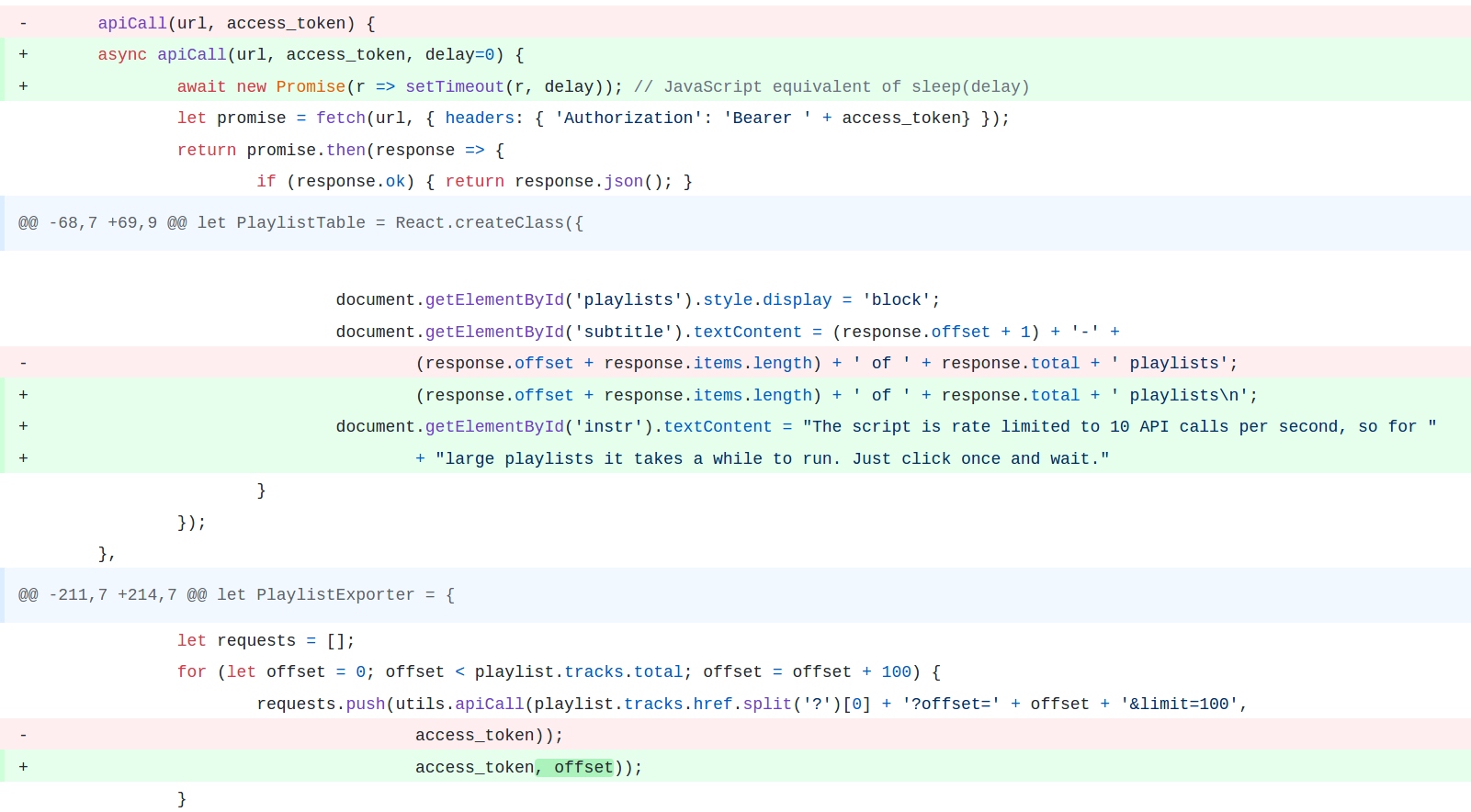
https://github.com/pavelkomarov/exportify/commit/3712a16bd4fb1b3b8c7a52656a2043cb924d5d3a#diff-840cb7f08f6b48f365ca0f7fd86a310d
And perhaps also:
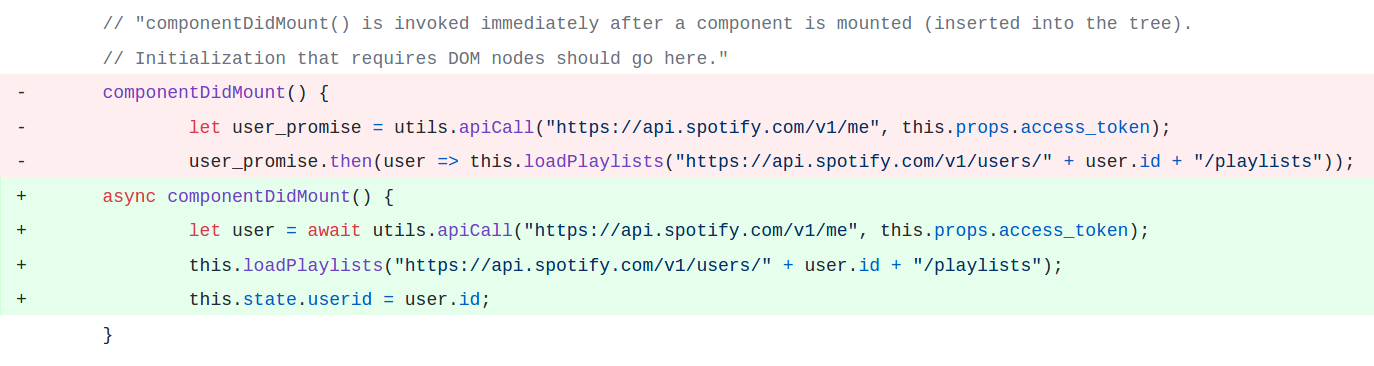
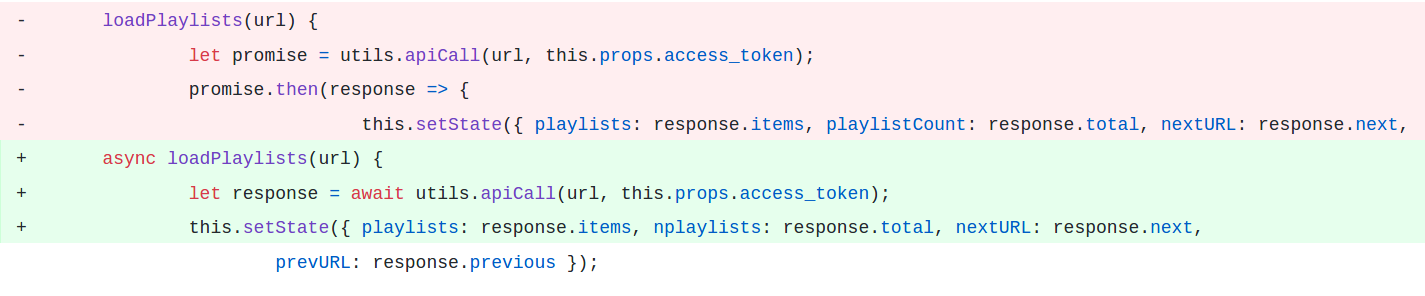
https://github.com/pavelkomarov/exportify/commit/c2b5f0ce6baf0ff233138f1001313611d43613ce#diff-840cb7f08f6b48f365ca0f7fd86a310d
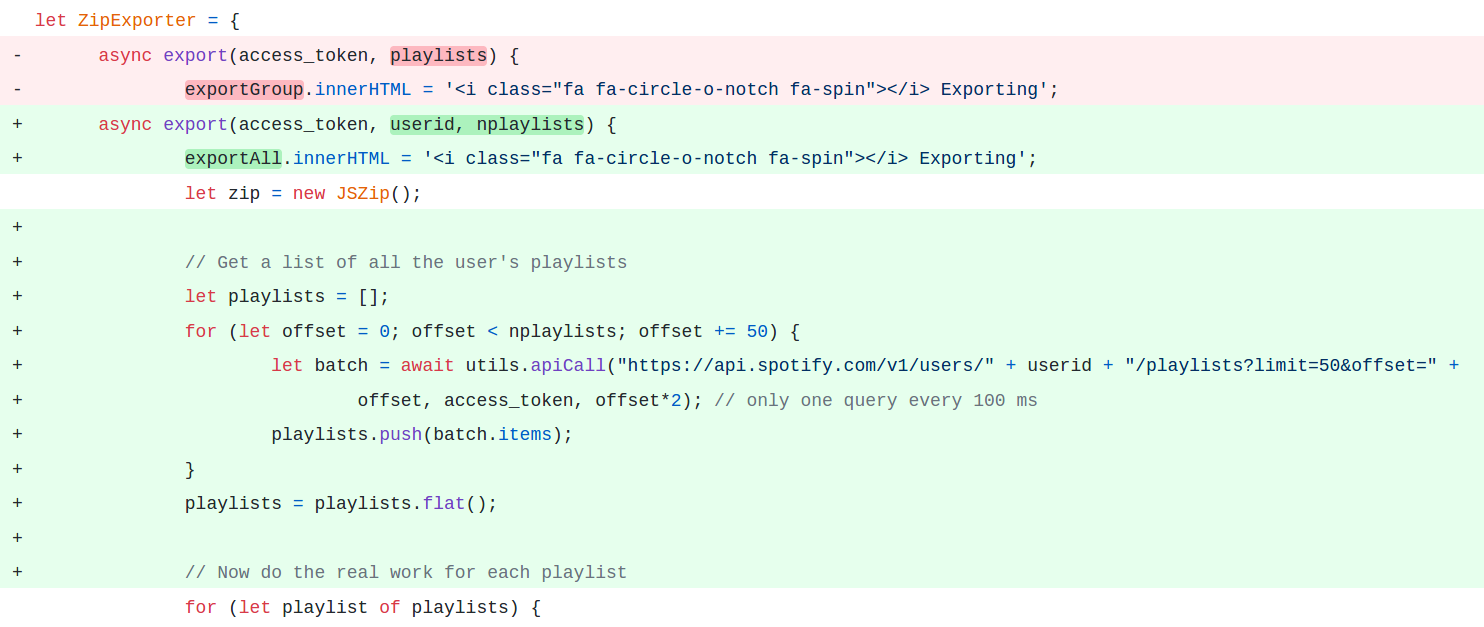
https://github.com/pavelkomarov/exportify/commit/d745f46bdd12a65d5069159b8aece647cdbfaf16?w=1#diff-840cb7f08f6b48f365ca0f7fd86a310d
And then we should add loading indicators as well:
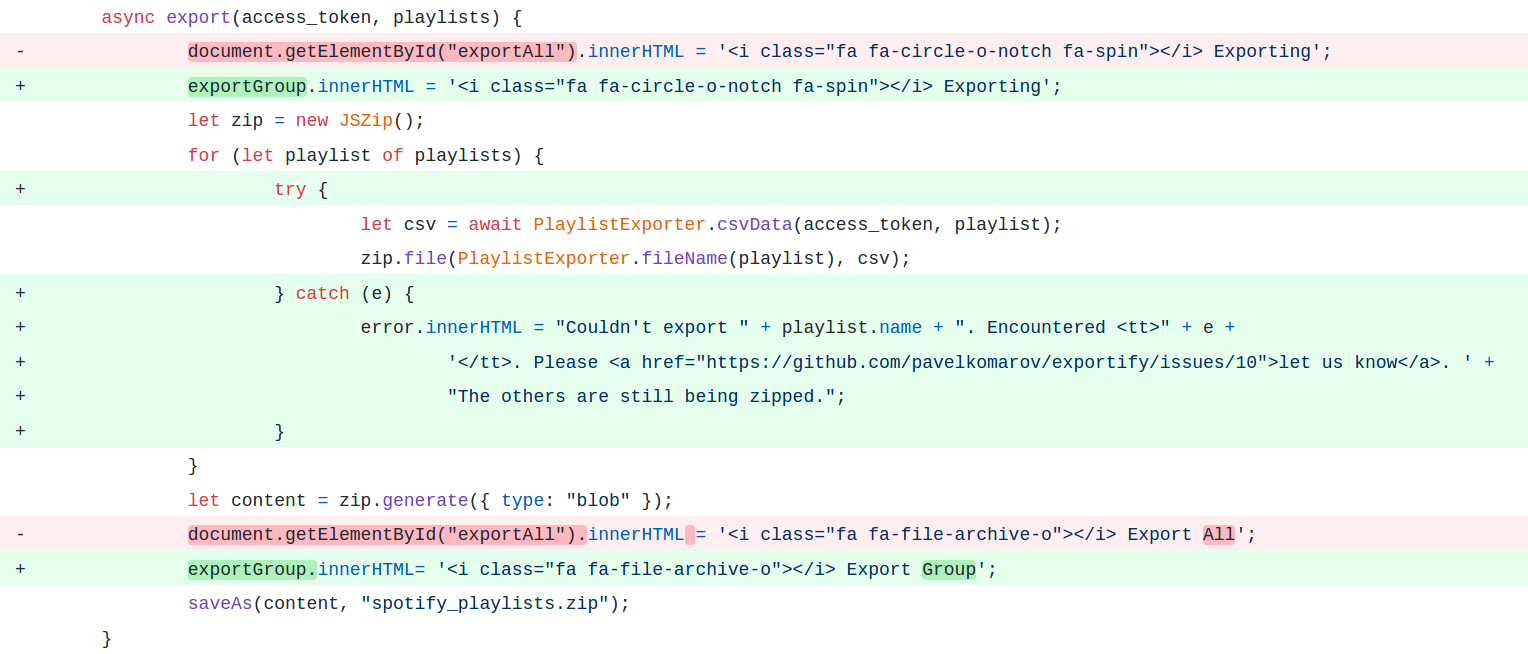
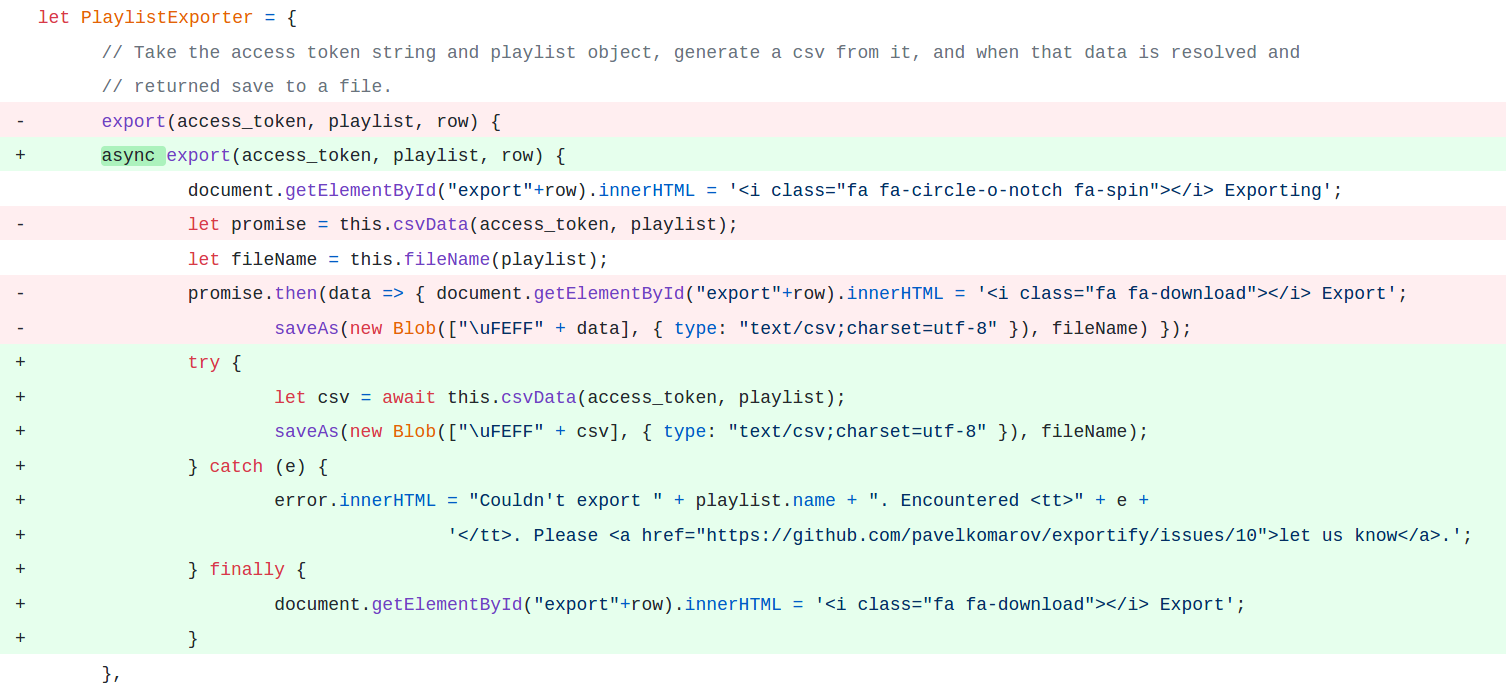
https://github.com/pavelkomarov/exportify/commit/db6057b5c10d3f0ad8d9e0c6bc8554200e1da590?w=1#diff-840cb7f08f6b48f365ca0f7fd86a310d
