

 ProxymanApp
WebSockets not being captured from Mac Safari
Description
I have a website that loads a wss:// connection. This does not show up in Proxyman but the web page loads fine, alongside the underlying WebSockets connection. I have explicitly added the wss:// domain to the SSL Proxying list but see nothing in Proxyman
Environment
- App version: Proxyman 3.10.0
- macOS version: macOS 12.6 Safari 16 (Mozilla/5.0 (Macintosh; Intel Mac OS X 10_15_7) AppleWebKit/605.1.15 (KHTML, like Gecko) Version/16.0 Safari/605.1.15)

By default, the WSS traffic doesn't appear until we add SSL Proxying on the domain. If you don't mind, please find a domain that you think it's a WSS, then enable SSL Proxying on it.
For example:
- My WSS domain is
wss://my_domain.com - Search
my_domainand Enable SSL Proxying - Reload to make a WSS call again
- wss://my_domain.com will show

Hello,
I already had my_domain as a wildcard and it wasn't working. I explicitly added the SubDomain to the list and it still does not work sadly.
I have just tried Chrome and it works ok there but not Safari
My educated guess is that WS/WSS traffic, which is called from Safari, doesn't go through the HTTP Proxy by default. It just works fine with Google Chrome / Firefox.
Not sure how to force Safari to use HTTP Proxy for the WebSocket traffic.
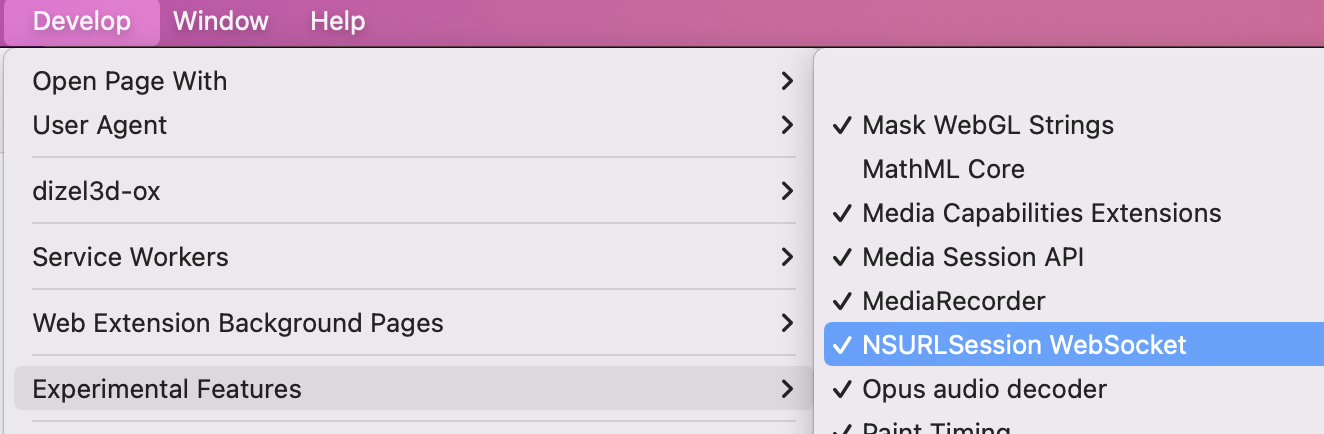

If you disable NSURLSession Websocket experimental feature, it will work.
Although this does bypass the issue it's not really a solution since this setting is enabled by default in the latest versions of Safari and disabling the setting actually modifies the behaviour of Safair & WS connection. Point being that OP is probably (as am I) trying to debug an issue with this setting enabled.
@NghiaTranUIT you mention here that we can debug WS traffic 'out of the box' on Safari however it seems that no longer holds true. Can you verify that you are able to replicate this issue? Easiest way I found to verify this is to navigate to a known website that uses WS (e.g. slack) with the NSURLSession Websocket enabled.
If you have any other suggestions on how to inspect WS traffic in Safari, perhaps asides from using a source build, please share 🙏

Can you verify that you are able to replicate this issue?
@ben-bourdin451 It's a known issue for all NSURLSessionWebsocket on iOS, macOS, and Web Safari too. NSURLSessionWebSocket doesn't go through the HTTP Proxy.
As I mention, Proxyman can work if it's a WS from Chrome or Firefox, but not Safari.
Can you open a ticket on Apple Support to ask them how to debug WS on Safari? I'd like to follow their suggestion to make it happen on Proxyman. For now, I don't have solution.
@ben-bourdin451 I guess there is a solution but I haven't tried it yet. By using Proxifier (https://www.proxifier.com/), it will force all traffic to go through an HTTP Proxy. I guess Websocket from Safari will work too.