

 GPUOpen-LibrariesAndSDKs
[Bug]: Capability Manager's information about HEVC encoding does not match.
- OS: Windows 10 21H2
- Driver Version 22.3.1/22.4.1
- GPU RX 5500 XT / RX 6600
- Which component has the issue Encoder capability
Attached is the text obtained from Capability Manager. On the RX5500XT, the values are different depending on the PC on which it was run. RX5500XT_machine_a.txt RX5500XT_machine_b.txt
On the RX6600, HEVC Main10 support may appear and disappear each time it is run, even on the same PC. RX6600_result_a.txt RX6600_result_b.txt

Your logs show that version returned by AMF runtime is v1.4.18. It is much older than drivers you put in description: 22.3.1/22.4.1 (v.1.4.23/v.1.4.24). Please check if you have old AMF runtime DLLs and try to use cleanup utility and reinstall drivers. https://www.amd.com/en/support/kb/faq/gpu-601 DLLs to check: amfrt64.dll (should be located in System32) and amfrtdrv64.dll (should be located in DriverStore).

The currently installed display driver version is 22.3.1. The amfrt64.dll in System32 / DriverStore is 1.4.24.0. The SHA256 hash was identical at 9af20db96216b320a5c5ecde7cba5e73d3d76721790e5b1676d539ad6e8ce78.
You can run CapabilityManager in debugger, breakpoint and check where DLLs are loaded from in VS Modules View.
I checked the module list in the debugger and 1.4.24 is loaded as shown in the attached screenshot.
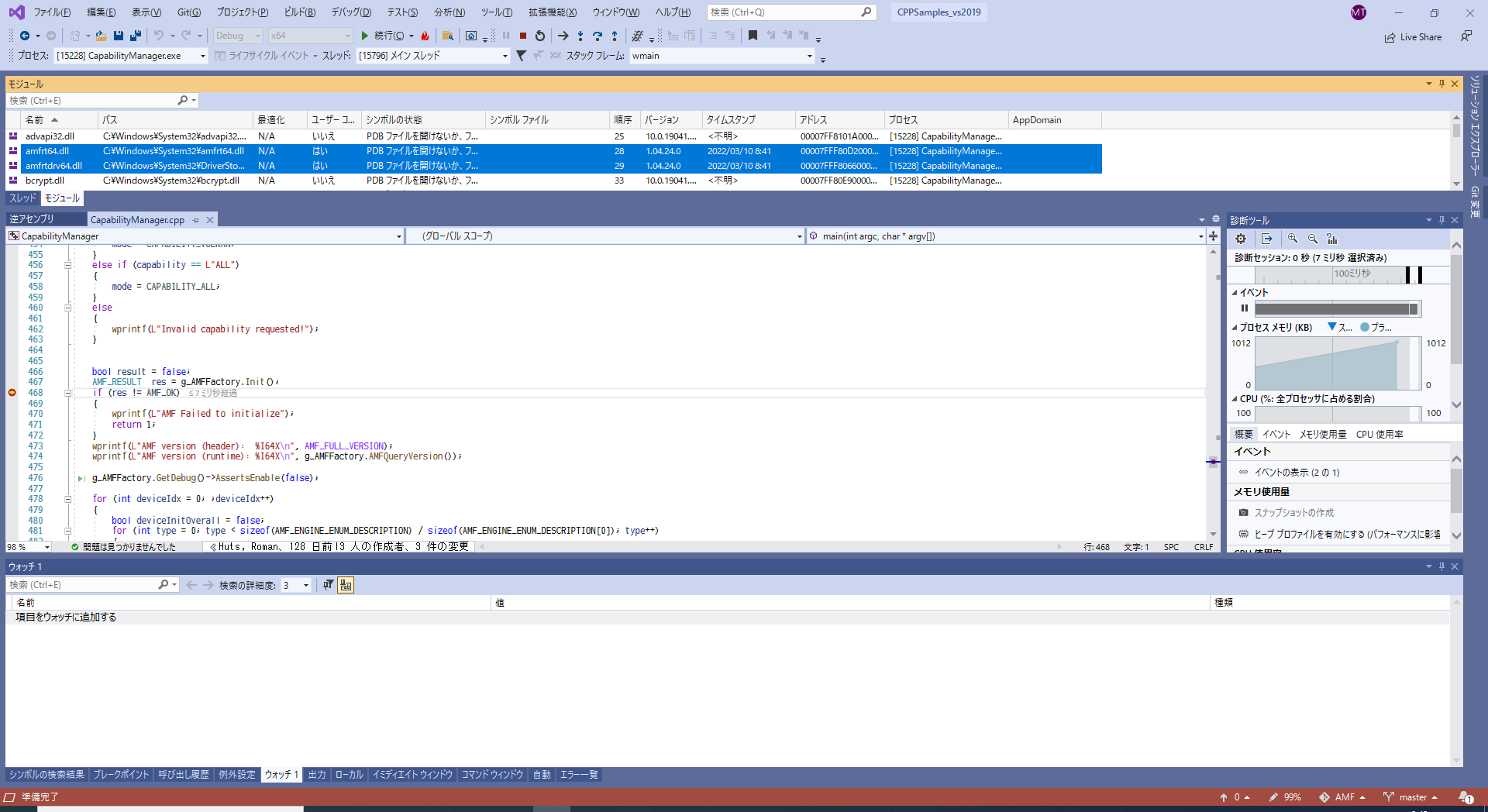
The following code displays the version of CapabilityManager.
    wprintf(L"AMF version (header):  %I64X\n", AMF_FULL_VERSION);
    wprintf(L"AMF version (runtime): %I64X\n", g_AMFFactory.AMFQueryVersion());
I think 1000400180000 is 1.4.24.0.
Sorry, my fault, forgot that it is hex. We will try to repro. Meanwhile, could you please add this to main() g_AMFFactory.GetTrace()->SetGlobalLevel(AMF_TRACE_DEBUG); g_AMFFactory.GetTrace()->SetWriterLevel(AMF_TRACE_WRITER_DEBUG_OUTPUT, AMF_TRACE_DEBUG); and provide full debug output for failing cases?
Insert the above two lines before the version display and attach the Debug Output of the executed results.
Succeeded DebugOutput RX6600.txt Failed DebugOutput RX6600.txt Failed DebugOutput RX5500XT.txt
OK, thanks, logs show some valuable data. While I couldn't reproduce this, I am opening internal ticket.
- OS: Windows 11 22H2
- Driver: Version 23.5.1
- GPU: RX 7600
I have a new PC and the OS / GPU / drivers have changed, but the situation has not changed. HEVC Capability returns a response that only the Main profile is supported.
Hmmm... The internal ticket marked as resolved a while ago and currently I don't see conditional logic in AMF about P010 support in HEVC. Is it possible that Windows update installed an old driver? I saw this a lot. Could you please check version in Device Manager? Can you check AMF version returned from AMFQueryVersion? CapabilityManager traces it. Another indicator of the old driver is loaded atidxx64.dll. This is D3D11 driver and was replaced with amdxx64.dll
Another strange issue: I see "Invalid DXGI_FORMAT 67 specified" in the logs. AMF doesn't use this format at all. ID3D11DeviceContext::CreateVideoDecoder is called with other formats. I wonder why do we see this? Is it possible, some kind of DLL shim is used?
Capability manager responded as follows:
AMF version (header):  10004001D0000
AMF version (runtime): 10004001E0000
Capability manager has loaded c:\windows\system32\amfrt64.dll.
The properties of this amfrt64.dll are as follows:
I have installed whql-amd-software-adrenalin-edition-23.5.1-win10-win11-for-radeon-rx-7600.exe. The Windows folder C:\Windows\System32 had atidxx64.dll, but amdxx64.dll did not exist.
The driver versions in Device Manager were as follows.
The driver file details also showed atidxx64.dll but not amdxx64.dll.
Thanks, we are trying to repro but could you please provide debug output for CapabilityManager with this latest driver? In the earlier logs I see old driver DLLs only, I want to be sure that now the right driver is used.
Closing due to inactivity and not being able to reproduce. Please reopen if you are still seeing this issue on the latest drivers.
