ng-devui icon indicating copy to clipboard operation
ng-devui copied to clipboard

Angular UI Component Library based on DevUI Design

Results 134 ng-devui issues
Sort by recently updated
recently updated
newest added

Please implement a new component **[Pivot Table]** to visualize data? It's really needed in enterprise. thanks!

feature requested

`disabled`和`disableAdd`这两个文案描述有问题: ![image](https://user-images.githubusercontent.com/9566362/160589657-252a3aec-de5e-43a0-a2ea-6726738e81c6.png)

bug

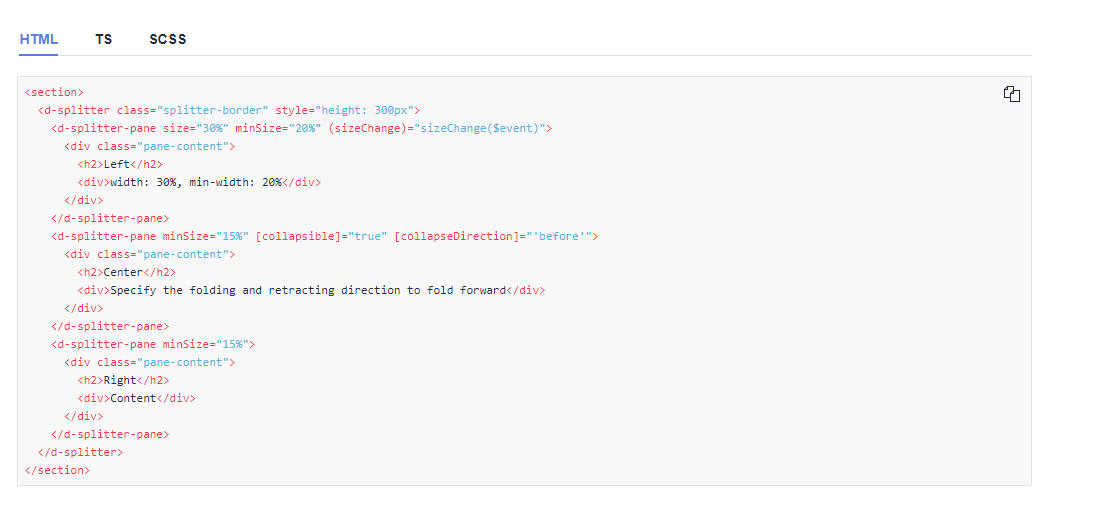
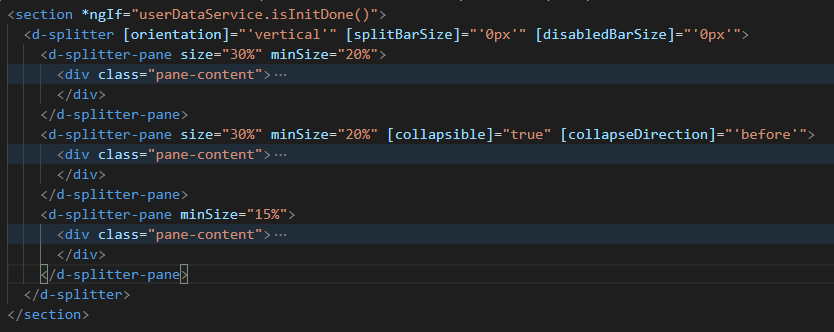
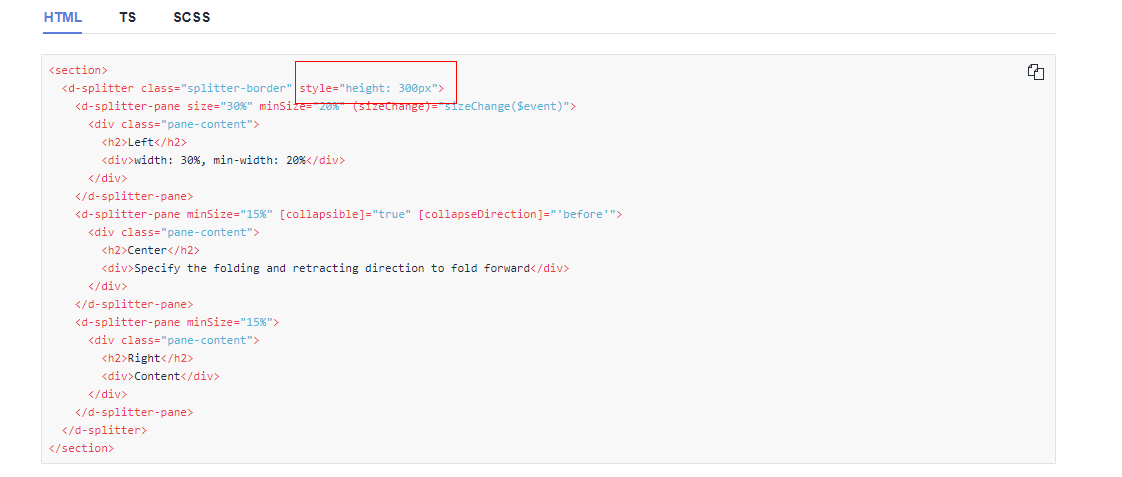
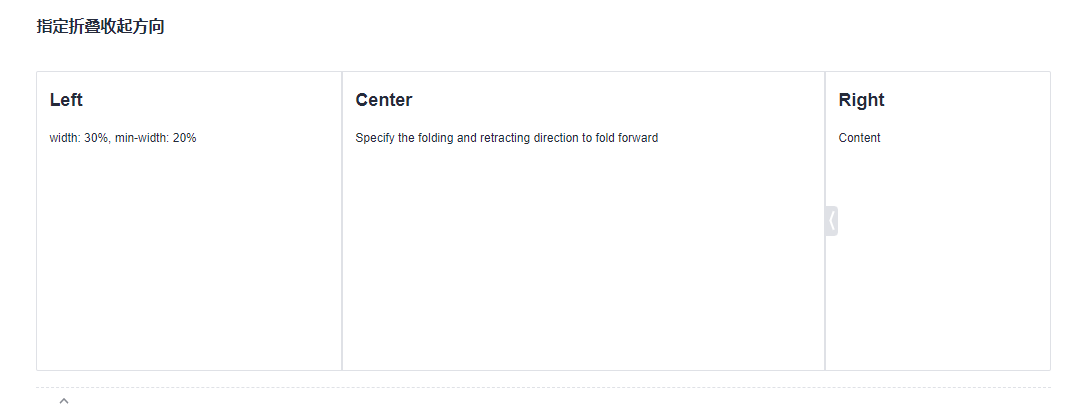
组件版本:11.4.0 由于项目之前使用的版本为11.4.0。所以在阅读官方文档时,也是参照11.4.0进行操作。 由于需要设置界面折叠效果。如果所示效果 ![image](https://user-images.githubusercontent.com/64951456/164636124-a619b081-b220-468b-8b89-544e894a378e.png) dan's 所以阅读官方文档代码(如下图所示)后,自己仿照进行使用 ![image](https://user-images.githubusercontent.com/64951456/164636436-1da556dc-4d4f-4085-a7ce-f6fdaccb8db9.png) 自己编写代码为下图所示 ![image](https://user-images.githubusercontent.com/64951456/164637594-b4ff7cb7-776b-460e-97ba-f761fd9b4ce7.png) 但是效果图为如图所示,没有任何效果,很疑惑。 ![image](https://user-images.githubusercontent.com/64951456/164638233-c49a9489-fe20-49cd-b088-14208dcf30a7.png) ![image](https://user-images.githubusercontent.com/64951456/164638377-fed649a6-e32d-4dc2-a380-2718c447b8d2.png) 但是执行官方代码后,确实生效了,后来才发现 ![image](https://user-images.githubusercontent.com/64951456/164639924-c2c7b71c-b6fb-40a6-a586-0b21b14713d3.png) 必须添加样式属性height。 但是,这个很难让使用者发现,毕竟UI库就是想要使用方便,所以,希望可以将改样式是否可以优化掉,或者在文档中增加说明,这样后面使用的人,也比较方便。谢谢
bug

拿简单的Button组件来说,市场上常见的设计规范,比如ant design,tdesign对于button设计三种尺寸高度分别为40px,32px,24px,对应的padding也都是15px,15px,7px,为何devui设计成32px,28px,24px。这种设计有何依据,背后有哪些用意呢?

discussion

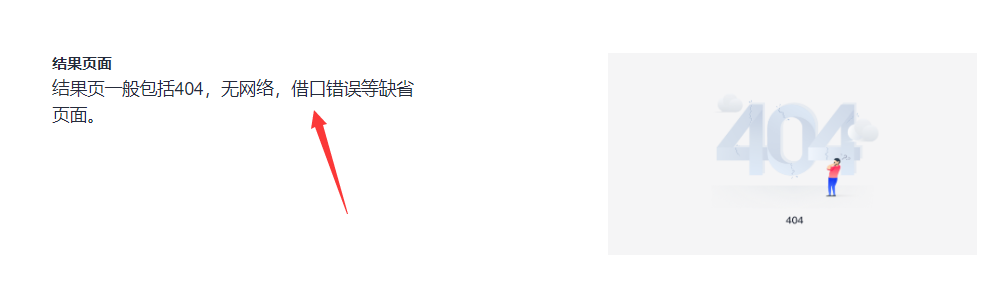
官方文档错别字 [设计模式-空白页](https://devui.design/design-cn/empty-page) ![image](https://user-images.githubusercontent.com/7055008/165297966-69e43b53-6236-47c0-89cb-7a4a3c97400a.png) `借口` → `接口`
documentation
good first issue

以下demo: [Table虚拟滚动](https://devui.design/components/zh-cn/datatable/demo#virtual-scroll) 建议增加数据量,体现出虚拟滚动的效果

bug
good first issue

复现步骤: 1. 全选所有数据 2. 取消第一页的勾选 3. 下一页 4. 取消下一页的勾选 5. 回到上一页,第一页的勾选状态还在(复现bug) ![image](https://user-images.githubusercontent.com/9566362/170611455-358b85d1-a816-4b27-9a92-f4904a3566af.png) 以下demo可以复现: [自定义选中操作](https://devui.design/components/zh-cn/datatable/demo#table-check-options)

bug
good first issue

背景: 实现一个表格,由于表格中相关列太多,将表格中相关列信息存放在后台数据库中,组件加载时,会自动获取组件中所有列信息数据,同时将各个列中filteable和filterList进行赋值。 问题: 加载后,疯狂快速点击表格中筛选标志,会没有,但是F12会出现以下问题 ![image](https://user-images.githubusercontent.com/64951456/169200773-02765e12-7f79-4ea0-a908-ed39ef53454c.png) 这是啥原因呀?

bug

能否限定toast弹出的提示,同一时间的同一种提示,只能出现一个。

need more info

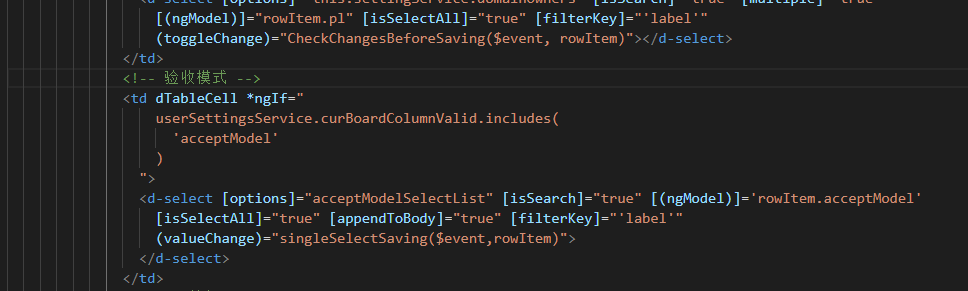
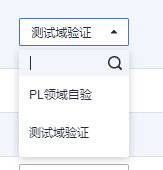
应用场景:当使用d-select组件时,如果同时使用filterkey和appendToBody时,会发现appendToBody作用并没有生效。直接上代码 ![image](https://user-images.githubusercontent.com/64951456/164185227-211912a0-11b4-4173-9d3c-0f3b8acd411e.png) 其中,rowItem.acceptModel是一个对象,具体结构{ field:string, id:number: label:string } . 我先在选择“测试域测试”,但是在下拉菜单中仍然没有依附。 ![image](https://user-images.githubusercontent.com/64951456/164185871-7c8bb4a6-4edc-4f2c-bd3e-c4c6e843ba68.png) 希望大佬们帮忙解答一下,谢谢啦
need more info