

 Amulet-Team
Delete key inside type boxes deletes world selection instead of typed text
Describe the bug When you press the delete key inside the replace operation typing boxes, it deletes whatever is inside your selection box
To Reproduce Steps to reproduce the behavior:
- Open world
- Click Operations
- Click Replace
- Put mouse cursor inside namespace field
- Press the delete key
Expected behavior This should delete the letters inside the typing box
Screenshots
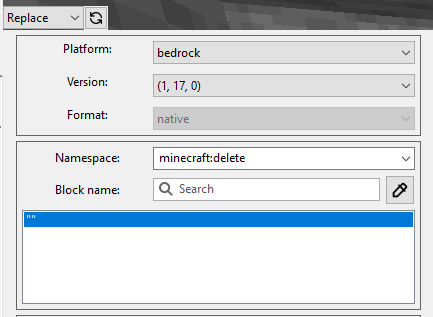
Desktop (please complete the following information):
- Windows
- Amulet v0.8.12

Currently it seems that the best action is just to block these key presses.
The issue is due to a conflict with the menu system and the widget.
I have been discussing it in this forum post https://discuss.wxpython.org/t/menubar-spinctrl-and-copy/35968/10
and opened this bug report on the wxPython repo https://github.com/wxWidgets/Phoenix/issues/2148

What type is the control that has the focus? I'm working on a fix, but that's currently only for spin controls. ( https://github.com/wxWidgets/wxWidgets/pull/22397 )

What type is the control that has the focus? I'm working on a fix, but that's currently only for spin controls. ( wxWidgets/wxWidgets#22397 )
I can't reproduce the issue in ComboBox or SearchCtrl in WxPython 4.1.1. I can only reproduce it in SpinCtrl
@qmagnet are you still getting this issue in the namespace and block name fields?
That sounds reasonable. SearchCtrl and ComboBox inherit from wxTextEntry and therefore have a method MSWShouldPreProcessMessage checking for the special keys:
https://docs.wxwidgets.org/3.0/classwx_search_ctrl.html
https://docs.wxwidgets.org/3.0/classwx_combo_box.html
SpinCtrl on the other hand does not, it just uses/creates a Windows text ctrl internally. https://docs.wxwidgets.org/3.0/classwx_spin_ctrl.html
As workaround, you could use the method outlined in the discuss thread.
(Unfortunately, it does not help to add MSWShouldPreProcessMessage on the Python side.)