

 inbasic
I see no way to turn off all notifications from my primary email
Hello! This is a wonderful tool!
How do I block notifications from my primary account but receive them still from a secondary email? When I go to the options screen (see screenshot below) I see no way to do this. I am using Google Chrome.
Thanks in advance, Anna
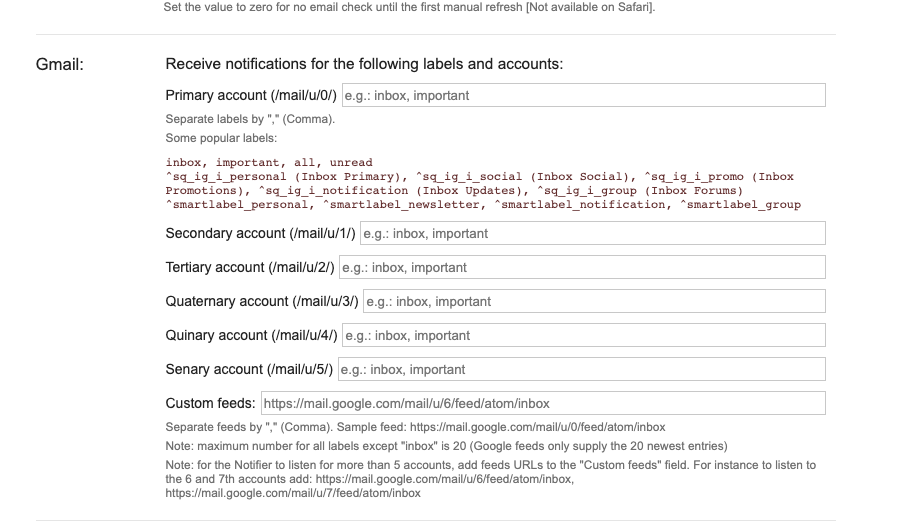

I seem to have found a way to get it to work.
It's similar to how it's explained in the FAQ, only instead of removing "inbox" I manually typed "inbox" into each account I wanted to include in notifier and I typed "none" into the account I didn't want to include. Since I don't have a label called "none" it effectively eliminates any e-mails from showing up for that account. I had four accounts and only wanted 3 to provide notifications so I typed "inbox" into the Primary, Secondary and Tertiary accounts, then I typed none into the other accounts (but not the custom feed). It's now removed any notifications from the account I didn't want.
Hope that helps.
