

 immich-app
[BUG] User interface displays content under expected date, but stores it under a different place in the filesystem
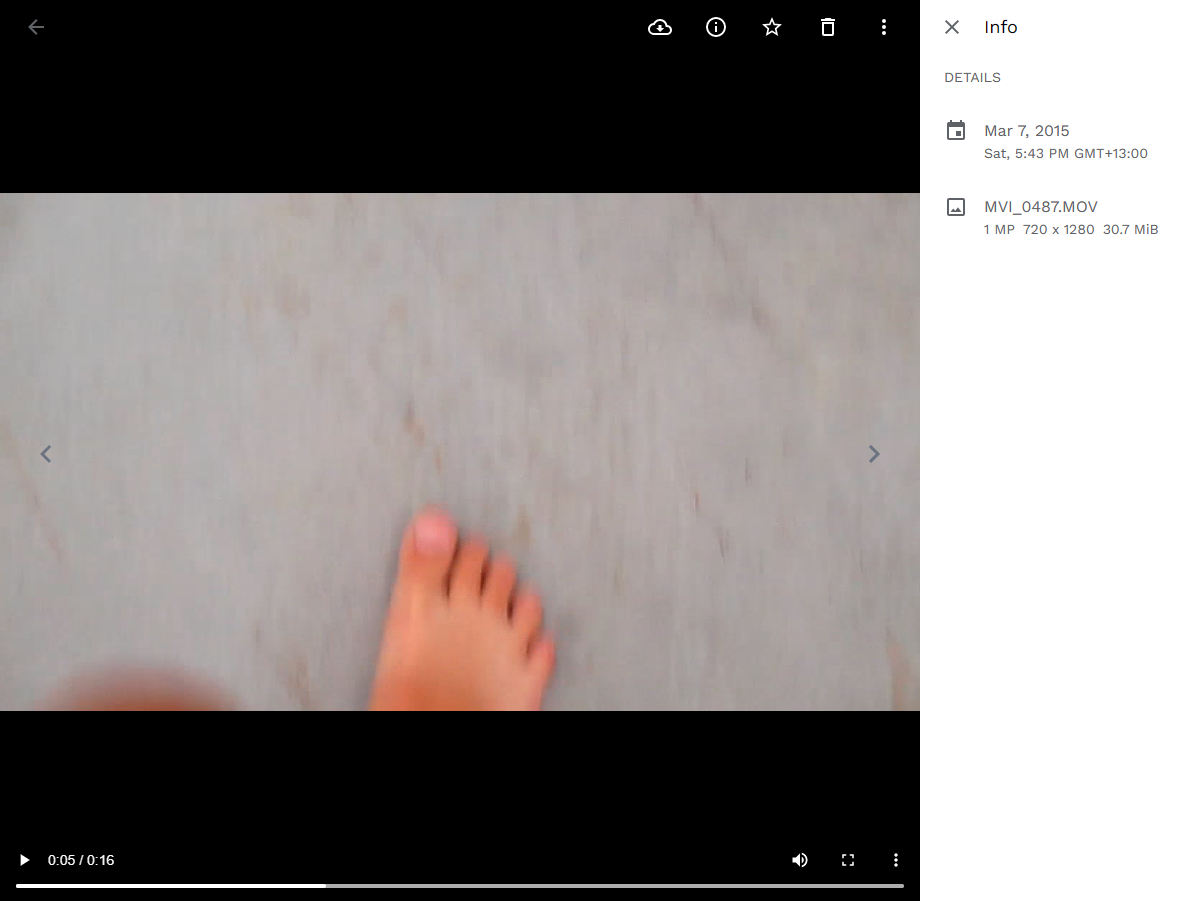
Describe the bug The user interface displays the media under the correct date from the 'media created' field of a .mov file, however it is stored in the file system according to its modified date
Task List
Please complete the task list below. We need this information to help us reproduce the bug or point out problems in your setup. You are not providing enough info may delay our effort to help you.
- [X] I have read thoroughly the README setup and installation instructions.
- [X] I have included my
docker-composefile. - [X] I have included my redacted
.envfile. - [X] I have included information on my machine, and environment.
To Reproduce Steps to reproduce the behavior:
- Click on upload
- Select .mov file
- Refresh and see the ui shows the file as the correct date (media created data)
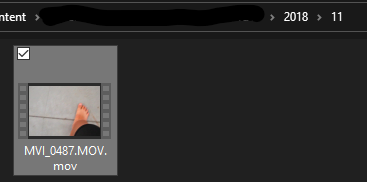
- navigate to where the file is stored in the filesystem and see that it puts it in the wrong place (modified date)
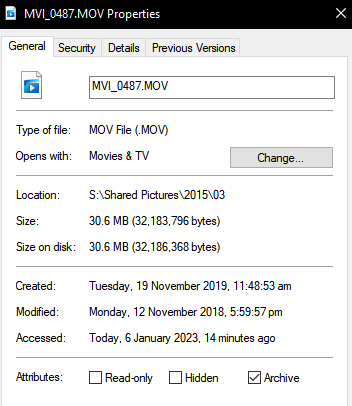
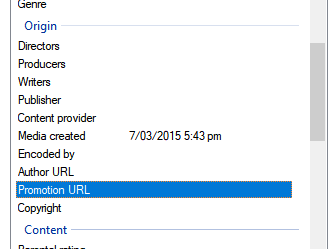
Expected behavior A clear and concise description of what you expected to happen. When I upload a .mov file with this metadata, that it will be stored in the 2015/03 folder of my filesystem, not in the 2018/11 folder : created: Tuesday, 19 November 2019, 11:48:53 am modified: Monday, 12 November 2018, 5:59:57 pm media created: 7/03/2015 5:43pm
Screenshots
If applicable, add screenshots to help explain your problem.
System
- Phone OS [iOS, Android]:
Android 10 OnePlus Nord - Server Version:
v1.40.0 - Mobile App Version:
1.40.0 build.63
Additional context Add any other context about the problem here.
storage template set to {{y}}/{{MM}}/{{filename}}
Docker Compose
version: "3.8"

services:
  immich-server:
    container_name: immich_server
    image: altran1502/immich-server:release
    entrypoint: ["/bin/sh", "./start-server.sh"]
    volumes:
      - ${UPLOAD_LOCATION}:/usr/src/app/upload
    env_file:
      - .env
    environment:
      - NODE_ENV=production
    depends_on:
      - redis
      - database
    restart: always

  immich-microservices:
    container_name: immich_microservices
    image: altran1502/immich-server:release
    entrypoint: ["/bin/sh", "./start-microservices.sh"]
    volumes:
      - ${UPLOAD_LOCATION}:/usr/src/app/upload
    env_file:
      - .env
    environment:
      - NODE_ENV=production
    depends_on:
      - redis
      - database
    restart: always

  immich-machine-learning:
    container_name: immich_machine_learning
    image: altran1502/immich-machine-learning:release
    entrypoint: ["/bin/sh", "./entrypoint.sh"]
    volumes:
      - ${UPLOAD_LOCATION}:/usr/src/app/upload
    env_file:
      - .env
    environment:
      - NODE_ENV=production
    depends_on:
      - database
    restart: always

  immich-web:
    container_name: immich_web
    image: altran1502/immich-web:release
    entrypoint: ["/bin/sh", "./entrypoint.sh"]
    env_file:
      - .env
    environment:
      # Rename these values for svelte public interface
      - PUBLIC_IMMICH_SERVER_URL=${IMMICH_SERVER_URL}
    restart: always

  redis:
    container_name: immich_redis
    image: redis:6.2
    restart: always

  database:
    container_name: immich_postgres
    image: postgres:14
    env_file:
      - .env
    environment:
      POSTGRES_PASSWORD: ${DB_PASSWORD}
      POSTGRES_USER: ${DB_USERNAME}
      POSTGRES_DB: ${DB_DATABASE_NAME}
      PG_DATA: /var/lib/postgresql/data
    volumes:
      - pgdata:/var/lib/postgresql/data
    restart: always

  immich-proxy:
    container_name: immich_proxy
    image: altran1502/immich-proxy:release
    environment:
      # Make sure these values get passed through from the env file
      - IMMICH_SERVER_URL
      - IMMICH_WEB_URL
    ports:
      - 2283:8080
    logging:
      driver: none
    depends_on:
      - immich-server
    restart: always

volumes:
  pgdata:
ENV FILE
DB_HOSTNAME=immich_postgres
DB_USERNAME=postgres
DB_PASSWORD=postgres
DB_DATABASE_NAME=immich
REDIS_HOSTNAME=immich_redis
UPLOAD_LOCATION=C:\docker\immich\content
JWT_SECRET=[redacted]
# DISABLE_REVERSE_GEOCODING=false
# REVERSE_GEOCODING_PRECISION=3
PUBLIC_LOGIN_PAGE_MESSAGE=
IMMICH_WEB_URL=http://immich-web:3000
IMMICH_SERVER_URL=http://immich-server:3001
IMMICH_MACHINE_LEARNING_URL=http://immich-machine-learning:3003


It's running in docker for Windows using the WSL2 backend automatically setup by the docker desktop application.
@alextran1502 To me there seems to be some strange things going on
What happens is when a file is selected for upload, the client side app extracts image exif data, but ignores video data (possibly because it is unable to read it, see comment here server/processors/asset-uploaded.processor.ts) instead taking the files last modified date. web/file-uploader.ts is where this extraction/ignoring happens. This data is added to formData which is then sent to the server as part of the file upload process.
Once the file is at the server, it is stored in the filesystem according to the date extracted by the client, but not in the asset/exif repository. This is because the server runs its own exif/metadata extraction on the file, which is done properly using ffprobe (part of ffmpeg) to get the creation_time (this happens in server/metadata-extraction.processor.ts). This is why the correct date is seen in the ui
This is just from some basic poking around the code, and I have no idea how I would even start to fix this, where in the servers code the uploaded file handling is occurring, why my fresh development environment has no permission to write files (which crashes the whole thing), or even how this tech stack even really works.
I am not sure why your development environment crash and have permission issue. Maybe sharing your development environment setup would help us shed some lights into the problem.
Is the problem file something you can share with for debugging?
Can you try running the storage migration job to see if that moves the files to the expected folder?

The upload process as well as the storage process has changed over time, and yes, currently there is some weirdness with duplicated efforts to parse exif data. There are some existing tech debt tasks to clean this up and basically move most of the exif related stuff to the server only. We also could probably automatically move the file again if the created date on the asset changes, which is what happens when the exit parsing runs on the server. Definitely some room for improvement, but a short term solution is to just periodically run the storage migration job.
