

 immersive-web
Latest version of hands doesn't have skinning anymore
Profile id generic-hand
Describe the bug
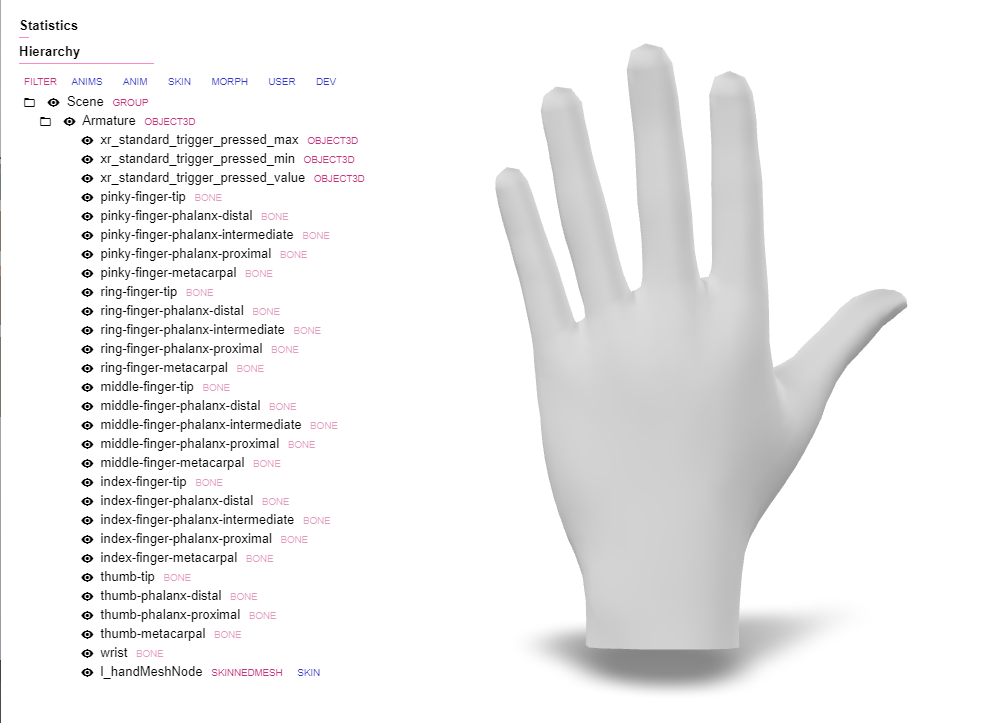
Looks like while in https://cdn.jsdelivr.net/npm/@webxr-input-profiles/[email protected]/dist/profiles/generic-hand/, left.glb and right.glb both are ~90kB and contain skinning information, in the latest version in this repo they don't have that anymore (and are ~60kB).
I also ran npm run build but I think that just copies them over and does not modify them (size stays ~60kB and they don't have skinning info).
To Reproduce Steps to reproduce the behavior:
- Go to https://cdn.jsdelivr.net/npm/@webxr-input-profiles/[email protected]/dist/profiles/generic-hand/ (the one referenced by three.js when fetching hand models)
- download left.glb
- Check with any glTF viewer for the existance of skinning information
- Note that it has skinning information
- Check with latest left.glb and right.glb
- They have a rotation change (https://github.com/immersive-web/webxr-input-profiles/pull/226) but also don't have skinning information anymore.
Expected behavior Skinning :)
Screenshots
1.0.12 (with skinning):
Now (no skinning):
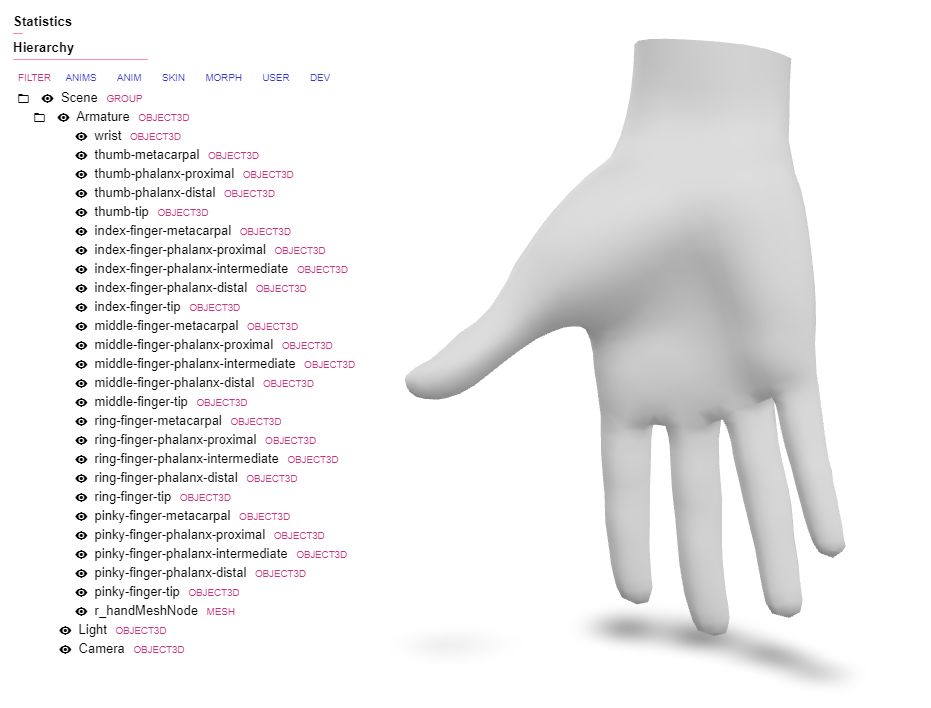

Looks like this information was stripped out during an optimization step. Want to look at my pull request and see if it has the information you expect? https://github.com/immersive-web/webxr-input-profiles/pull/235


Skinning data is there, but bones are now all rotated @cabanier
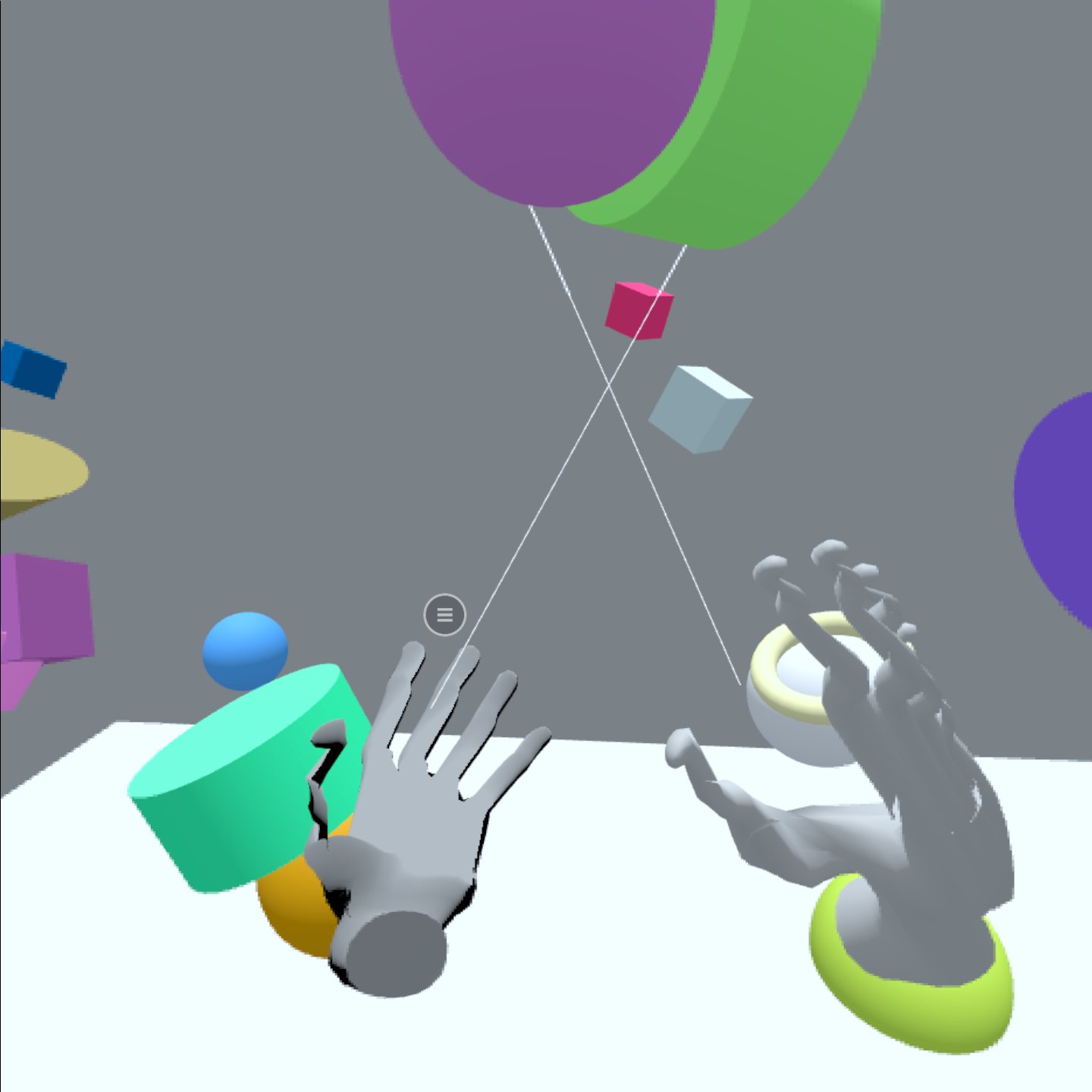
I believe you ran into the same Blender trap as I did a while ago for the "Monster Hands": https://twitter.com/hybridherbst/status/1584524129054904321
Is there a good place to add this kind of info right in this repository? E.g. https://github.com/immersive-web/webxr-input-profiles/blob/main/packages/assets/tutorial/README.md?
If you want, you can quickly test by
- going to https://glitch.com/edit/#!/three-xr?path=index.html%3A220%3A100
- remixing it
- dropping your left.glb and right.glb into "assets"
- copying the path into index.html:220 (that's how I just tested your new models)
Is there a good place to add this kind of info right in this repository? E.g. https://github.com/immersive-web/webxr-input-profiles/blob/main/packages/assets/tutorial/README.md?
I'm not sure how frequently that tutorial is referenced, but this kind of exporting tip definitely fits well with the rest of the content in that document. Feel free to put up a pull request to add it, because I feel that's a valuable bit of info!

Sorry for the delay on this, I've updated pull request https://github.com/immersive-web/webxr-input-profiles/pull/235 to include skinning while maintaining proper rotation and bone placement.
Sorry for the delay on this, I've updated pull request #235 to include skinning while maintaining proper rotation and bone placement.
Have you verified that the hand still work in xr?
Have you verified that the hand still work in xr?
I personally did, a second source of verification would be welcome.
Have you verified that the hand still work in xr?
I personally did, a second source of verification would be welcome.
@hybridherbst can you try? You found the original problem
Can confirm it works as hands again! But I'm not sure about the orientation when using it as default controller now (which I think was the original intent behind changing them in the first place)
Can confirm it works as hands again! But I'm not sure about the orientation when using it as default controller now (which I think was the original intent behind changing them in the first place)
Are they oriented the wrong way again?
It has been some time since @hybridherbst identified an issue with the mesh. I can verify that these GLB files function correctly. However, when attempting to create custom hand designs by importing these models into Blender, I encounter a challenge. While I can modify the material without issues, upon re-exporting them as GLB, there seems to be a misalignment in their orientation. Could anyone provide guidance on how to import/export from Blender, please?
https://youtube.com/shorts/uKJGmGdi7mk?si=2BxVdYHv3UVnJ3sp

@sylwesterdigital you may want to check https://twitter.com/hybridherbst/status/1584524129054904321 - the defaults for Blender glTF import are wrong, you need to change them if you plan to export as glTF again.
EDIT: Ah, I see you found it already :)
I believe this issue can be closed as the problem has been resolved for a while. Thanks all!