

 ihhub
ihhub
View world: restoring from windowed to fullscreen mode
Preliminary checks
- [X] I've checked that there aren't other open issues on the same topic.
- [X] I've checked that this issue is reproducible on the latest snapshot build.
Platform
Linux
Describe the bug
When the View World is open, going from windowed mode to full screen produces the following result (captured just the top-left corner, the rest of the screen is black):
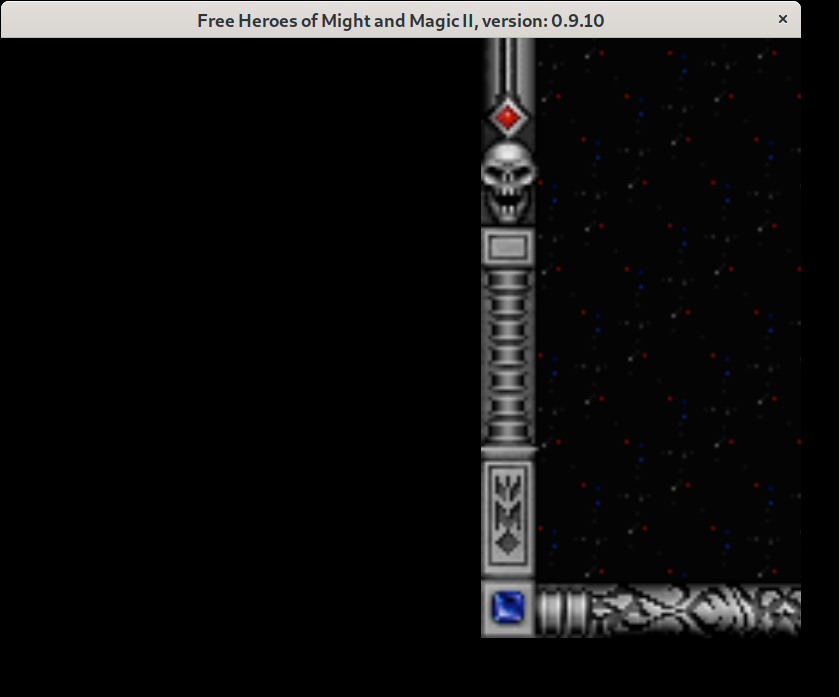
Everything is rendered properly again as soon as I use mouse wheel to zoom or exit the View World mode.
I wasn't able to trigger this issue while switching between windowed and fullscreen modes in other places in the game, so I suppose some specific handling is missing in View World.
Save file
No save file needed: just start a new game.
Additional info
No response

Hi @a1exsh , I can't reproduce this issue. Can you please tell what resolution do you use?

@ihhub The actual display resolution is 3840 x 2160, but the game is set to use 800 x 600.
I've just tried using a lower display resolution and I can reproduce it on 1920 x 1080 and 1024 x 768 as well (the game is at 800 x 600 in all cases).
Actually, I notice a similar rendering issue when switching between windowed and full screen modes in other places (like adventure map or castle screen), but there it is quickly recovering, as the next frame is rendered.
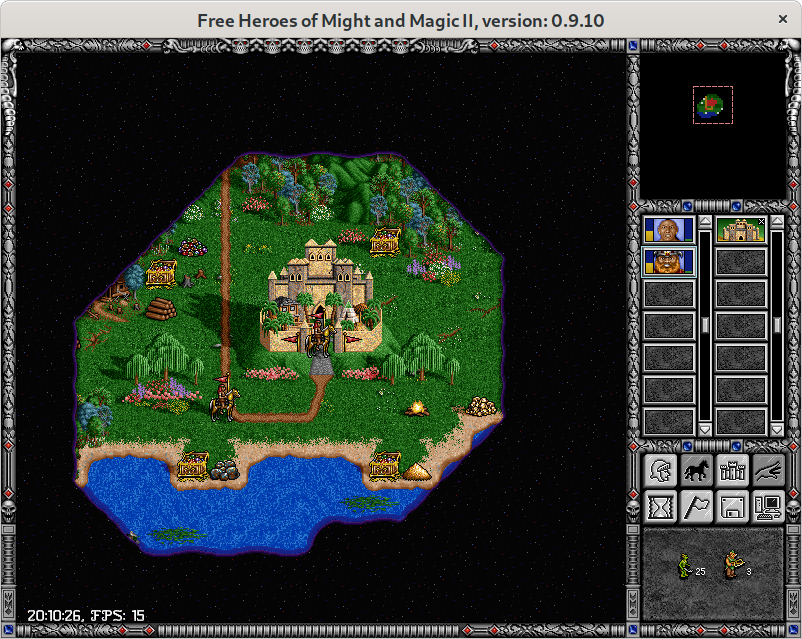
Probably related is the fact that on View World screen we don't have the system info (wall time and FPS).
Compare adventure map:
And View World:
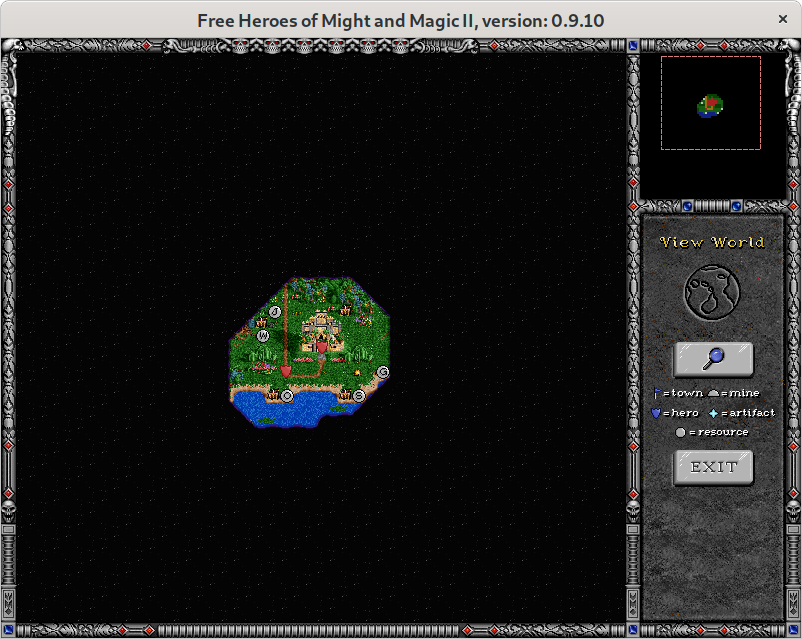
Probably related is the fact that on View World screen we don't have the system info (wall time and FPS).
@ihhub It is definitely related. If I comment the le.PauseCycling() / le.ResumeCycling() calls in ViewWorld::ViewWorldWindow() I'm seeing the same behavior as on other game screens: the first frame after restoring to fullscreen is displayed wrongly, but the next frame fixes it automatically.
Hi @a1exsh is this still observed on the latest snapshot? I tried to reproduce this on Windows and macOS, but couldn't.

@oleg-derevenetz yes, I can reproduce it on two Ubuntu machines with the latest SDL2 snapshot build (from Dec 16th). I will try to capture a video.
https://user-images.githubusercontent.com/489601/146644942-29b154a5-b025-44f3-b496-a3d01726c0bc.mp4
Still having trouble making a video that plays from the browser... Please try to use the direct link if it doesn't play: https://user-images.githubusercontent.com/489601/146644942-29b154a5-b025-44f3-b496-a3d01726c0bc.mp4
OK, now tried with more advanced capturing software — seems to play in the browser ;)
https://user-images.githubusercontent.com/489601/146645817-ad1ed7c4-0376-48d4-8bb1-92d6d142c843.mp4
Hi @a1exsh I have an impression that we may need to call SDL_RenderSetLogicalSize() once again after this line:
https://github.com/ihhub/fheroes2/blob/e306c5d3cc98f4d750e83f5cdb546ce046f527d2/src/engine/screen.cpp#L721
Try to add the following lines after this line:
SDL_SetHint( SDL_HINT_RENDER_SCALE_QUALITY, "linear" );
const fheroes2::Display & display = fheroes2::Display::instance();
SDL_RenderSetLogicalSize( _renderer, display.width(), display.height() );
and let's see what happens.
@oleg-derevenetz no, that doesn't improve the situation much: I still see the same issue.
Hi @a1exsh , can you please retest this issue on the latest commit?
The issue is still present in commit cd2c571e. I'm certain it's related to pausing the color cycling in the "View World" mode, and this part wasn't touched, right?
I'm certain it's related to pausing the color cycling in the "View World" mode, and this part wasn't touched, right?
Color cycling causes periodic re-rendering by timer, but there is manual re-rendering on various events: when game window gains focus, when it was resized, when the render target was reset and so on, so it should be re-rendered anyway. It looks that some event doesn't arrive.
@oleg-derevenetz @ihhub seems to work correctly after upgrading libSDL to 2.24.2 release.
And it doesn't seem to be related to the recent event handling changes. Looks like the issue was with my SDL version. Let's close this ticket.