

 iddan
iddan
Executing formulas
I just found this library and it looks awesome. I tried out the demo on https://iddan.github.io/react-spreadsheet/ and I'm seeing inconsistent behavior for formulas being executed. For example, I have this filled out:
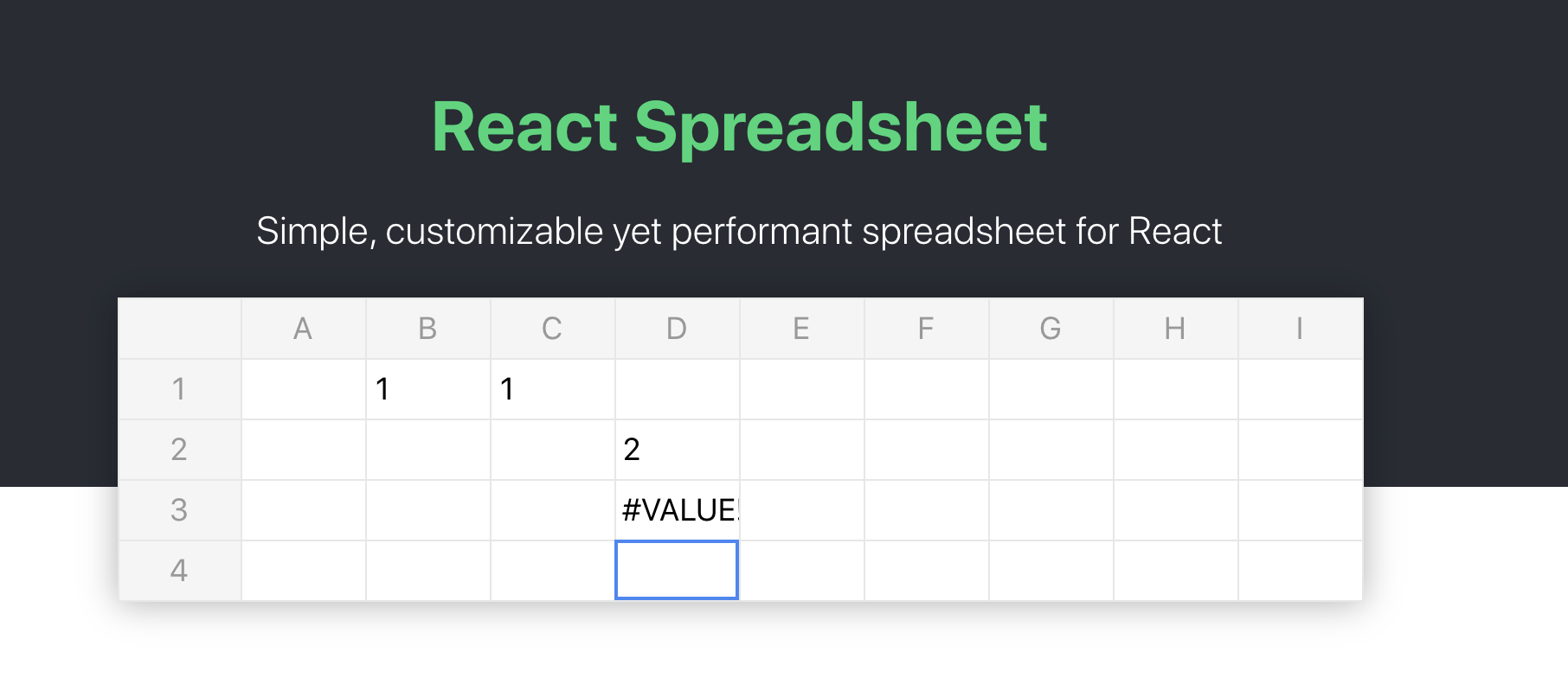
In B1 is the int 1. In C1 is also the int 1. In D2 I have =B1+C1 which correctly outputs 2. In D3 I have =B1+D2 which returns an error.
Is this expected behavior or is this a bug in the lib?
I also saw this PR which perhaps is an improvement on formula execution? https://github.com/iddan/react-spreadsheet/pull/101

Hey @mattgmarcus, your observation is right: the formula execution process in React Spreadsheet is far from perfect. Currently, it is based on an ad-hoc integration with the old library hot-formula-parser. My intention was to replace the implementation with a more sufficient engine. I started working on integrating Hyperformula but there seems to be an unacceptable license conflict with the library that I didn't get my head around yet and it should require some time to integrate it well anyway. I would love to get some help with fixing the current implementation or integrating a formula execution engine that complies with the project license.

Some examples I found right off the bat:
- https://github.com/LesterLyu/fast-formula-parser
- https://github.com/tmtmtmtm/spreadsheet-engine
- https://github.com/fabiooshiro/xlsx-calc
Hi,
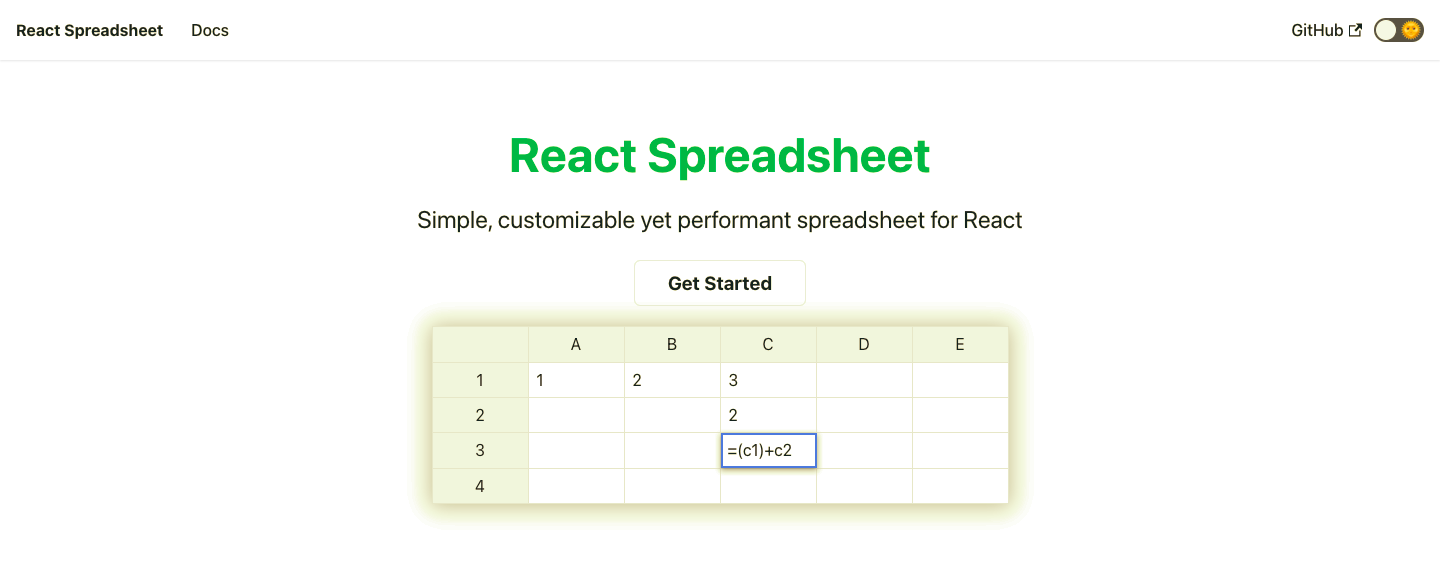
I checked the formula in the following manner (See screenshot for details) and seems to work. In C1 - has a formula - A1 + B1, C2 has a value, and C3 has formula =(C1) + C2 .
