

 ibm-functions
plugin install failed but not reported
I tried to install a plugin (https://github.ibm.com/villard/shell-project-plugin) and it failed, however nothing was reported back to me. I had to open devtools to see this:
Uncaught Error: spawn npm ENOENT
    at exports._errnoException (util.js:1024:11)
    at Process.ChildProcess._handle.onexit (internal/child_process.js:192:19)
    at onErrorNT (internal/child_process.js:374:16)
    at _combinedTickCallback (internal/process/next_tick.js:138:11)
    at process._tickCallback (internal/process/next_tick.js:180:9)
Not sure how to proceed.


@cfjedimaster the command is fsh plugin install shell-project-plugin. Access is public.
thanks - testing. Ok, so via PowerShell something weird happened. This may be your fault, or the CLI.
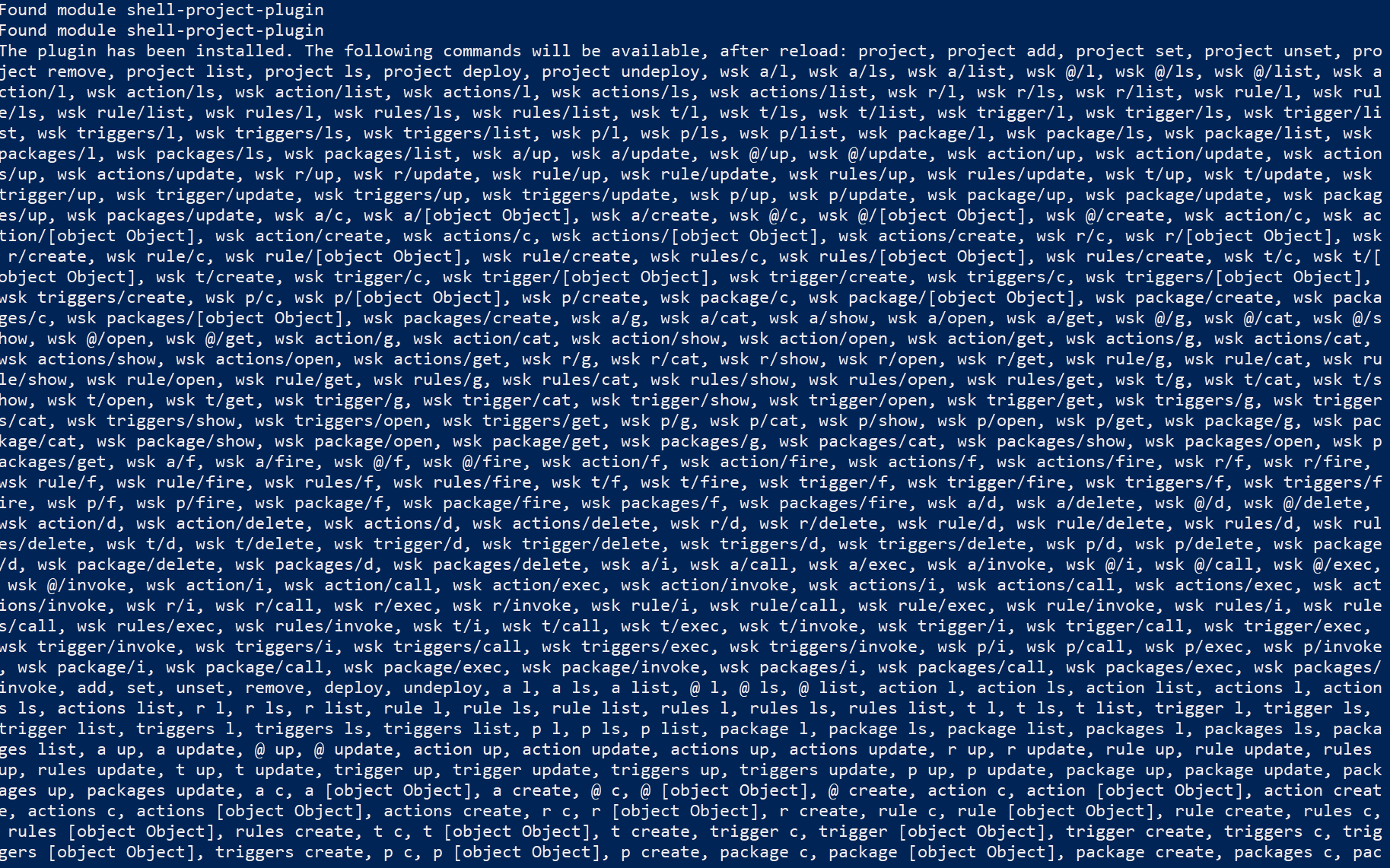
It goes a bit off screen there. This smells more like a CLI issue then your plugin.
Ok as I can't see your repo anymore, remind me what it does so I can test. :)
The best is to use in from the ui. Type project and you you see commands related to adding/setting/deploying project based on wskdeploy. I'll put the documentation out there hopefully soon.
Meanwhile I think we can close this issue.
Ok- should I open a new issue for how the UI responded? That's really bad imo even though it worked.