

 ibhagwan
Matching fzf-lua's preview screen
Hello! Cool setup overall. I wanted to ask how I can match my fzf-lua's preview window's theme to my current theme. The way mine looks is this:
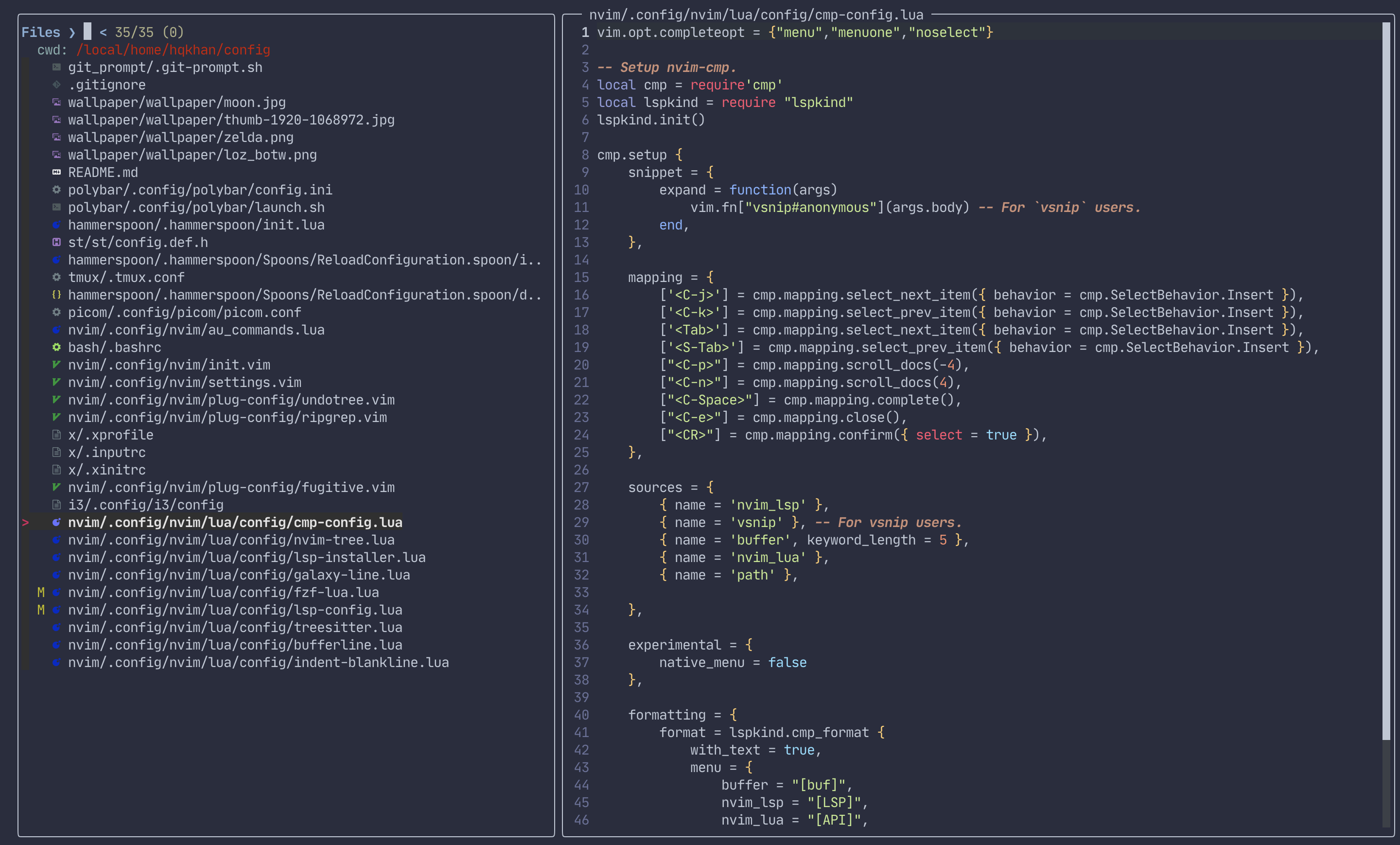
The theme in code is correct but not the left side or where the files populate. How do I get them to match?

Left side colors are controlled by fzf, you can set the highlights using fzf_colors which accepts neovim highlights. man fzf to see all available highlight options as the README fzf_colors doesn’t contain all of them:
COLOR NAMES:
   fg         Text
   bg         Background
   preview-fg Preview window text
   preview-bg Preview window background
   hl         Highlighted substrings
   fg+        Text (current line)
   bg+        Background (current line)
   gutter     Gutter on the left (defaults to bg+)
   hl+        Highlighted substrings (current line)
   query      Query string
   disabled   Query string when search is disabled
   info       Info line (match counters)
   border     Border around the window ([--border](https://www.mankier.com/1/fzf#--border) and [--preview](https://www.mankier.com/1/fzf#--preview))
   prompt     Prompt
   pointer    Pointer to the current line
   marker     Multi-select marker
   spinner    Streaming input indicator
   header     Header

Thank you for that. I had two questions.
- Devicons -- The size on mine is small compared to yours. Do you know if I can modify that via some config?
- I love the way your cursorline looks with the black background on the line you're at. How did you achieve that? I shamefully (xD) took your lua-embark colorscheme but it didn't have the cursor black background. Was wondering if that's just because it's not updated or if there's something special.
Thank you for that. I had two questions.
- Devicons -- The size on mine is small compared to yours. Do you know if I can modify that via some config?
- I love the way your cursorline looks with the black background on the line you're at. How did you achieve that? I shamefully (xD) took your lua-embark colorscheme but it didn't have the cursor black background. Was wondering if that's just because it's not updated or if there's something special.
Oops I missed this follow up :)
-
This is font dependent, you’re probably using a monospaced nerd font, use the non-monospaced version for the larger icons.
-
That’s controlled by
fzf_colors, you need to setbg+toCursorLine: https://github.com/ibhagwan/nvim-lua/blob/6583f809c1c47c5ae6661c050deccd689787b342/lua/plugins/fzf-lua/init.lua#L25-L39
Oh no worries at all. #1 makes sense! Yeah I had forgotten to set cursorline in my settings. I'm all good now. Thanks!