

 ianyh
ianyh
Windows that are most of the way off-screen (between monitors) aren't handled
System
- Amethyst version: 0.11.3 (49)
- macOS version: 10.12.5
What's the problem?
When repositioning windows as part of a transition from single to multi-monitor displays, OSX can leave windows in a position where they are almost entirely off the screen. Amethyst doesn't reflow these windows, even when they are focused and unfocused. Dragging them back into the center of a display sometimes causes them to be reflowed.
Other times, Amethyst crashes on observerCallback:64 in Silica's SIApplication.m file. I haven't yet tracked down whether this happens during dragging between monitors or during the use of mission control to switch a window between monitors.
How can it be reproduced?
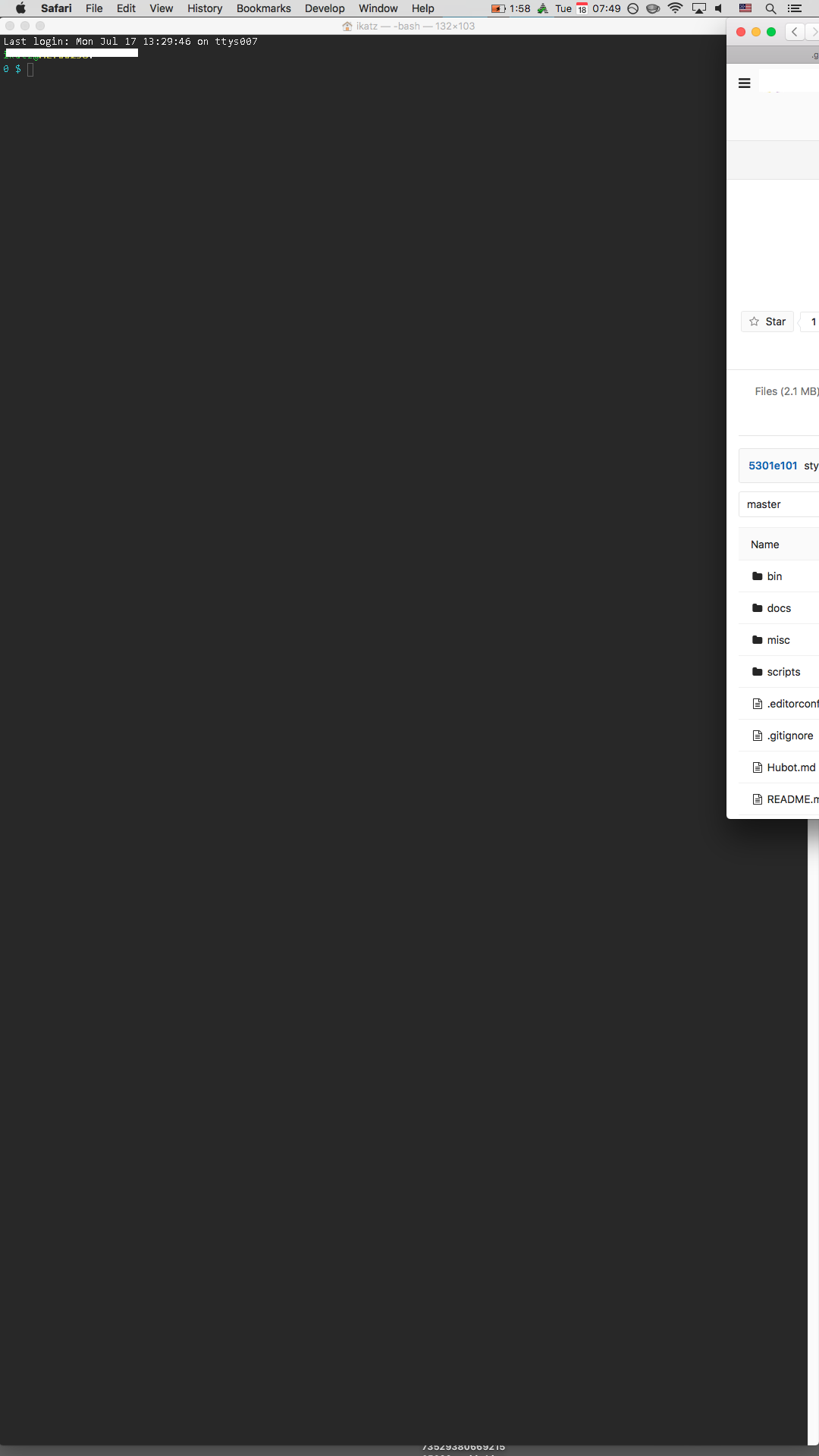
I have the multi-monitor setup shown below. When switching back and forth between this and my laptop's display, some windows are awkwardly placed with only a sliver visible on the Desktop.
It helps to have a variety of spaces set up in mission control, and a variety of windows on each space. The actual behavior is determined by OSX, and I'm not sure how to guarantee that some windows will position themselves off screen. However, I've also been unable to make them reliably appear on screen...
What applications are involved?
Terminal, Chrome, Slack, etc. It doesn't appear to be application specific.
Has anything fixed it, even temporarily?
Dragging windows to the center of the screen sometimes fixes it, and sometimes crashes it as noted earlier.
Screenshots
Note the unhandled Safari window in the upper right. I promise that Amethyst is running -- its icon is shown in the other display.

This is a duplicate of #203, but I'm going to favor this one as it has more detail and is a more concise explanation of the problem.

One potential fix here is to change the logic for finding a screen to just take the first screen if no screen was selected. It's not immediately clear that this wouldn't have any other impact, as I think there are windows that we correctly ignore because they have no screen.
the logic for finding a screen
Can you say what class / function you might be referring to here?