
Hyprland
 Hyprland copied to clipboard
 hyprwm
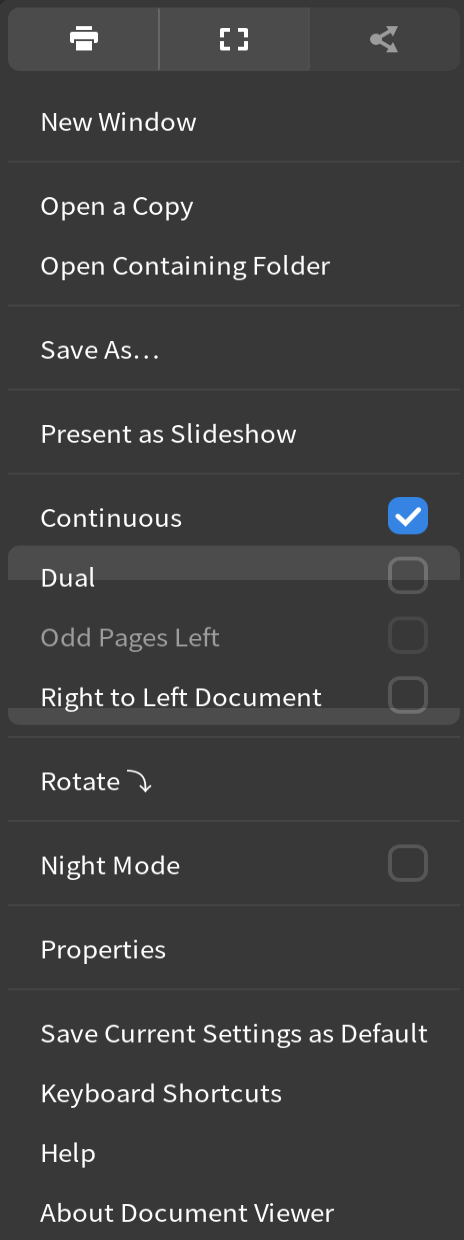
Damage tracking incorrect on a gtk popup in evince
Steps to reproduce:
- Install evince.
- Open a document with evince.
- Open the burger menu.
- Move the mouse over the burger menu and observe this:

@q234rty does this still happen on 44.2 and the latest git it looks good to me

@romanstingler Try opening another app, make evince floating, then shrink it's window until the popup no longer fits in the window.
A similar issue occurs when right-clicking to open a context menu in Gnome Files: When clicking in a position where the dialog cannot be positioned below and to the right of the cursor (for example, close to the bottom screen edge), two popups appear: The "real" one and a flickering leftover dialog, I'm guessing due to incorrect damage tracking as well. Unfortunately the visual bug disappears when taking a screenshot, so I'm unable to share an image of this happening.

@vaxerski any clue why the popup stops in the middle of the screen and starts to get squashed?
only reason for this could be that it's not a popup but a subsurface in which case whoever wrote this is braindead
