

 hypothesis
Allow keyboard users to move from annotation card to anchor text and vice versa
[this is a usability improvement and not part of WCAG compliance work]
Selecting an annotation within the Hypothesis panel to jump to its location in the content and jumping to an annotation in the sidebar from the text lack a keyboard equivalent.
From Kyle: tabIndex="0" on highlights works nicely, not sure I would want that enabled all the time, but for getting back to the highlight in its context, it works well

@klemay, I want to make sure I fully understand this request.
You want to press tab or another keyboard shortcut to jump from one annotation highlight to another.
Like this?
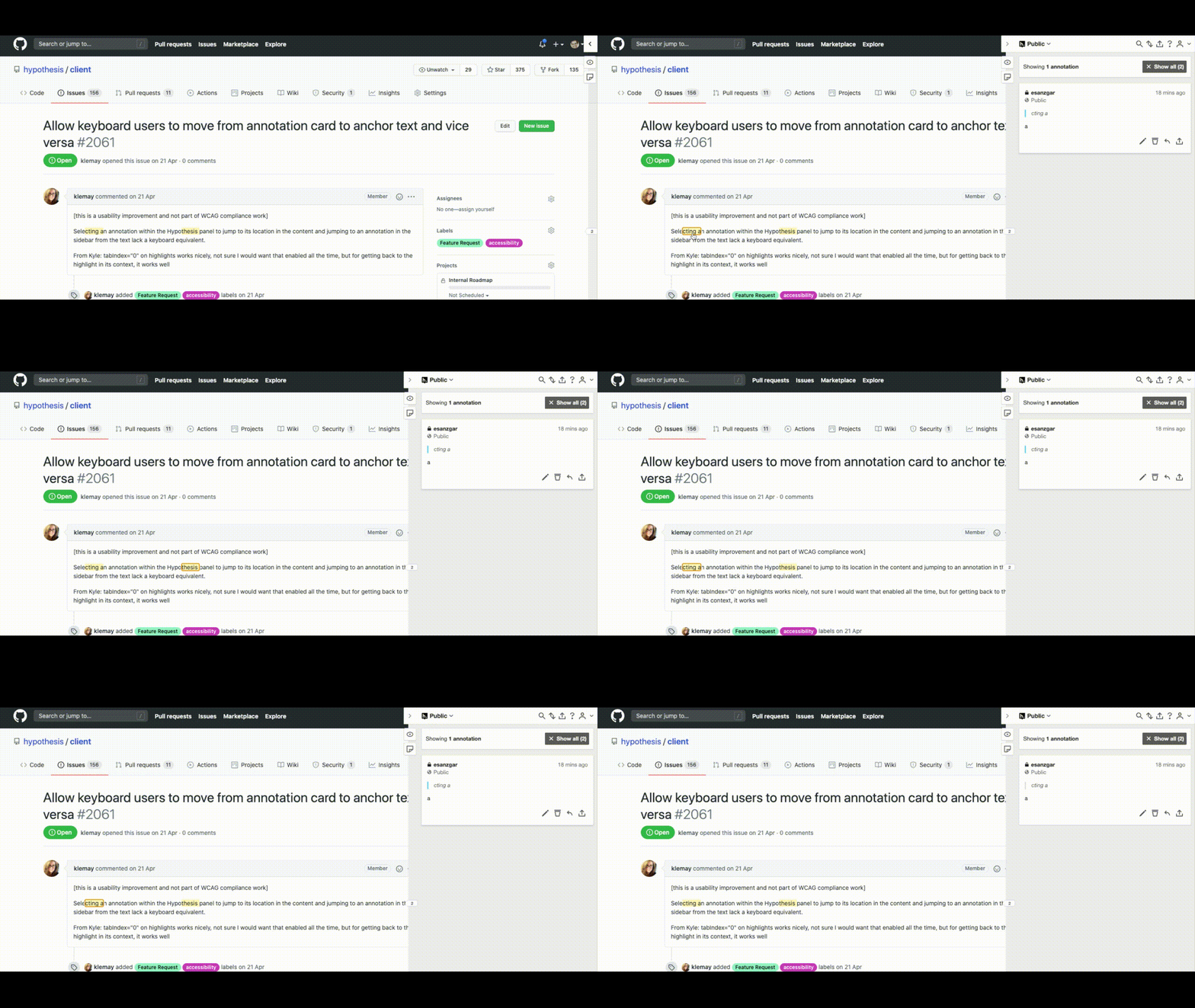
Adding tabIndex=0 to the highlights is possible, however I found that the annotation card in the sidebar is not shown (except by clicking with the mouse).

@esanzgar - Sorry for not being clearer in my initial description - what we're looking for is something like:
I am reading the paragraph starting with "Selecting an annotation..." and my screenreader announces that there is an annotation on the "...cting a" portion. What I would like to do is:
- focus my keyboard on "...cting a" and select the annotation
- move to the Hypothesis sidebar, where I can read the annotation attached to the "...cting a" passage
- bring my keyboard focus back to the passage in the Github issue comment so I can keep reading the issue comment
This is how our sighted users often interact with annotations: Read through the text, click on an annotation to open the sidebar, read the annotation, and then return to reading the text.
If there's anything else I can clarify here, please let me know!
While trying to implement this feature I have realised that this would work OK for simple, non-nested annotation:
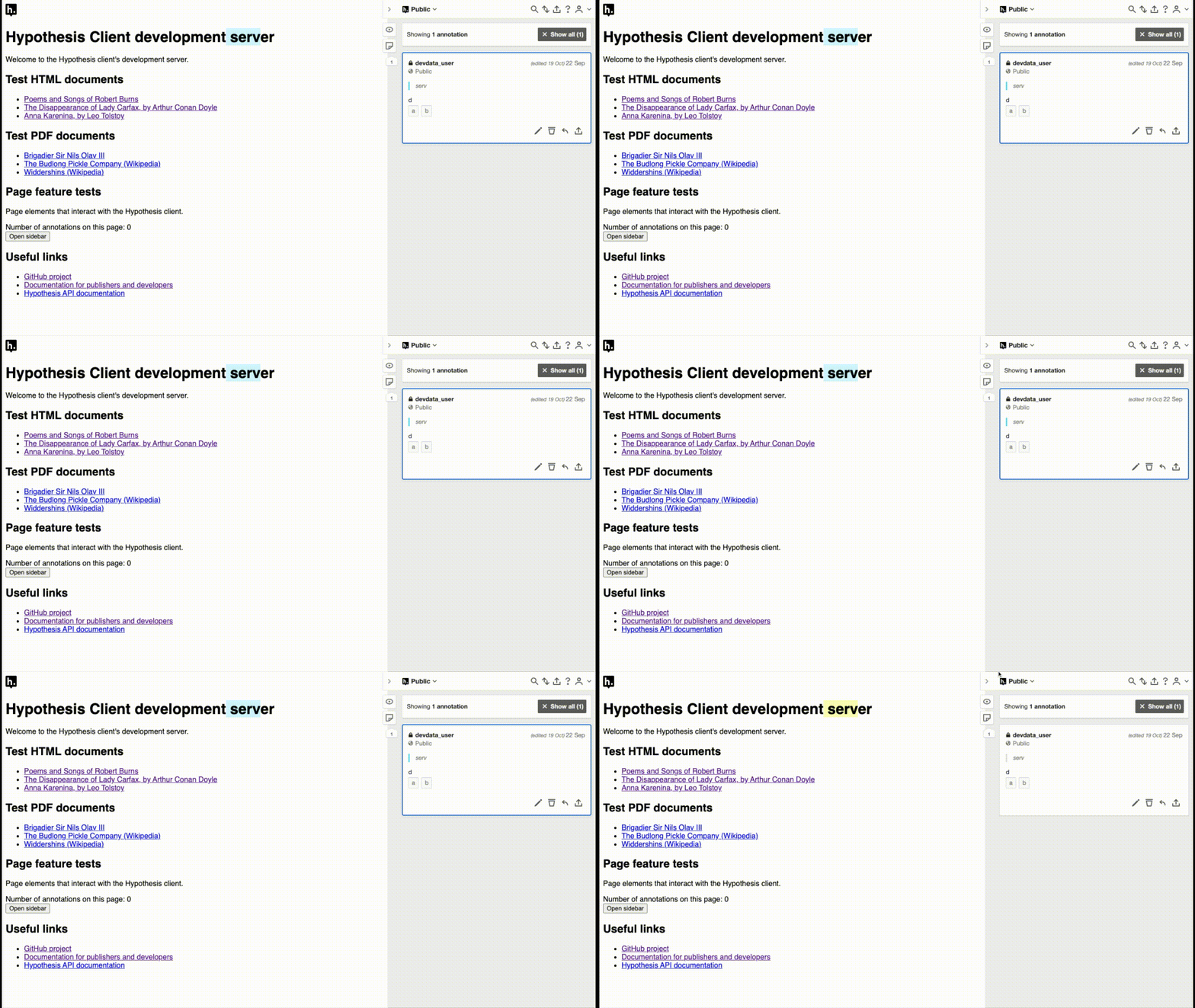
In the GIF above, the focus is been swapped with shortcut 'a' (for annotation card) and 'h' (for highlight).
However, because:
- elements need to be given focus in order to listen for keyboard events, and
- the non-hierarchical way annotation highlights are organised
it is difficult to implement a simple experience for nested annotations. Hopefully, this GIF highlights some of the issues:
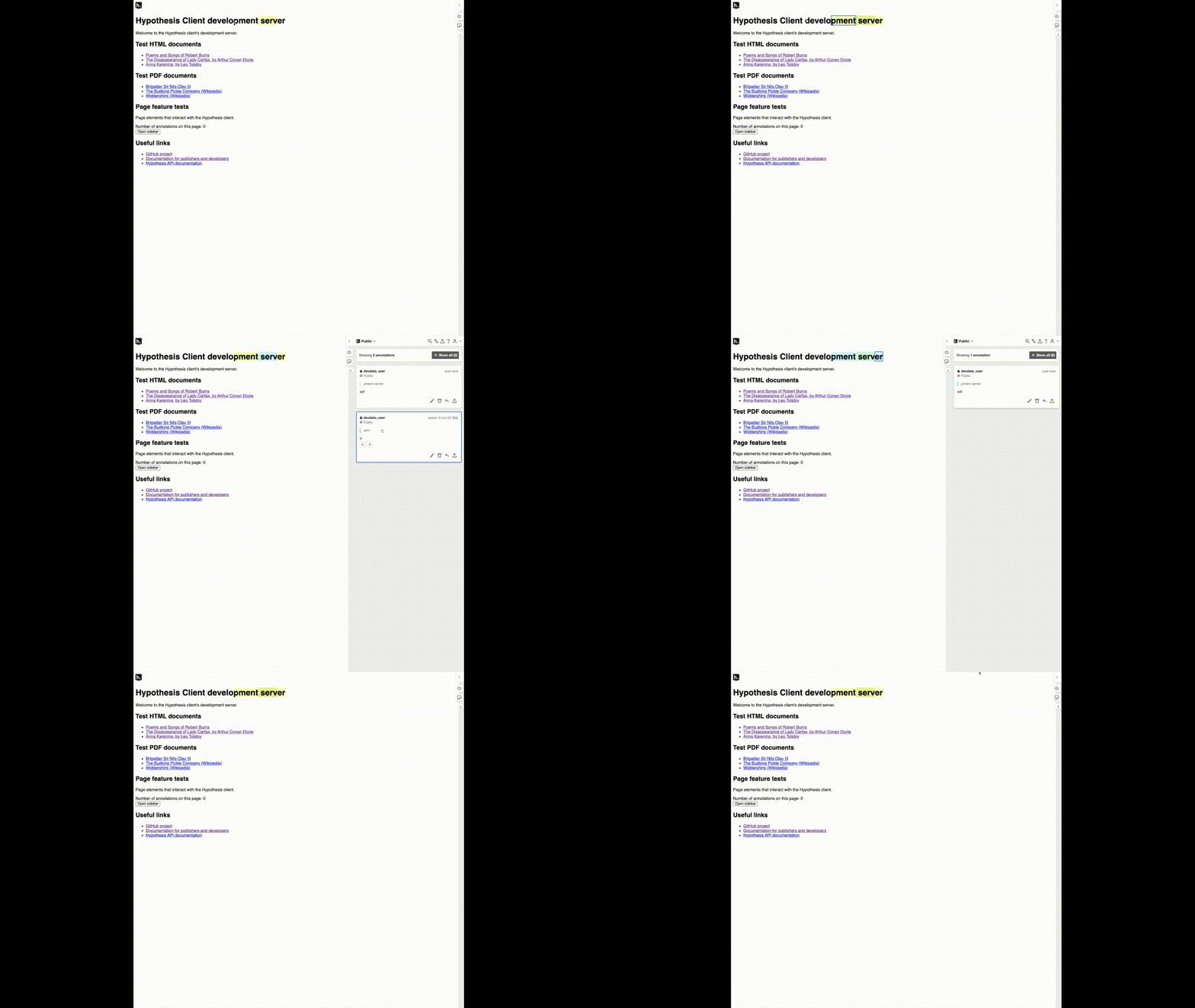
There may be ways to make the navigation more straightforward for nested annotations, but it will require some thought and a bit of work.
Might we consider making incremental improvements here? so we might implement a solution that works well when there are no nested annotations, and then revisit the nested annotations scenario later? I think if we could get this working when there are no nested annotations, this would still be a win for our users who use screen readers.
An annotation, even if it is non-nested, can be fragmented into several hypothesis-highlight elements. For example, if an annotation spans a title (h1, h2,...) and an adjacent paragraph, two hypothesis-highlight elements for the same annotation are created. However, for the user that's one annotation and it should be visually emphasised as one unit. The user would like to move focus from annotation to annotation, not between hypothesis-highlight elements.
If only the first hypothesis-highlight element[1] of each annotation would be focusable, but giving the appearance that the whole annotation is focused, then navigation in the page and between the page and the sidebar would be greatly improved.
[1] Top-left for LTR languages, top-right for RTL languages.
Hi @esanzgar ,
If only the first hypothesis-highlight element[1] of each annotation would be focusable, but giving the appearance that the whole annotation is focused, then navigation in the page and between the page and the sidebar would be greatly improved.
Focusing just the first highlight element when the user moves from the sidebar to the document sounds like a reasonable approach. It will take the user to the right place in the document at least, which is the main need.
An alternative approach to deal with the fact that an annotation's highlights don't neatly map to a single sub-tree of the DOM might be to set the selection to the corresponding text using window.getSelection().addRange(...). I don't know how well this would work in practice compared to setting focus.
