

 hyperledger
Unable to create agent or node in cello
When I use cello to create agent or node, I am facing the following issue:
-
Try to create a new agent, receive the Success response and Error 400 response together;
 Image 1 Try to create a new agent
 -
Try to create a new node, receive Error 400 response as I chose type "CA", receive NOTHING as I chose another types(Front-end seems don't make any request to service).
 Image 2 Try to create CA Node
 Image 3 Try to create another types Node(Peer or Order)
Though I tried ,but still can't solve this problem.
I guess there was something wrong in my deployment of cello, maybe I miss some key steps or uninstall some dependencies?
Here is the environment Info:
-
OS: Ubuntu 16.04.4 LTS
-
Kernal: Linux 4.4.0-145-generic
-
Architecture: x86-64
-
docker version: 18.03.0-ce, build 0520e24
-
docker componse version: 1.24.1, build 4667896b
Here is the steps I done:
-
make setup-master -
make setup-worker -
make start
And here is cello start logs:
 Image 4 start script output
 Image 5 api-engine log(Unable to load uWSGI plugin, maybe caused by this?)
 Image 6 api-engine-task log
 Image 7 redis log
 Image 8 postgress log

@slebear The first issue is that you can't create agent successfully, let's fix it at first. I want to know what is the config file of agent you uploaded. And if you run in product mode, the api log is the file /tmp/server.log which is in cello-api-engine container. please show the output of that file for the 400 bad request.

@hightall Actually, when I try to create agent, the page didn't ask me to upload the config file, so I didn't upload it.And I use "test_image_1" as the input of image name.
Here is my form:
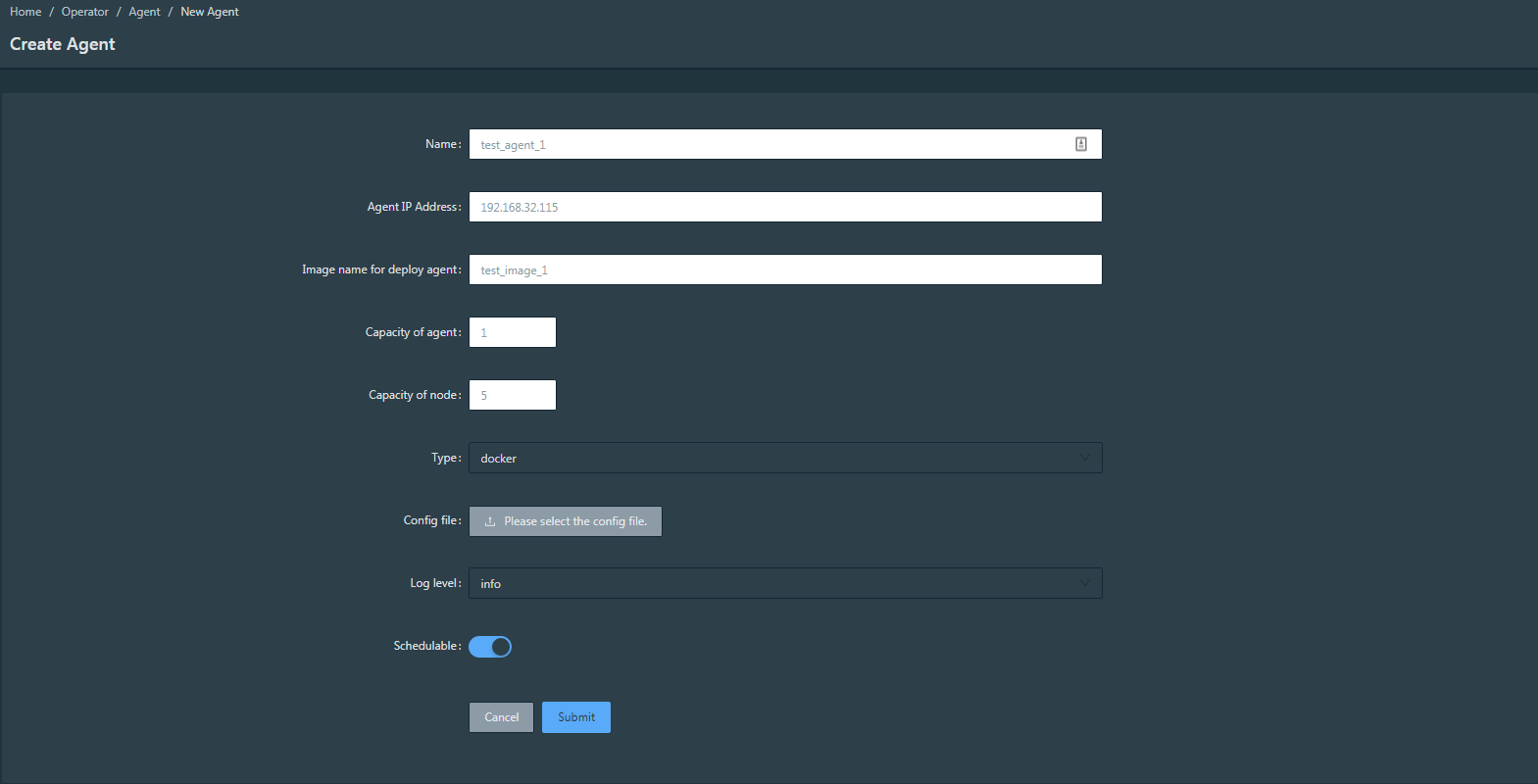 Image 1 Input form I used
Here is the log:
 Image 2 api-engine log
Is that a wrong usege case? If it is, please tell me the correct usage.
Thanks a lot.
@slebear oh, yes, the config is not required, but for kubernetes agent, it's required field. you need upload zip file which archive .kube folder into it.
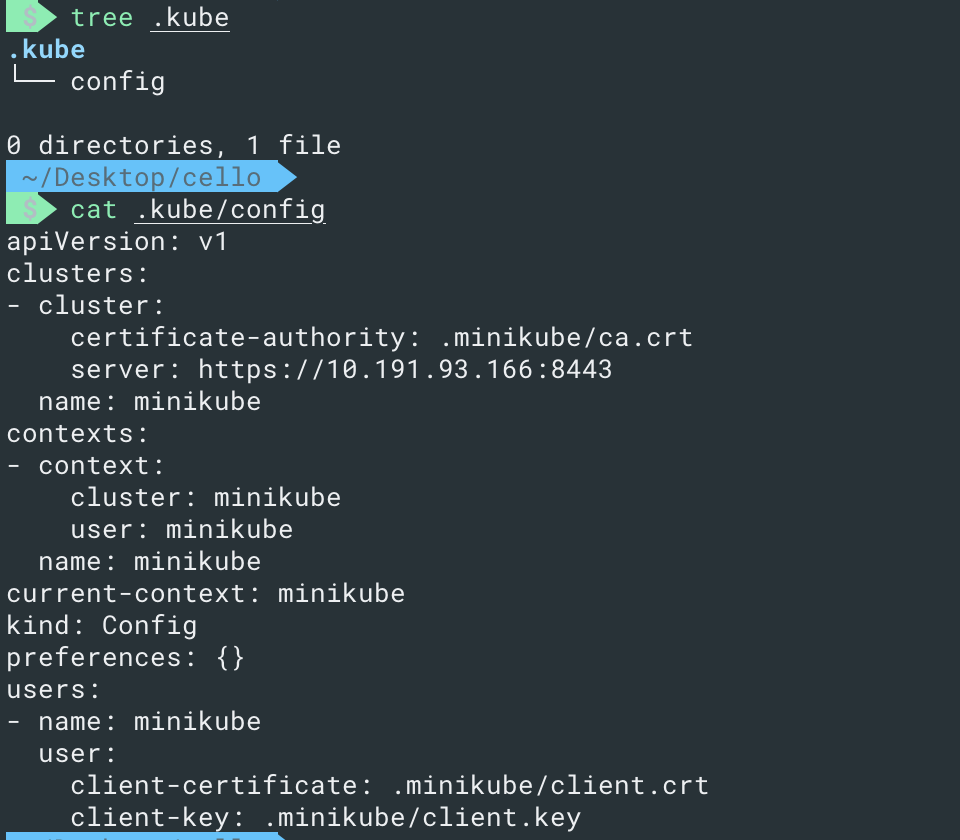 This is my .kube folder and config file.
@hightall Sorry to reply you late, it took me a lot of time(mainly costed in network) to install k8s environment.Follow your guide, I create an agent successfully.
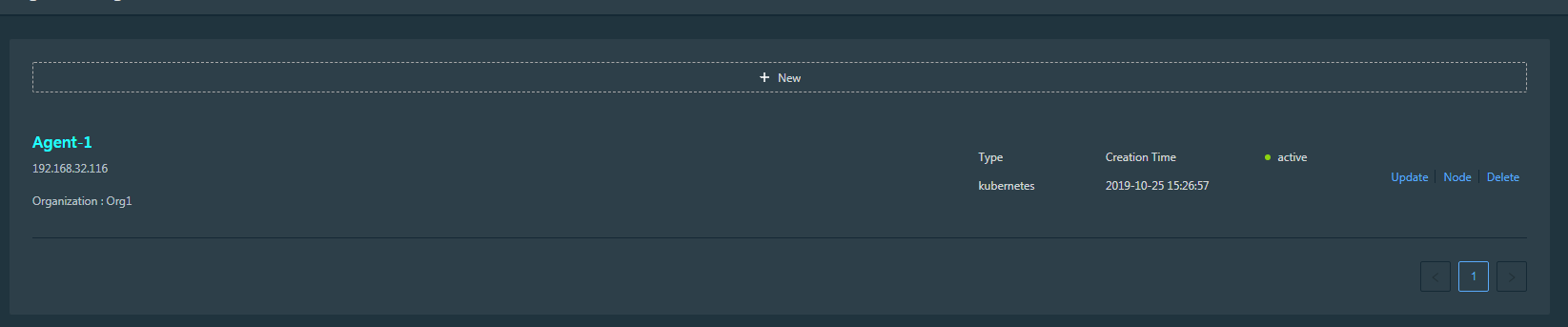
Image 1 agent I created
But when I try to create a CA node logining as an org admin, I meet this situation:
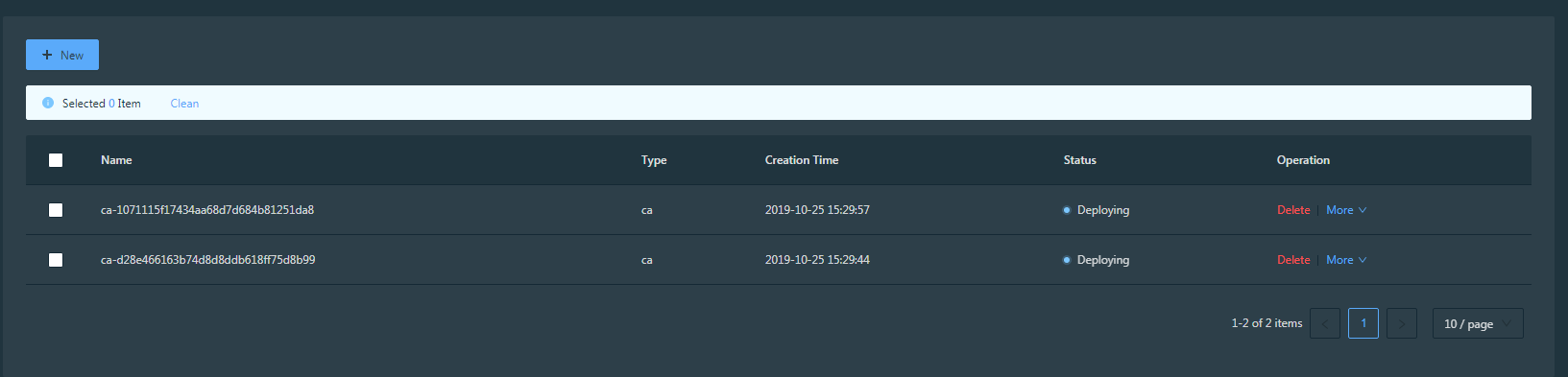
Image 2 Stucking in the “Deploying” state
The create tasks are all stucking in the "Deploying" state.Before this, I have done this steps:
- create an agent, agent args:
-
name : Agent-1
-
host: 192.168.32.116(with k8s environment, and executed "make setup-worker")
-
type: k8s
-
image name: hyperledger/cello-agent-kubernetes
-
config file: (use below)
-
create an org name ‘Org1’
-
create an org admin of org ‘Org1’ name ‘Org1Admin’
-
apply the agent for 'Org1'
-
create a TLS CA node and a Signiture CA node
How should I continue or fix this situation?
Thanks a lot.
Matser node status:
-
[x] pulled patch 51
-
[x] make reset
-
[x] make setup-master

Image 3 master node git log
worker node environment:
-
OS: Ubuntu 16.04.5 LTS
-
Kernal: Linux 4.4.0-157-generic
-
Architecture: x86-64
-
docker version: 18.06.1-ce, build e68fc7a
-
docker compose version: 1.24.1, build 4667896b
-
k8s environment: minikube v1.4.0
config file:
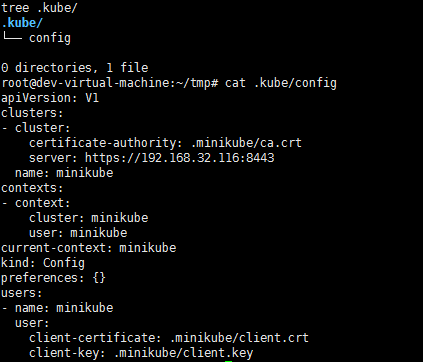
Image 4 config file(Base on your .kubo, just modified "clusters.cluster.server")
@slebear if you test the node creation with PR #51, you need build dashboard image locally, because the patch need rebuild dashboard image, and now I think the latest dashboard image has been updated, and if you don't want to build image locally, you need pull the dashboard image again, and restart the service, and then retry to create the ca node again. I think it will be successfully.
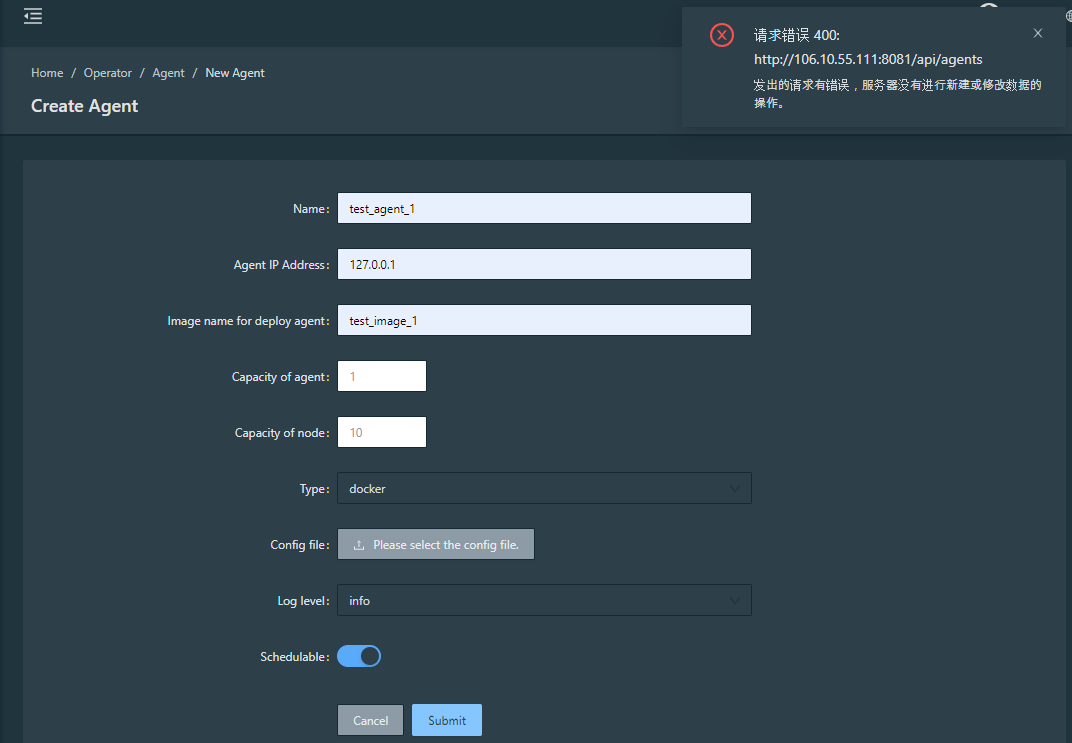
Hi, i just meet the same question when created the agent. And i see my api log "/tmp/server.log" but find not much useful messages. Could you help me? 1、Same issue with you when try to create a new agent:
2、And here is my form:
3、And i dont want to use K8S but docker.
Thank you !
Sorry this is my from:
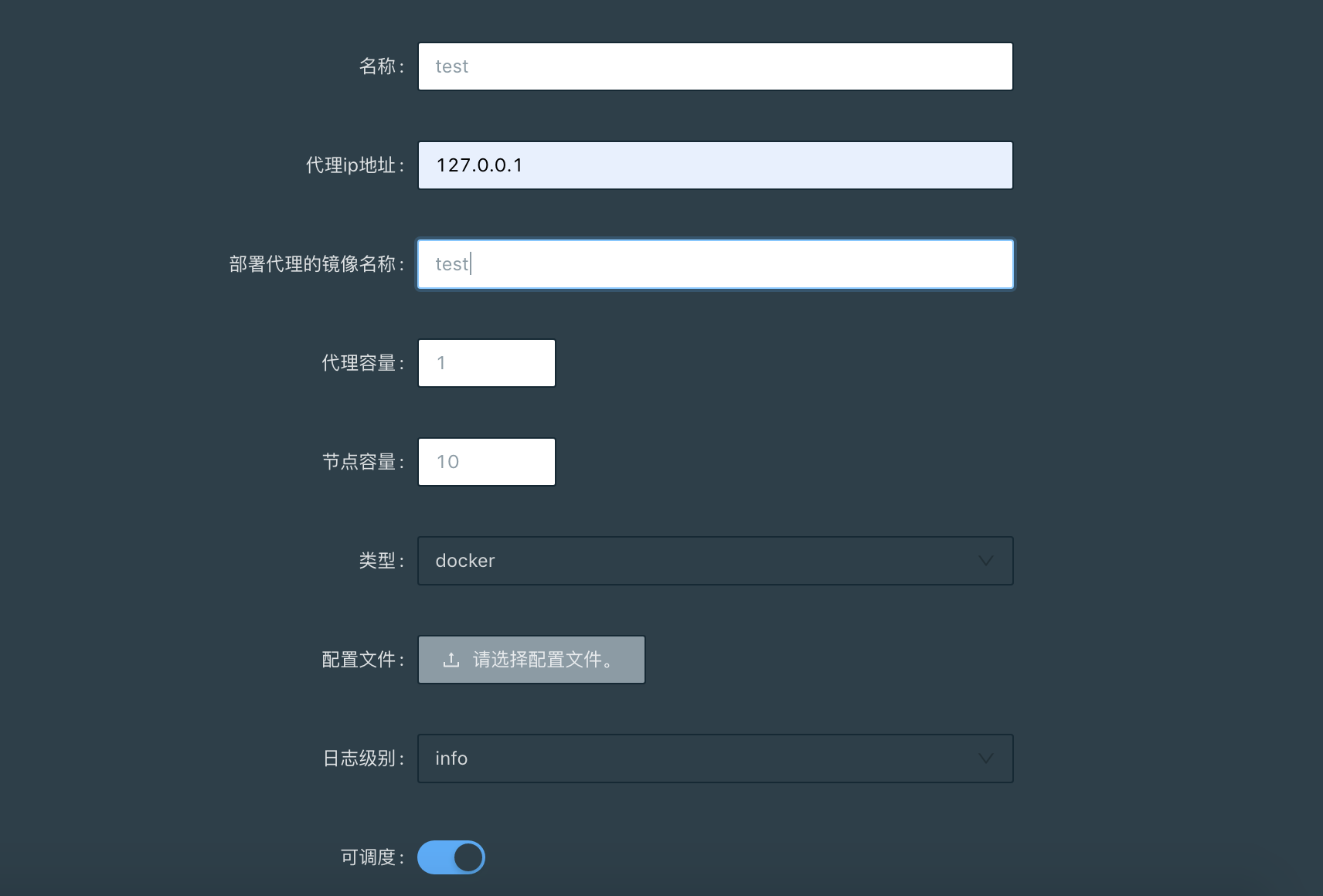

Hi, i just meet the same question when created the agent. And i see my api log "/tmp/server.log" but find not much useful messages. Could you help me? 1、Same issue with you when try to create a new agent:
Sorry this is my from:
I have same problem as this, it seems like the wiki doc don't have any information let us know how to add the agent.

What's the reason? Create Agent failure.
docker logs cello-api-engine : All initial Done!! Migrations for 'api': api/migrations/0001_initial.py - Create model UserProfile - Create model Agent - Create model FabricCA - Create model FabricPeer - Create model File - Create model Govern - Create model KubernetesConfig - Create model Network - Create model Node - Create model NodeUser - Create model Organization - Create model PeerCa - Create model PeerCaUser - Create model Port - Add field organization to node - Add field peer to node - Add field user to node - Add field organization to file - Add field govern to agent - Add field organization to agent - Add field organization to userprofile - Add field user_permissions to userprofile Operations to perform: Apply all migrations: account, api, auth, authtoken, contenttypes, sessions, sites, socialaccount Running migrations: No migrations to apply. Your models have changes that are not yet reflected in a migration, and so won't be applied. Run 'manage.py makemigrations' to make new migrations, and then re-run 'manage.py migrate' to apply them. Create user successfully 98ed92e6-84dc-4814-ab99-70290544a5d9 [uWSGI] getting INI configuration from /etc/uwsgi/apps-enabled/server.ini open("./python_plugin.so"): No such file or directory [core/utils.c line 3721] !!! UNABLE to load uWSGI plugin: ./python_plugin.so: cannot open shared object file: No such file or directory !!!

对不起,这是我的来信:
@perfectjoey Hello. Have you solved your problem? I have the same problem

I have same problem as this(Create Agent with docker type)
How to create Agent??
/tmp/server.log
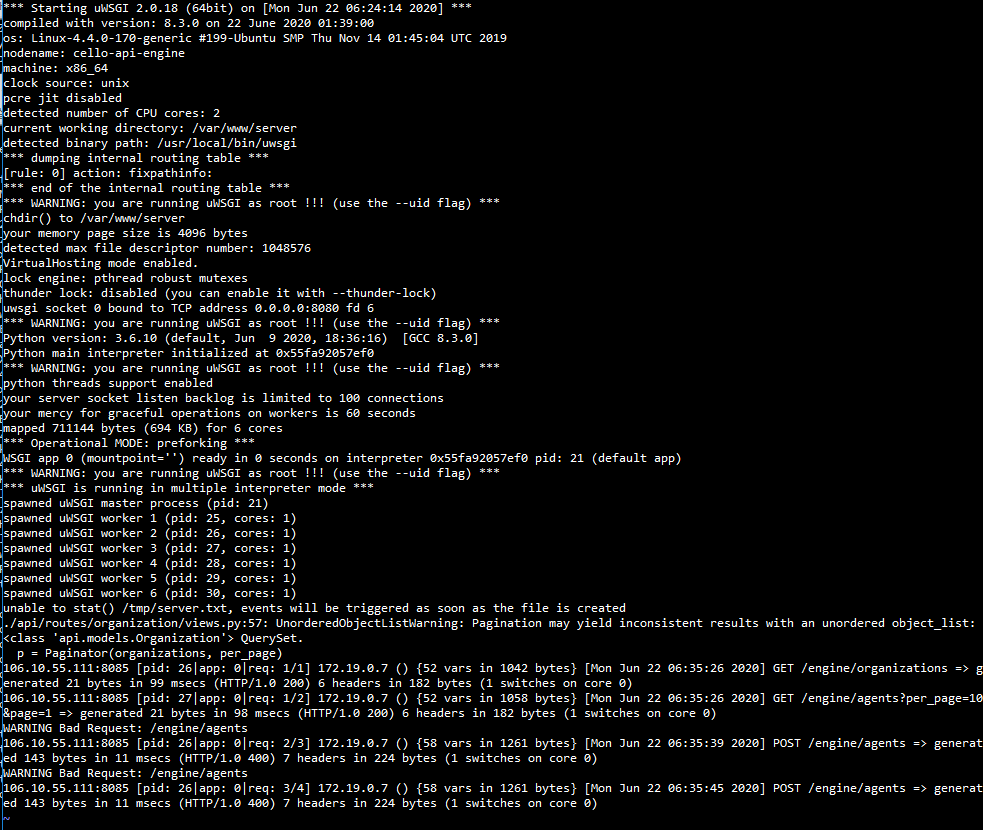

@hightall What format is the zip file which archive .kube folder into it ? tar.gz format ? or .zip ?