hyperfekt
Faulty result spacing
Please make sure all of the following is true so your issue can be quickly resolved (check like [X]):
- [X] My version of the userstyle is up to date
- [X] My version of Stylus is up to date
- [X] I have added what browser I use and its version.
- [X] I have searched the existing issues (both open and closed) to see if my problem is already reported.
- [X] I have given a detailed description of the problem and the steps to reach it.
- [X] I have added an example URL where the problem occurs.
- [X] If I have customized any of the options, I have pinned down with which of them it occurs and provided the changed values here.
- [X] I have saved the page the problem occurs on and attached it here (usually available in the browser context menu - make sure to log out beforehand to preserve your privacy!).
- [X] I have made a screenshot that demonstrates the problem and attached it here.
Userstyle: Search Stylus version: 1.4.5 Userstyle version: 0.5.38 Browser version: Firefox 60.0 Steps to reach the problem:
- Visit any normal search engine results page
Expected Behavior:
The heading, source, and excerpt of a result are normally spaced.
Observed Behavior:
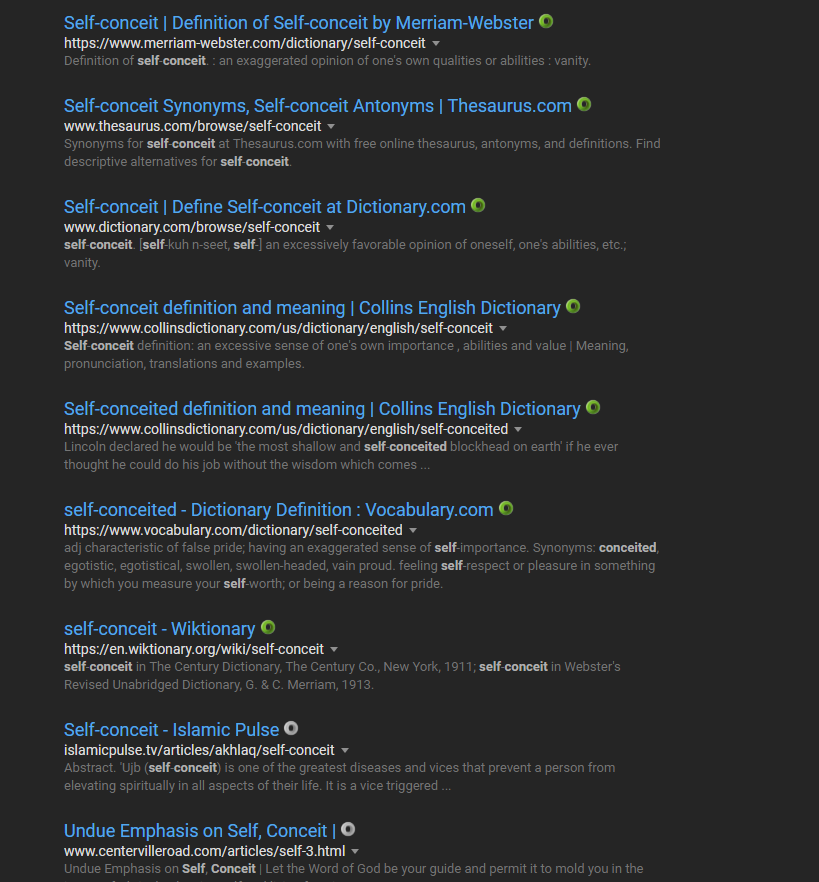
Sometimes (this can vary with each pageload) the source dropdown button appears on a new line and is followed by massive spacing to the excerpt.
URL: https://www.google.com/search?q=define+self-conceit
Customized values that cause the problem:
Saved page: weird_spacing.zip
Screenshot:


The cause of this is a differing element structure, where sometimes the source will be included inside in the anchor element of the heading instead of being separate and following it. As a result, the display:block property applied to the heading by the userstyle will push the dropdown button below, to occupy new vertical space.
I am not certain how to fix this bug without the heading overflowing beyond the bounds of the result containers. Setting the heading to display as an inline element as the native styling does will not allow the overflow to be replaced with an ellipsis. Not doing so will limit the dropdown button to appear outside the entire heading element and therefore potentially far removed from the last character of the source should it be shorter than the heading.
I haven't seen any examples of this recently. Will observe further, maybe Google realizes they're doing weird things and stop serving that element structure. Please report if that's not the case for you.
Hey @hyperfekt
I have this issue using the WOT extension in Chrome. The extension icon is pushed down to a new line, spacing everything out. This does not happen using other Google Dark theme styles.
Screenshot:

Using a different dark style: