
carbon-fields

carbon-fields copied to clipboard
 htmlburger
How I can add PREVIEW to Block?
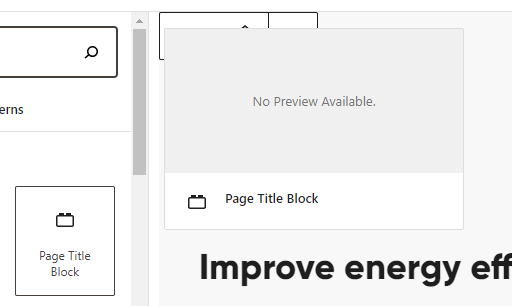


From what I understand you need to initialize the block preview from the wordpress side. This should help you: https://developer.wordpress.org/block-editor/reference-guides/block-api/block-registration/#example-optional

Hi @AlexanderBorysenko and @unrealthemes,
We've significantly improved the block previews. By default, the blocks would show the fields added. You could easily override it by adding a newly created field "Block Preview" in our latest release 3.5.2:
Here is an example of usage:
Block::make( __( 'Simple Text Block', 'crb' ) )
    ->add_fields( [
        Field::make( 'block_preview', 'preview', __( 'Block Preview', 'crb' ) )
            ->set_html("
                <h3>Block Preview Heading</h3>

                <p>Lorem ipsum dolor sit amet, consectetur adipiscing elit, sed do eiusmod tempor incididunt ut labore et dolore magna aliqua.</p>

                <img src='https://picsum.photos/200/300' />
            "),
        Field::make( 'text', 'crb_text', __( 'Simple Text Field', 'crb' ) ),
    ] )

    ->set_render_callback( function( $fields, $atts, $blocks, $post_id ) {
        // block render template...
    } );
