
ppsspp
 ppsspp copied to clipboard
 hrydgard
Rainbow Six: Vegas graphics glitch (now: performance)


If I recall this glitch was caused by simulating block transfer effects. Not sure if any real effect goes missing when disabling those or not as the game doesn't appear to use it for anything obvious.

Looks like a typical "bloom cascade" effect that going slightly out of bounds. Due to the way the PSP GPU works we have to guess how large to make our virtual framebuffers, and there's still more tweaking left to do.

Does this happen in all backends (like Vulkan and Direct3D11) in the latest git build? To confirm, it doesn't happen in software rendering, right?
-[Unknown]


Tested with latest build, default settings Vulkan, OpenGL and Direct3D11 same issues:

@unknownbrackets it doesn't happen in software rendering:


It's like a depal issue, disable slower effect will fx issue.
with this two lines code, sonic rival 2 become a little bright and Rainbow Six glitch, but fx regression.
Is it need delay to set depal false ?
void TextureCacheVulkan::ApplyTextureFramebuffer(TexCacheEntry *entry, VirtualFramebuffer *framebuffer) {
	} else {
		entry->status &= ~TexCacheEntry::STATUS_DEPALETTIZE;

		framebufferManager_->RebindFramebuffer();  // TODO: This line should usually not be needed.
		imageView_ = framebufferManagerVulkan_->BindFramebufferAsColorTexture(0, framebuffer, BINDFBCOLOR_MAY_COPY_WITH_UV | BINDFBCOLOR_APPLY_TEX_OFFSET);

		// remove follow two lines
		//drawEngine_->SetDepalTexture(VK_NULL_HANDLE);
		//gstate_c.SetUseShaderDepal(false);

		gstate_c.SetTextureFullAlpha(gstate.getTextureFormat() == GE_TFMT_5650);
	}
}

It sounds like that just means we're texturing from a framebuffer when we draw this garbage, without depal (or with failed depal?)
In that case, it could be a framebuf upload we don't detect is supposed to clear this texture, or it could be an FBO that was decimated earlier and never saved a clear.
-[Unknown]
Could you try exporting a GE debugger dump on PC?
To do this, open the game and select Debug -> GE debugger..., then when it's displaying the scene, press Record in the top right. After a second or so, it'll finish and save a trace of the drawing activity.
After that, check the memstick/PSP/SYSTEM/DUMP folder and it'll have created a file named something like "ULES12345_0000.ppdmp". You can zip that and then drag and drop it into a reply here.
-[Unknown]
@unknownbrackets tested with latest Windows build, same issues. GE Debugger dump:
We're definitely blooming some bleed in there. The source is mostly black - I wonder if we're missing a memcpy download of the video RAM.
-[Unknown]
v1.12.2
Simulate Block Transfer Effects ON

Simulate Block Transfer Effects OFF
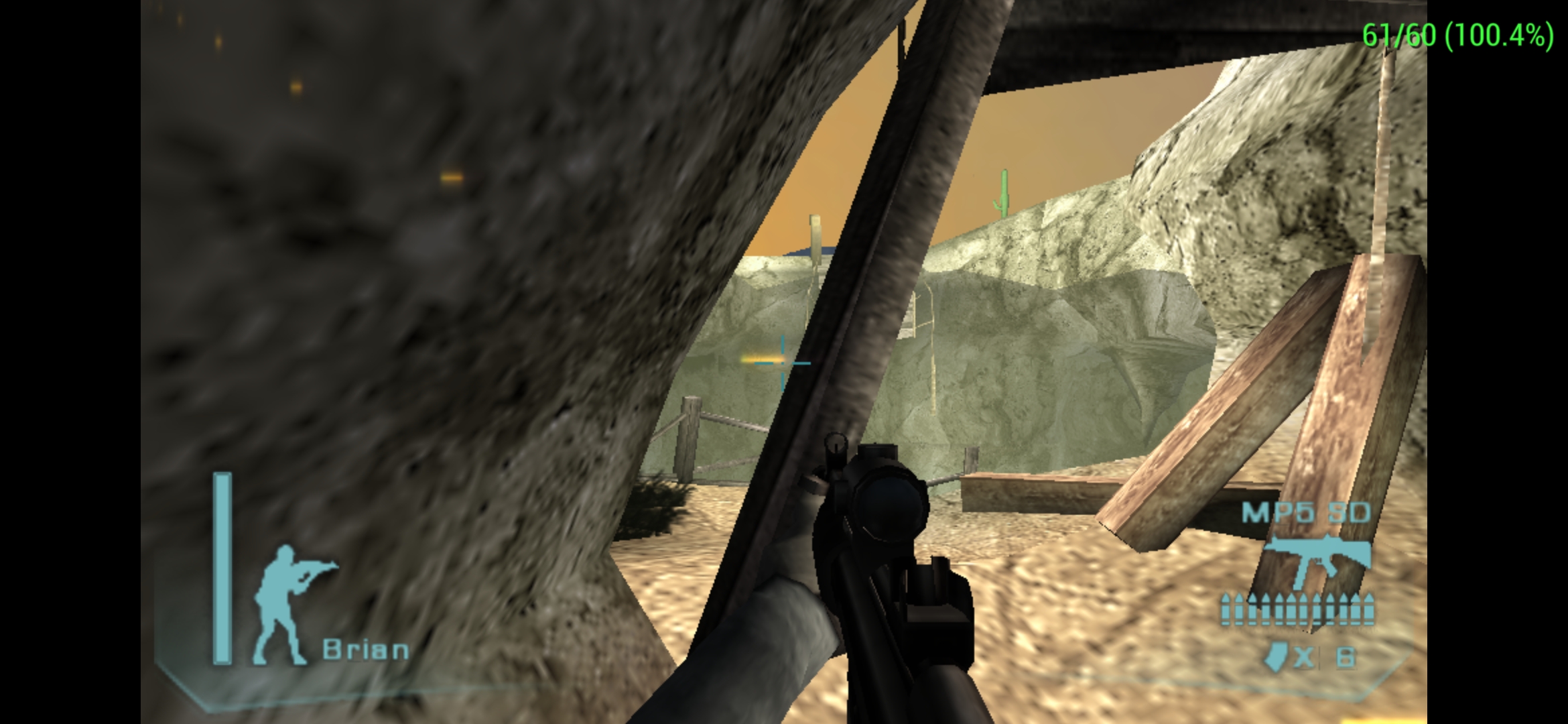
Software Rendering


I've tried disabling Simulate Block Transfer Effects on Android but the glitch persists with both OpenGL and Vulkan.
Device: Samsung Galaxy Z Flip 3 5G GPU: SD 888

I've tried disabling Simulate Block Transfer Effects on Android but the glitch persists with both OpenGL and Vulkan.
Device: Samsung Galaxy Z Flip 3 5G GPU: SD 888
Did you try the latest build of ppsspp from automated buildbot?
I've tried disabling Simulate Block Transfer Effects on Android but the glitch persists with both OpenGL and Vulkan. Device: Samsung Galaxy Z Flip 3 5G GPU: SD 888
Did you try the latest build of ppsspp from automated buildbot?
Thank you for the suggestion. I did try the latest one 1.12.3-980-g3bfab6326. Software rendering removes it but it's basically unplayble (~1 fps).
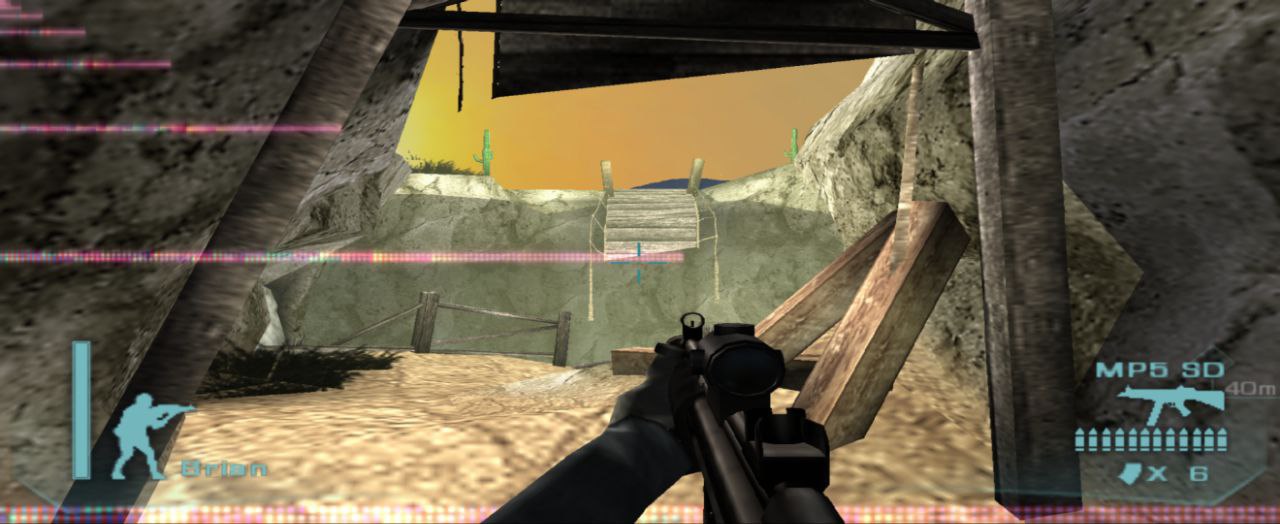
@twitchplaystrading just use vulkan without block transfer effects enable and try to disable also hw transform.
Can no longer reproduce this issue but this game now is super slow...
I'm using ppsspp https://github.com/hrydgard/ppsspp/commit/2097a9c39baaeaf74205def5cf755756811e16e3
Vulkan
 OPENGL

Good that the artifact is gone, but the slowness is not expected, will look at it!
This looks better now in terms of performance using my vivo y11 snapdragon 439.

Cool. Still slightly slower than before though, or is it?
Either way, I'm postponing any further work on this until after 1.14.
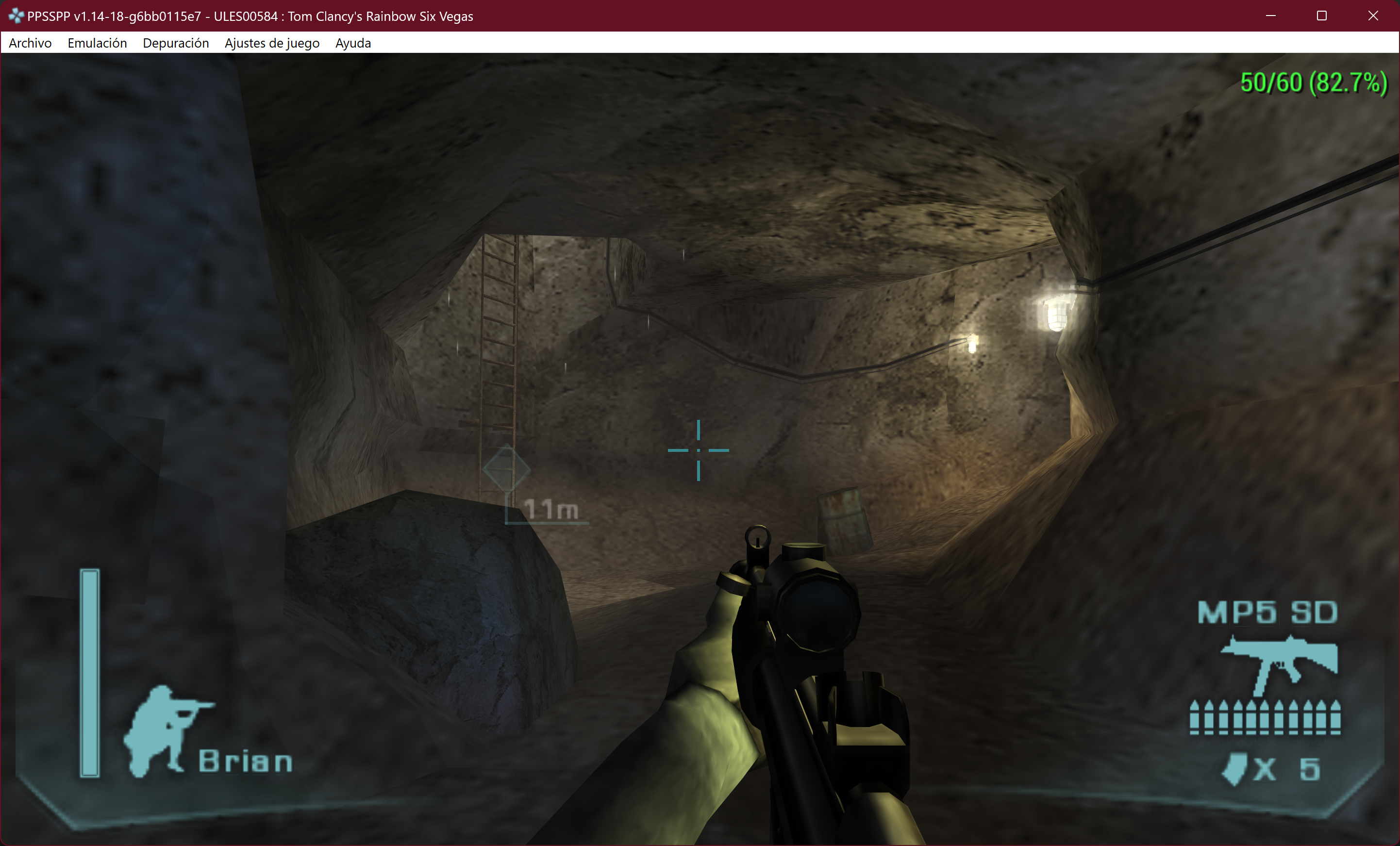
I had a look at a frame of this and it's one of those super expensive post-processing bloom effects, where the game textures from one part and renders to another part of the same target, forcing us to to copy it every time. So we end up with tens of full frame copies per frame, which is what's expensive.
Lower resolution for effects doesn't even seem to trigger, which would have helped a bit otherwise.
Doesn't seem that we have any actual bugs left here, just a hard-to-fix performance issue. Well, it's all in through mode, so it might be possible to do the crazy framebuffer-splitting tricks we did in Killzone. However, that's also slightly complicated by the fact that when these recursive rendering tricks are done, the texture address is set to 512 bytes after the framebuffer address, for some reason (0xcc200 vs 0xcc000 in VRAM).
Or hm, are we actually joining two framebuffers that could have been treated separately here? let's see... yes indeed! Can solve it with an existing compat flag. Or actually, maybe we should generally avoid joining framebuffers horizontally if current texture address is pointing to one of them..