
ppsspp
 ppsspp copied to clipboard
 hrydgard
Software renderer issues
Software is not quite in a state where we'll create individual issues for everything, but here's a place to collect issues (always with GE dumps!).
Wipeout menu text slightly glitched (additional thin vertical lines, clearly filtering outside the intended range):

Wipeout Pure ocean white instead of blue: (#16132)

Both dumps here:

Uneven positions textured with wrong step factor (#16241)
Yeah, there's something more about the texture interpolation or pixel position rounding. I think my earlier tests were overly narrow, and there's missing factors. Another example is rainbow six, the bloom pulls in some depth and covers the screen in pink.
The correct rendering in this case looks much better (PSP):

I think it ultimately has to do with rounding.
Ocean was dst.a blending (#16132)
The ocean is an interesting case, wasn't aware of this one. First, the correct PSP rendering:

It clears the screen to white, but then does draw the ocean successfully, this is at 140/632:

Starting at 164/632 and completing just before 178/632, the ocean is whited out. Definitely looks wrong. The purpose of those draws are to add glimmer to the water:

This is using a texture matrix, so I must've gotten something wrong in the recent change... I did see that it was handling inf/nan wrong, maybe it's involved here? The game's texture matrix actually ensures q is 1, so it ought to just be regular interpolation, essentially. Could probably detect this and skip projection, but doing that anyway does not help.
It seems like that's not it. If I change the src blend factor from dst.a to fixed 0x808080 (which most of the stencil is set to that), we get:

Our stenciled waves are missing, but it looks nice. This must be something I got wrong in blending optimization... will get back to this in a bit, probably not hard to fix.
-[Unknown]

I reported it before but I will post it here as well for sake of being on 1 place. Metal Slug XX got a graphical texture issue in combat school: https://github.com/hrydgard/ppsspp/issues/15755

here is one for DTM Race Driver 2 (#16470)

Socom NavySeals Fireteam Bravo 3
NPJG90068_0001.zip NPJG90068_0002.zip NPJG90068_0003.zip NPJG90068_0004.zip
Prince of Persia - Rival Swords (USA) (En,Fr,Es) (v1.01) ULUS10240_0001.ppdmp.ZIP ULUS10240_0002.ppdmp.ZIP ULUS10240_0003.ppdmp.ZIP
here is one for DTM Race Driver 2 ULES00041_0001.zip ULES00041_0002.zip
These are the same clipping inversion indeed, at 147/726 and 134/673 respectively. Didn't check which direction w goes.
Socom NavySeals Fireteam Bravo 3
Looking at the first one, it looks really good up to the very end:

Compare to expected output:

You can tell it's just missing the final bloom and post-processing. This is right before 5803/5809.
But then it does a self-texture 0x04044000 -> 0x04044000, which is a bit strange. The framebuffer is 5551, but it textures from itself as CLUT8 1024x512, with a grayscale ramp and even color doubling. It does this with a src.a + ONE blend, but the alpha is fixed at FF, so it just ends up adding the ramp. There's no CLUT format mask or anything - but it does start at U=1, so I'd guess it's going after the G2B5A1 bits.
Here's the current translated result:

Naturally, it does the same basic thing on the other side as well. It comes out a bit better, which might indicate some rounding issue (although the verts are pretty even and it's throughmode.)
But... as we can see, the PSP rendering was okay and even brightened effectively. That's clearly the intended plan here.
Hardware doesn't even try: CLUT8 fb_format not matching framebuffer of format 5551 at 04044000/512. So it's actually incorrect and missing the bloom.
The palette repeats the ramp for 128 pixels, twice, which could've been accomplished more efficiently with mask 0x7F. Changing the mask to 0x1F (I guess mapping to R if it's off by one) looks decent:

This isn't correctly bloomed, though. So it must be getting the X off. For posterity, an edited framedump with flags so the bloom is not copied to memory as a texture:
#16131_NPJG90068_socom3_bloom_edit.zip
These have the same thing going on.
-[Unknown]
Prince of Persia - Rival Swords (USA) (En,Fr,Es) (v1.01) ULUS10240_0001.ppdmp.ZIP ULUS10240_0002.ppdmp.ZIP ULUS10240_0003.ppdmp.ZIP
This actually looks okay, in the frame dump? It's slow, though.
It does a self-render at 13132/13292, which uses a blend ONE + ZERO to modulate the pixels. Could allow threading on this since pixels are 1:1, would be a good optimization. Maybe could auto-disable linear or even bypass sampler for simple in-place bloom like this.
Anyway, before:

After:

Which works out fine. Next we use a red clut ramp + CLUT32 + RGB mask to adjust the red color further. And so on with green and blue. The result:

This all works fine, but four 480x272 draws with linear sampling and no threading take their toll. If I set the prim filter to "1-13131,13136-13292", the color is wrong but speed improves from ~60% -> ~70% (16% improvement.) The smoke/fire effects also take their toll, as it's a lot of linear filtering.
I actually have this game, though (forgot I got it and Silent Hill a few years ago.) Looking at the intro, I see some weird things happening around fire. The frame dumps have yellow boxes under them, and this does happen in the PSP rendering as well. But I don't think the wierd flickering boxes are right.
I captured a frame dump of the flickering specifically (also nuked the bloom texture copying to reduce the dump size): #16131_ULUS10240_persia_rival_fire1_edit.zip
But... it actually shows the weird line on the PSP?

It's hard for me to believe this actually shows in game. It comes from an odd draw, specifically at 14573/15499. The positions are a square, but the UVs are garbage - first vert has insanely high UVs, the others have zero. Even hardware rendering has these glitches, though. I hope this isn't some dcache issue. It seems like there's actually just a pointer written there, which gets interpreted as UV...
Actually not a pointer, it's written uncached by this to 0842d8cc:
sv.s S221,0(s1)
Although 09fbf6a0 looks more like a pointer than a float... it's nearly zero if it's a float. It's read from 09fbf884 (which... looks a lot like the previous "float" pointer...) That's stack, and when it's reading it sp=09fbf5f0, fp=09fbf7d0. Seems like 08B89920 writes it, but it's sw v1,0xB4(fp)... maybe a previous run of the same func. I wonder if some HLE func it's calling should be writing some bytes to stack and overwriting it.... doesn't seem like there's HLE between the two.
It's just an lv.q + sv.s, no manipulation between. Hm, the value comes from 09FBF57C, which is also stack. That happens at 0882c3a0. But there's still no HLE after that, on that thread... strange.
-[Unknown]
~~Resistance Retribution fire and smoke incorrect UCUS98668_0001.ppdmp.ZIP UCUS98668_0002.ppdmp.ZIP UCUS98668_0003.ppdmp.ZIP~~ UCUS98668_0004.ppdmp.ZIP (ammo lines are still an issue)
~~77 - Beyond the Milky Way (Japan) (v1.01) lines are going through the screen through the characters. ULJM05877_0001.ppdmp.ZIP ULJM05877_0002.ppdmp.ZIP ULJM05877_0003.ppdmp.ZIP~~
Resistance Retribution fire and smoke incorrect UCUS98668_0001.ppdmp.ZIP UCUS98668_0002.ppdmp.ZIP UCUS98668_0003.ppdmp.ZIP UCUS98668_0004.ppdmp.ZIP
These are very interesting in hardware and in software. Here's a grid of how they look, correct on left, software in middle, and Vulkan on the right.

The most immediately apparent issue is that smoke seems to be rendering at half the width it should in many cases - software only. However, the ammo bar is also visually solid on softgpu and Vulkan. There's also some smoke in the fourth example that only shows in Vulkan. And curiously, the first example has smoke in the top right that looks larger (and honestly, better) in Vulkan than it should. Mysteriously, that smoke is not half width on softgpu.
Focusing first on the ammo bar, it's drawn at 4458/4504 which is solid. 4460/4504 is what draws the lines between. It doesn't draw because of a depth test failure.... interesting.
Prior to 4451/4504, the depth there is simply zero. The draw renders the background of the ammo box, and sets 356,254 to 62028 using transform. 4458/4504 draws the solid color, also using transform. The input value is -0.0, which transforms to -1.0 pre-viewport. Viewport transform is z * -32767.5 + 32767.5, which is straight-forwardly 65535.
The grid draw at 4460/4504 then uses >= depth testing (they all do), and an inefficient lattice of triangles to draw the grid. It's again transform, but the original Z is now 4.625 and the matrices are more complex (but why?) for this grid. We transform (z (4.625) * -0.507797 + 2.348294) * 0.002 + -1.0 which by my math is about -1.00000053425 (about 9 parts of 2^24 more than 1.) This should transform identically to 65535, since the viewport is the same.
However, it doesn't, and I think it's because of the float inaccuracy, perhaps. We end up with a depth of 65534, which doesn't pass the depth test. In Vulkan, it calculates 65534.992188 in software transform. Might be solvable with some better rounding...
Smoke caused by fogged rectangles in transform mode (#16384)
The smoke is drawn at 4373/4504, 4379/4504, and 4385/4504. Software skips 4373, and doing so in Vulkan looks just like software. So that draw is the issue.
The draw is 31 rectangles overlaid to cause the smoke effect, using fog, depth clamp, alpha blend (standard), alpha test (a > 1), depth test (src >= dest), and depth write masking. No verts outside cull ranges or clipping. If I turn off fog, it renders correctly, so I suspect it's an issue with fog rectangle handling (which does do a weird half rectangle thing.)
Dumb mistake - I forgot about texturing when handling the fog weirdness on rectangles. That explains all the half width smoke.
-[Unknown]
Rendering off by one when starting after the center of a pixel (#16385)
77 - Beyond the Milky Way (Japan) (v1.01)
lines are going through the screen through the characters. ULJM05877_0001.ppdmp.ZIP ULJM05877_0002.ppdmp.ZIP ULJM05877_0003.ppdmp.ZIP
These are transformed triangle strips which are actually rectangles. It draws the background with rectangles like this:
- -45.5625 - 38.8125
- 38.8125 - 123.25
- 123.25 - 207.6875
- 207.6875 - 292.125
- 292.125 - 376.5625
- 376.5625 - 461.0
- 461.0 - 482.125
There's no gap, so there shouldn't be a gap in drawing. However, draw 4 (ending at x=123.25) seems to end up with a black line on the right side, at x=122. Texturing is clamped, and if I clear the background to white before hand it stays white - so it's simply not being drawn.
Forcing DetectRectangleFromStrip to false, it works, so this is definitely an issue in the rectangle path.
It's after the half-pixel and so it's drawing the wrong pixels.
-[Unknown]
Bigs, The (USA) (v1.01) - lighting in the outfield keeps on flickering (#16470)
ULUS10284_0001.ppdmp.ZIP ULUS10284_0002.ppdmp.ZIP ULUS10284_0003.ppdmp.ZIP
X-Men Legends II - Rise of Apocalypse (USA) (v1.01) - lots of black flashing shapes on the title screen (#16470)
ULUS10045_0001.ppdmp.ZIP ULUS10045_0002.ppdmp.ZIP ULUS10045_0003.ppdmp.ZIP
Gran Turismo (USA) (En,Fr,Es) the background is continually flickering on any race track i dont know if this picked up anything in the dump (the grid lines kept on flickering ) UCUS98632_0002.zip
Gripshift (USA) - brown flashing lines in the sky (#16470)

Frogger - Helmet Chaos (USA) - black line down middle of text box (between the word can and teach) (#16503)

Hey bender, thanks for all the testing! If you have time, could you attach screenshots with the dumps too?
Fast and The Furious, The (USA) (v1.01)
missing the green road signs from the top of the screen
ULUS10198_0001.zip
 here is a pic from my psp

Ratchet & Clank - Size Matters (USA) (En,Fr,De,Es,It) (v1.01)
when they are near a waterfall the graphics are a bit corrupt
UCUS98633_0001.ppdmp.ZIP
UCUS98633_0003.ppdmp.ZIP


Lara Croft Tomb Raider - Legend (USA) (v1.02) title screen and menu screen keeps flickering really badly (couldn't get a GE dump)
Phantasy Star Portable (USA) - black line under the word SEGA (#16503)

Syphon Filter - Dark Mirror (USA) (v1.01)
fire and smoke is wrong (On side of building and from silo)
 UCUS98641_0001.ppdmp.ZIP
UCUS98641_0002.ppdmp.ZIP
UCUS98641_0003.ppdmp.ZIP
UCUS98641_0004.ppdmp.ZIP
UCUS98641_0005.ppdmp.ZIP
UCUS98641_0006.ppdmp.ZIP
UCUS98641_00011.ppdmp.ZIP
UCUS98641_00012.ppdmp.ZIP
UCUS98641_0001.ppdmp.ZIP
UCUS98641_0002.ppdmp.ZIP
UCUS98641_0003.ppdmp.ZIP
UCUS98641_0004.ppdmp.ZIP
UCUS98641_0005.ppdmp.ZIP
UCUS98641_0006.ppdmp.ZIP
UCUS98641_00011.ppdmp.ZIP
UCUS98641_00012.ppdmp.ZIP
https://www.youtube.com/watch?v=irowkHNRzdA&ab_channel=shockwave981 if you look at 5:16 and 6:05 you will see it right
MotorStorm - Arctic Edge (USA) (En,Fr,De,Es,It,Nl,Pt,Ru) wrong shadows UCUS98743_0001.ppdmp.ZIP
here is a GE dump from the EU version which doesn't have the same problem UCES01250_0001.ppdmp.ZIP
Caused by inversions (#16470)
Bigs, The (USA) (v1.01) lighting in the outfield keeps on flickering ULUS10284_0001.ppdmp.ZIP ULUS10284_0002.ppdmp.ZIP ULUS10284_0003.ppdmp.ZIP
First frame dump seems most interesting. Should look like this:
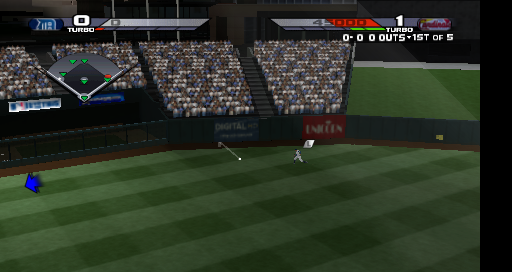
But actual rendering is:
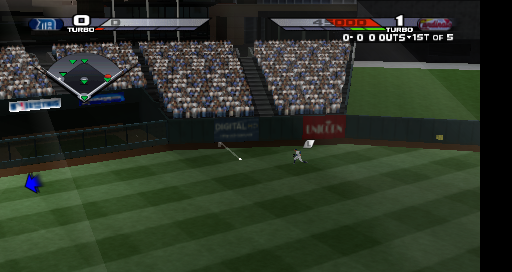
The others seem to be overall a bit brighter or have slight polygon position correctness issues, but harder to narrow those down.
Everything looks okay up until 246/297, and then 247 happens. This is another polygon inversion, and disabling Z clipping makes it not visible in this frame dump. I expect that as the scene moves, inverted triangles are sometimes happening and causing weird flickering. It seems like they're supposed to be sunlight or something.
Caused by inversions (#16470)
X-Men Legends II - Rise of Apocalypse (USA) (v1.01) lots of black flashing shapes on the title screen ULUS10045_0001.ppdmp.ZIP ULUS10045_0002.ppdmp.ZIP ULUS10045_0003.ppdmp.ZIP
I'm already guessing another inversion (it's good to get these examples, it'll help figure out the rule.) And... yes. In frame dump 1, it's caused by depth written in an inversion from 2176/6104.
It should look like this:
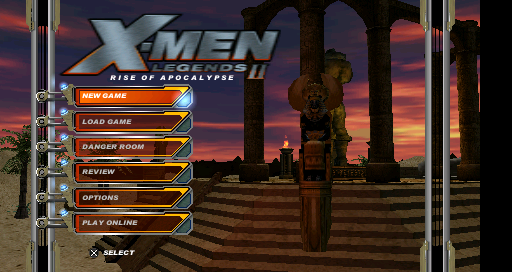
But the stairs have a little triangle cut out of them due to the wrong depth written there earlier.
Gran Turismo (USA) (En,Fr,Es) the background is continually flickering on any race track i dont know if this picked up anything in the dump (the grid lines kept on flickering ) UCUS98632_0002.zip
This sounds like the known thing in the game where it intentionally flickers unless you set it to video output mode inside the game's settings. Actual PSP refresh rates were slow enough, this just gave a blur effect that made it seem like you were really gunning it.
There's something wrong on the PSP with reading the framedump, because I get this:

That's obviously wrong, though. Software renders (the lines of the street are the same):

There are some interesting things happening in this frame dump, though.
- It spends 9.9% total time in
Rasterizer::ComputeRasterizerState()(that's a ton, maybe time to narrow dirtying? most of this is in the func cache lookups.) ComputeSamplerID()takes ~2% time,ComputePixelFuncID()takes ~1.3%.- About 17% time in ReadVertex, not that abnormal...
- Lots of resizing of textures, looks like.
-[Unknown]
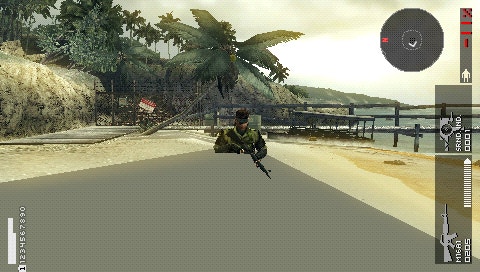
Metal Gear Solid - Peace Walker (USA) (En,Fr,Es) (v1.01) - lots of vertex explosions (#16470)
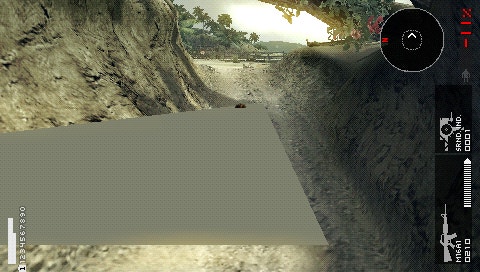
 ULUS10509_0001.ppdmp.ZIP
ULUS10509_0002.ppdmp.ZIP
ULUS10509_0003.ppdmp.ZIP
ULUS10509_0001.ppdmp.ZIP
ULUS10509_0002.ppdmp.ZIP
ULUS10509_0003.ppdmp.ZIP
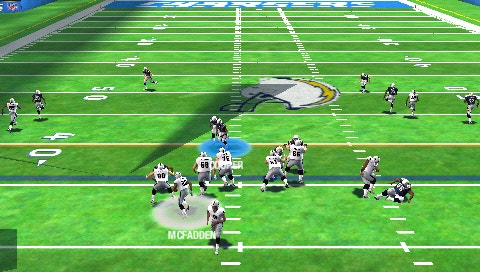
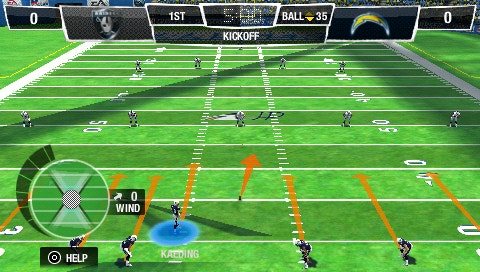
Madden NFL 12 (USA) - vertex explosions on the field (#16470)
 ULUS10581_0001.ppdmp.ZIP
ULUS10581_0002.ppdmp.ZIP
ULUS10581_0003.ppdmp.ZIP
ULUS10581_0001.ppdmp.ZIP
ULUS10581_0002.ppdmp.ZIP
ULUS10581_0003.ppdmp.ZIP
Caused by inversions (#16470)
Gripshift (USA) brown flashing lines in the sky ULUS10040_0006.zip
This looks like you'd expect on a PSP. The lines are introduced at 12/267. If I disable Z clip entirely, it's much worse:
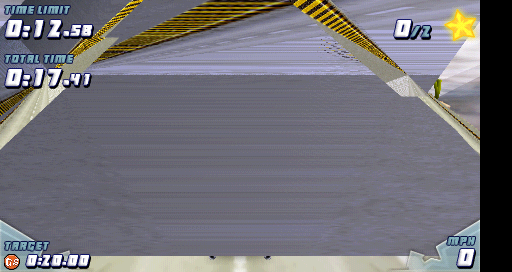
These are also inversions. Ignoring cases of (a.w < 0) != (b.w < 0) for interpolation (which doesn't match hardware, but seems like it would fix all these cases...) makes it look good.
Interestingly, this game seems like a good case for an optimization where we look at vertex alpha + texture alpha to skip alpha blending, since it wastes time looking up the dest color for blends that all use reliably full alpha.
Frogger drawing same pixel twice due to half offset (#16503)
Frogger - Helmet Chaos (USA) black line down middle of text box (between the word can and teach) ULUS10026_0001.zip
Line definitely shouldn't be there, PSP looks good:
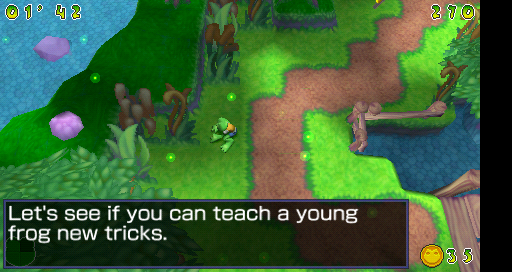
Box BG is drawn at 261/263, which is where it gets this wrong. It's a triangle strip of rectangles, in throughmode, without texturing. It goes (3, 199) - (207.5, 269) + (207.5, 199) - (409, 269). Must be the 0.5.
It draws correctly as triangles (DetectRectangleFromStrip() disabled), and it's not using the throughmode fast path (RectangleFastPath().) It's not that the pixel is missing, it's that both rectangles are drawing the pixel so it's blending to full alpha. I should create some correctness tests on 0.5 as a start or end point...
-[Unknown]
Fast and The Furious, The (USA) (v1.01) missing the green road signs from the top of the screen ULUS10198_0001.zip
The frame dump doesn't render with any signs up there either on a PSP:

I also don't see any sign of rendering there. This must be either something that doesn't happen every time, or that a CPU or similar bug.
Ratchet & Clank - Size Matters (USA) (En,Fr,De,Es,It) (v1.01) when they are near a waterfall the graphics are a bit corrupt UCUS98633_0001.ppdmp.ZIP UCUS98633_0003.ppdmp.ZIP
Correct rendering of first one:

The issue here is relying on the depth swizzle. At 2965/2978 it textures from 0x04710000 to 0x04154000, and then manually deswizzles at 2966/2978 to 0x04164000. If I redirect 2965 directly to 0x04164000 and skip 2966, it looks as it should:

Since this is straight texturing both times, in theory we could apply the swizzle to 2965, although ultimately I think the right way is to write depth to the correct bytes and swizzle on read (would still be 2965.) Silent Hill needs that as well.
Lara Croft Tomb Raider - Legend (USA) (v1.02) title screen and menu screen keeps flickering really badly
Assumed to be caused by inversions, but not... not sure
If you can try making a code change, the following would skip inverted triangles of all kinds (more than the PSP would have, and not optimal - just a quick way to do it):
diff --git a/GPU/Software/Clipper.cpp b/GPU/Software/Clipper.cpp
index bae2be188..1f8480221 100644
--- a/GPU/Software/Clipper.cpp
+++ b/GPU/Software/Clipper.cpp
@@ -400,6 +400,9 @@ void ProcessTriangle(const ClipVertexData &v0, const ClipVertexData &v1, const C
                        ClipVertexData &subv1 = *Vertices[indices[i + 1]];
                        ClipVertexData &subv2 = *Vertices[indices[i + 2]];
                        if (clipped) {
+                               if (isnan(subv0.clippos.w) || isnan(subv1.clippos.w) || isnan(subv2.clippos.w))
+                                       continue;
+
                                subv0.v.screenpos = TransformUnit::ClipToScreen(subv0.clippos);
                                subv1.v.screenpos = TransformUnit::ClipToScreen(subv1.clippos);
                                subv2.v.screenpos = TransformUnit::ClipToScreen(subv2.clippos);
diff --git a/GPU/Software/TransformUnit.h b/GPU/Software/TransformUnit.h
index a55c824a9..52377be6d 100644
--- a/GPU/Software/TransformUnit.h
+++ b/GPU/Software/TransformUnit.h
@@ -97,6 +97,13 @@ struct ClipVertexData {
                u16 t_int = (u16)(t * 256);
                v.color0 = LerpInt<Vec4<int>, 256>(Vec4<int>::FromRGBA(a.v.color0), Vec4<int>::FromRGBA(b.v.color0), t_int).ToRGBA();
                v.color1 = LerpInt<Vec3<int>, 256>(Vec3<int>::FromRGB(a.v.color1), Vec3<int>::FromRGB(b.v.color1), t_int).ToRGB();
+
+               if ((a.clippos.w < 0) != (b.clippos.w < 0)) {
+                       clippos.x = NAN;
+                       clippos.y = NAN;
+                       clippos.z = NAN;
+                       clippos.w = NAN;
+               }
        }

        bool OutsideRange() const {
If that solves the flickering, then it's triangle inversion as well.
SEGA logo over drawing, sampling extra texels (#16503)
Phantasy Star Portable (USA) black line under the word SEGA ULUS10410_0001.zip
Just to be certain, there should indeed be no line:

This is a transformed rectangle-as-triangle-strip. The Y is 83.5 to 188.5 (but V is 107 to 212.) The wrong pixels are at 188, and this might indicate the final 0.5 should not be drawn, and is probably like the Frogger issue. That said, it seems a bit off - the logo is very slightly higher than it should be, so that may indicate that there are still accuracy issues in texturing to fix...
Notably, this one happens even when triangles are used - it happens in both paths.
Syphon Filter - Dark Mirror (USA) (v1.01) fire and smoke is wrong (On side of building and from silo)
The shadows in especially frame dump 8 look terrible, even on a PSP:

The YouTube video shows much nicer looking fire, so I wonder if there's something this frame dump didn't capture?
The first fire there is drawn at 4760/5060, using various overlapping rectangles + color doubling. I don't really see anything to question the frame dump. The smoke is at 4767/5060, and it's basically the same story. Maybe something is causing it to draw more layers than it should? Maybe some depth readback that fails due to swizzle? The fire looks a bit better in Vulkan, but it's incorrect.
The last draw, 5060/5060, ends up brighter than it should be. It's the main thing that stands out in the frame dump compared to the PSP rendering. There's no lighting; it's just transformed rectangles, tex (CLUT 8888, modulate + color doubling) + alpha test (a != 0) + alpha blend (standard.) This is the same in Vulkan.
The colors rendered aren't wrong, but the edges shouldn't be as strong. Weirdly, the UVs and pos are 1:1, it does make me worry somehow color doubling is wrong...
Some of the other dumps had a brightness issue with the flames but after investigating, it was actually a playback issue - #16401. That makes the flames match what a PSP renders for these frame dumps. So must be a bug somewhere else if they're wrong...
-[Unknown]
MotorStorm - Arctic Edge (USA) (En,Fr,De,Es,It,Nl,Pt,Ru) wrong shadows UCUS98743_0001.ppdmp.ZIP
here is a GE dump from the EU version which doesn't have the same problem UCES01250_0001.ppdmp.ZIP
That's #7552. Not a software rendering issue.
Caused by inversions (#16470)
Metal Gear Solid - Peace Walker (USA) (En,Fr,Es) (v1.01) lots of vertex explosions ULUS10509_0001.ppdmp.ZIP ULUS10509_0002.ppdmp.ZIP ULUS10509_0003.ppdmp.ZIP
These are all great examples of inversions, and pretty clear too. In the same order as the frame dumps:
- 66/7507, a single triangle draw, inverts. In this case, it's -z/-w, +z/+w, -z/-w causing the inversion.
- 80/4984, similarly a single triangle draw, inverts. This only has the first neg z and neg w, the other two points have positive z and w.
- 68/4302, also a single triangle yet again, inverts. This is similar to the second, with -z/-w, +z/+w, +z/+w.
Caused by inversions (#16470)
Madden NFL 12 (USA) vertex explosions on the field
ULUS10581_0001.ppdmp.ZIP ULUS10581_0002.ppdmp.ZIP ULUS10581_0003.ppdmp.ZIP
More triangle inversions indeed.
- 957/6161 - strip of two triangles
- 720/6416 - strip of two triangles
- 811/6360 - strip of two triangles
It's basically the same draw, using the same texture, each time.
-[Unknown]