

 hrydgard
[Feature Request] Hardware Mode Dithering
PCSX2 recently added the option for dithering in hardware mode. It'd be great to see this feature added in PPSSPP as well.


I don't think there's any need, we simply render in full 32-bit color even when games want to use 16-bit color (which is what benefits the most from dithering).
Do you have an example of a game that would benefit?

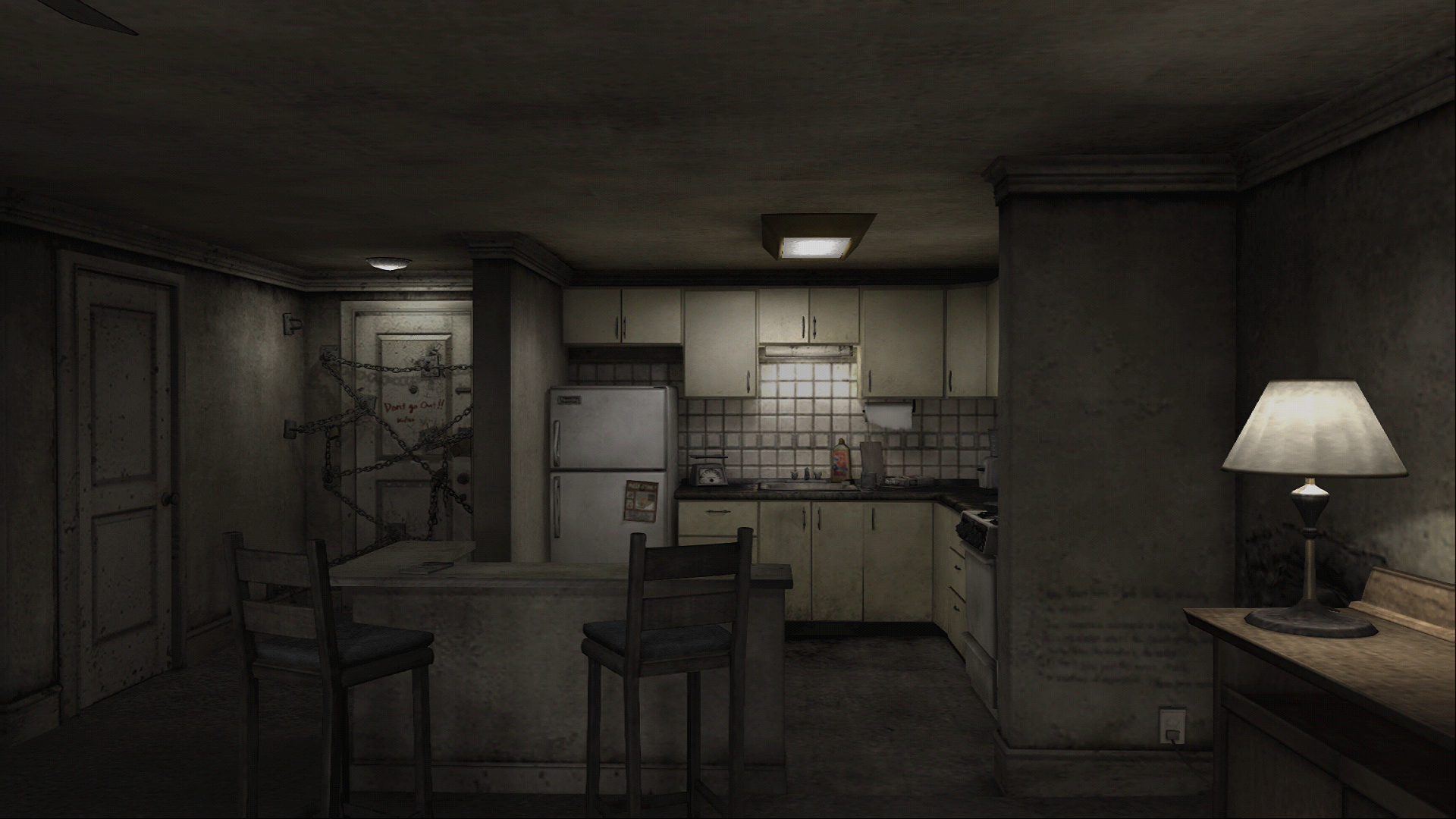
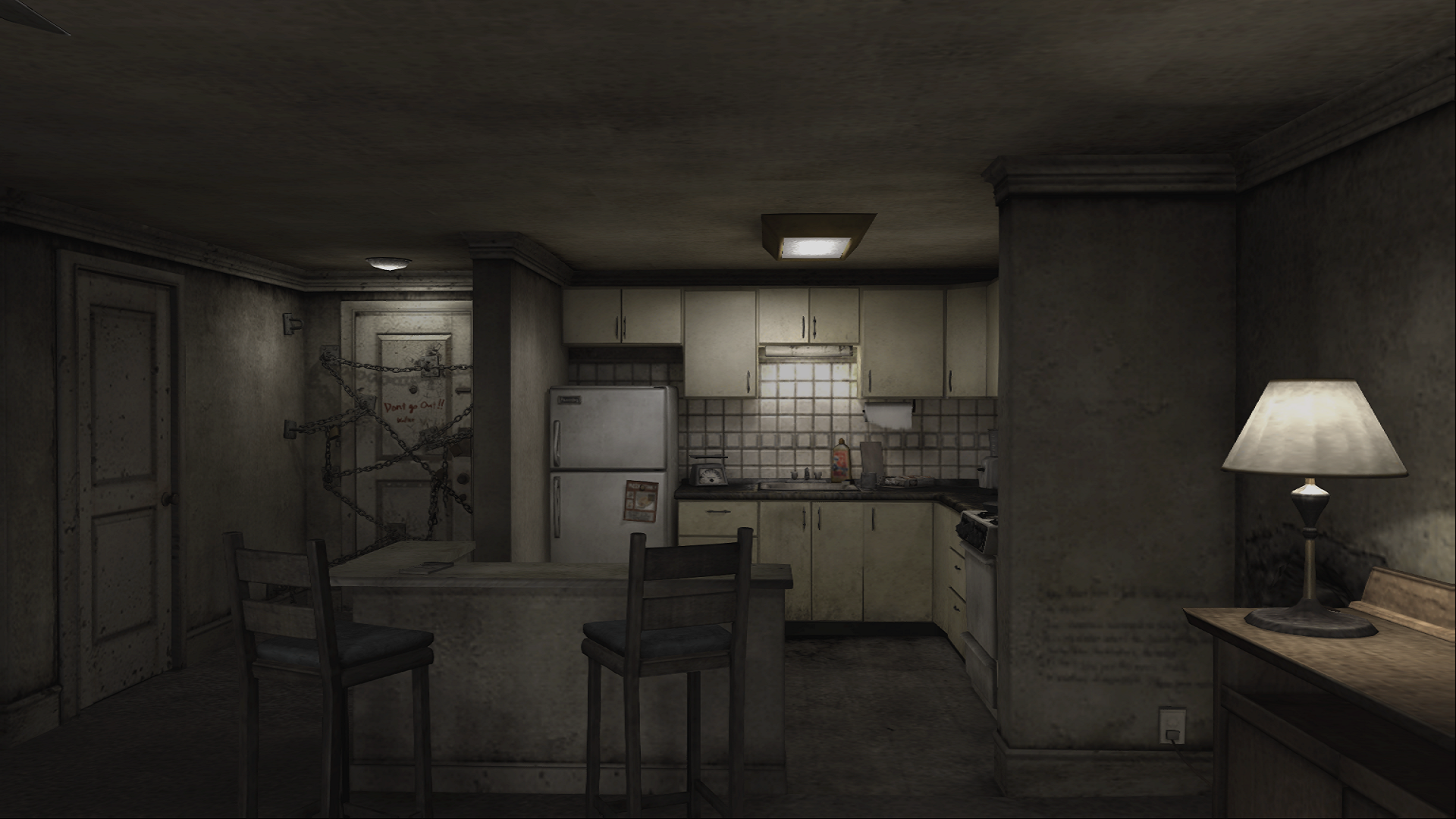
I guess it's not really a matter of benefit, just preference. It can be neat to see what games look like with it on and off. Here's Silent Hill 4 on PCSX2 as an example of ON/OFF.
Dithering ON
Dithering OFF
You could always write a post processing filter that adds a dithering-style effect if you like...
Maybe one day we'll support low-color-depth and real PSP style dithering, but it's not a priority.
As remembered, when loading/converting a 16-bit lightmap texture into 32-bit texture with dithering will get a smoother gradient instead of showing noticeable color banding as without dithering. (have done that long time ago while trying to recreate and improves unofficial rendering engine of Ragnarok Online where most of the textures are in 16-bit)
Does PSP games use 16-bit textures especially for lightmap?

There is color depth option in Kingdom Hearts Birth by Sleep it accessed by selecting config menu:
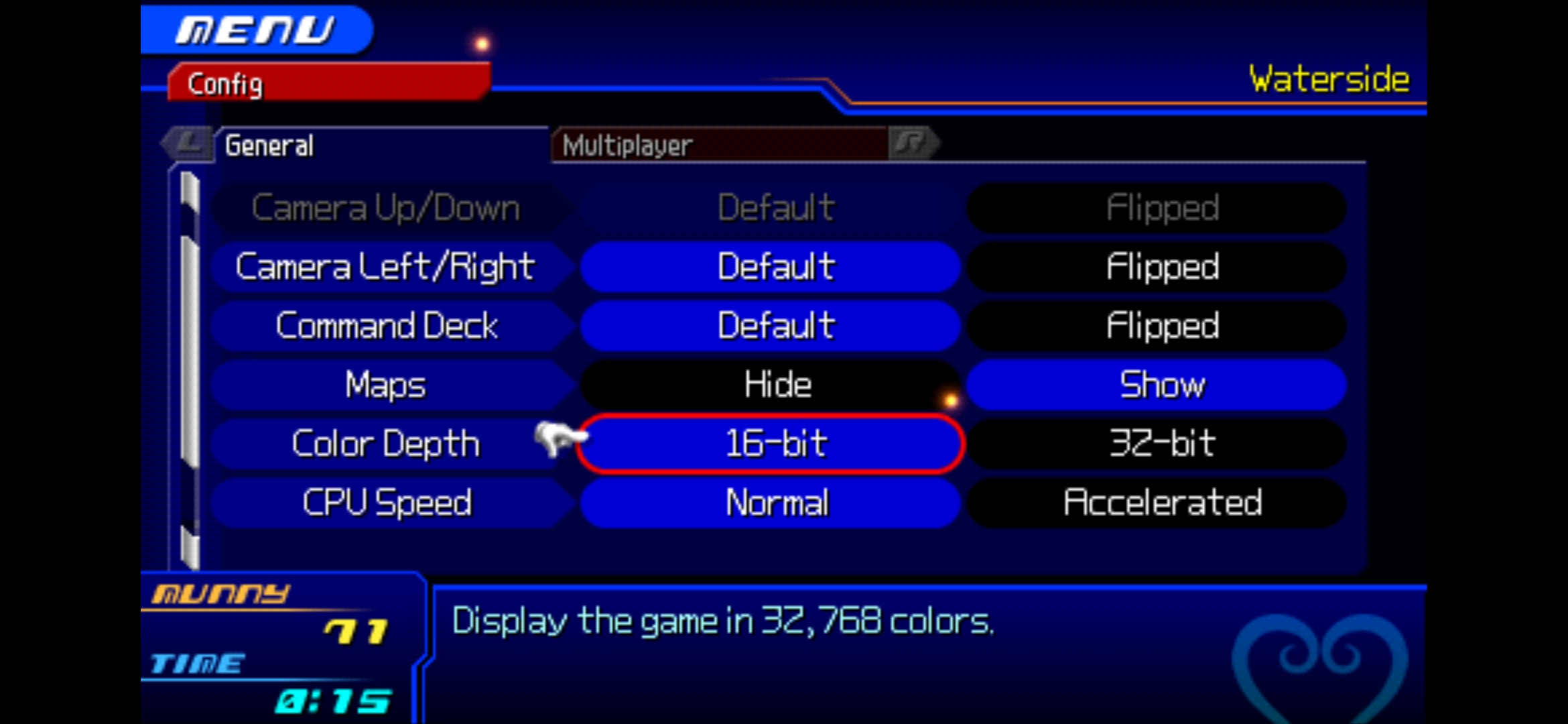
How it looks in 16-bit mode:
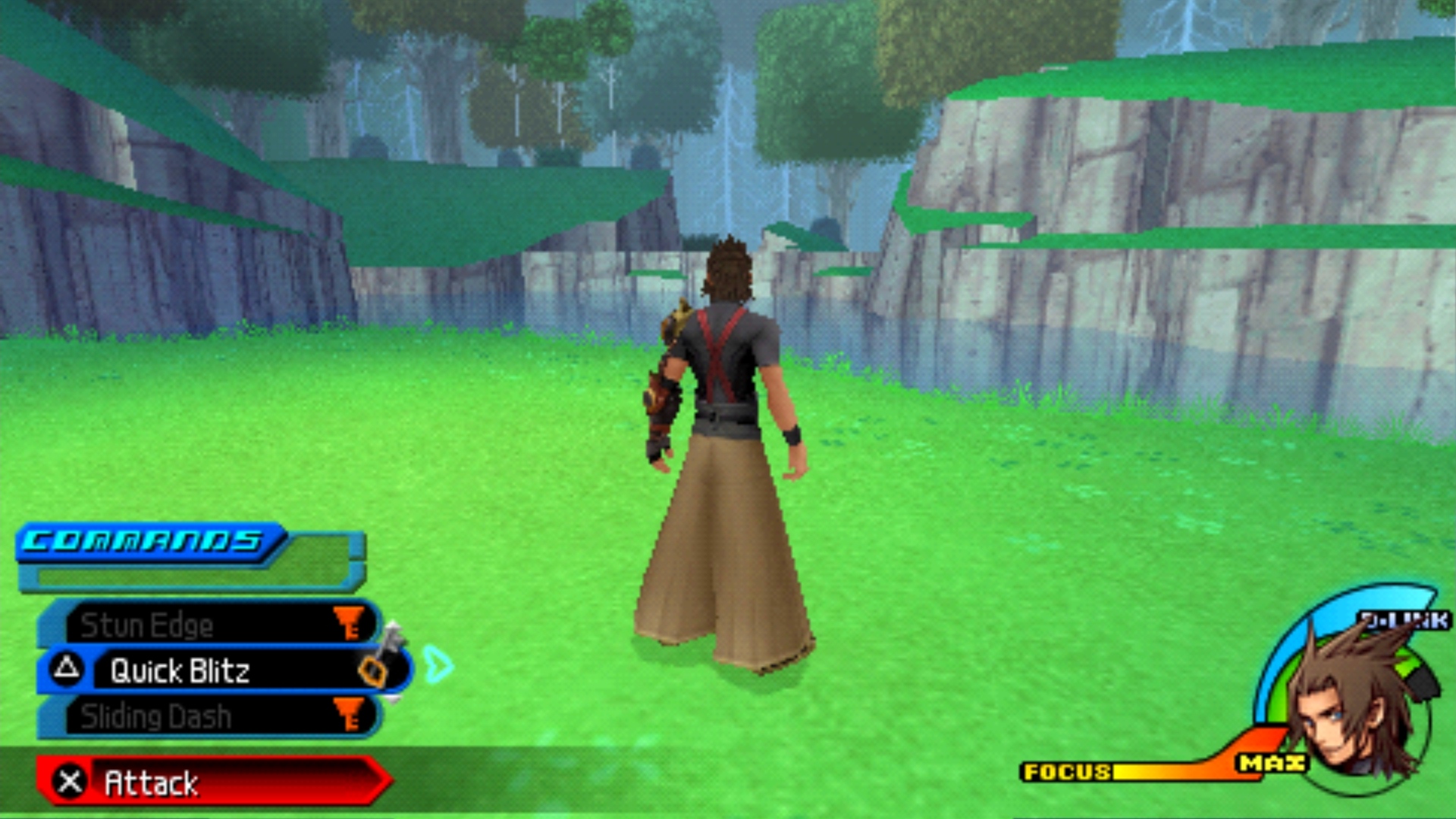
How it looks in 32-bit mode:

These screenshots are using software mode.

Based on how the dark semi-transparent bar on Attack button looks, that game seems to use dithering on 16-bit.
But that color depth option might be the display framebuffer color depth instead of texture color depth, and framebuffer can be improved with post-processing shaders
Software rendering performs dithering (so those screenshots.) But everything else - OpenGL, Vulkan, Direct3D - currently doesn't.
I'm not sure if the dither matrix is used when drawing 16-bit textures to 32-bit surfaces (it seemed like it wasn't), but if so the software renderer doesn't do that. It only dithers when drawing a 32-bit image to a 16-bit surface.
For hardware rendering, since we currently only use 32-bit surfaces, I think the only relevant thing would be when converting down to a 16-bit surface for a block transfer. In theory, these should be places where the software renderer currently looks better than the hardware renderer.
-[Unknown]

I'd love to see this as well, mostly for the sake of accuracy, in same games dithering can really hide the flatness of surfaces otherwise. The games can look distinctly different with 32bit vs 16bit vs dithering. Personally I think a post processing solution would probably be good enough for most cases and I'd love to know if an existing implementation exists. As a sidenote, 5551 and 565 produce quite different looking results as well in my experience writing my own homebrew, so in an ideal world this could also be replicated.

Mixing effects is easy within PPSSPP now, so you could try to write or convert some effect to reduce color deepth then for dithering you could just use something like my frost debanding filter ~ here's how it works, used to counter xBRZ ugliness, it has configurable tolerance.

It shouldn't be a question of benefits. Dithering is good for purists. Who prefer games to look like they're supposed to on real hardware. Software mode has it. Hardware doesn't. Ideally, it should be toggle-able if someone can't stand extra pixels on their screen.

Dithering is also important for rendering to high resolutions, like 4K. Even with 32bit colour, scaling up from the PSP's low resolution means banding is visible in gradients between colours, particularly if a game uses vertex colours.

any chance someone will look into this? It wouldn't hurt to have proper dither, since some games would look unrecognizable without it.

I'm curious, what game exactly looks unrecognizable without it?
Additionally, should the dither pattern be at original or emulated resolution?
When i mean unrecognizable, i mean games that look jarring after coming from a real psp to ppsspp not all games use it, but it is really obvious when it's across something flat, like a road
and like everyone says, it is not simply that it has a benefit, it's just accurate to console and can't be used without the slow software renderer (and also looks cool :) ) as for scaling, i can only assume it would be better for the emulated resolution so it can scale, but I don't know the technical parts to that so it could be either or