

 hpjansson
Add support for far2l terminal images protocol
Unfortunately, not very well documented, but you can search far2l's internal virtual terminal (VT) source code by "FARTTY_INTERACT_IMAGE_":
https://github.com/elfmz/far2l/blob/0ce405f9e20c8ebc42ebc6cbfc930ca81aa3bff8/far2l/src/vt/VTFar2lExtensios.cpp#L557
Some basic information on how far2l terminal extensions escape sequences are encoded: https://github.com/cyd01/KiTTY/issues/74#issuecomment-626917718

Interesting, thanks. This looks like big feature stuff which would require some research. Do you know if there are any screenshots of the image protcol in action? Is it direct color or palette mapped?
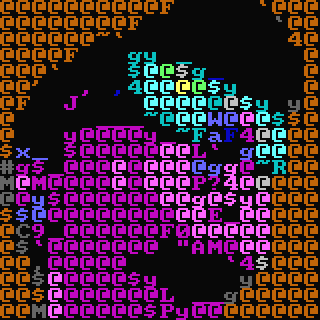
Direct color.
Btw, I've recently found a bug in far2l preventing this protocol from working correctly. Then I asked main developer to fix it, he replied that he is now investigating the possibility of implementing kitty's protocol instead. If so, no action from chafa developers would be requred. But let us keep this issue open until he makes the decision.
As for the research, I will try to help if needed.
The bug in far2l is fixed. This test app is showing console image correctly at least in far2l 89c32a6
How to test:
#!/bin/bash
g++ -std=c++11 -o far2l_img_test far2l_img_test.cpp
wget https://upload.wikimedia.org/wikipedia/en/7/7d/Lenna_%28test_image%29.png
convert Lenna_\(test_image\).png -depth 8 RGB:test.rgb
./far2l_img_test test.rgb 512 512
far2l_img_test.cpp:
#include <iostream>
#include <vector>
#include <string>
#include <fstream>
#include <termios.h>
#include <unistd.h>
#include <cstdio>
#include <map>
#include <cstdint>
#include <fcntl.h>
#include <sys/select.h>
#include <cstring>      // For strerror
#include <cerrno>       // For errno
#include <stdexcept>    // For std::runtime_error
#include <typeinfo>     // For typeid

// Global logger for easy access
std::ofstream g_log;

// --- Start: Minimal Base64 and StackSerializer implementation ---

/**
 * Encodes binary data into Base64.
 */
std::string base64_encode(const std::vector<char>& in) {
    std::string out;
    const std::string b64_chars = "ABCDEFGHIJKLMNOPQRSTUVWXYZabcdefghijklmnopqrstuvwxyz0123456789+/";
    int i = 0, j = 0;
    size_t in_len = in.size();
    unsigned char char_array_3[3];
    unsigned char char_array_4[4];

    for(size_t pos = 0; pos < in_len; ) {
        char_array_3[i++] = in[pos++];
        if (i == 3) {
            char_array_4[0] = (char_array_3[0] & 0xfc) >> 2;
            char_array_4[1] = ((char_array_3[0] & 0x03) << 4) + ((char_array_3[1] & 0xf0) >> 4);
            char_array_4[2] = ((char_array_3[1] & 0x0f) << 2) + ((char_array_3[2] & 0xc0) >> 6);
            char_array_4[3] = char_array_3[2] & 0x3f;

            for(i = 0; (i < 4) ; i++)
                out += b64_chars[char_array_4[i]];
            i = 0;
        }
    }

    if (i) {
        for(j = i; j < 3; j++)
            char_array_3[j] = '\0';

        char_array_4[0] = (char_array_3[0] & 0xfc) >> 2;
        char_array_4[1] = ((char_array_3[0] & 0x03) << 4) + ((char_array_3[1] & 0xf0) >> 4);
        char_array_4[2] = ((char_array_3[1] & 0x0f) << 2) + ((char_array_3[2] & 0xc0) >> 6);

        for (j = 0; (j < i + 1); j++)
            out += b64_chars[char_array_4[j]];

        while((i++ < 3))
            out += '=';
    }
    return out;
}

/**
 * A minimal implementation of the stack serializer.
 * It follows a Last-In, First-Out (LIFO) model.
 */
class StackSerializer {
    std::vector<char> _data;
public:
    template<typename T>
    void PushNum(T val) {
        g_log << "    PushNum<" << typeid(T).name() << ">(" << +val << ")" << std::endl;
        const char* p = reinterpret_cast<const char*>(&val);
        _data.insert(_data.end(), p, p + sizeof(T));
    }

    // Pushes a string. Note that the size is pushed AFTER the data,
    // which is how the stack works.
    void PushStr(const std::string& str) {
        g_log << "    PushStr(\"" << str << "\") with size " << str.size() << std::endl;
        _data.insert(_data.end(), str.begin(), str.end());
        PushNum<uint32_t>(static_cast<uint32_t>(str.size())); // Size is pushed AFTER the data
    }

    // Pushes a raw buffer of bytes, without a size prefix.
    void PushRaw(const std::vector<char>& buffer) {
        g_log << "    PushRaw(buffer) with size " << buffer.size() << std::endl;
        _data.insert(_data.end(), buffer.begin(), buffer.end());
    }

    const std::vector<char>& GetData() const { return _data; }
};
// --- End: Minimal implementation ---

/**
 * Sends a raw, unencoded command sequence to the terminal.
 */
void send_raw_command(const std::string& raw_command, const std::string& command_name) {
    g_log << "--- Sending Raw Command: " << command_name << " ---" << std::endl;
    g_log << "  Full command: ";
    for (char c : raw_command) {
        if (c == '\x1B') g_log << "\\x1B";
        else if (c == '\x07') g_log << "\\x07";
        else g_log << c;
    }
    g_log << std::endl;
    g_log << "------------------------------------------" << std::endl;
    std::cout << raw_command << std::flush;
}

/**
 * Serializes, encodes, and sends a command to the terminal.
 */
void send_command(StackSerializer& serializer, const std::string& command_name) {
    const auto& data = serializer.GetData();
    std::string payload = base64_encode(data);

    g_log << "--- Sending Command: " << command_name << " ---" << std::endl;
    g_log << "  Binary stack size: " << data.size() << " bytes" << std::endl;
    g_log << "  Base64 Payload: " << payload << std::endl;
    g_log << "  Full command: \\x1B_far2l:" << payload << "\\x07" << std::endl;
    g_log << "------------------------------------------" << std::endl;

    std::cout << "\x1B_far2l:" << payload << "\x07" << std::flush;
}

/**
 * Listens for and reads a response from the terminal, logging it.
 * @param expected_response If not empty, checks if the response starts with this string.
 * @return true if a response was received (and matches if checked).
 */
bool listen_for_response(const std::string& expected_response = "") {
    fd_set fds;
    struct timeval tv;
    tv.tv_sec = 1; // Wait for a response for 1 second
    tv.tv_usec = 0;

    FD_ZERO(&fds);
    FD_SET(STDIN_FILENO, &fds);

    g_log << "Listening for response from far2l..." << std::endl;

    int ret = select(STDIN_FILENO + 1, &fds, NULL, NULL, &tv);
    if (ret > 0) {
        char buffer[4096];
        int bytes_read = read(STDIN_FILENO, buffer, sizeof(buffer) - 1);
        if (bytes_read > 0) {
            buffer[bytes_read] = '\0';
            g_log << "  RECEIVED " << bytes_read << " bytes." << std::endl;
            // Log the raw response
            g_log << "  Raw response: ";
            for(int i = 0; i < bytes_read; ++i) {
                if (buffer[i] == '\x1B') g_log << "\\x1B";
                else if (buffer[i] == '\x07') g_log << "\\x07";
                else if (isprint(static_cast<unsigned char>(buffer[i]))) g_log << buffer[i];
                else g_log << ".";
            }
            g_log << std::endl;

            if (!expected_response.empty() && strncmp(buffer, expected_response.c_str(), expected_response.size()) == 0) {
                g_log << "  SUCCESS: Received expected response '" << expected_response << "'." << std::endl;
                return true;
            } else if (!expected_response.empty()) {
                g_log << "  ERROR: Did not receive expected response." << std::endl;
                return false;
            }
            return true;
        } else {
            g_log << "  read() returned " << bytes_read << ", errno=" << errno << " (" << strerror(errno) << ")" << std::endl;
        }
    } else if (ret == 0) {
        g_log << "  Timeout: No response from far2l." << std::endl;
    } else {
        g_log << "  select() error, errno=" << errno << " (" << strerror(errno) << ")" << std::endl;
    }
    return false;
}

int main(int argc, char* argv[]) {
    g_log.open("debug.log", std::ios::out | std::ios::trunc);
    g_log << "Starting test application..." << std::endl;

    if (argc != 4) {
        g_log << "Error: Invalid number of arguments." << std::endl;
        std::cerr << "Usage: " << argv[0] << " <path_to_raw_rgb_file> <width> <height>" << std::endl;
        return 1;
    }

    std::string filename = argv[1];
    int width = std::stoi(argv[2]);
    int height = std::stoi(argv[3]);
    g_log << "Params: file='" << filename << "', width=" << width << ", height=" << height << std::endl;

    // Set terminal to raw mode to read responses without waiting for Enter
    struct termios old_tio, new_tio;
    tcgetattr(STDIN_FILENO, &old_tio);
    new_tio = old_tio;
    new_tio.c_lflag &= (~ICANON & ~ECHO); // Turn off canonical mode and echo
    tcsetattr(STDIN_FILENO, TCSANOW, &new_tio);

    try {
        // STEP 1: ACTIVATE FAR2L EXTENSIONS
        send_raw_command("\x1B_far2l1\x07", "ENABLE_EXTENSIONS");
        if (!listen_for_response("\x1B_far2lok\x07")) {
            throw std::runtime_error("far2l did not acknowledge extension activation. Are you running inside 'far2l --vt'?");
        }

        // STEP 2: READ IMAGE FILE
        std::vector<char> buffer;
        std::ifstream img_file(filename, std::ios::binary);
        if (!img_file) {
            throw std::runtime_error("Error opening image file: " + filename);
        }
        buffer.assign((std::istreambuf_iterator<char>(img_file)), std::istreambuf_iterator<char>());
        if (buffer.size() != static_cast<size_t>(width * height * 3)) {
            throw std::runtime_error("Image file size does not match specified dimensions (width * height * 3).");
        }
        g_log << "Image file read successfully, size: " << buffer.size() << " bytes." << std::endl;

        // STEP 3: DISPLAY THE IMAGE
        g_log << "\nBuilding set_image request..." << std::endl;
        StackSerializer set_img_req;

        // Push arguments onto the stack in REVERSE order
        set_img_req.PushRaw(buffer);
        set_img_req.PushNum<uint32_t>(height);
        set_img_req.PushNum<uint32_t>(width);
        set_img_req.PushNum<uint16_t>(5); // Y position
        set_img_req.PushNum<uint16_t>(5); // X position
        set_img_req.PushNum<uint64_t>(0x01); // Flag WP_IMG_RGB
        set_img_req.PushStr(filename); // Image identifier

        // Push command codes
        set_img_req.PushNum<char>('s'); // FARTTY_INTERACT_IMAGE_SET
        set_img_req.PushNum<char>('i'); // FARTTY_INTERACT_IMAGE

        // Push request ID (last)
        set_img_req.PushNum<uint8_t>(1); // ID = 1

        send_command(set_img_req, "IMAGE_SET");
        listen_for_response();

        std::cout << "\n\nImage sent. Waiting for 5 seconds before deleting..." << std::endl;
        sleep(5);

        // STEP 4: DELETE THE IMAGE
        g_log << "\nBuilding delete_image request..." << std::endl;
        StackSerializer del_img_req;

        // Push arguments in reverse order
        del_img_req.PushStr(filename);

        // Push command codes
        del_img_req.PushNum<char>('d'); // FARTTY_INTERACT_IMAGE_DEL
        del_img_req.PushNum<char>('i'); // FARTTY_INTERACT_IMAGE

        // Push request ID
        del_img_req.PushNum<uint8_t>(2); // ID = 2

        send_command(del_img_req, "IMAGE_DEL");
        listen_for_response();

    } catch (const std::runtime_error& e) {
        g_log << "CRITICAL ERROR: " << e.what() << std::endl;
        std::cerr << "Error: " << e.what() << std::endl;
        tcsetattr(STDIN_FILENO, TCSANOW, &old_tio);
        return 1;
    }

    // Restore terminal settings
    tcsetattr(STDIN_FILENO, TCSANOW, &old_tio);
    g_log << "\nTest finished." << std::endl;
    std::cout << "Done." << std::endl;

    return 0;
}
Now, the documentation. Please keep in mind that graphics have been added to the far2l internal terminal recently, and I admit that the protocol may still change (although it looks like everything necessary is already there).
far2l terminal graphics protocol
Introduction
far2l terminal extensions protocol is built upon sending specially formatted ANSI escape sequences. The payload of these sequences is a base64-encoded binary stack of commands and their arguments.
This guide focuses specifically on the functionality required to display and remove images.
Core concepts
Before sending any commands, it's crucial to understand the three core concepts of the protocol.
1. General command structure
All commands are sent to the terminal in the following format:
\x1B_far2l:<payload>\x07
\x1B_far2l:is the static prefix that identifies a far2l command.<payload>is the Base64-encoded representation of the command stack.\x07(BEL character) is the command terminator.
2. Stack serializer
The most critical concept to grasp is that the binary payload is a stack. This means it follows a Last-In, First-Out (LIFO) principle.
When you build a command, you Push arguments onto the stack. The far2l terminal will Pop them off in the reverse order.
Example: If the documentation says the far2l internal terminal expects Argument A, then Argument B, you must push Argument B first, then Argument A.
// Your code (building the stack)
stack.Push(Argument_B);
stack.Push(Argument_A);

// far2l internal terminal side (reading the stack)
Argument_A = stack.Pop();
Argument_B = stack.Pop();
All integer types (uint8_t, uint16_t, uint32_t, uint64_t) are pushed in little-endian format.
3. Request ID
Every command stack must include an 8-bit request ID. This ID is always the last thing you push onto the stack before encoding.
- ID = 0: An asynchronous command. You are telling
far2lthat you do not expect a reply. - ID > 0: A synchronous command.
far2lwill process the command and send a reply back to your application'sstdinusing the same protocol format and the same ID.
For simplicity, this guide will use non-zero IDs to allow for potential response handling.
Protocol handshake: enabling extensions
Before you can send any commands, you must enable the far2l extension mode and receive an acknowledgment.
Step 1: send activation command
Your application must first send the following raw byte sequence to far2l terminal:
\x1B_far2l1\x07
Step 2: wait for acknowledgment
Your application must then listen on stdin for the following raw byte sequence from far2l:
\x1B_far2lok\x07
If you do not receive this acknowledgment, you are probably working in terminal which does not support far2l extensions protocol. You should not proceed with sending commands.
Image commands
All image-related operations are sub-commands of the main FARTTY_INTERACT_IMAGE ('i') command.
FARTTY_INTERACT_IMAGE_CAPS ('c')
Queries the terminal's image rendering capabilities.
- In Stack: None.
- Out Stack:
Argument Type Description Capabilities uint64_tA bitmask of WP_IMGCAP_*flags, see below.Cell Width (px) uint16_tThe width of a character cell in pixels. Cell Height (px) uint16_tThe height of a character cell in pixels.
WP_IMGCAP_* (Rendering Capabilities)
WP_IMGCAP_RGBA(0x01): Client supports supports WP_IMG_RGB/WP_IMG_RGBA formats (see below).WP_IMGCAP_SCROLL(0x02): Client supports existing image scrolling.WP_IMGCAP_ROTATE(0x03): Client supports existing image rotation.
FARTTY_INTERACT_IMAGE_SET ('s')
Uploads and displays an image.
- In Stack:
Argument Type Description Image ID stringA unique identifier for the image. Flags uint64_tThe image format flags, see below. Position X uint16_tThe horizontal character column. Position Y uint16_tThe vertical character row. Image Width uint32_tImage width in pixels. Image Height uint32_tImage height in pixels. Image Data raw bytesThe raw pixel data. - Out Stack:
Argument Type Description Success uint8_t1on success,0on failure.
WP_IMG_* (Image Format Flags)
WP_IMG_RGBA(0x00): Supported if WP_IMGCAP_RGBA was setWP_IMG_RGB(0x01): Supported if WP_IMGCAP_RGBA was set
Flags below are supported only if WP_IMGCAP_SCROLL was reported. They are intended to scroll existing image instead of displaying a new one.
WP_IMG_SCROLL_AT_LEFT(0x10000): Left->right scrolling, sending rectangle to insert at leftWP_IMG_SCROLL_AT_RIGHT(0x20000): Right->left scrolling, sending rectangle to insert at rightWP_IMG_SCROLL_AT_TOP(0x30000): Top->bottom scrolling, sending rectangle to insert at topWP_IMG_SCROLL_AT_BOTTOM(0x40000): Bottom->top scrolling, sending rectangle to insert at bottom
FARTTY_INTERACT_IMAGE_DEL ('d')
Removes a previously displayed image.
- In Stack:
Argument Type Description Image ID stringThe identifier of the image to remove. - Out Stack:
Argument Type Description Success uint8_t1on success,0on failure.
FARTTY_INTERACT_IMAGE_ROT ('r')
Rotates and repositions a previously displayed image.
- In Stack:
Argument Type Description Image ID stringThe unique identifier of the image to rotate. Position X uint16_tThe new horizontal character column for the image's top-left corner. Position Y uint16_tThe new vertical character row for the image's top-left corner. Rotation Angle uint8_tThe angle of rotation in 90-degree increments ( 0=0°,1=90°,2=180°,3=270°). - Out Stack:
Argument Type Description Success uint8_t1on success,0on failure.
Full list of FARTTY_INTERACT_* constants: https://github.com/elfmz/far2l/blob/master/WinPort/FarTTY.h
However, even if some request fields change or new ones are added, the overall data-encoding scheme will almost certainly remain the same. You can always check the current fields in the function VTFar2lExtensios::OnInteract_ImageSet in the file at the following link:
https://github.com/elfmz/far2l/blob/master/far2l/src/vt/VTFar2lExtensios.cpp
I'd strongly recommend you replace the BEL terminator with a proper ST sequence, because it's not a standard terminator. While most modern terminals support BEL as a terminator for OSC (just for compatibility with broken Linux apps), they are much less likely to accept BEL as a terminator for other string sequences like DCS, APC, PM and SOS (some do, but a lot don't).

@j4james oh, I don’t have many opportunities to influence this. In the far2l project I’m more of an apprentice than a leader.
@elfmz that do you think?
Protocol is still changing. Waiting.
Anyway, I updated docs above to match the current version. Demo app do not needs any update.
Also, a small subset of kitty protocol is already implemented, but has some problems. Let me quote the main developer:
I did it, but it looks really rough for several reasons:
chafa outputs to the terminal and exits, and as a result the image stays hanging over FAR’s panels forever*. I fixed this by deleting the images after the command finishes in the terminal, but then chafa exits immediately — and the image isn’t visible at all. You can only see it if you add a sleep, like: chafa -f kitty ./test.jpg ; sleep 3
The wx backend currently isn’t designed for image scaling (and why should it be, since ImageMagick handles scaling in ImageViewer plugin). But chafa sends an intentionally small image and asks the terminal to scale it up, which results in a mediocre outcome.
- It's an architectural limitation. A regular terminal doesn't have panels that orthodox file managers have, so there aren't any such problems.
Oops, the protocol changed again, and now the demo app doesn't work. I think I'll wait until it stabilizes.