osm-export-tool

osm-export-tool copied to clipboard
 hotosm
"save + sync" to HDX also adds links for unselected & non-existant file formats
To reproduce:
- Create or modify an export so that not all 4 file formats are selected (this is often a necessity to reduce the chance of the export from crashing or getting stuck..).
- Click "save + sync" to HDX, and ensure the export has run
- Go to the HDX page for the datasets. Links will be created for the non-existant file formats as well.
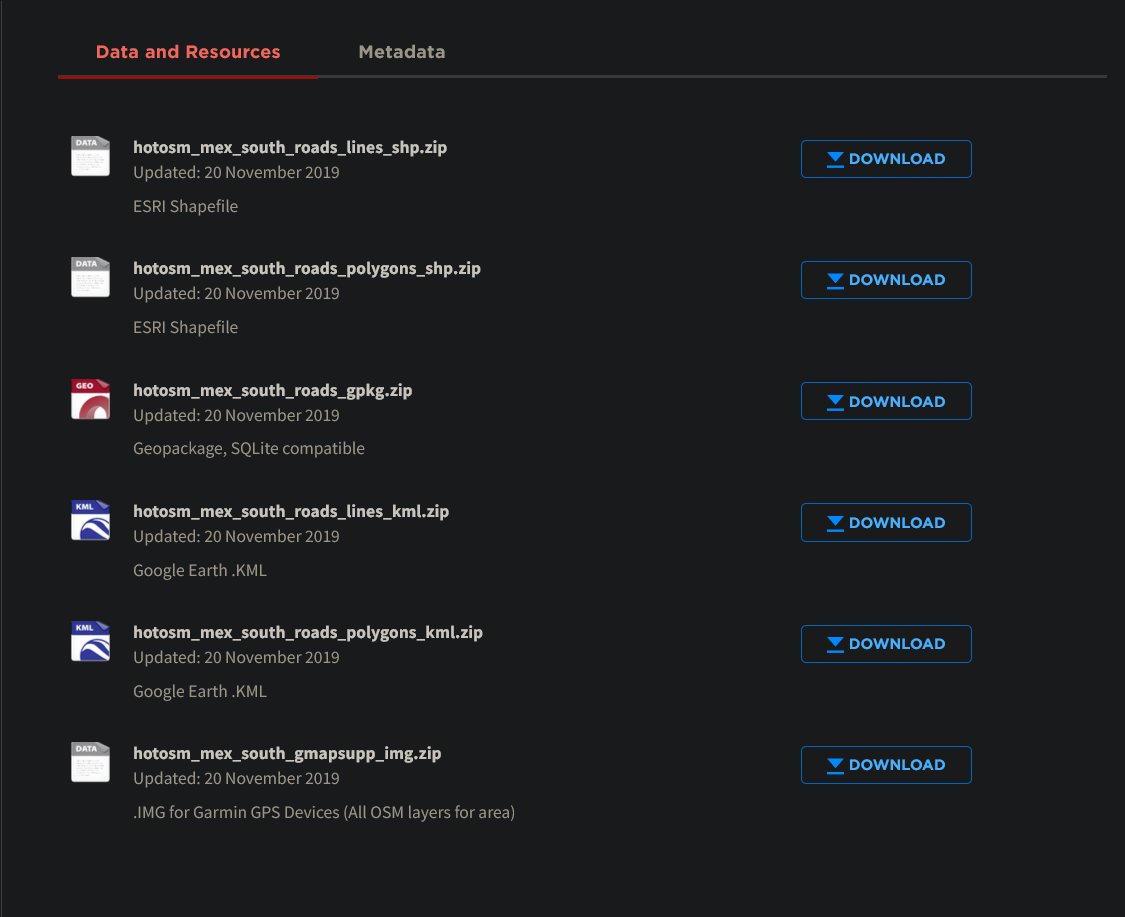
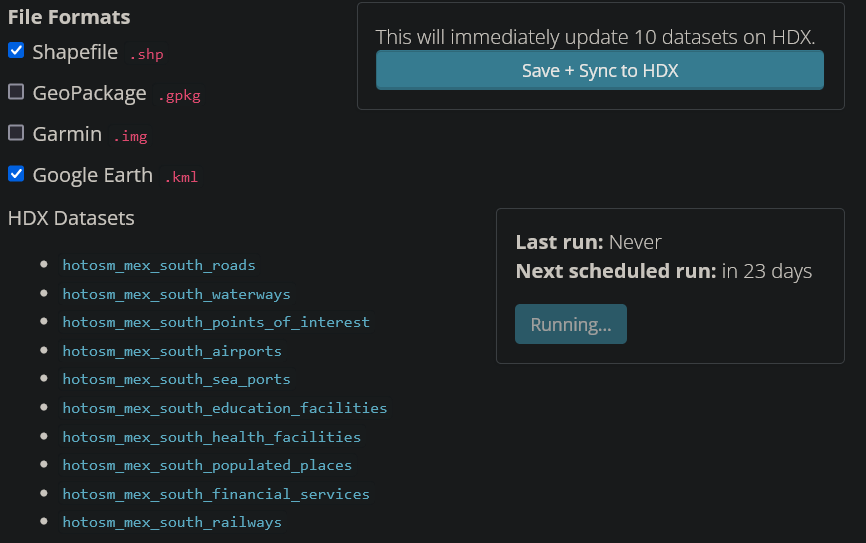
Example: for "south Mexico", only shp and kml were selected as export formats. However, on the corresponding HDX page, links are also created for the gpkg and Garmin img files. Clicking those yields a 404.
File formats selected and exports created:
Actual files created by the export: https://export.hotosm.org/en/v3/exports/74c6cc09-e9ef-49c7-a2a3-3db7a7efae2f/78e8c20a-c73b-457f-b7b2-0c087cd8a70b
Links synced to https://data.humdata.org/dataset/hotosm_mex_south_roads: